


Question

how to add the same line with different start/end date for activity and cost and sub project in project forecast?

  • April 2, 2026
  • 3 replies
  • 28 views

Forum|alt.badge.img+8

hello

I want to create a project forecast for 12 months for the same sub project and activity and cost element like below picture,

I create one line and copy paste to have different start/end date, it will have error message pop-up, how can I make it happen.
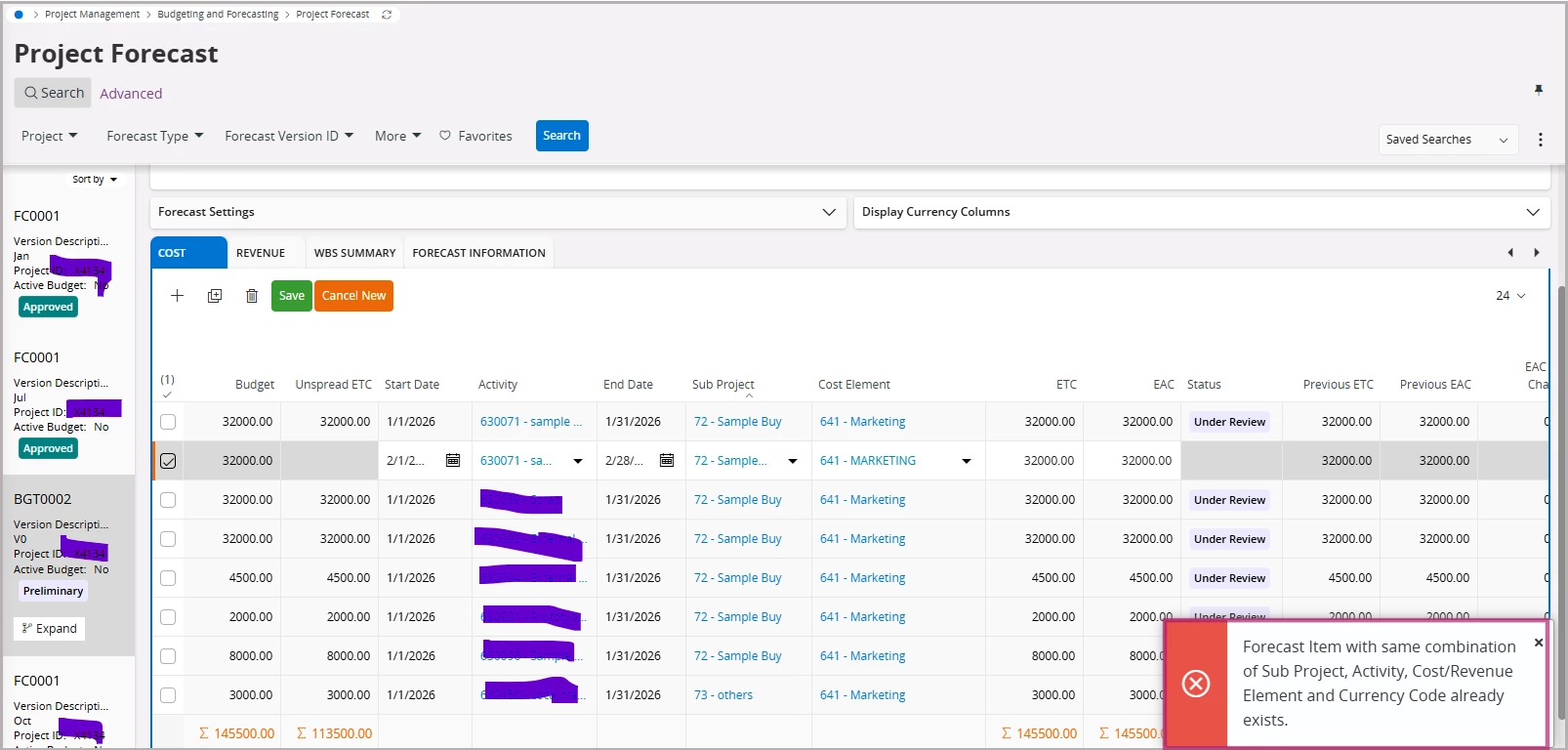
.Look forward your reply soon. 

Thanks

Susan

3 replies

Abdul
Superhero (Partner)
Forum|alt.badge.img+20
  • Superhero (Partner)
  • April 3, 2026

Hi ​@Susan Su,

It is a logical error, and not possible to create more than one line for the same combination.

You need to use Spread Profile functionality to distribute the amount into different period.

Please refer to the link below, ​@Buddhika Kurera has explained the functionality in detail.

Project Spread Profile functionality in Project Forecasts | IFS Community


Regards

Abdul Rehman


Forum|alt.badge.img+8
  • Author
  • Sidekick (Customer)
  • April 7, 2026

Hi Abdul

Thank you very much for your reply, now I can use manual spread for the whole year of cost in budget type.

It is the first time that we try to manage expense in IFS Cloud > Project forecast/Budget to replace excel file as below for simple record data. 

Can you show me the detail flow of how we can manage each month to reflect forecast data and actual data as this table. We just 

Any questions please let me know.

Thanks

Susan 


Abdul
Superhero (Partner)
Forum|alt.badge.img+20
  • Superhero (Partner)
  • April 7, 2026

Hi ​@Susan Su,

I doubt, there is any standard screen or report available that provides period wise Forecast Vs Actual details.

You need to configure a BR or Quick report where Forecast per Period details can be fetched from Project Forecast Spread Details while Actual details from respective GL period wise.


Regards

Abdul Rehman


