Question

Help Please, Cannot Enter Contract Change Order on Line Item of Sales Contract

  • January 25, 2026
  • 1 reply
  • 11 views

Forum|alt.badge.img+12

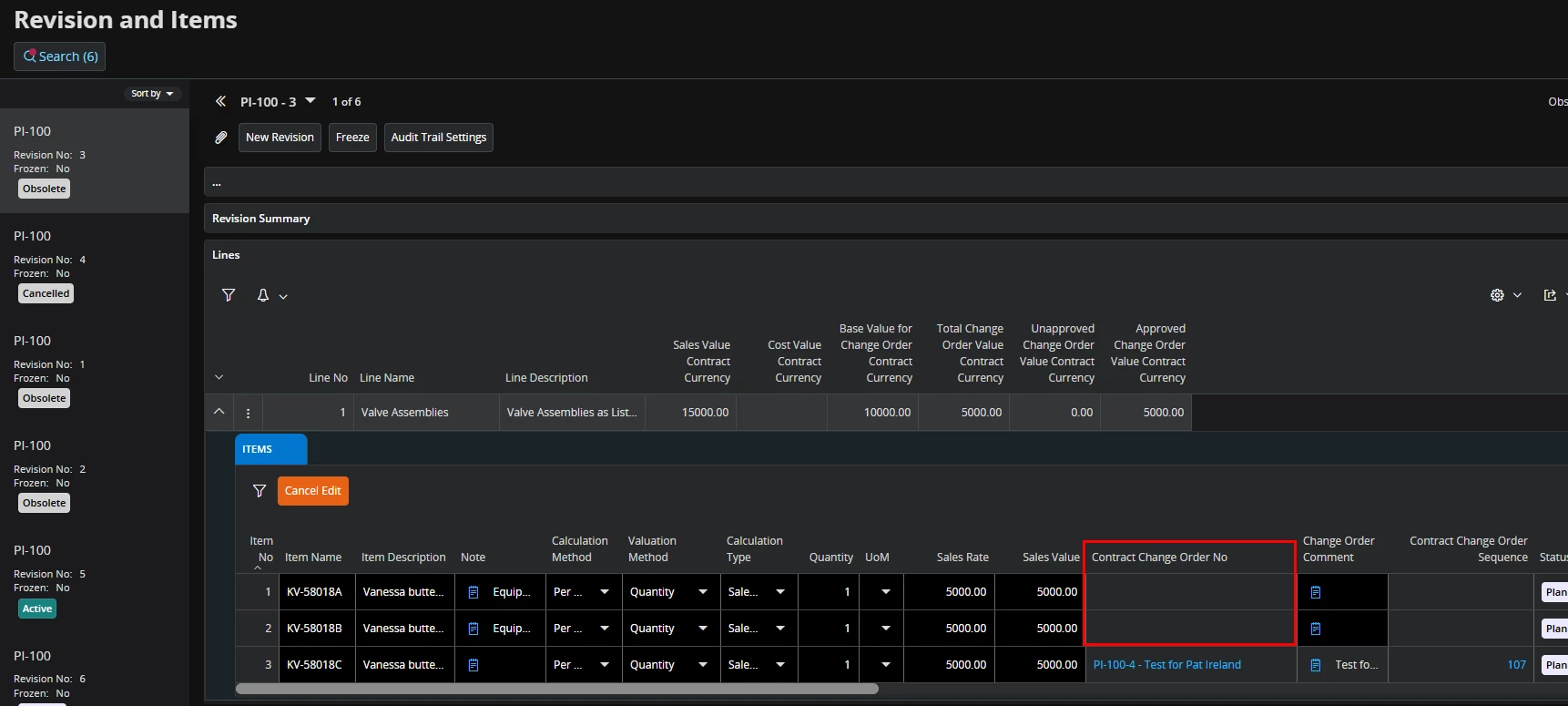
I’ve got a new revision in sales contract with Audit Trail enables and a Sales Contract is required.  I’m not able to connect the sales contract to my line item and wondering what I’m missing.  Is there a process that I’m missing?  Any ideas will be helpful.


1 reply

Yathartha Karunananda
Hero (Employee)
Forum|alt.badge.img+11

Hi ​@PIreland,

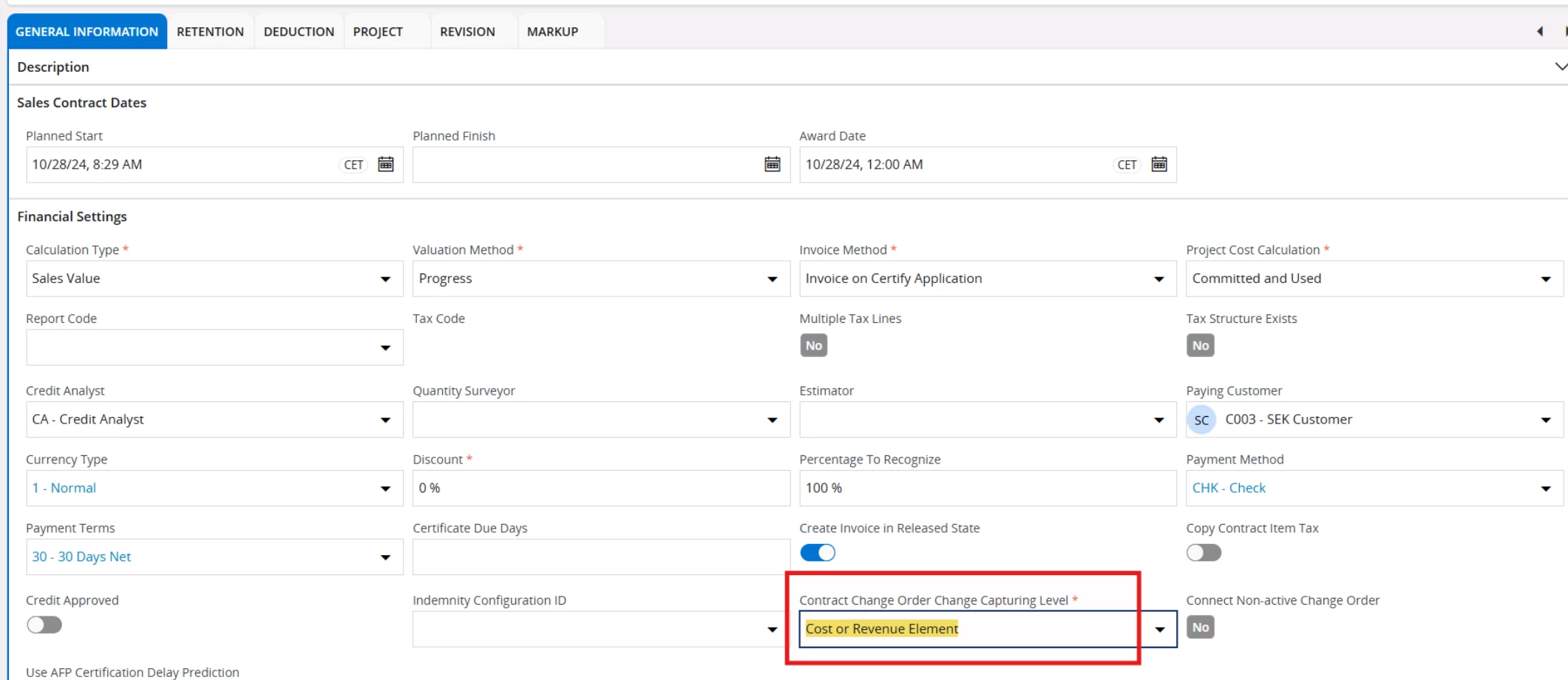
If you need to add contract items manually without the Contract Change Order Sequence and Contract Change Order No fields being disabled, the "Contract Change Order Change Capturing Level" on the Sales Contract must be set to Cost or Revenue Elements.

There is this setting on the contract called *CCO Change Capturing Level*, which determines how new revision items can be added:

  1. If CCO Change Capturing Level = Cost/Revenue Elements: New revision items can be added manually, along with the relevant CCO number and comment.
  1. If CCO Change Capturing Level = Contract Items: Manual entry of new revision items resulting from a CCO is not allowed. Instead, these items must be created automatically when a CCO is connected to the contract, following the process below:
  •                Estimate the contract revision-based CCO using CCO items,
  •                Progress the CCO through the required approvals,
  •                Connect the CCO to the contract from the CCO side to include new items in the                   contract revision.


When the Change Capturing Level is set to Contract Items, the system is designed to prevent manual creation or modification of contract items. In this mode, all item-level changes must originate from an approved Contract Change Order and be brought into the contract via the CCO connection process.


~Mark this as the best answer if this solves your issue~