Solved

Operation Statistics vs Labor and Operation History

  • July 6, 2023
  • 5 replies
  • 237 views

Forum|alt.badge.img+2

Hello,


A brief question regarding the 2 views mentioned “Operation Statistics” and “Labor and Operation History”.


We are aiming to get the correct data from our shop floor regarding what has actually been produced during a given time period. What we experience is that “Operation Statistics” does not provide the same information as “Labor and Operation History”. Wheras the latter also requires us to manully filter out duplicates, cancelled operations etc.


Operation Statistics seems to be the way to go, but I am uncertain that we use it correctly. Whereas if I want to check on yesterday’s shop floor results. I miss out on partially reported shop orders due to there is not actual finish dates.


Does anyone have any tips on how to procede?

My first though is that we need to “start production” and use clockings more thorughly in production. Which gives us the possiblity to filter on “actual start date” instead.


We currenlty using IFS10, but in September we are implementing IFS - Cloud

Best Regards 

Anders


Best answer by Björn Hultgren

I would recommend using the labor and operation history as the source for reported time and quantities. You can also use the page Shop Floor Reports which fetches the data from labor and operation history, but is already filtered to only show “valid” records reports/transactions (reversed and reversal transactions are excluded)

5 replies

Björn Hultgren
Hero (Employee)
Forum|alt.badge.img+25

I would recommend using the labor and operation history as the source for reported time and quantities. You can also use the page Shop Floor Reports which fetches the data from labor and operation history, but is already filtered to only show “valid” records reports/transactions (reversed and reversal transactions are excluded)


Forum|alt.badge.img+2

Ok, thank you for your answer Björn.


I think we are looking at applying the “Shop Floor Reports” for our use case.


BR


Forum|alt.badge.img+5
  • Sidekick (Customer)
  • February 2, 2026

@Björn Archenholtz 

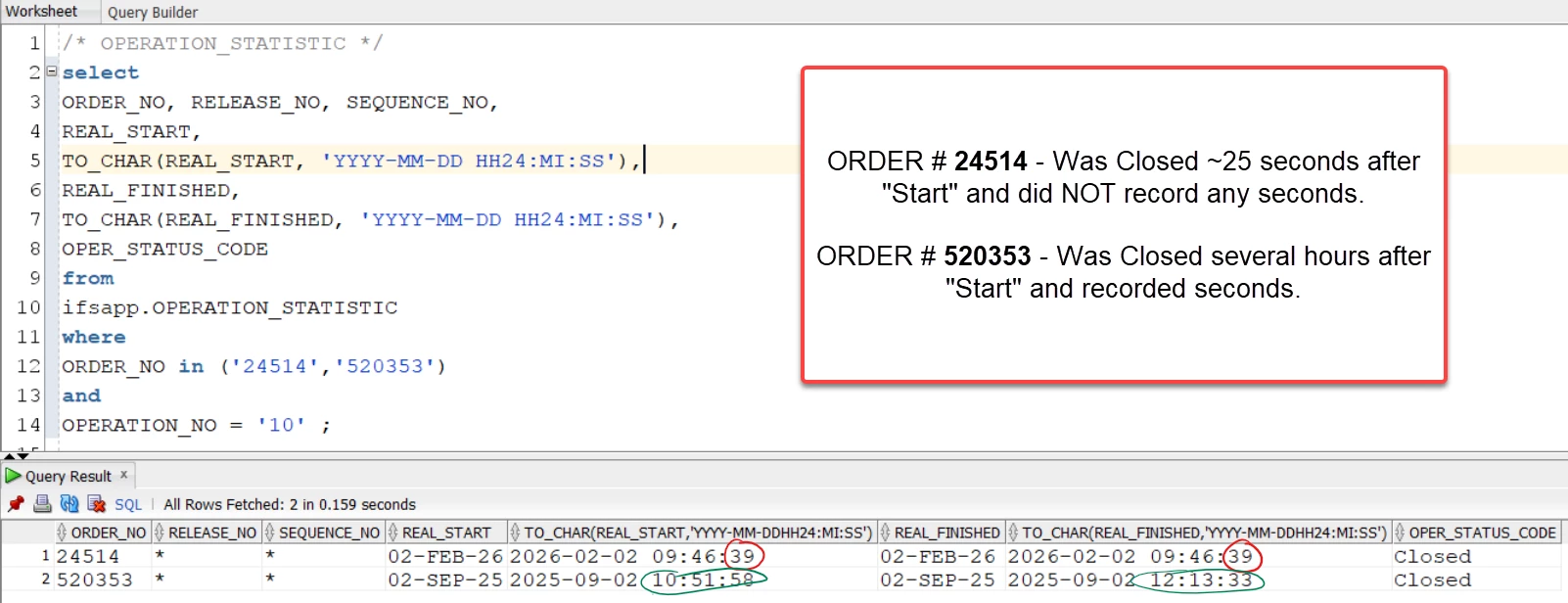
As this is relivant to this post (similar question on time), we are trying to find short clocking times done in Shop Floor Workbench that are under 60 seconds, but we are finding that anything under 60 seconds is recording a duration of ZERO.  This is showing the same result in Shop Floor Reports, Operation Statistics, Labor and Operation History, and Shop Floor Clockings.

Is it intentional that IFS does not record actual labor clockings if they are under 60 seconds?  Or is there any place to get Actual reported time by the second in this small duration?  It seems it records seconds if the clocking is not in the same minute as per the below screenshot.


Forum|alt.badge.img+5
  • Sidekick (Customer)
  • February 2, 2026

@Björn Archenholtz  - Apologies, I @’ed the wrong Bjorn!


@Björn Hultgren 

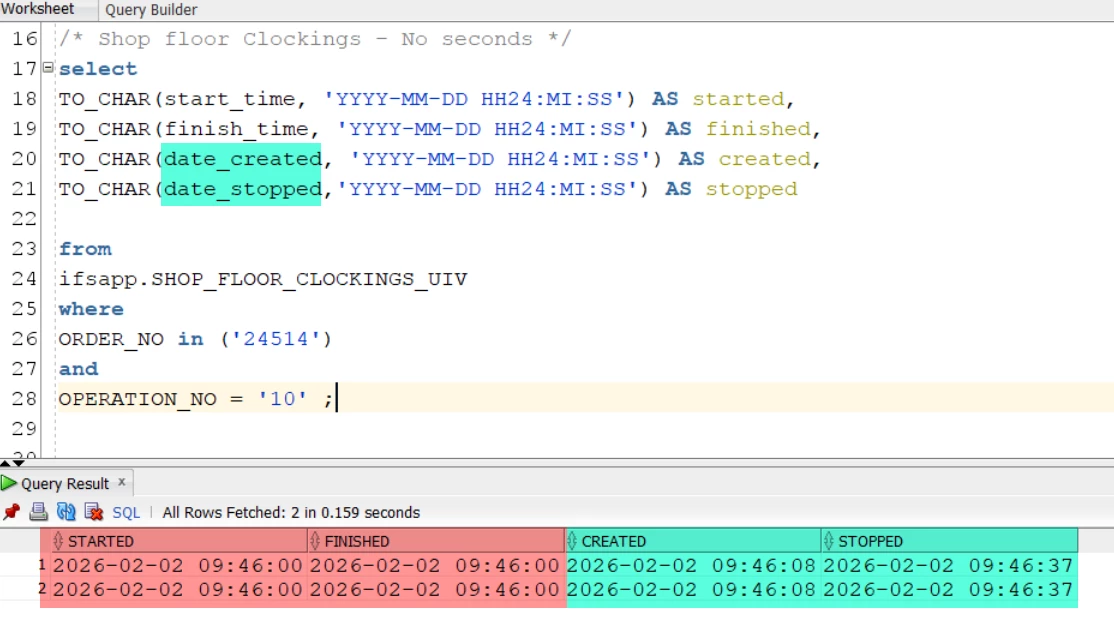
One of my colleagues (who is actually the one who prompted this question) figured out a way around the initial question (see my previous message for context).  We will have to use “Date_Created” and “Date_Stopped” as it adds the seconds detail we were looking for. 


We’re still curious why start/finish time seems to not record seconds if it’s under a minute, though.


Björn Hultgren
Hero (Employee)
Forum|alt.badge.img+25

Right, clockings are measured in minutes rather than seconds. If you have operations with runtimes shorter than one minute, I recommend either merging them into a larger operation (with subtasks if needed) or selecting and starting multiple short operations at the same time.

Otherwise, the operator may end up spending more time starting and stopping operations than actually producing the parts.