Solved

Auto Replace to Alternate upon Reservation

  • January 20, 2026
  • 7 replies
  • 43 views

Forum|alt.badge.img+2

Hi,

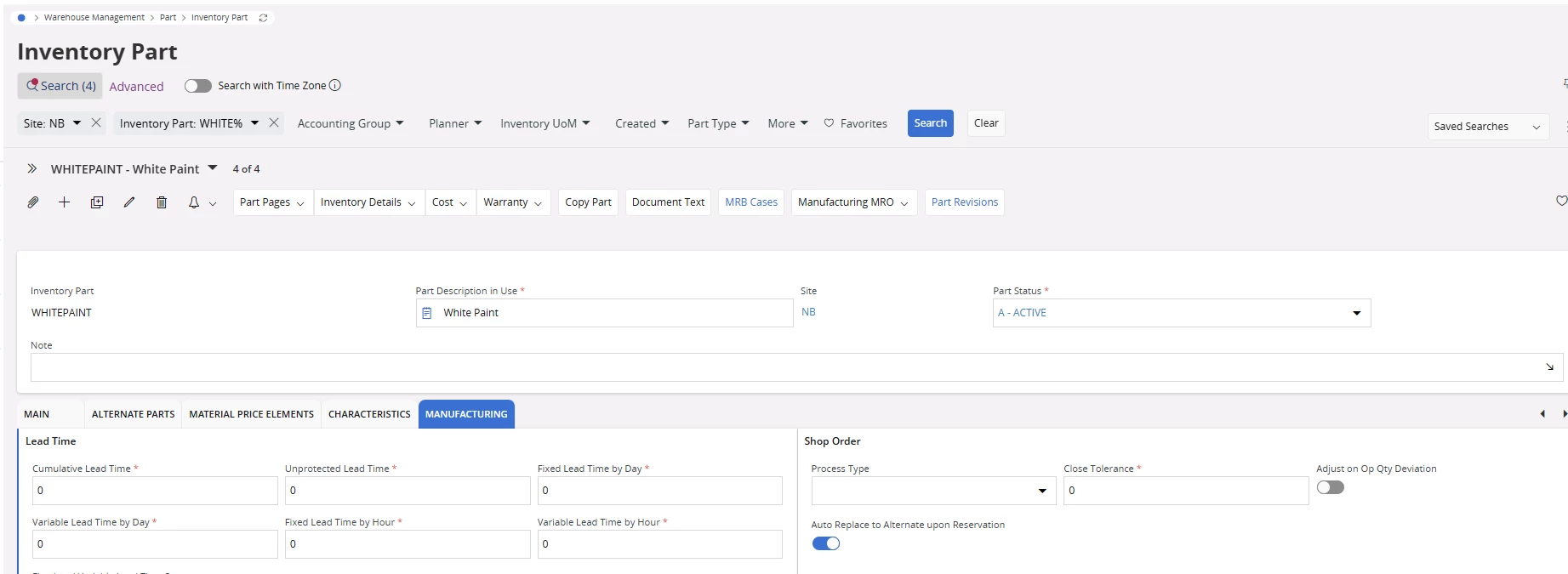
Could someone please clarify the usage of the “Auto Replace to Alternate upon Reservation” toggle in the Inventory Part?

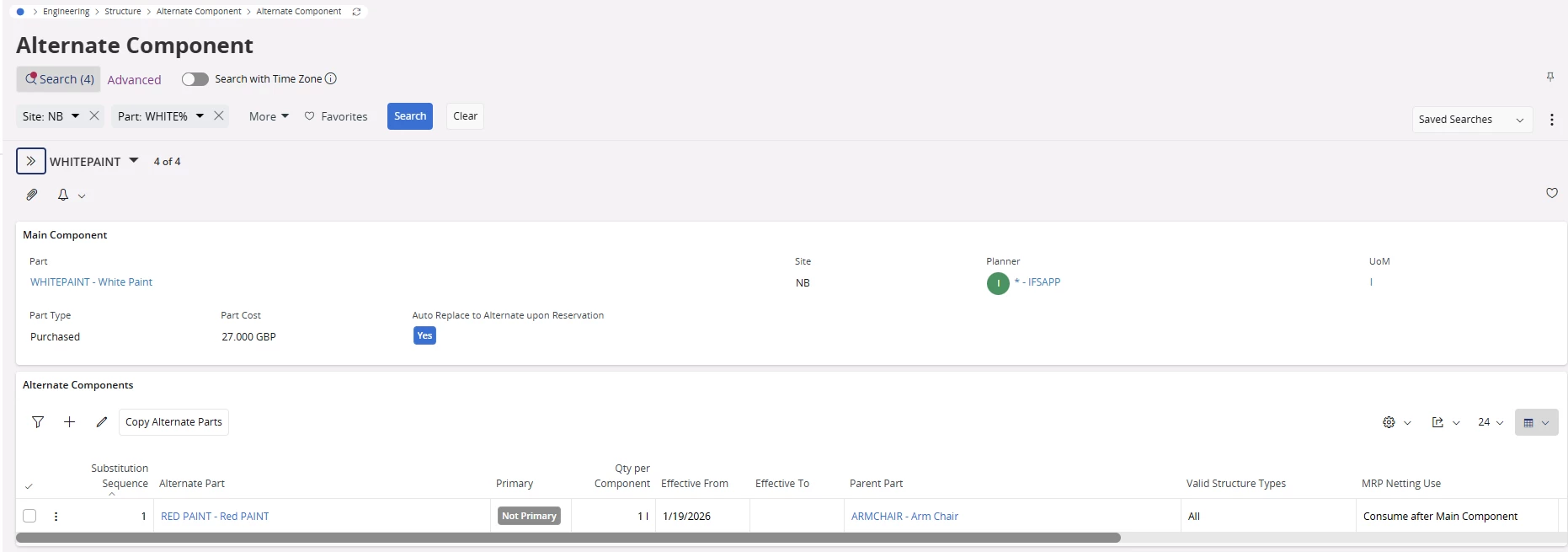
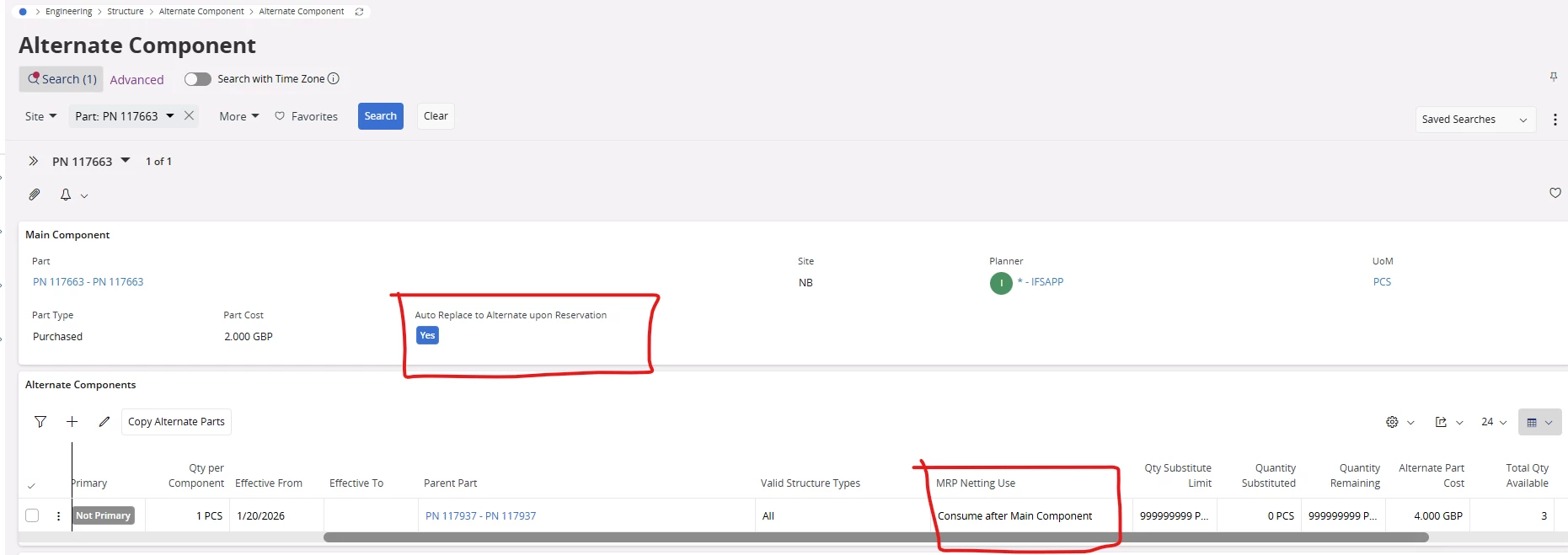
I have enabled this option and confirmed that it is reflected in the Alternate Component. However, after creating Shop Orders and testing multiple scenarios, I’m unable to observe any behavioral difference when the toggle is enabled versus disabled.

Could you please explain in which scenarios this option takes effect, or let me know if there are any specific prerequisites or conditions to be met for it to work as expected?

Thank You.
 

Best answer by Björn Hultgren

MRP Netting Use only impacts the planning of the alternate components, not the Auto Replace to Alternate upon Reservation. So if you have enabled Auto Replace to Alternate upon Reservation, the logic will always try to use the alternate first, before the main component when reserving the shop order.

7 replies

Björn Hultgren
Hero (Employee)
Forum|alt.badge.img+25

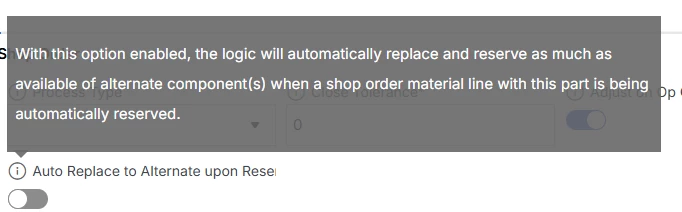
As described in the field description, When this part is a component on a shop order, and you try to reserve the component, the logic will first check if any quantity of the alternate components can be reserved, and then replace as much as possible to the alternate components and then reserve this quantity of the alternate components and any remaining quantity of the main component.


Forum|alt.badge.img+2
  • Author
  • Sidekick (Partner)
  • January 20, 2026

Hi ​@Björn Hultgren ,
 

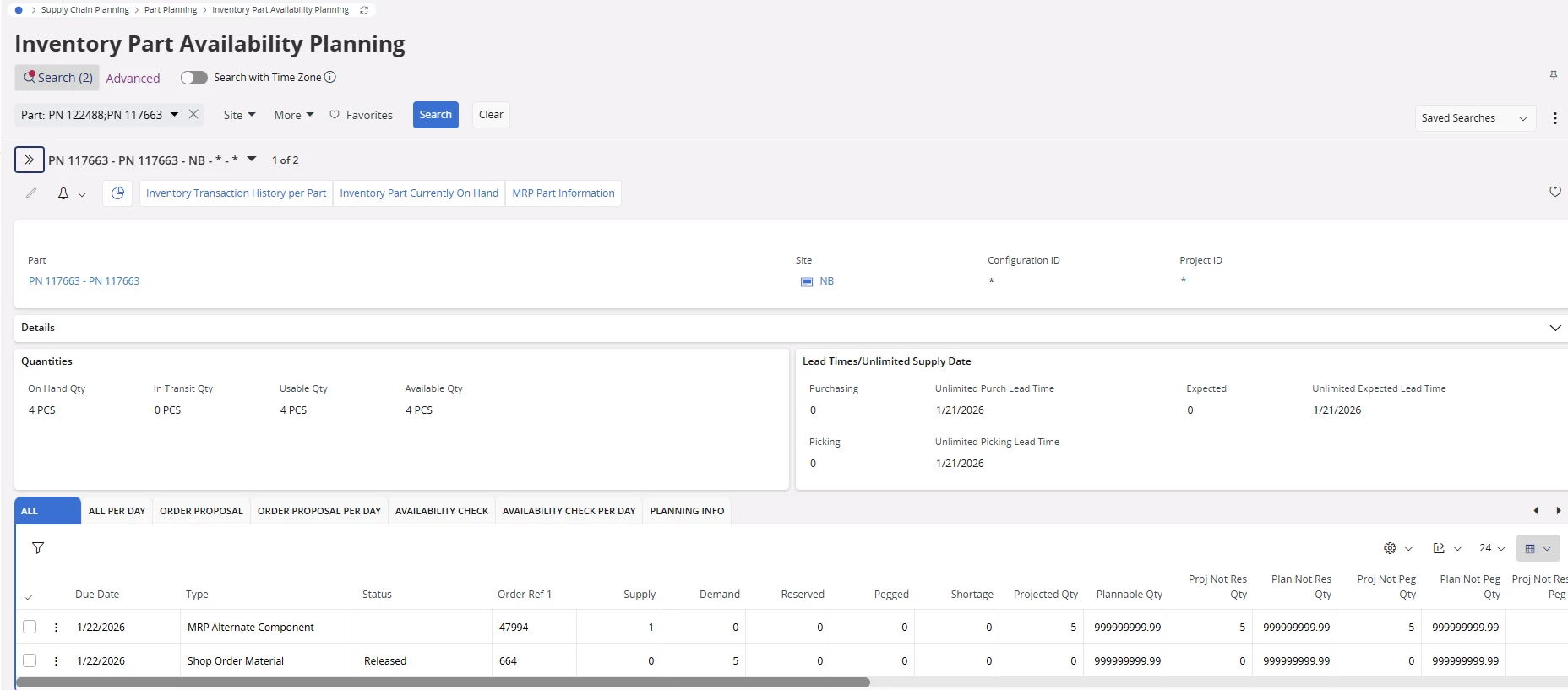
I reviewed the description and created a shop order, then reserved the main component. However, when I checked the Inventory Part Availability Planning screen, I did not observe any change in the quantities or the status of the alternate component.

Additionally, I still had to manually reserve the alternate component in the shop order using the Replace Main Component window. I was unable to identify any difference in behavior before and after enabling this toggle, since the same steps were required to process the shop order in both cases.


Forum|alt.badge.img+2
  • Do Gooder (Customer)
  • January 20, 2026

Hello,
First, if the material is in stock at a sufficient level, it will be used. If there is insufficient stock, an alternative material will be used. When you define an alternative material in the inventory card, it will also appear in the product tree. Work orders will first check the stock, and if it is not available, the alternative will be used.


Björn Hultgren
Hero (Employee)
Forum|alt.badge.img+25

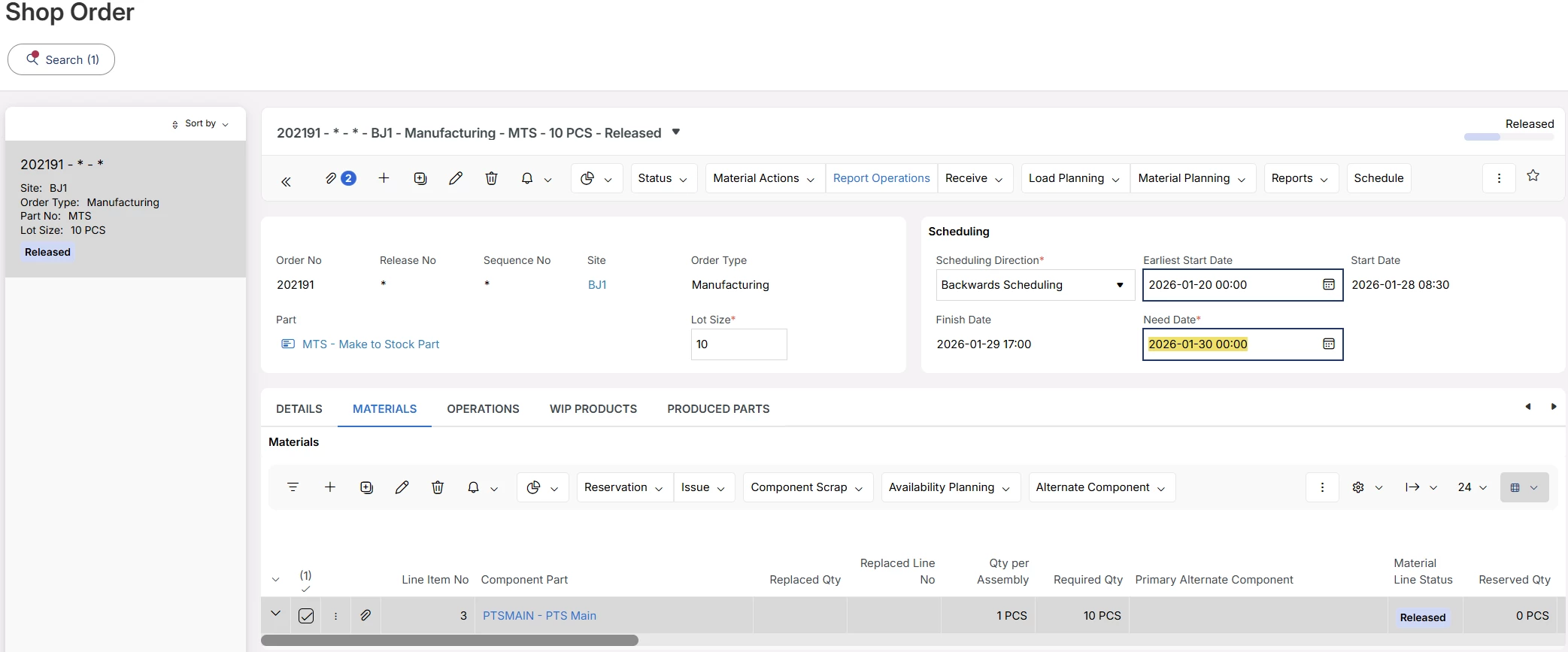
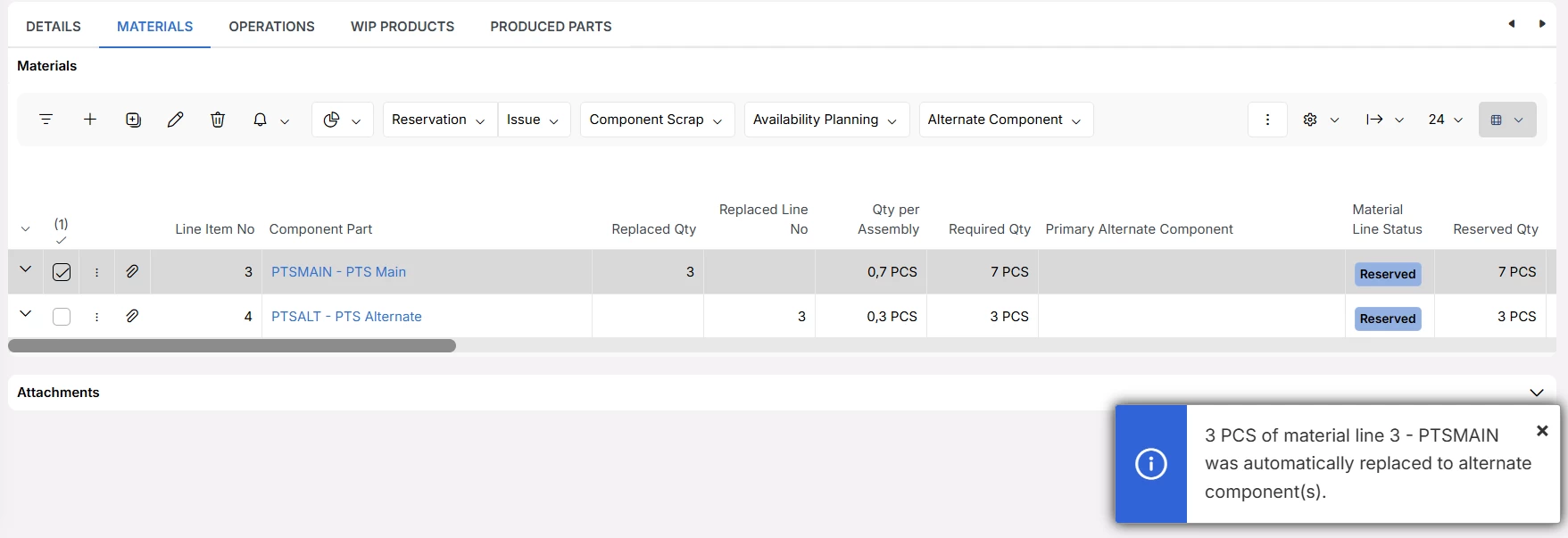
Below I have a shop order with component PTSMAIN. This component has an alternate component which is PTSALT. I have 3 PCS of PTSALT in stock.

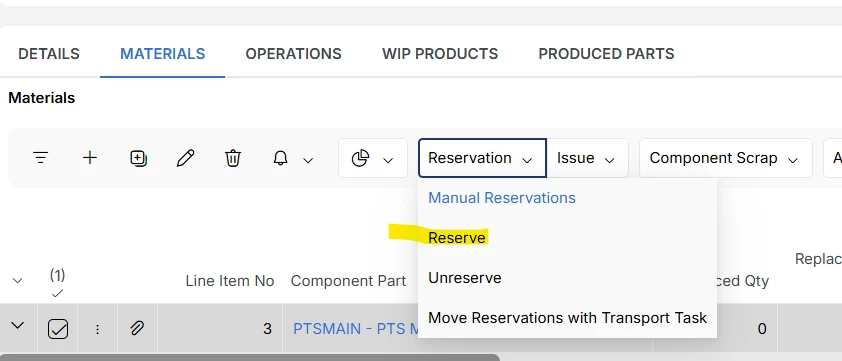
I reserve this line

Now system automatically replaced 3 out of the total of 10 from PTSMAIN to PTSALT and reserved those lines


Forum|alt.badge.img+2
  • Author
  • Sidekick (Partner)
  • January 20, 2026

Hi ​@Björn Hultgren,

Thank you for the above explanation. However, I have tested the Auto Replace to Alternate upon Reservation toggle with both options available under MRP Netting UseConsume After Main Component and Consume Before Main Component—and observed the same behavior in both cases.

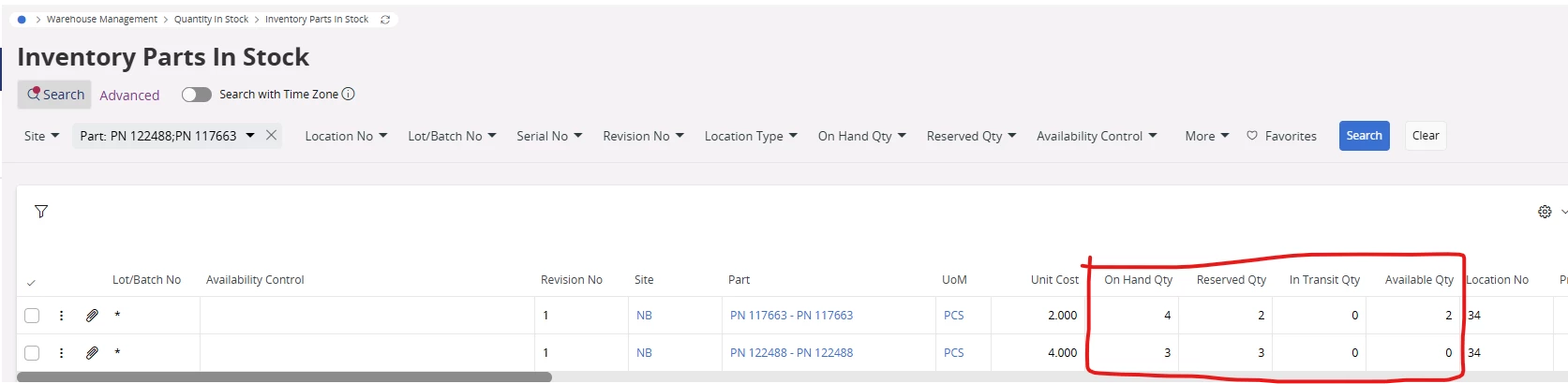
In one scenario, I selected Consume After Main Component and set the stock levels as follows: 4 units for the main part and 3 units for the alternate part. I then created a shop order for a quantity of 5. After running site MRP, the expected result was shown in the Inventory Part Availability Planning screen.

However, when reserving the quantities in the shop order, the system automatically reserved 3 units from the alternate part and 2 units from the main part. Since Consume After Main Component was selected, I expected the system to reserve 4 units from the main part and only 1 unit from the alternate part.

I got the same result as above for Consume Before Main Component scenario, which I believe is fine.

Could you please clarify whether this behavior is expected, or if there are additional conditions or configurations that influence how reservations are performed in this scenario?


Björn Hultgren
Hero (Employee)
Forum|alt.badge.img+25
  • Hero (Employee)
  • Answer
  • January 20, 2026

MRP Netting Use only impacts the planning of the alternate components, not the Auto Replace to Alternate upon Reservation. So if you have enabled Auto Replace to Alternate upon Reservation, the logic will always try to use the alternate first, before the main component when reserving the shop order.


Forum|alt.badge.img+2
  • Author
  • Sidekick (Partner)
  • January 20, 2026

Hi ​@Björn Hultgren ,

Thank you very much for the information. It was really helpful in clarifying the issue.