Solved

User groups management in App10

  • November 16, 2021
  • 4 replies
  • 444 views

Forum|alt.badge.img+10

Hi !

I understand we can define group of users to more efficiently manage permission sets.

However, I searched everywhere, I do not understand how to define permission sets for a user group.


Let say, I have a profile called Project Manager.

I want all my project manager to have at least the permission sets:

PS_01, PS_05, PS_25 & PS_32

I thought i could attach these 4 permission sets to this user group, and when i put a user in this group he will inherit these 4 permission sets.

Is it working this way?

Thanks.
Best answer by Ruchira

Hi @ludovic.rougean ,

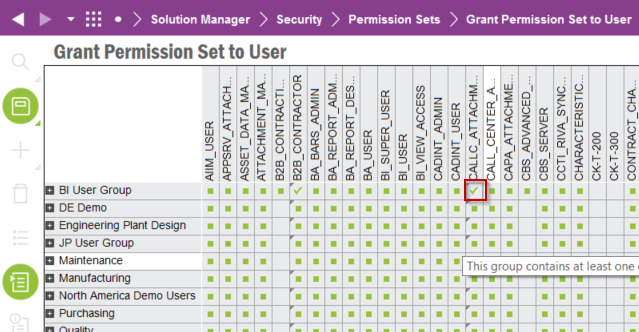
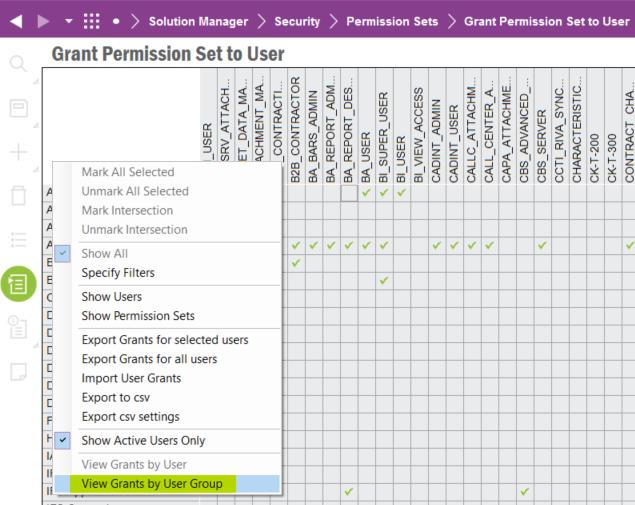
you can do it from below window


First enable user groups defined from the RMB


Then grant necessary permission sets from the table view and save


This topic has been closed for replies.

4 replies

Sanuri Karunarathana
Sidekick (Employee)
Forum|alt.badge.img+8

Hi @ludovic.rougean ,

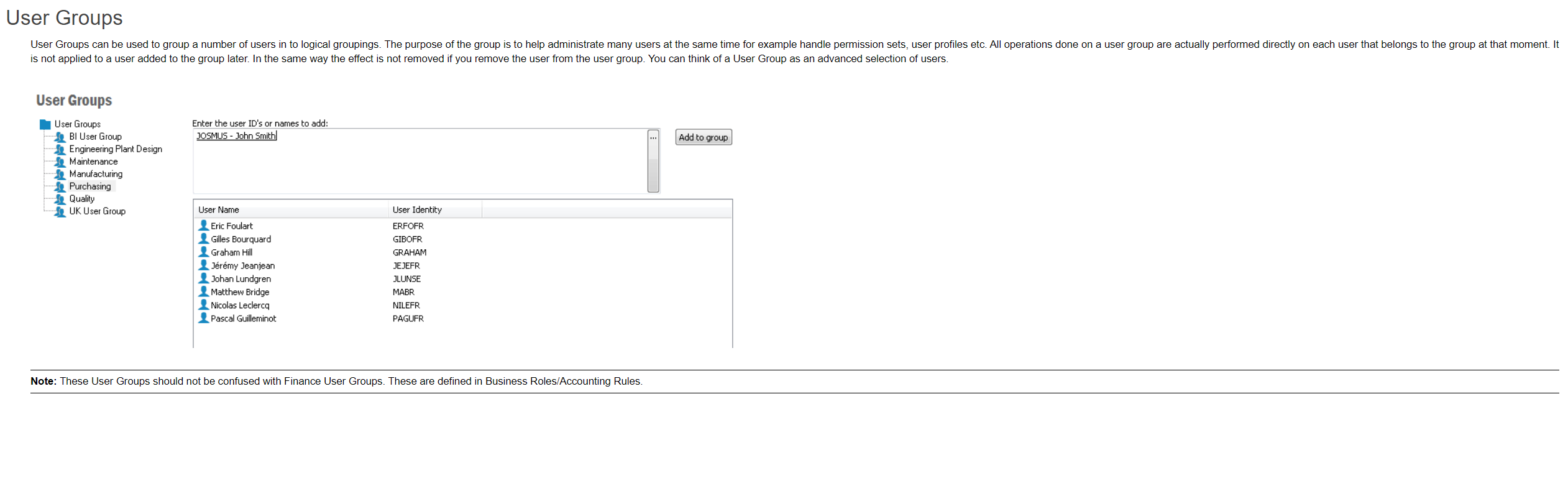
User Groups can be used to group a number of users in to logical groupings. The purpose of the group is to help administrate many users at the same time for example handle permission sets, user profiles etc. as mentioned below,

Further, I hope below attached document also will be help full to setup the permission sets.


Thanks & Best Regards,
Sanuri 


Forum|alt.badge.img+10
  • Author
  • Hero (Customer)
  • November 16, 2021

Hi,

thanks for your reply, however. I understand how to assign user to a group, but how to define permission sets to this group, PURCHASING for instance in the picture you sent.

Nowhere I can find in the help of IFS where they mention this part, there is only the generic statement you mentioned: ”User Groups can be used to group a number of users in to logical groupings. The purpose of the group is to help administrate many users at the same time for example handle permission sets, user profiles etc” 

Is it because it s supposed to be managed through the active directory separately?


Forum|alt.badge.img+13
  • Hero (Partner)
  • Answer
  • November 16, 2021

Hi @ludovic.rougean ,

you can do it from below window


First enable user groups defined from the RMB


Then grant necessary permission sets from the table view and save


Forum|alt.badge.img+10
  • Author
  • Hero (Customer)
  • November 16, 2021

Ooooh…. Thanks !!!!!!