Question

Running a BPA from a REST API

  • January 27, 2026
  • 4 replies
  • 87 views

Forum|alt.badge.img+14

Hello everyone,
To run a BPA from an API, I have been using this URL for a while:

main/ifsapplications/projection/engine-rest/process-definition/key/BPA_NAME/start

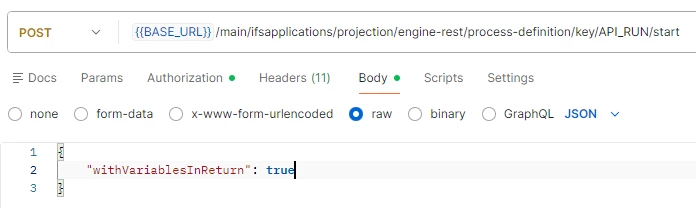
And in the body of the API, I pass it the property:

“withVariablesInReturn”: true

This allows me to directly retrieve all the variables used in the workflow in the API return.
However, I have noticed that this no longer works beyond SU6 in 25R1.

Have you encountered this issue?
Thank you.
Theo

4 replies

Forum|alt.badge.img+2
  • Do Gooder (Employee)
  • January 28, 2026

Hi 

We implemented a bug fix in this area to resolve the issue where process enrichment variables were not being passed into cascading workflows. This fix has been applied to all tracks starting with 24R1.

We need to investigate this further. If you could share the expected outcome and the CURL command (even better with a Workflow), that would be greatly appreciated.


Forum|alt.badge.img+14
  • Author
  • Hero (Partner)
  • January 28, 2026

Hi ​@Chanaka Perera,

Thank you for your feedback.
This is not a cascading BPA.
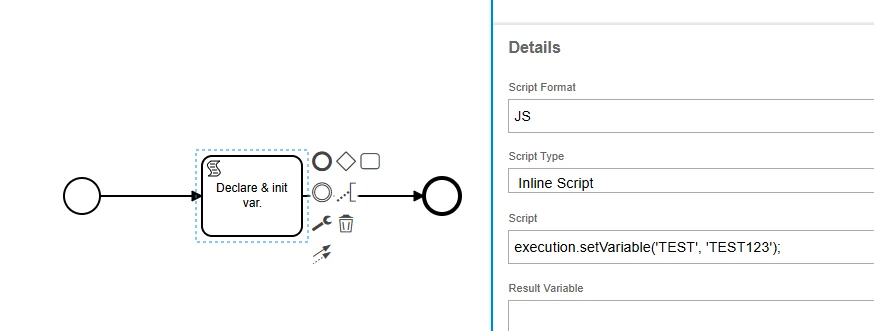
For example, here is my BPA:

In which I just declare and initialize a variable:

During this API call:

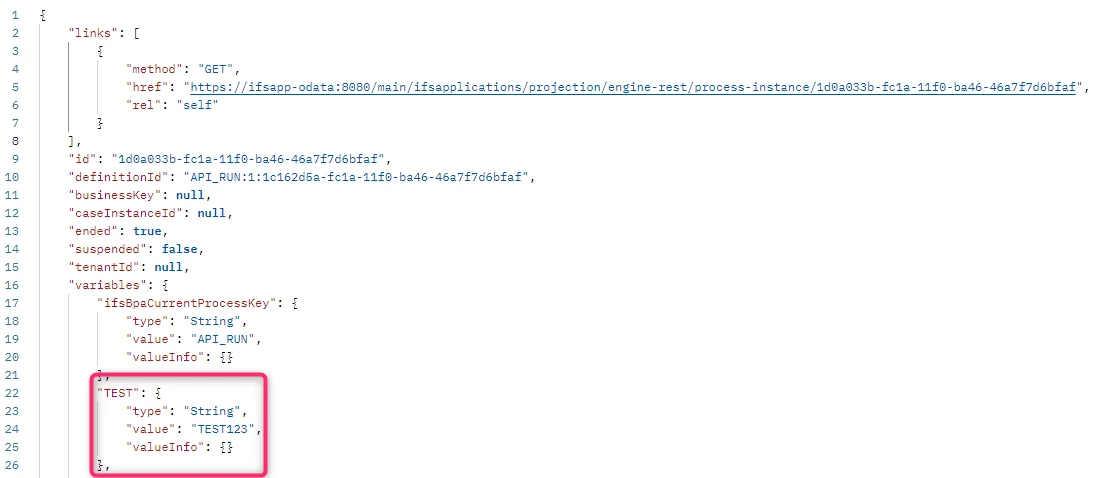
Here is the return on an IFS Cloud 25R1 SU5 environment:

I can see my variable with its value.
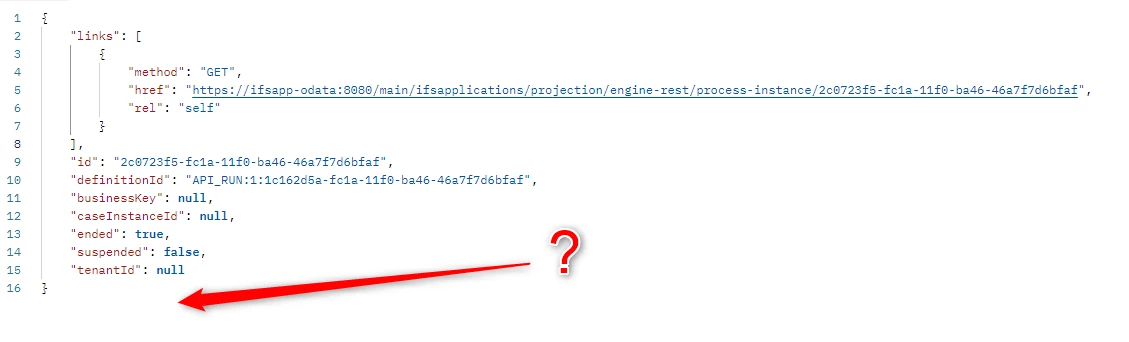
Here is the return on an IFS Cloud 25R1 SU7 environment (same thing in 25R2):

Here, there is no variable.


Thanks.
Best Regards.

Théo


Forum|alt.badge.img+2
  • Do Gooder (Employee)
  • January 28, 2026

Hi Theo

Thanks for the quick reply. It seems the outcome you are expecting is not supported by the current implementation (I mean with the latest changes). We’ll have an internal discussion and update you on the next steps.


Thanks

Chanaka


Forum|alt.badge.img+14
  • Author
  • Hero (Partner)
  • January 28, 2026

Hi ​@Chanaka Perera,

Thank you for your feedback and confirmation.
I look forward to hearing back from you on this matter... thank you again.

Théo