Answer

Message Box command in IFS Cloud

  • November 26, 2025
  • 5 replies
  • 59 views

Forum|alt.badge.img+6

Hello.
I’ve been investigating the possibility of utilizing an alert type Message Box after a supervisor has authorized a Travel Request to remind them of the need to also Select the travel request so the subordinate can proceed with creating an expense sheet.


I’ve tried searching the community as well as asking Copilot for details and I’ve read that it might be possible to apply a Message Box to a Command via the Page Designer? Is this an option in Cloud, or is the only option to utilize these via Workflows as I’ve seen some users in the Community suggest.


If this is possible, what options do we have and what would be the best way to go about doing this?


Thank you in advance.
 

Best answer by karale

DSJ has some good guides, for example: https://dsj23.me/2024/02/05/ifs-workflows-think-big-start-small/


But for most part, it’s trial and error. The debugger is very useful when doing something that actually processes data.


This should be really easy to do if I understood your requirement correctly, basically just this:


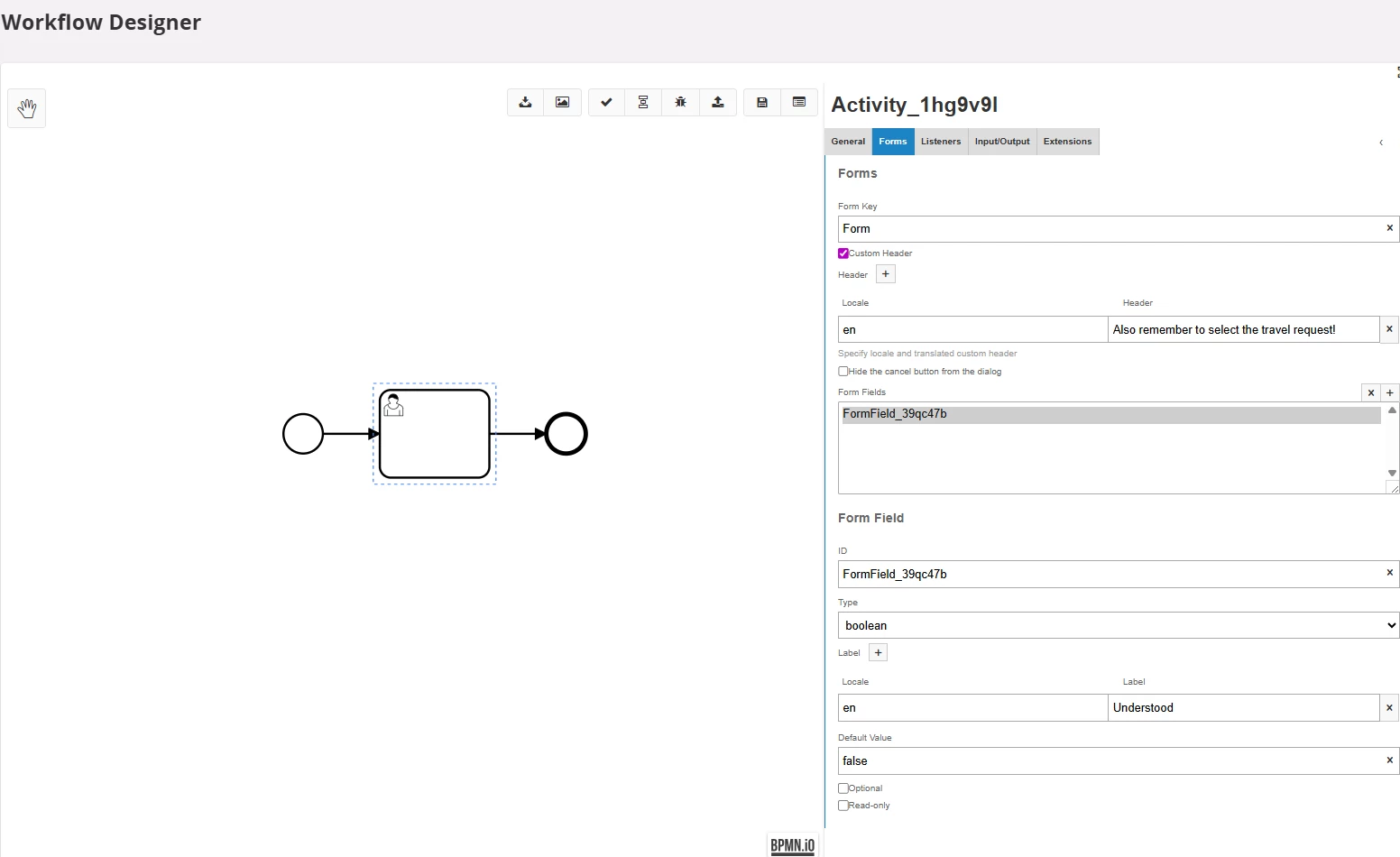
Go to the Designer, add a new node, change it to User Task, fill out as above, add end node. Then save, deploy and enable the projection action.

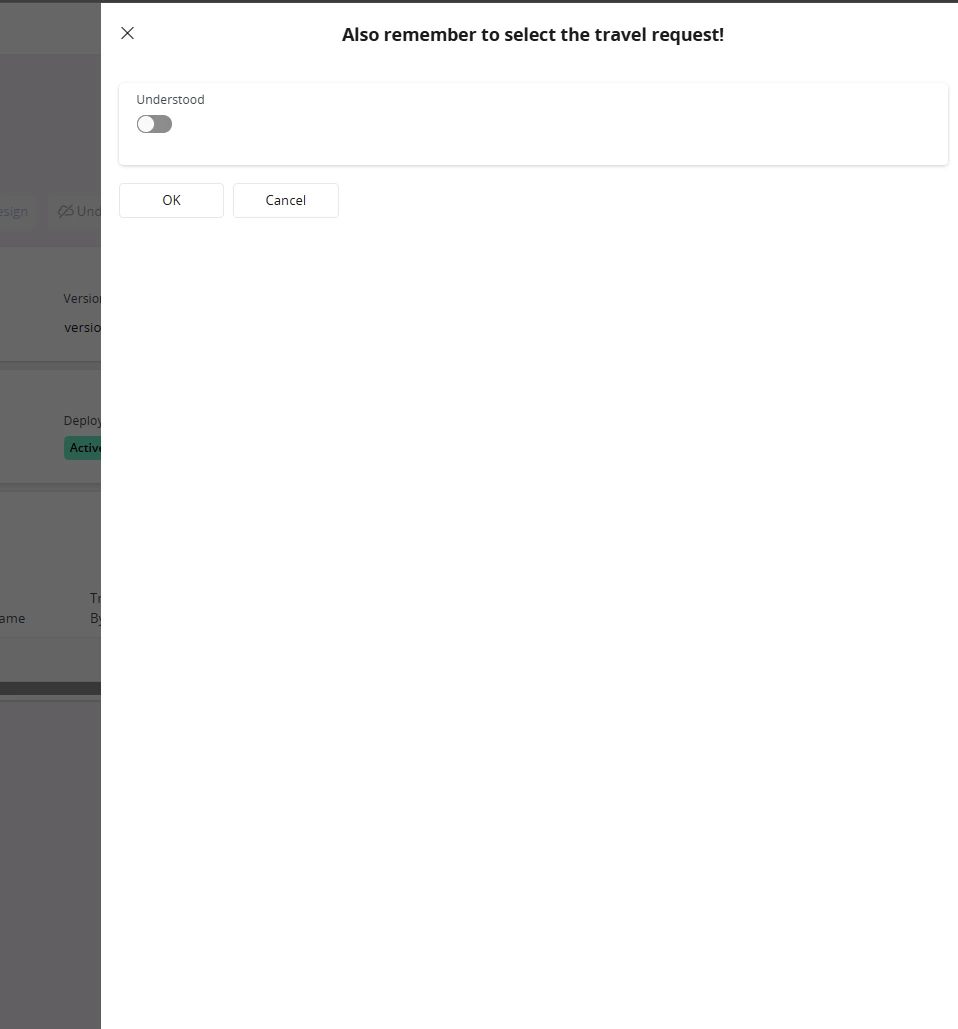
Then, once you trigger the projection action, the workflow starts:


5 replies

Forum|alt.badge.img+12
  • Hero (Customer)
  • November 26, 2025

Fairly easy to do as a customization through Studio Developer, but not sure you can do that in configuration layer only.

Through Studio Developper you’d just Override/Overtake the command the supervisors use to Authorize a travel request and inject an Alert message in there at the end.

Through Page Designer only, I don’t think you can really modify command behavior (i.e. what happens in its Execute block) although I could be wrong.


Forum|alt.badge.img+6
  • Author
  • Sidekick (Customer)
  • November 27, 2025

Fairly easy to do as a customization through Studio Developer, but not sure you can do that in configuration layer only.

Through Studio Developper you’d just Override/Overtake the command the supervisors use to Authorize a travel request and inject an Alert message in there at the end.

Through Page Designer only, I don’t think you can really modify command behavior (i.e. what happens in its Execute block) although I could be wrong.

Thank you for the suggestion. I’ll need to ask if its possible for us to acquire database access to be able to utilize Developer Studio, though if not I believe familiarizing myself with Workflows is the only remaining option for this.


  • December 1, 2025

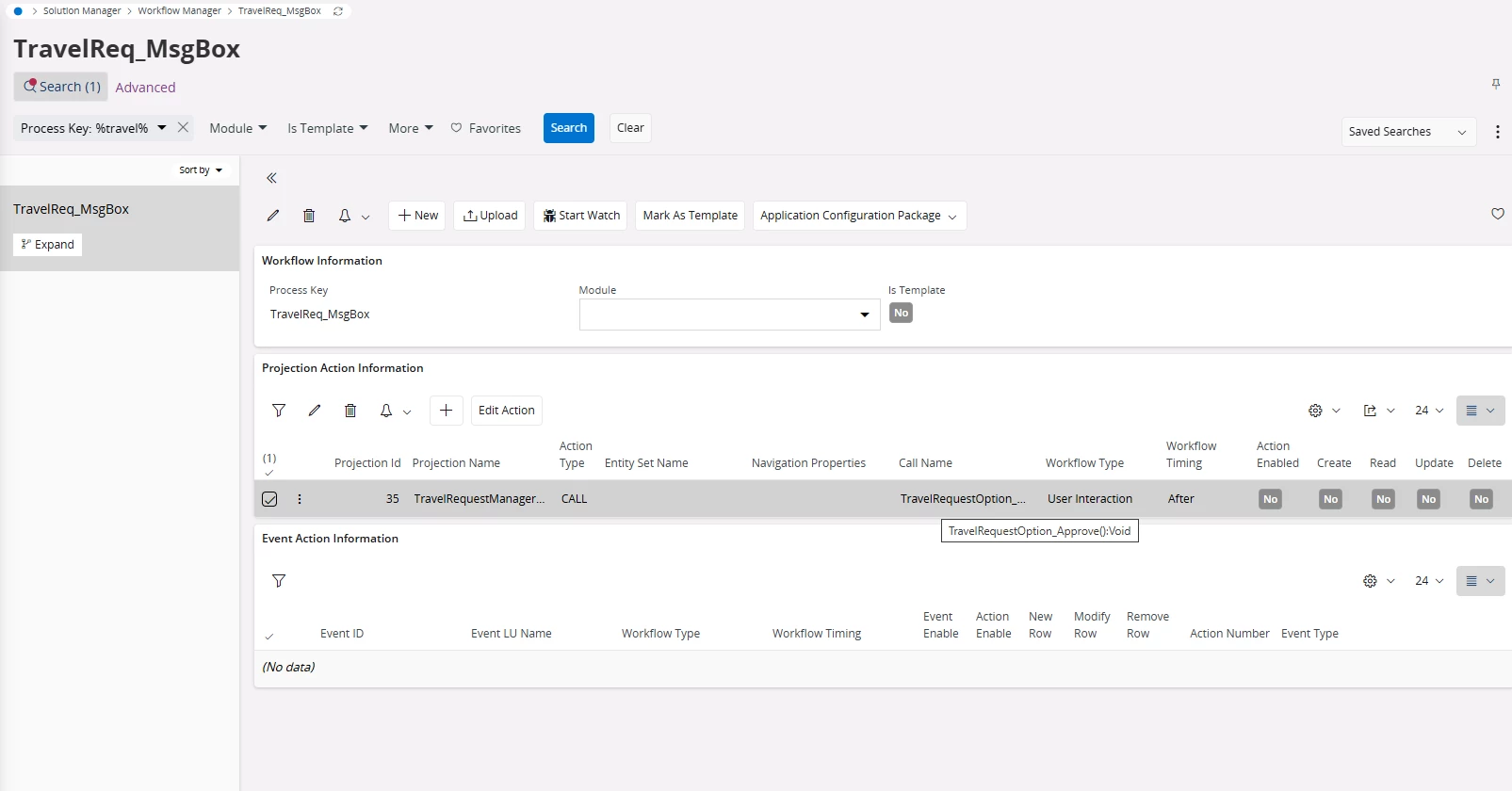
If the objective is solely to notify the user, a workflow using a projection-based action trigger (for example, TravelRequestManagerHandling -> TravelRequestOption_Approve() or an equivalent action - check via debug console) combined with a User Interaction workflow is a pretty straightforward approach.


Forum|alt.badge.img+6
  • Author
  • Sidekick (Customer)
  • December 3, 2025

If the objective is solely to notify the user, a workflow using a projection-based action trigger (for example, TravelRequestManagerHandling -> TravelRequestOption_Approve() or an equivalent action - check via debug console) combined with a User Interaction workflow is a pretty straightforward approach.

Hi Karale.

Thank you for your suggestion. I tried looking into the projection-based action trigger and I think I’ve found the correct pick as below:


Sadly the actual workflow designing part is proving troublesome as I’ve next to no previous experience with workflows. Do you know if there are any decent helpful guides beyond the IFS documentation to get the hang of Workflow Design?

Thank you in advance!


  • Answer
  • December 4, 2025

DSJ has some good guides, for example: https://dsj23.me/2024/02/05/ifs-workflows-think-big-start-small/


But for most part, it’s trial and error. The debugger is very useful when doing something that actually processes data.


This should be really easy to do if I understood your requirement correctly, basically just this:


Go to the Designer, add a new node, change it to User Task, fill out as above, add end node. Then save, deploy and enable the projection action.

Then, once you trigger the projection action, the workflow starts: