



Hello,
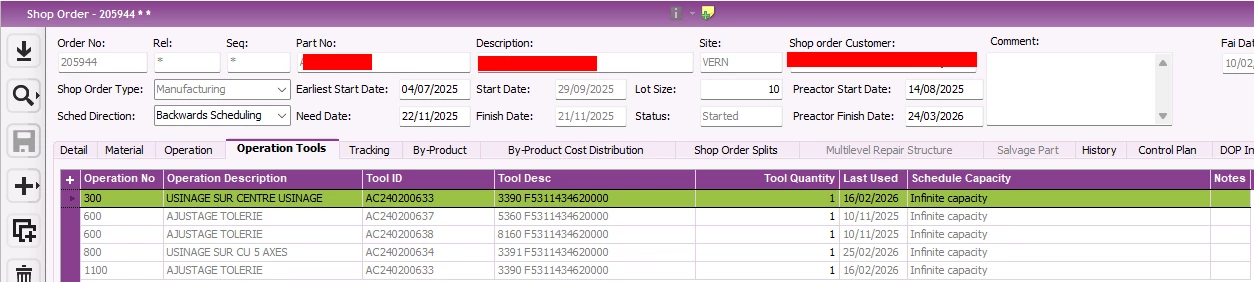
Today, our production team asked us to restore a tab on the Shop Order page that existed in IFS V8 but is no longer available in IFS Cloud 24R1.
This tab was called “Operation Tools.”
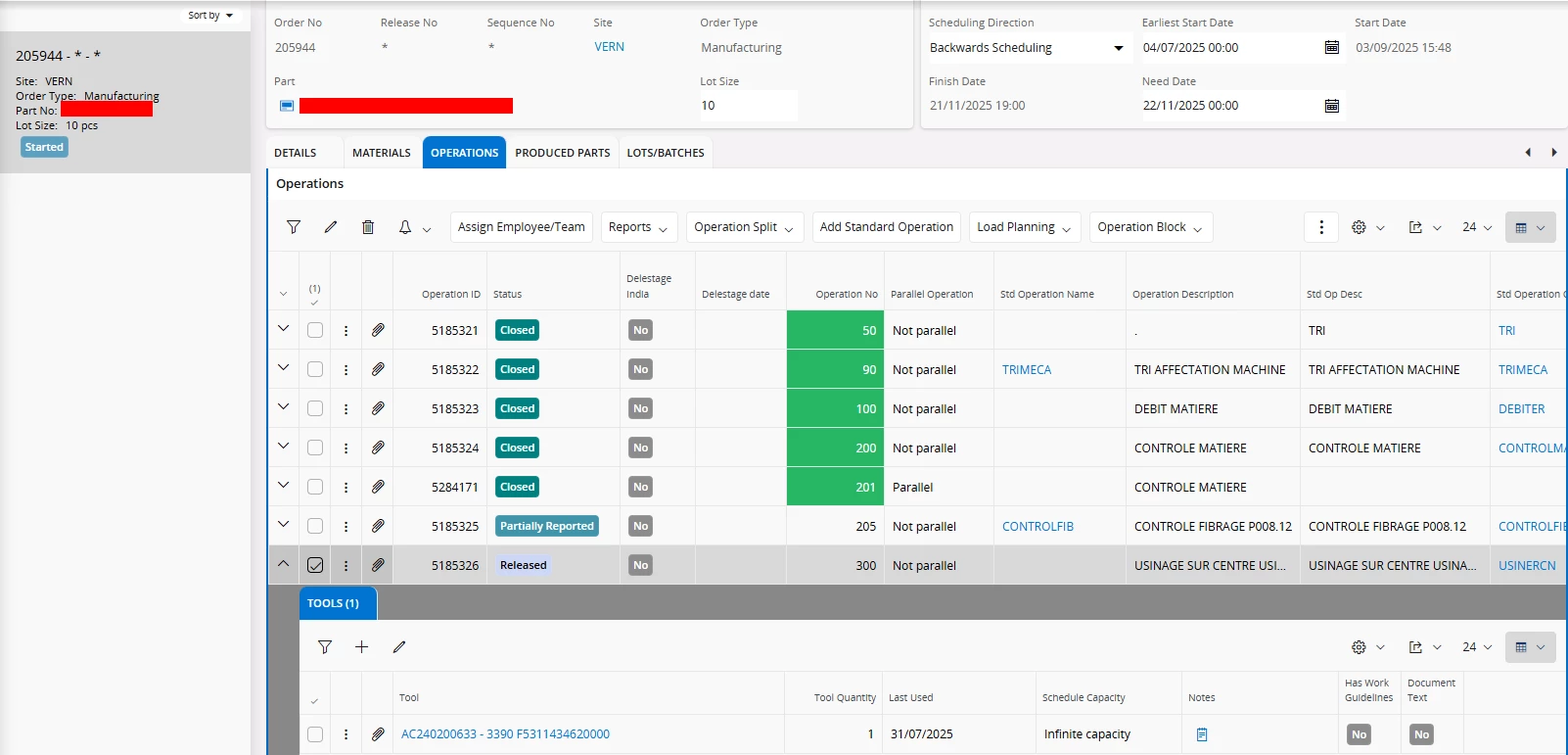
In IFS Cloud 24R1, we can still see the tools used by an operation by clicking the arrow (“v”) in the operation list on the Shop Order page.
We are hosted on-premise, but we do not have a development license; we can only use IFS Cloud personalization.
After spending a few hours investigating, I believe it is not possible to recreate the “Operation Tools” tab exactly as it existed in IFS V8 due to the data structure:
1 shop order → N operations → N tools (one operation may have multiple tools).
I have already created custom projections based on standard projections with custom entity associations (for example, to display comments in Inventory Part Availability Planning, which was a specific dev on IFS8 which i remade only using personalization tools), but the data relationships in that case were different.
In this situation, we managed to display all tools without considering the shop order, and filtering the tab manually would gives the expected result. However, we did not find a way to automatically filter the list.
Could you please confirm whether it is possible to recreate this functionality without a development license?
Best regards,
Guillaume