Question

Is there a way to add a quick report as a node in navigator APP10 Aurena

  • January 7, 2026
  • 5 replies
  • 52 views

udgnhlh
Sidekick (Customer)
Forum|alt.badge.img+2

Hi,

Requirement:

A newly develop Quick Report need to add to Navigator - Customer Relationship Management,
using Navigator designer

Environment -  APP10 UPD17 - AURENA


Thanks in advance and Best Regards,

Udeni

5 replies

Forum|alt.badge.img+14
  • Superhero (Partner)
  • January 8, 2026

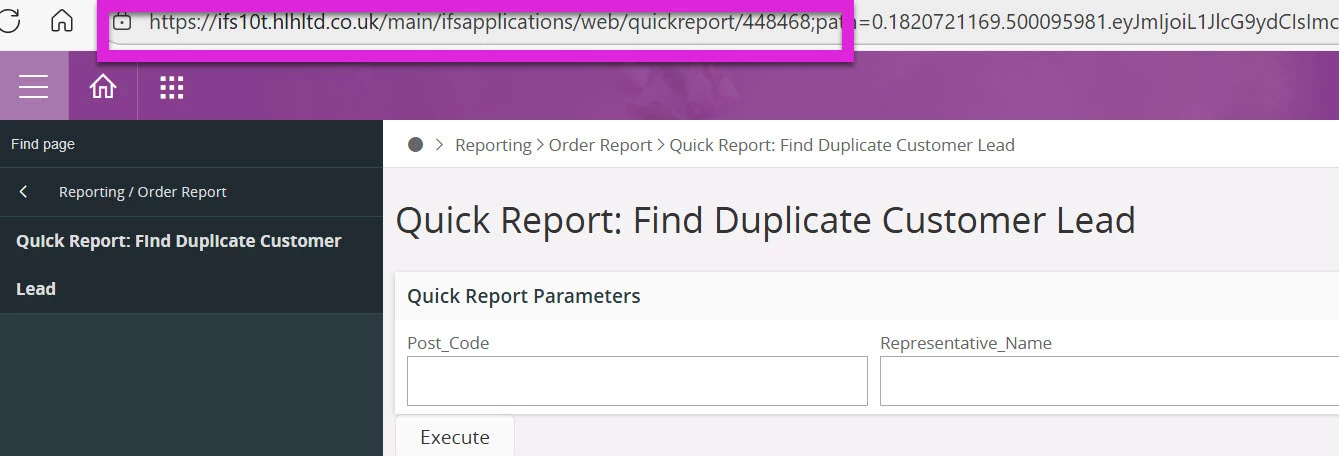
@udgnhlh  Get the Quick Report ID by going to Order Report in Aurena and executing the report.  If you look up in the url, you’ll see the path to the report.  It will look something like <your IFS instance>/main/ifsapplications/web/quickreport/<Quick Report ID>

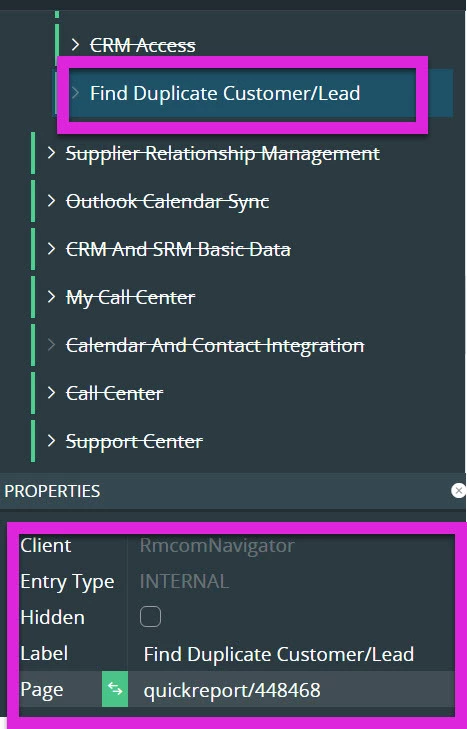
In the Navigator Designer, click the + next to Customer Relationship Management.

Set the Properties as follows:: 

Entry Type = Internal

Label = <your Quick Report name>

Page = quickreport/<Quick Report ID>  This is the ID that you found above.  For example, quickreport/123456

Save and Publish your changes.  You should see the new entry and it should take you to the Quick Report.

If you have any issues, take your mouse and hover over the new Navigator entry after you publish and compare the url path you see in the lower left of your screen with the one you observed when you executed the Quick Report.


udgnhlh
Sidekick (Customer)
Forum|alt.badge.img+2
  • Author
  • Sidekick (Customer)
  • January 9, 2026

Hi Tracy,

Thank you so much for your guidance.

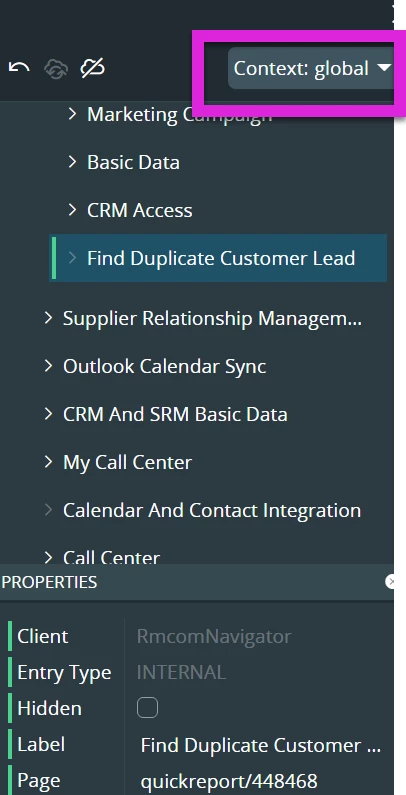
I tried as below and refresh the page. But still unable to see the new node.


Greatly appreciate your clarification.
Regards,

Udeni


Forum|alt.badge.img+14
  • Superhero (Partner)
  • January 9, 2026

@udgnhlh My first thought is that the Navigator is being stubborn about refreshing. When I added my QR to out internal v10 instance, I too could not immediately see the new node, but I wasn’t sure if that was something you’d experience too.  What I did was to search directly for my new node in the Find page.  When I did this, my new node was returned.  After that, I when back to my home page and navigated back to CRM.  My new node then appeared. 

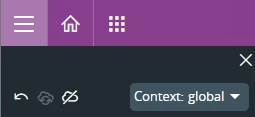
Second thought is that you should check the context when you published your Navigator changes. In Apps10 Aurena, contexts can control what a user sees.

https://docs.ifs.com/techdocs/foundation1/045_administration_aurena/220_Configuration/330_configuration_contexts/default.htm


udgnhlh
Sidekick (Customer)
Forum|alt.badge.img+2
  • Author
  • Sidekick (Customer)
  • January 15, 2026

Hi Tracy,

Actually I have it in context global, but my requirement is to add to some other context.

I have given the permissions to the QR.
For IFSAPP it appears but not for my end user. probably a permission issue.


Any special grants for Aurena client?
Thanks
UdGnlk


Forum|alt.badge.img+14
  • Superhero (Partner)
  • January 15, 2026

@udgnhlh If the user can see the Quick Report via Order Report but can’t see the new node, then…

In Apps 10 Aurena, the Navigator configuration visibility is controlled by Contexts.  Check the Navigator Configurations Page and ensure that your Context configuration is published and synchronized.  

Check the Configuration Context Mappings if you’re using a custom Context with the user who can’t see the Navigator node.

If the user can’t see (or run) the Quick Report via Order Report, then…

Check the Permission Set that is assigned to the user.  In the Summary view of the Permission Set, you should see a Reports tab.  Make  sure the Quick Report is listed there.

In the Projection Summary page, query for the SqlQuickReports projection and make sure it’s added to the user’s Permission Set.  I think in your version of Aurena, that there is only one projection for all of the Quick Reports.

Lastly, there are caches in Apps 10 Aurena, but it’s been a while since I’ve worked with them.  I did find a post that may help if it’s not a Context or Permissions issue.  Of course, exercise care clearing any caches if you’re working in your Production environment.