


Question

IFS Cloud 24R2 - Report Designer - Set a dynamic Report Title

  • July 18, 2025
  • 2 replies
  • 70 views

Forum|alt.badge.img+9

Hi Report experts,

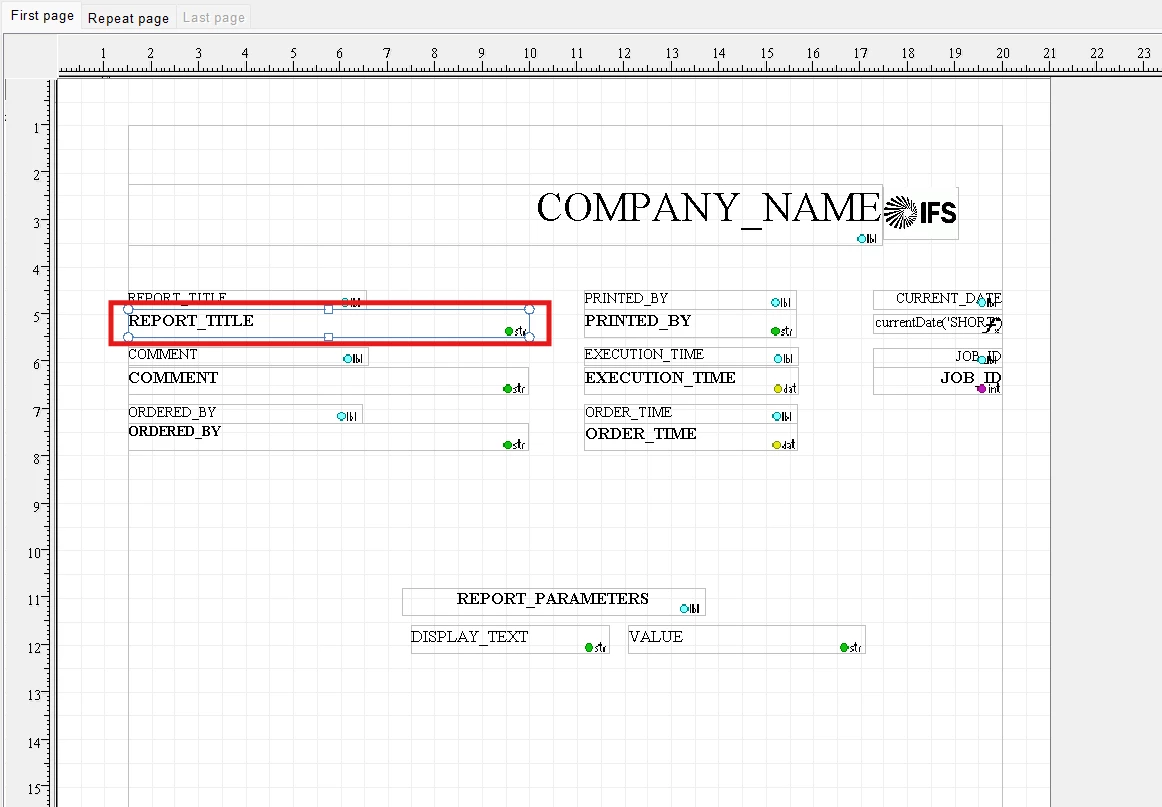
I would like to set the Report Title dynamically depending on a condition in the report.
How could I achieve this?
Currently , it is static as defined in the model.

codegenproperties {
   TitleText                     " Test Report";
}


2 replies

Forum|alt.badge.img+9
  • Author
  • Sidekick (Partner)
  • July 19, 2025

This might work if I remove codegenproperties  and then use Report_SYS.Define_Report_Layout_ conditionally. Will try and give an update. 
Meanwhile let me know if there are any alternative ways of handling this.


Forum|alt.badge.img+9
  • Author
  • Sidekick (Partner)
  • July 21, 2025

UPDATE:

After some experiments, I found that Report_SYS.Define_Report_Layout_ only changes the layout name appear in the report print dialog but it does not change ‘Report Title’.
In addition, I could NOT even utilise Report_SYS.Define_Report_Text_ to set the Report Title dynamically.
So the solution is to use a report attribute in the header level of the report model/rdf and then replace standard ‘REPORT_TITLE’ with the defined report attribute in the rdl layout.