

Question

How to pass the value that exist on a Page to filter a LOV.

  • January 2, 2025
  • 3 replies
  • 174 views

LearnIFS098
Do Gooder (Customer)
Forum|alt.badge.img+1

I want to filter inventory locations based on site/contract in the manufacturing tools → tool instance. I have created a custom LOV attribute for location and added it to the page.


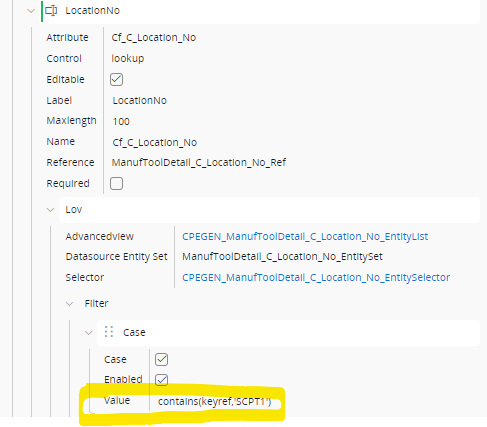
I was also able to create a filter based on a hard coded site/contract value and this works.
But I want to pass the site/contract value listed in the tool instances tab to filter Inventory locations.
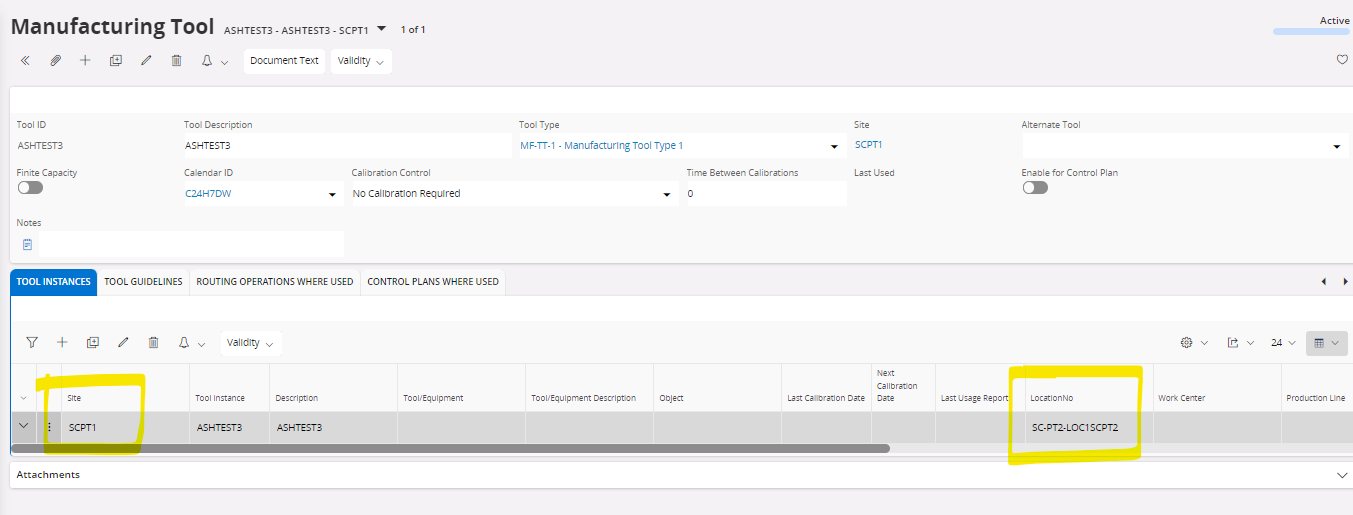
I need help to figure out the syntax to pass the site value to the filter. Please let me know.


3 replies

Rukmal Fernando
Superhero (Employee)
Forum|alt.badge.img+16
  • Superhero (Employee)
  • January 3, 2025

@LearnIFS098 Since you got a basic filter in place already, I believe you’ve been through the docs already, but for completeness, here it is:

https://docs.ifs.com/techdocs/24r2/040_tailoring/225_configuration/200_client_configurations/310_conditional_fields/100_conditional_lov/

Have you tried modifying your filter expression to be the following?

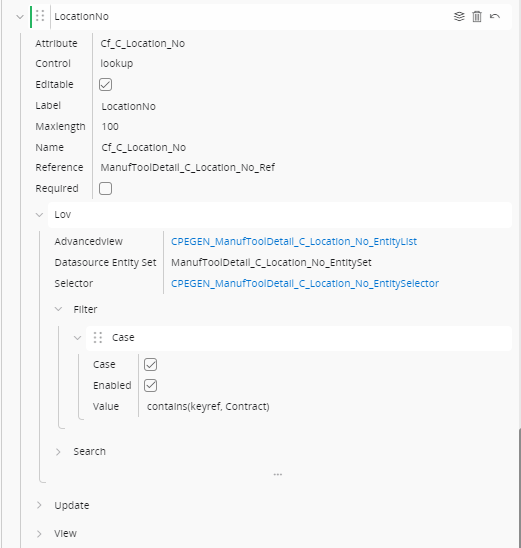
contains(keyref, Contract)

Best regards,

Rukmal


LearnIFS098
Do Gooder (Customer)
Forum|alt.badge.img+1
  • Author
  • Do Gooder (Customer)
  • January 3, 2025

Hello Rukmal, ​@Rukmal Fernando 


Thank you for your response. This does not work. 

It gives an error message

ManufacturingTool/Form (server error)
Malformed Request.
Error details: [{"code":"EXPRESSION_PROPERTY_NOT_IN_TYPE","message":"The property 'Contract', used in a query expression, is not defined in type 'IfsApp.ManufacturingToolHandling.ManufToolDetail_C_Location_No_Entity'."}]


LearnIFS098
Do Gooder (Customer)
Forum|alt.badge.img+1
  • Author
  • Do Gooder (Customer)
  • January 3, 2025

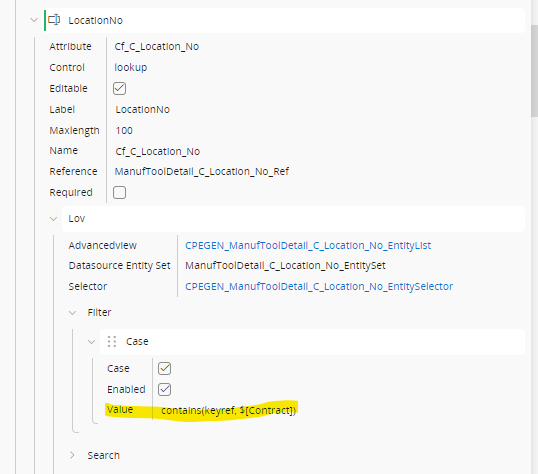
I figured out the syntax.  This is working. I am able to filter locations based on a site in the manufacturing tool instance tab.