Question

how to pass #person_id# in URL?

  • May 13, 2025
  • 8 replies
  • 118 views

Forum|alt.badge.img+7
  • Sidekick (Customer)

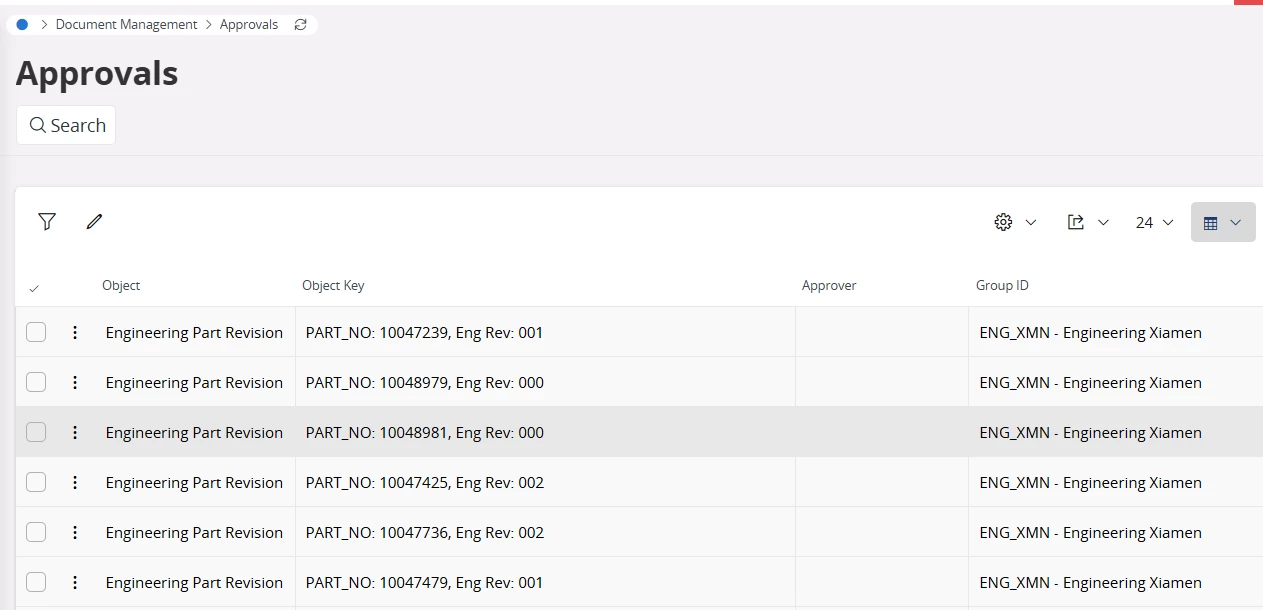
I want to open self approval like below url, but not work, can someone help advise? thanks!

https://cnxiaifsdevmid01.bugaboo.int/main/ifsapplications/web/page/Approvals/List;$filter=PersonId eq'#PERSON_ID#'

8 replies

filiep.vw
Do Gooder (Customer)
Forum|alt.badge.img+5
  • Do Gooder (Customer)
  • May 14, 2025

hi, 


i’m as well looking for the #DB_SID# context parameters we had in IFS10 to pass in the custom menu url, but i’m not getting anywhere.


Somebody knows the solution please ?


Forum|alt.badge.img+7
  • Author
  • Sidekick (Customer)
  • May 15, 2025

the requirement was on Cloud version, would like to provide a URL to end user, once they click the URL, they can go to below screen and see just the approvals that belong to him or his group.


sdhalk
Hero (Employee)
Forum|alt.badge.img+7
  • Hero (Employee)
  • May 15, 2025

Hi ​@lion,

Please try the below URL;

https://cnxiaifsdevmid01.bugaboo.int/main/ifsapplications/web/page/Approvals/List?$filter=PersonId eq #PERSON_ID#
 

  • Replaced ; with ?
  • Removed ‘ ‘ in #PERSON_ID#


Thanks,

Sarasi


Forum|alt.badge.img+7
  • Author
  • Sidekick (Customer)
  • May 15, 2025

Hi Sdhalk,

thanks for the info, I try it but get all the approvals include the ‘approver’ not belong to me. any idea?


filiep.vw
Do Gooder (Customer)
Forum|alt.badge.img+5
  • Do Gooder (Customer)
  • May 22, 2025

#PERSON_ID# doens’t get substituted in IFS Cloud .. is there something like ${Person} ?


sdhalk
Hero (Employee)
Forum|alt.badge.img+7
  • Hero (Employee)
  • May 23, 2025

Hi ​@filiep.vw,

It's $[PLACEHOLDER], and this syntax is used to pass data values.

Ex: filter=OrderNo eq $[ORDER_NO]

Thanks,

Sarasi


Forum|alt.badge.img+7
  • Author
  • Sidekick (Customer)
  • May 26, 2025

hi, thanks for your suggestions, I have try but still failed,  #PERSON_ID# should be a global context field, if I put it in ‘approvals’ saved search, it can work, but if copy the saved search link and parse in edge, it can’t work. why?


  • Do Gooder (Partner)
  • February 20, 2026

Here is how I solved this issue.


Create a page parameter for PersonId in the lobby, make sure the default value is #PERSON_ID#.

In the lobby element make sure use datasource condition is enabled and make sure a simple link is added to the URL eg page/PurchaseOrders/List

In the datasource where clause make sure the Person_ID field = ‘$PersonId$’ parameter.

Now when users navigate from the lobby element to the required page the results will be filtered down to records that match their person Id.