Hi Community,
In IEE ,we used to see that under system info (View Name and API name).
In Aurena (Any update) ,. how can see View name and API name in the application.
Please assist us.
Thanks in advance.

Hi Community,
In IEE ,we used to see that under system info (View Name and API name).
In Aurena (Any update) ,. how can see View name and API name in the application.
Please assist us.
Thanks in advance.
Best answer by Thilini Aluthweediya
Hi,
If we consider customer order form,
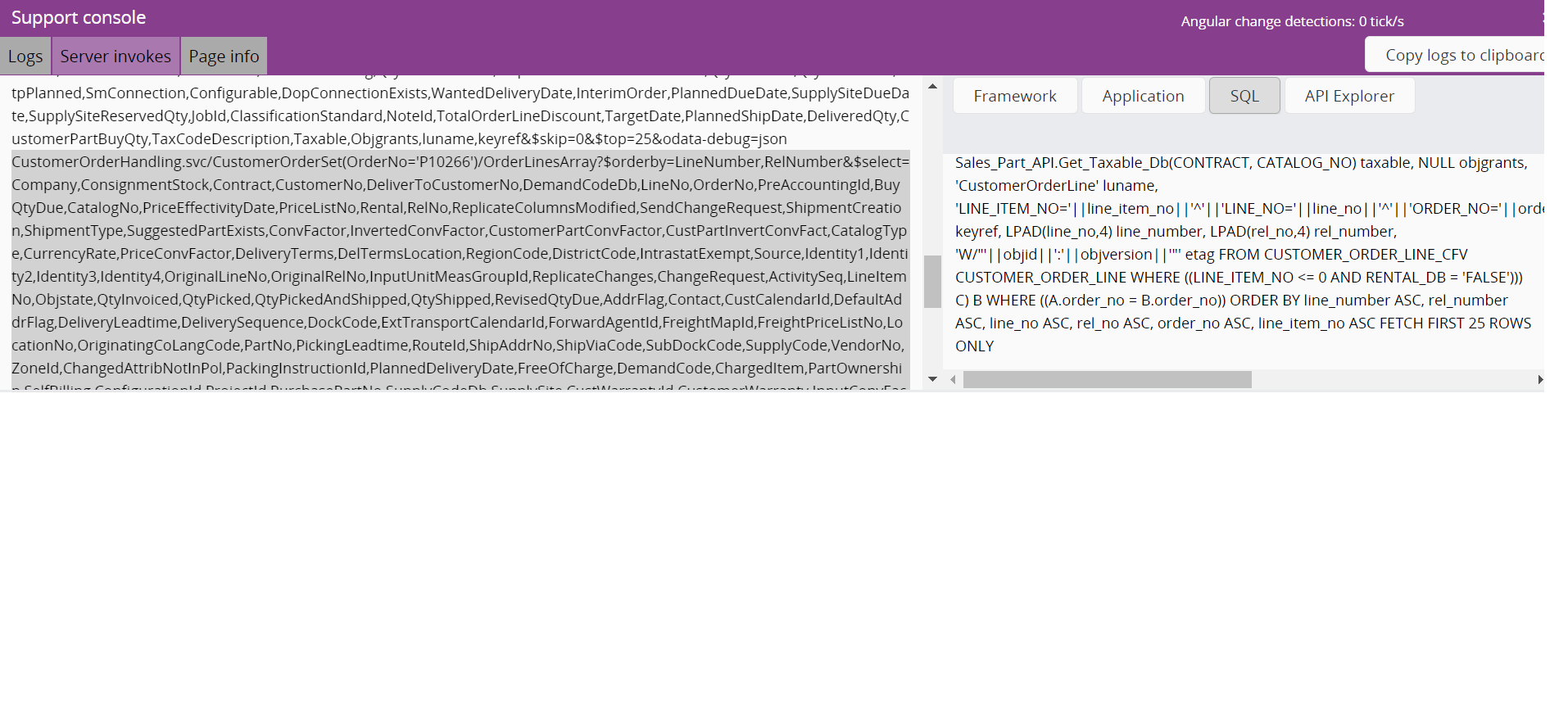
Projection would be CustomerOrderHandling and respective Package is CUSTOMER_ORDER_API.
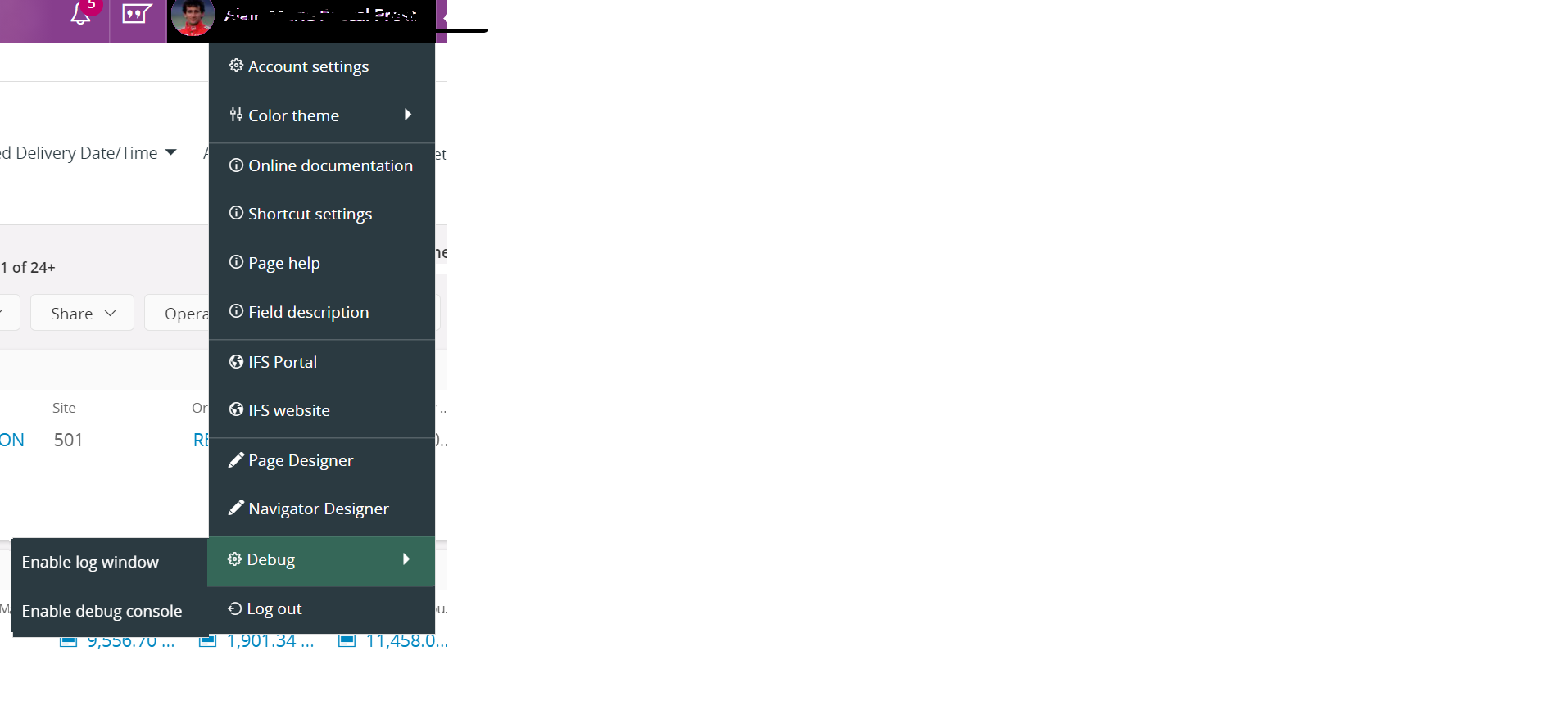
To check the view related for the page , go to Server Invokes tab in support console and select on the server code section and then check the SQL tab to see the sql statement involved in the selected query. You can identify the view name from the sql query.
Cheers,
Thilini
Enter your E-mail address. We'll send you an e-mail with instructions to reset your password.