
Question

Add "Like" conditional formatting

  • Jan 15, 2024 2:21 AM UTC
  • 3 replies
  • 304 views

Forum|alt.badge.img+4

Hi everyone,

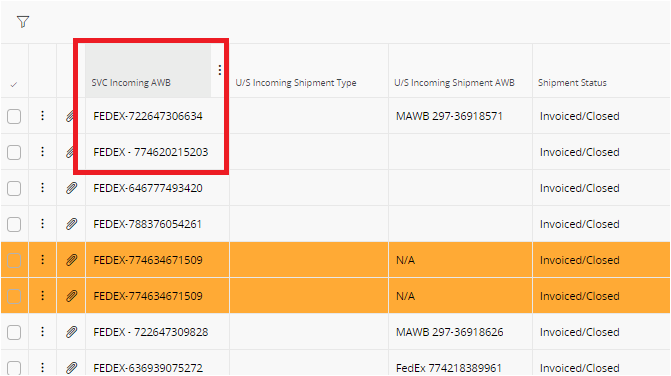
I'm trying to create a format that starts with FEDEX. I tried entering "FEDEX%" in the condition criteria but it didn't work.


Wondering if formatting can support other expressions such as "~" and "%"? Thanks


3 replies

Buddhika Kurera
Superhero (Employee)
Forum|alt.badge.img+15

@ZhanHao It seems like only equal and not equal operators are supported currently on Conditional Formatting in overviews therefore it is not possible to use the LIKE operator. Hope this helps !


Forum|alt.badge.img+4
  • Author
  • Sidekick (Customer)
  • Jan 15, 2024 7:05 AM UTC

Hi, 

Noted with thanks!!


Forum|alt.badge.img+8
  • Hero (Employee)
  • Jan 16, 2024 3:55 PM UTC

Hi @ZhanHao,


One way to still achieve this is to first add a read only custom field that selects the first 5 characters of the SVC Incoming AWB column to the page required. Then add this column to the page through the page designer and apply your conditional formatting to this new field. Example custom field below.


Regards


Telha