Question

Using Customer Parked payment in 22R1

  • September 22, 2022
  • 3 replies
  • 765 views

Chamaka Wimalarathne
Hero (Partner)
Forum|alt.badge.img+15

Anyone has a guide on how to use parked payment in Cloud 22R1

3 replies

Ralph Gericke
Superhero (Employee)
Forum|alt.badge.img+13
  • Superhero (Employee)
  • September 23, 2022

Hi Chamaka,

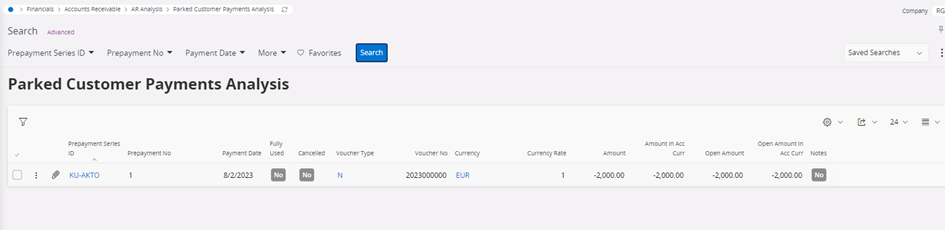
a parked payment is a customer/supplier payment (e.g. from mixed payment) that is not matched against a specific customer/supplier or invoice. IRL you dont know who did this payment. That item is just related to the company in which it has been posted. It is posted with PP9/PP10 when it is received.

It is always shown in the LOV of open items (with the company id as customer/supplier ID) and it can be matched/offset against any open item (customer/supplier). When matched PP9/PP10 will be cleared.

Does that answer your question?

Regards

Ralph


BGEMSPENCE
Do Gooder (Customer)
Forum|alt.badge.img+2
  • Do Gooder (Customer)
  • August 1, 2023

Hi @Ralph Gericke,

Is it possible to just move the Parked Payment to a Customer/Supplier account rather than against an open item?


Ralph Gericke
Superhero (Employee)
Forum|alt.badge.img+13
  • Superhero (Employee)
  • August 2, 2023

Yes it is :)

Example for a customer parked payment

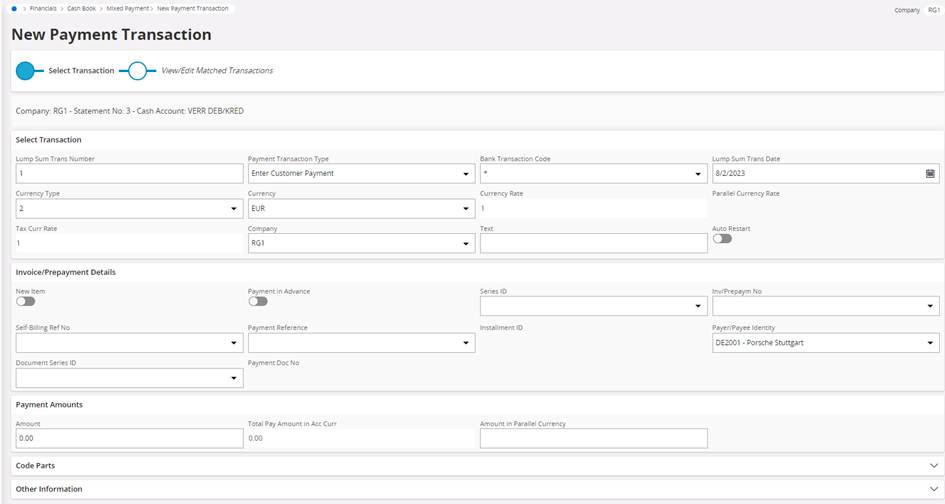
Create a mixed payment with a customer payment and amount 0,00 (use the customer where the parked payment should be moved to)

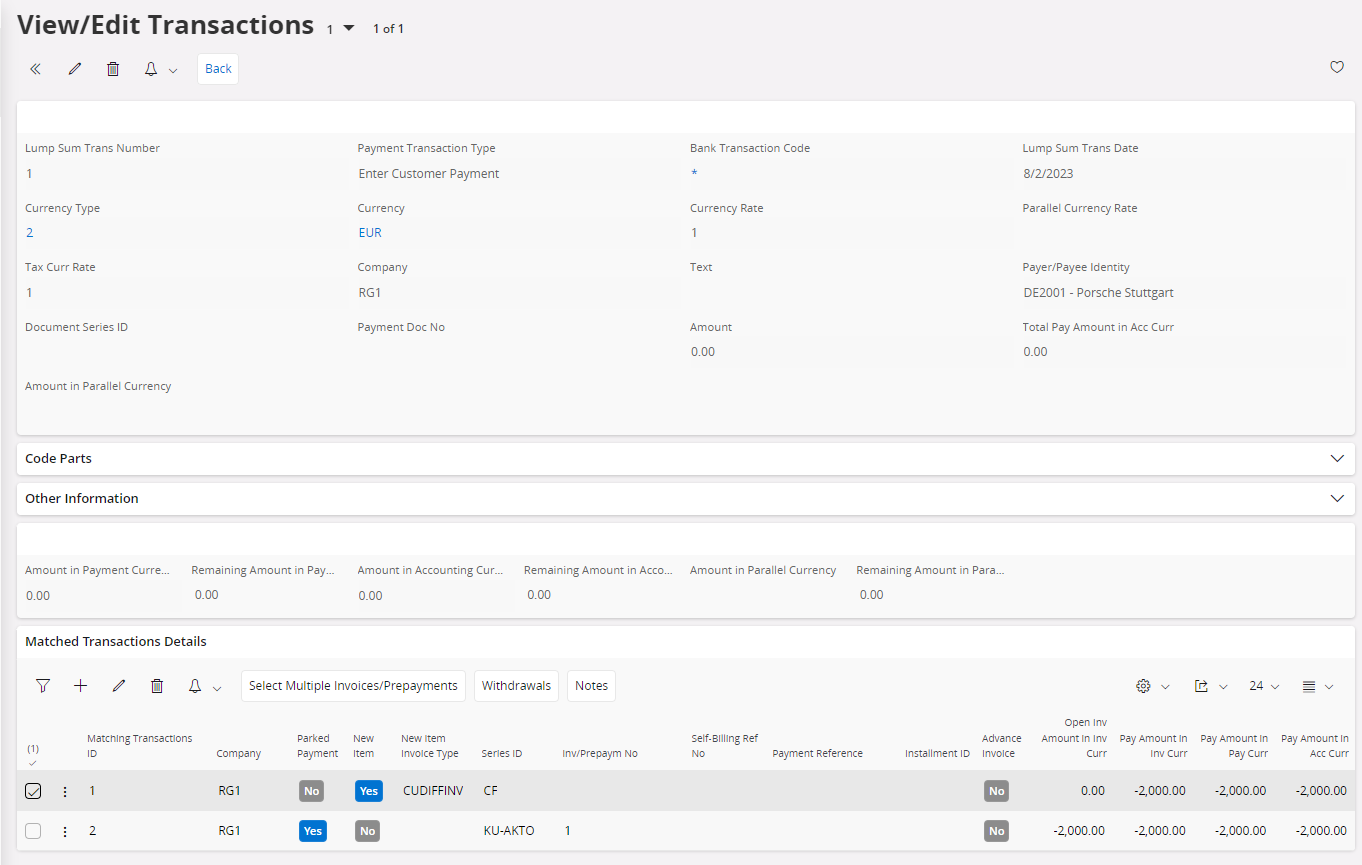
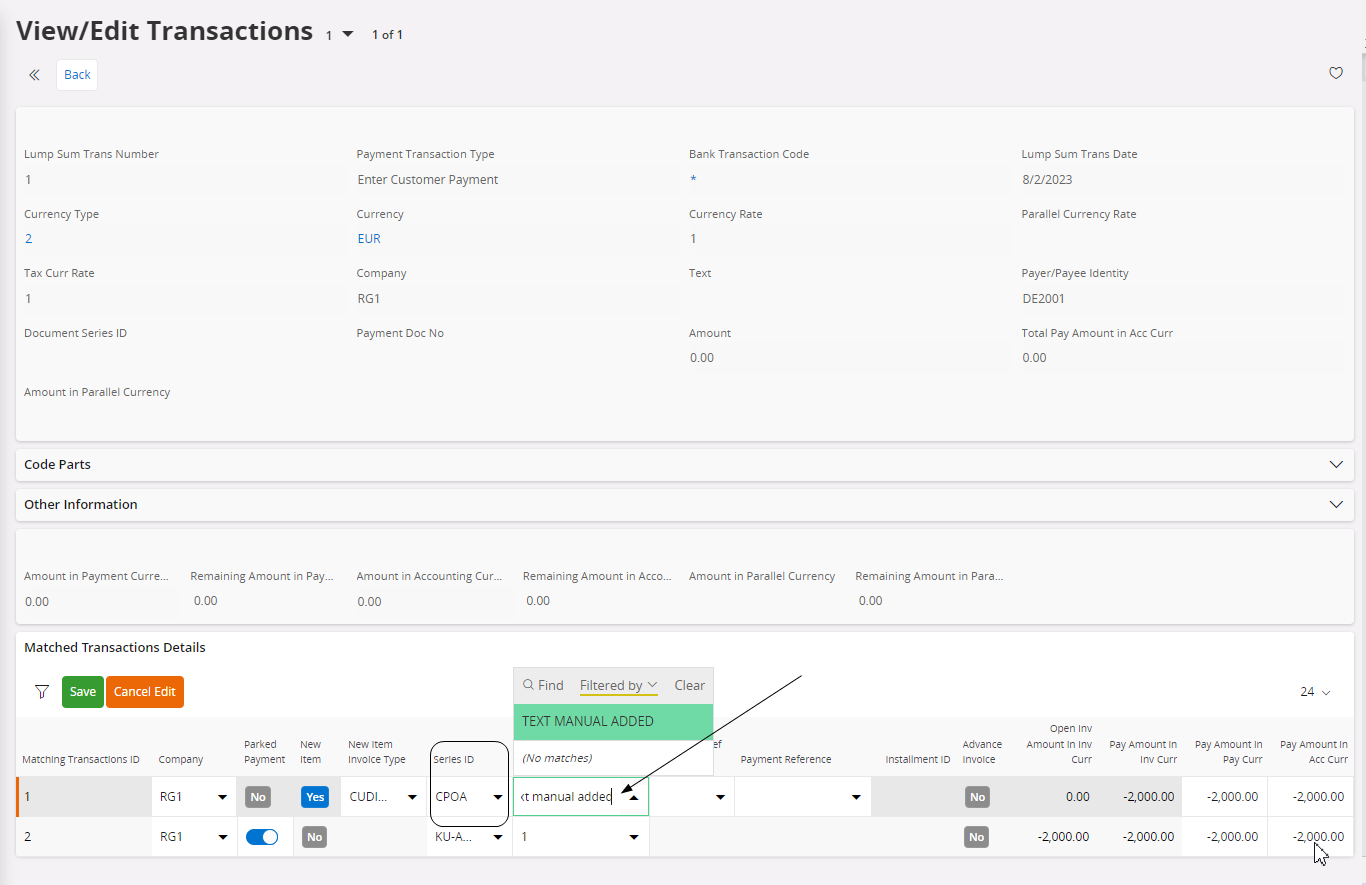
In the matching create a new line with (New Item) - you will see that CUDIFFINV and Series CF is defaulted - Enter the amount and add the parked payment as well

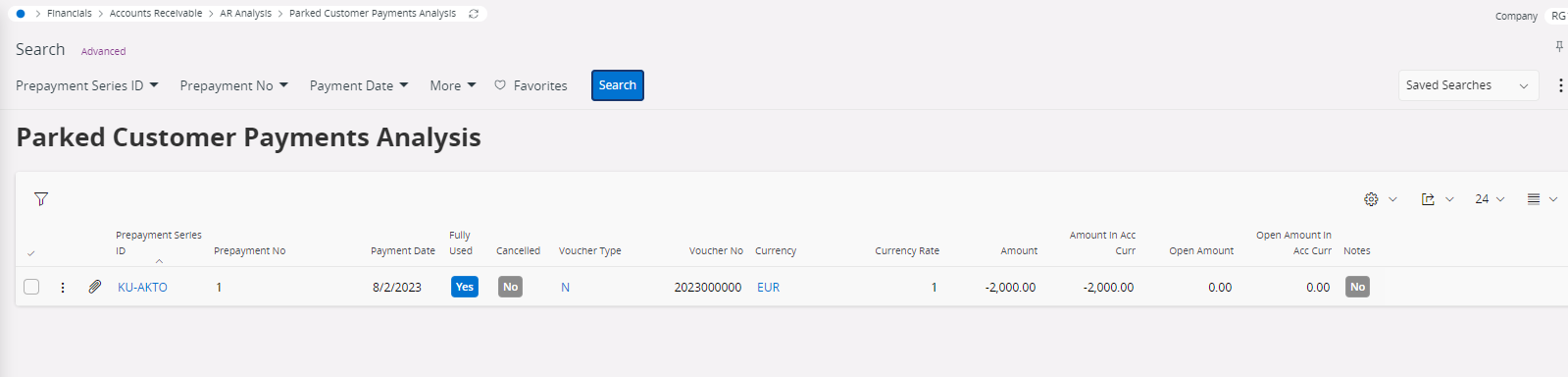
Parked Payment is now offset

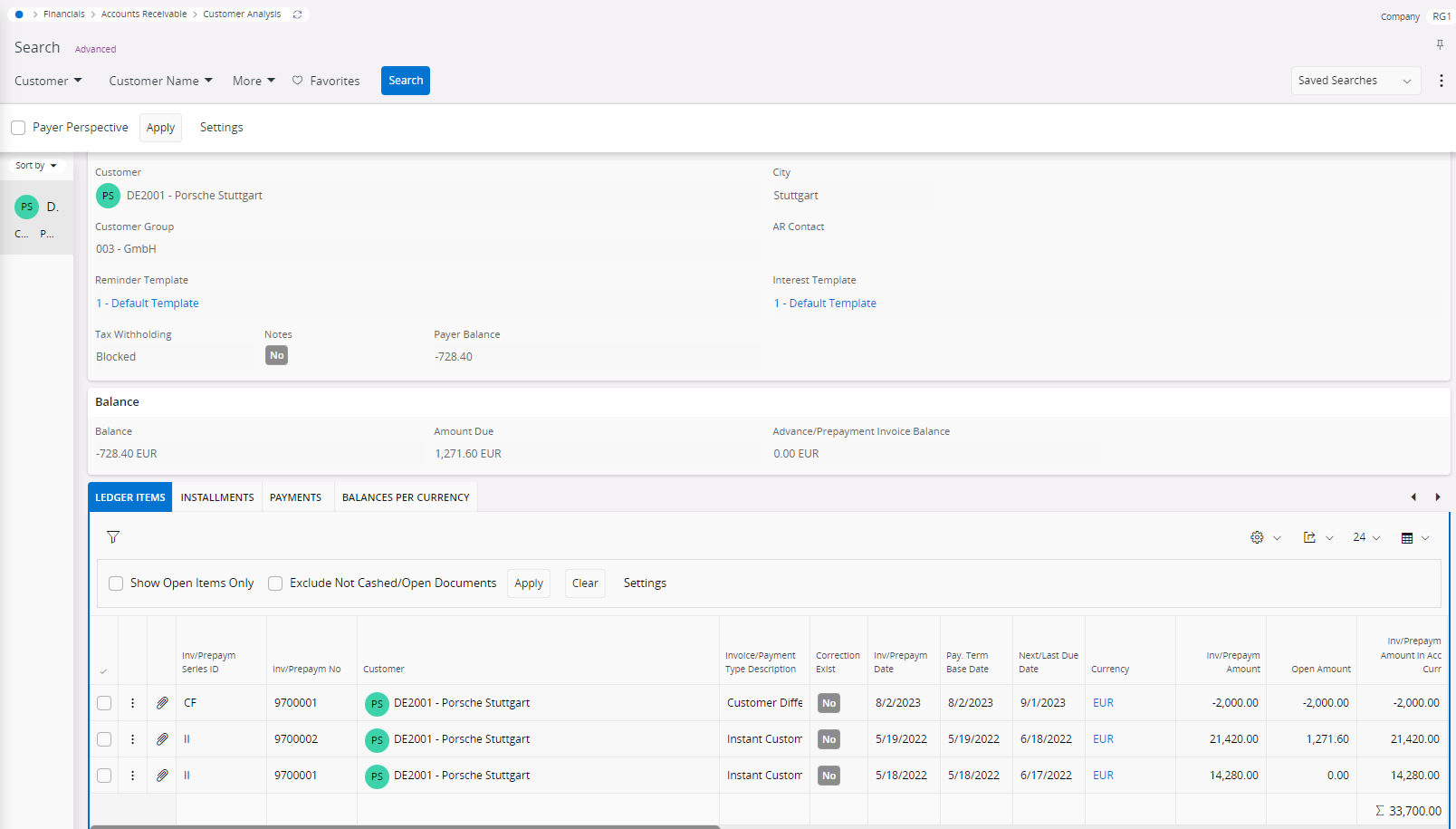
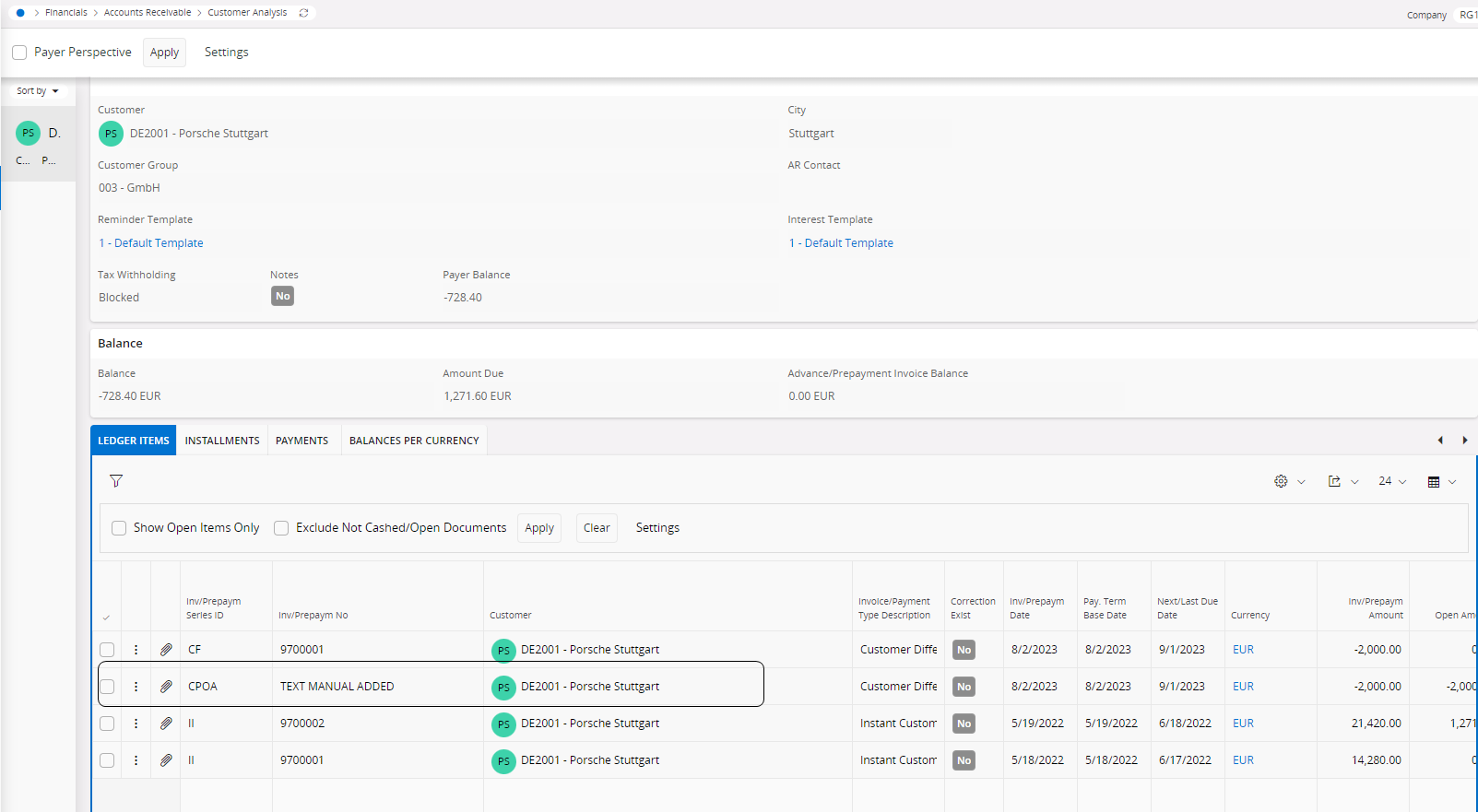
and “moved” as a difference item on the selected customer

For a better tracebility of these items you can create multiple Invoice Series with a “meaning” and if you don’t add a number series you can enter information to be shown with the item

You will see the additional information instead of a simple numbering