Solved

Options: New Automatic Posting Rule Setup

  • January 31, 2023
  • 3 replies
  • 472 views

Forum|alt.badge.img+8

Hi Team


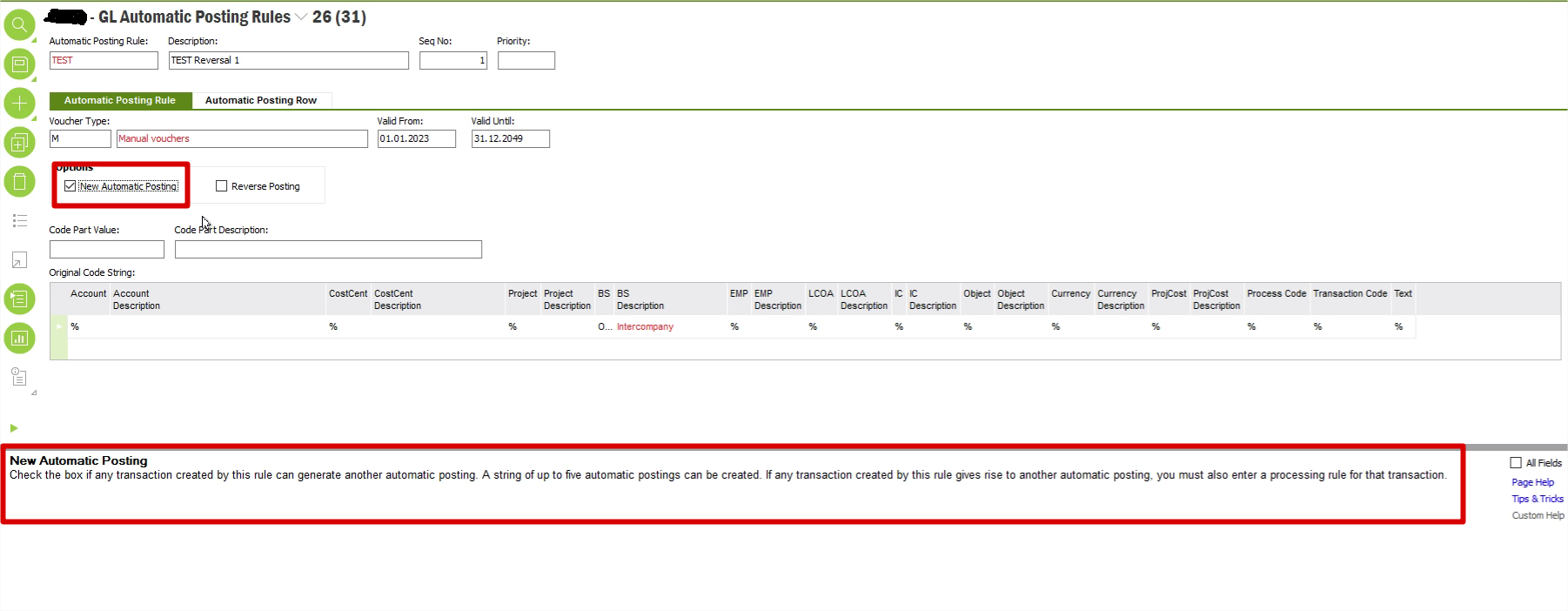
Can someone explain, how to configure rule based on New Automatic Posting for “GL Automatic Posting Rules”. Request you to provide examples / scenarios where this New Automatic Posting  Rule can be applied.

Refer the screenshot below: 
 

Best answer by Furkan Zengin

Hi @pratik.b.shah 

This is used for if the automatic posting must be run one fore time after an automatic posting. Let me explain in a different way. Say that you have 4 GL accounts 6000, 7000, 8000 and 9000


You have a rule number 1 that whenever you enter a cost to 6000, you are reposting it to account 7000, 8000 and 9000.

You have another rule number 2 that whenever a balance hits to 7000 account, you are reposting it to 8000 and 9000.


So the checkbox is used to decide if account 7000 is reposted from rule number 1 shall be reposted one more time because now it is hitting rule number 2. 


If you select it then you will have 2 reposting rule applied. If not selected, then system will skip reposting of account 7000.


I hope it is clear.

3 replies

Forum|alt.badge.img+19
  • Superhero (Employee)
  • January 31, 2023

Hi, 

Many use cases of an automatic posting rule would be to move a value from account string a to account string b. This can be described as a reclassing (reversing) entry. Reverse A and move to B. 

Another common use case would be to create new postings. For example, take a cost X from account string A and multiply that by a value Y and post the results to string B and C.   Examples can include an overhead or moving values to statistics accounts for later allocation processing. 

The new simply implies new posting lines where you need to enter +and - posting results.   The reversing option simply defaults the - line with account string * (magic wild card that copies whatever was in the original)  

Both are commonly used. 


Furkan Zengin
Ultimate Hero (Partner)
Forum|alt.badge.img+21
  • Ultimate Hero (Partner)
  • Answer
  • January 31, 2023

Hi @pratik.b.shah 

This is used for if the automatic posting must be run one fore time after an automatic posting. Let me explain in a different way. Say that you have 4 GL accounts 6000, 7000, 8000 and 9000


You have a rule number 1 that whenever you enter a cost to 6000, you are reposting it to account 7000, 8000 and 9000.

You have another rule number 2 that whenever a balance hits to 7000 account, you are reposting it to 8000 and 9000.


So the checkbox is used to decide if account 7000 is reposted from rule number 1 shall be reposted one more time because now it is hitting rule number 2. 


If you select it then you will have 2 reposting rule applied. If not selected, then system will skip reposting of account 7000.


I hope it is clear.


Forum|alt.badge.img+8
  • Author
  • Sidekick (Partner)
  • February 1, 2023

Hi, 

Many use cases of an automatic posting rule would be to move a value from account string a to account string b. This can be described as a reclassing (reversing) entry. Reverse A and move to B. 

Another common use case would be to create new postings. For example, take a cost X from account string A and multiply that by a value Y and post the results to string B and C.   Examples can include an overhead or moving values to statistics accounts for later allocation processing. 

The new simply implies new posting lines where you need to enter +and - posting results.   The reversing option simply defaults the - line with account string * (magic wild card that copies whatever was in the original)  

Both are commonly used. 

Hi @pratik.b.shah 

This is used for if the automatic posting must be run one fore time after an automatic posting. Let me explain in a different way. Say that you have 4 GL accounts 6000, 7000, 8000 and 9000


You have a rule number 1 that whenever you enter a cost to 6000, you are reposting it to account 7000, 8000 and 9000.

You have another rule number 2 that whenever a balance hits to 7000 account, you are reposting it to 8000 and 9000.


So the checkbox is used to decide if account 7000 is reposted from rule number 1 shall be reposted one more time because now it is hitting rule number 2. 


If you select it then you will have 2 reposting rule applied. If not selected, then system will skip reposting of account 7000.


I hope it is clear.

Thanks for your help, It worked.