Solved

Only IFSAPP user can schedule 'Update GL Vouchers'

  • March 10, 2023
  • 4 replies
  • 443 views

Forum|alt.badge.img+15

Dear All,

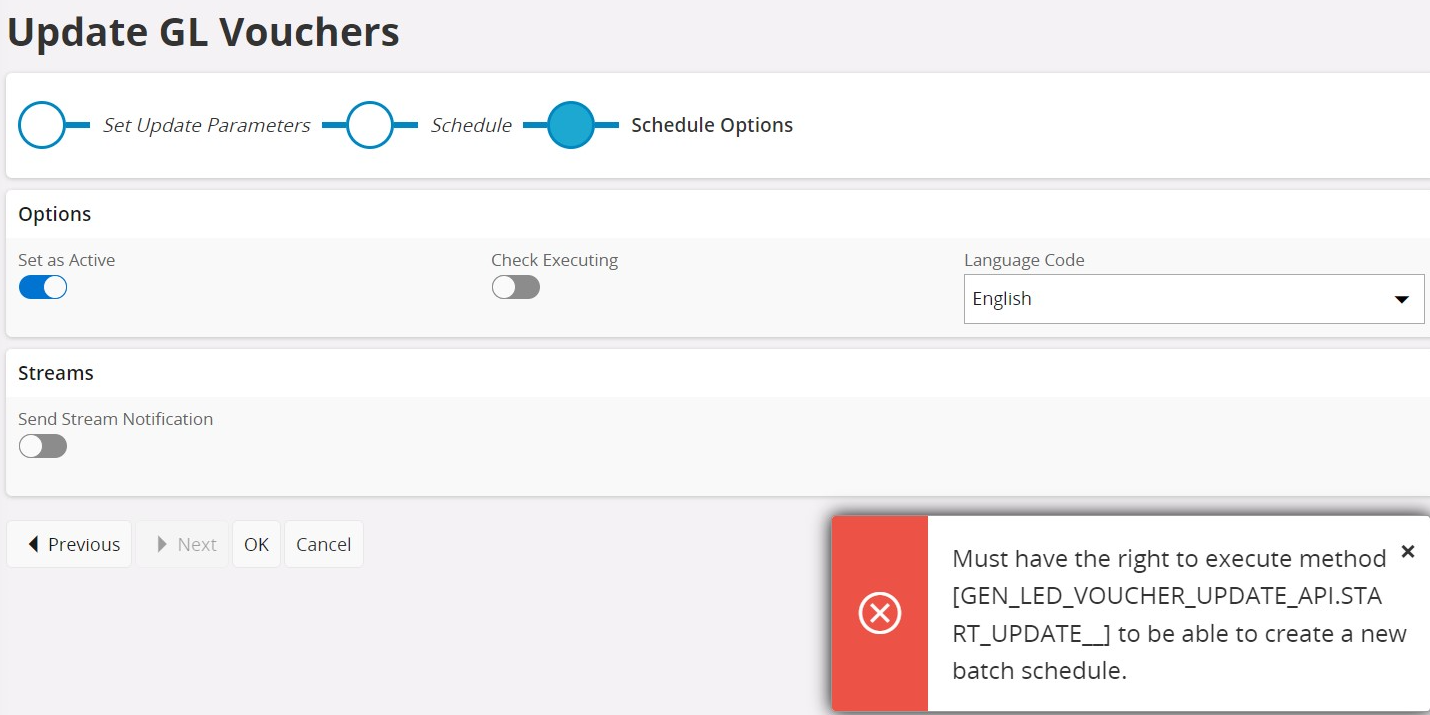
We are trying to schedule a GL voucher update, but we are getting the error message 'Must have the right to execute method [GEN_LED_VOUCHER_UPDATE_API.START_UPDATE__] to be able to create a new batch schedule. Only IFSAPP can schedule these for this client.

We have already given full access to this projection.

IFS Aurena client version: 22.2.2.20221102174602.0

We really appreciate it if we can have your opinion to sort out this, please.
 

Thank you in Advance.
Best answer by 12Guide_PaulB

Hi,


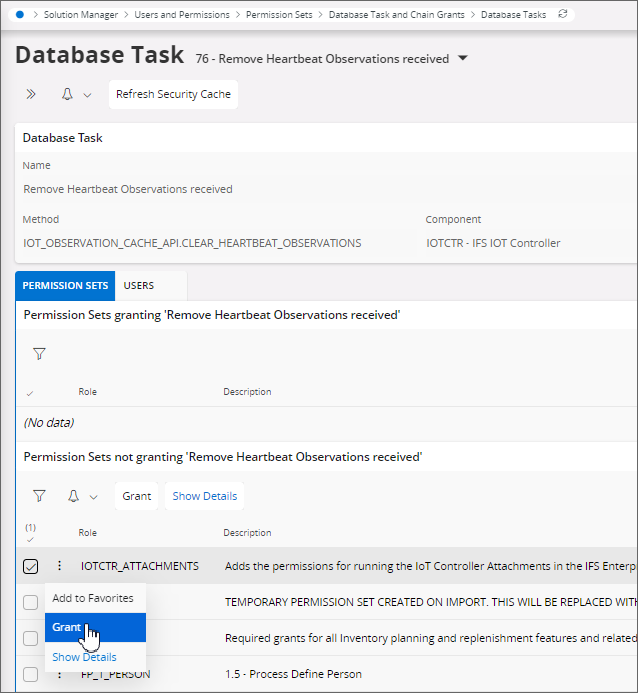
Select Database Task in folder Database Task and Chain Grants. Then select the permission set from the list of not granting permission sets and click Grant.


Kind regards, Paul Beekmans

4 replies

Furkan Zengin
Ultimate Hero (Partner)
Forum|alt.badge.img+21
  • Ultimate Hero (Partner)
  • March 10, 2023

Hi @MitDenukN 

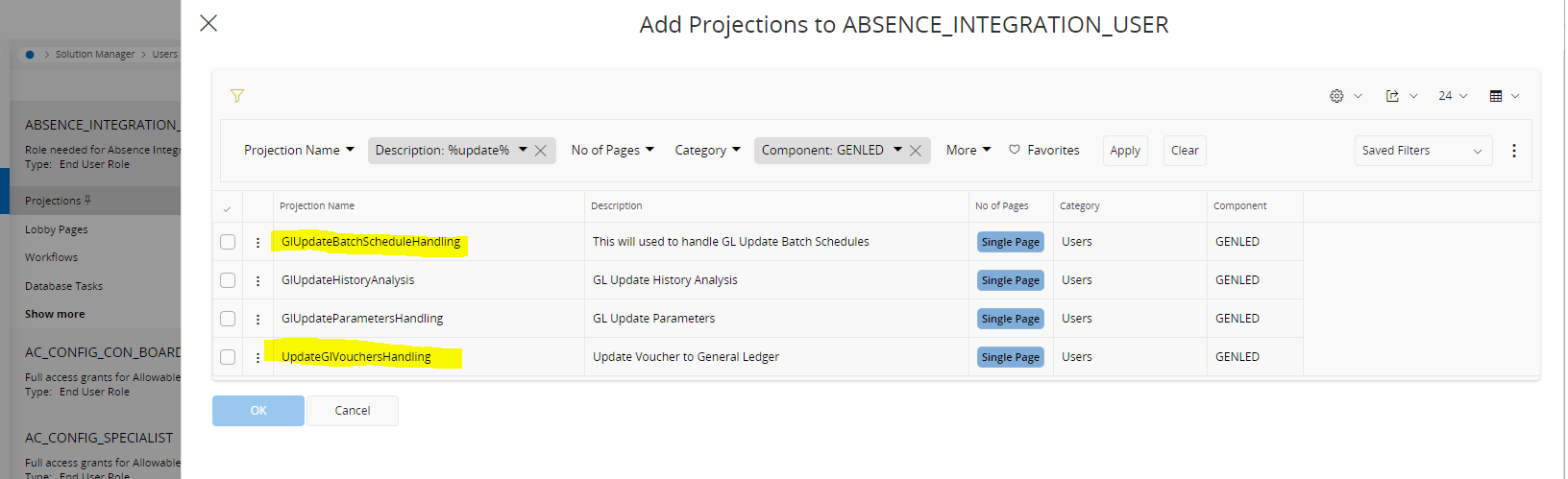
This is permission set issue. You need to grant projection to permission set. See the projections below

Go to permission sets > find your permission set > projections > add below projections


Hope this helps


Forum|alt.badge.img+15
  • Author
  • March 10, 2023

Hi @gumabs, really appreciate your quick response. I will check this and let you know.

Thank you.


Forum|alt.badge.img+15
  • Author
  • March 10, 2023

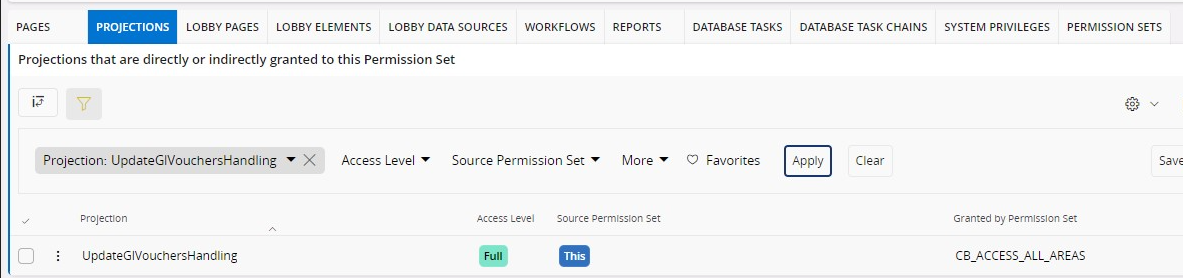
Hi @gumabs , these GlUpdateBatchScheduleHandling and  UpdateGlVouchersHandling projections have already been granted to the permission set.


12Guide_PaulB
Hero (Partner)
Forum|alt.badge.img+9
  • Hero (Partner)
  • Answer
  • March 10, 2023

Hi,


Select Database Task in folder Database Task and Chain Grants. Then select the permission set from the list of not granting permission sets and click Grant.


Kind regards, Paul Beekmans