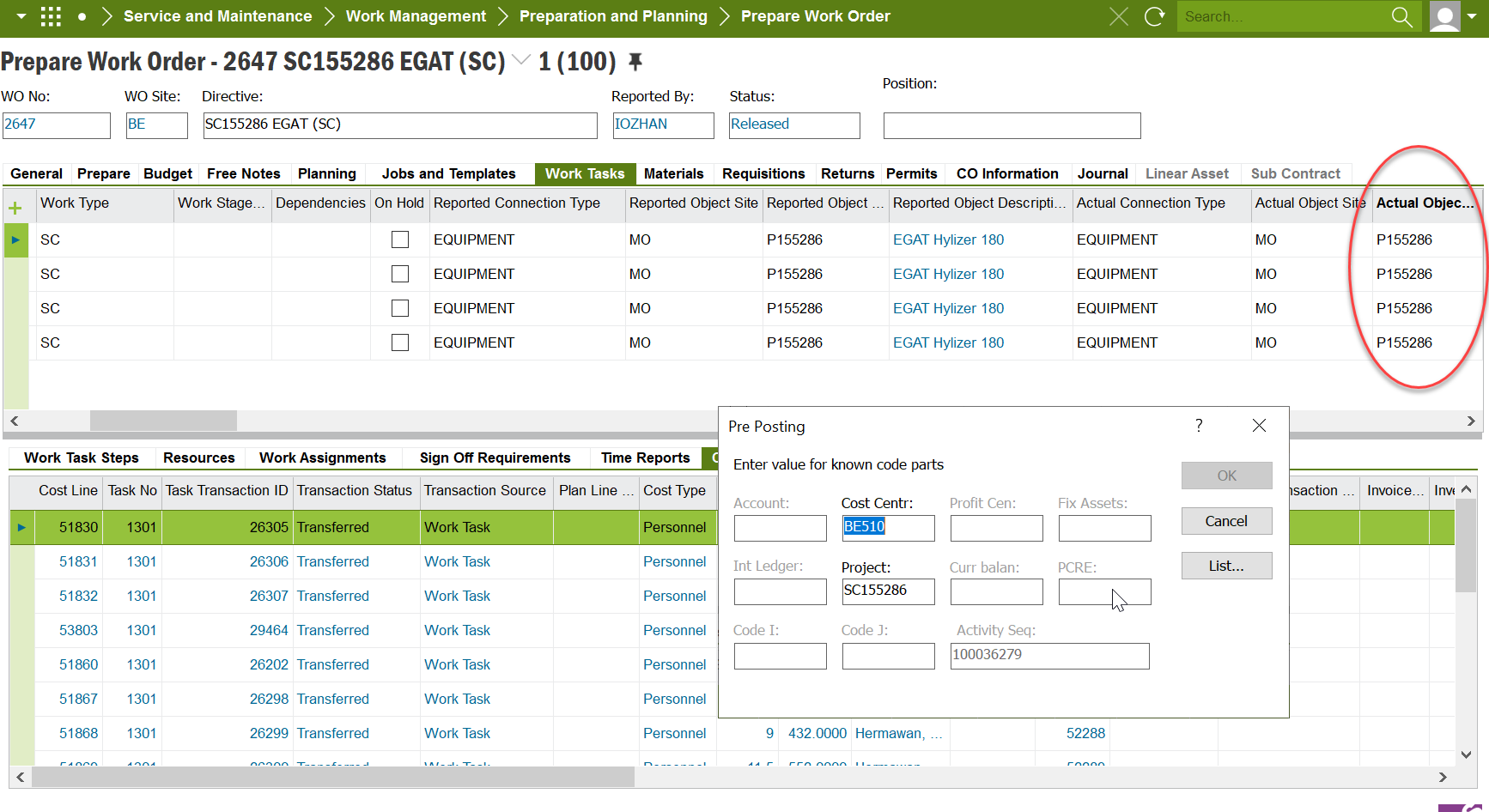
On work task line, you can see the current pre posting for cost center is set. if I changed the object ID, i would like the cost center in Pre Posting being changed automatically by a designated cost center value. my question would be, how to connect the cost center to object ID? Thank you.
Best answer by Thilini Kumarasinghe
Hi @ronhu
Regarding “how to connect the cost center to object ID”, please check below steps.
Steps:
1. Open “Define Code String” page.
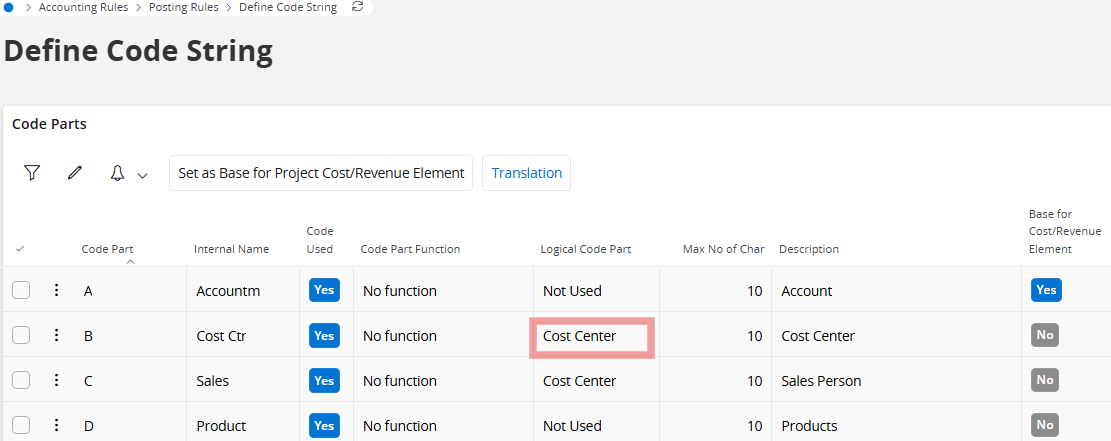
2. Here you can define Code parts where Logical code part Cost center. Multiple code parts can be defined with Logical code part = Cost center. However, only the 1st cost center in the hierarchy will be fetched to the object.
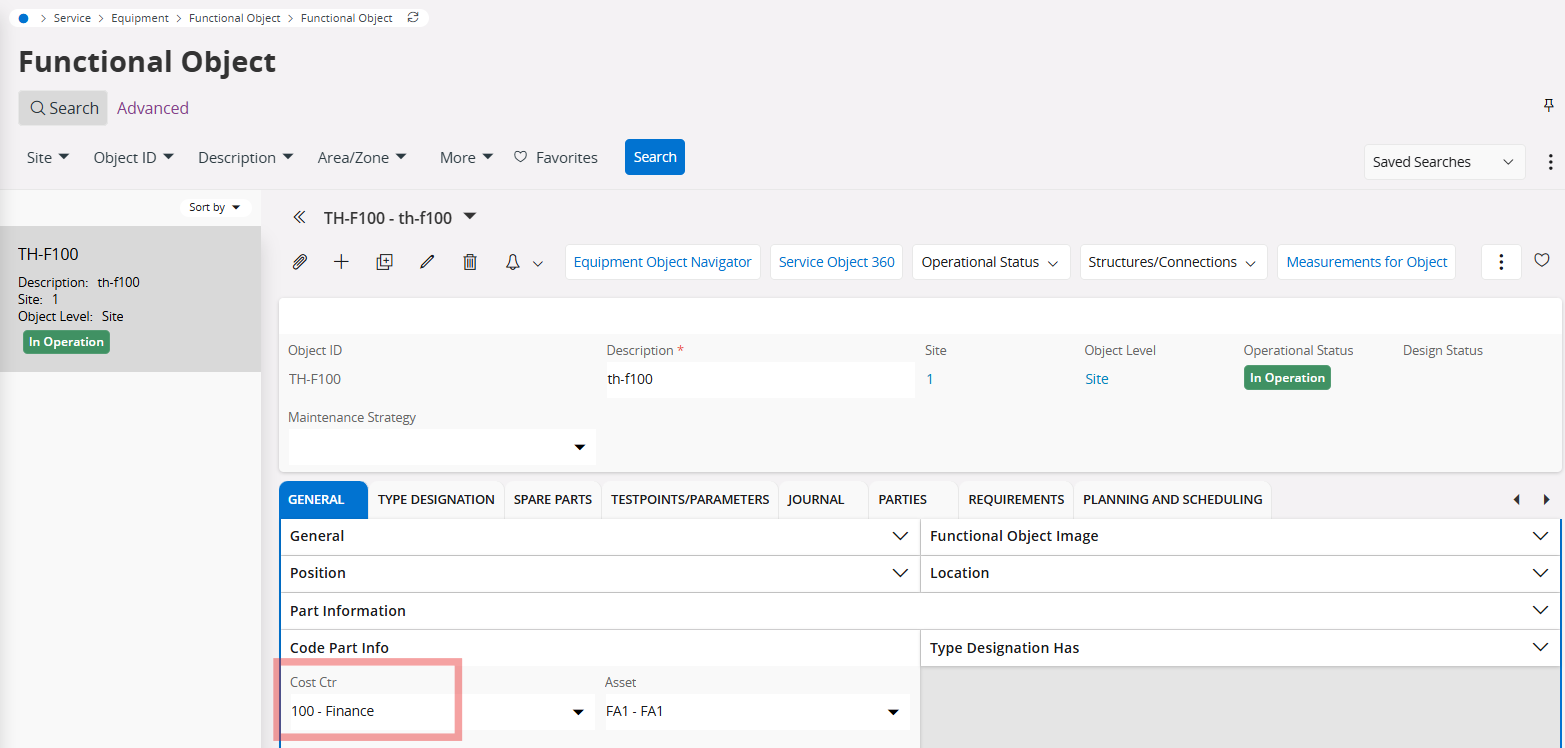
3. Now create or select a serial/functional object that is in a site which belongs to the same company where you defined the above code string. Note that the “Internal name” of the code parts are visible and you can add values.
Regarding “how to connect the cost center to object ID”, please check below steps.
Steps:
1. Open “Define Code String” page.
2. Here you can define Code parts where Logical code part Cost center. Multiple code parts can be defined with Logical code part = Cost center. However, only the 1st cost center in the hierarchy will be fetched to the object.
3. Now create or select a serial/functional object that is in a site which belongs to the same company where you defined the above code string. Note that the “Internal name” of the code parts are visible and you can add values.