Solved

IFS Cloud - Importing currency rate file

  • September 26, 2022
  • 17 replies
  • 406 views

Forum|alt.badge.img+11

Hi,

We are migrating from version 9 to Cloud (22.1.5) and I am having trouble with an import of Currency rate. In version 9 we generate rate files into a directory on the server and IFS task go take this file and import currency rate.

In Cloud version, I cannot see my directory on my server. Do you have any idea?


Thanks,


Gianni

Best answer by gianni.neves

Thanks guys,


I figured a way to fix my problem by myself. 


Thanks,


Gianni

17 replies

cperdue
Hero (Partner)
Forum|alt.badge.img+14
  • Hero (Partner)
  • September 26, 2022

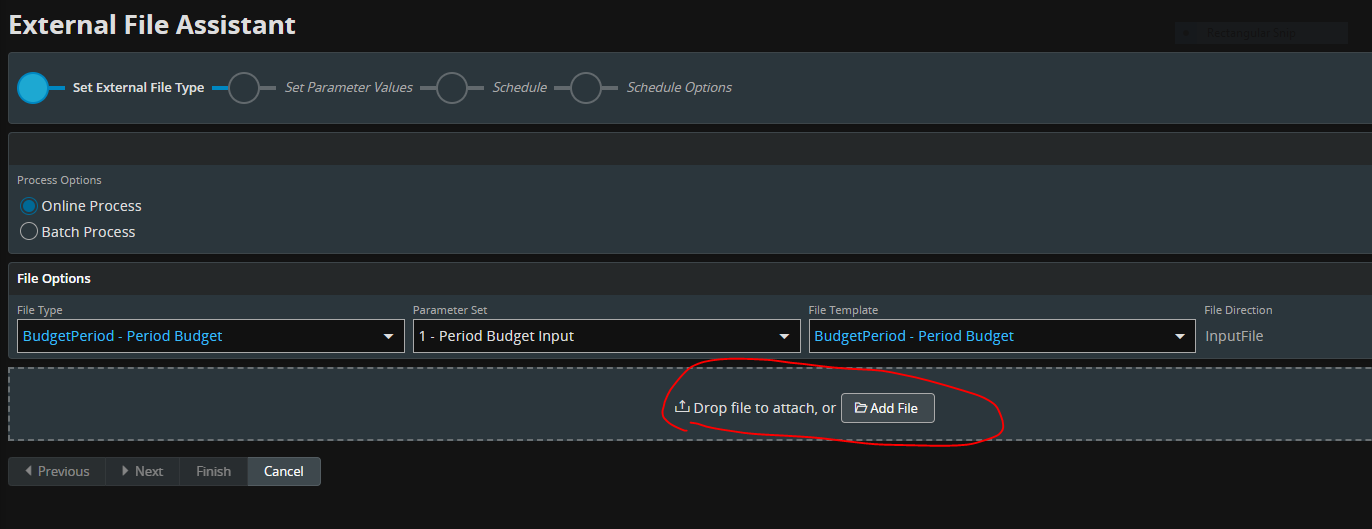
Can you see it from the assistant?


Forum|alt.badge.img+11
  • Author
  • Hero (Customer)
  • September 26, 2022

Hi @cperdue,

Yes, I can, but we are using “batch process”. We have a task schedule running every day in IFS 9 to treat our files. The “online process” it is a manual process.


Thanks,


Gianni


Forum|alt.badge.img+11
  • Author
  • Hero (Customer)
  • Answer
  • October 1, 2022

Thanks guys,


I figured a way to fix my problem by myself. 


Thanks,


Gianni


Forum|alt.badge.img+8
  • Do Gooder (Customer)
  • June 1, 2023

Hi,

We are having same situation, how did you solve it? 

Br

Andreas 


Forum|alt.badge.img+11
  • Author
  • Hero (Customer)
  • June 2, 2023

Hi @Andreas_M,

We’ve solved using the external file. I attached, all screen you need to going through. 

If you have any question, you can reach by send me a private message.


Gianni NEVES 


Forum|alt.badge.img+7
  • Sidekick (Customer)
  • January 13, 2026

Hey ​@gianni.neves ,

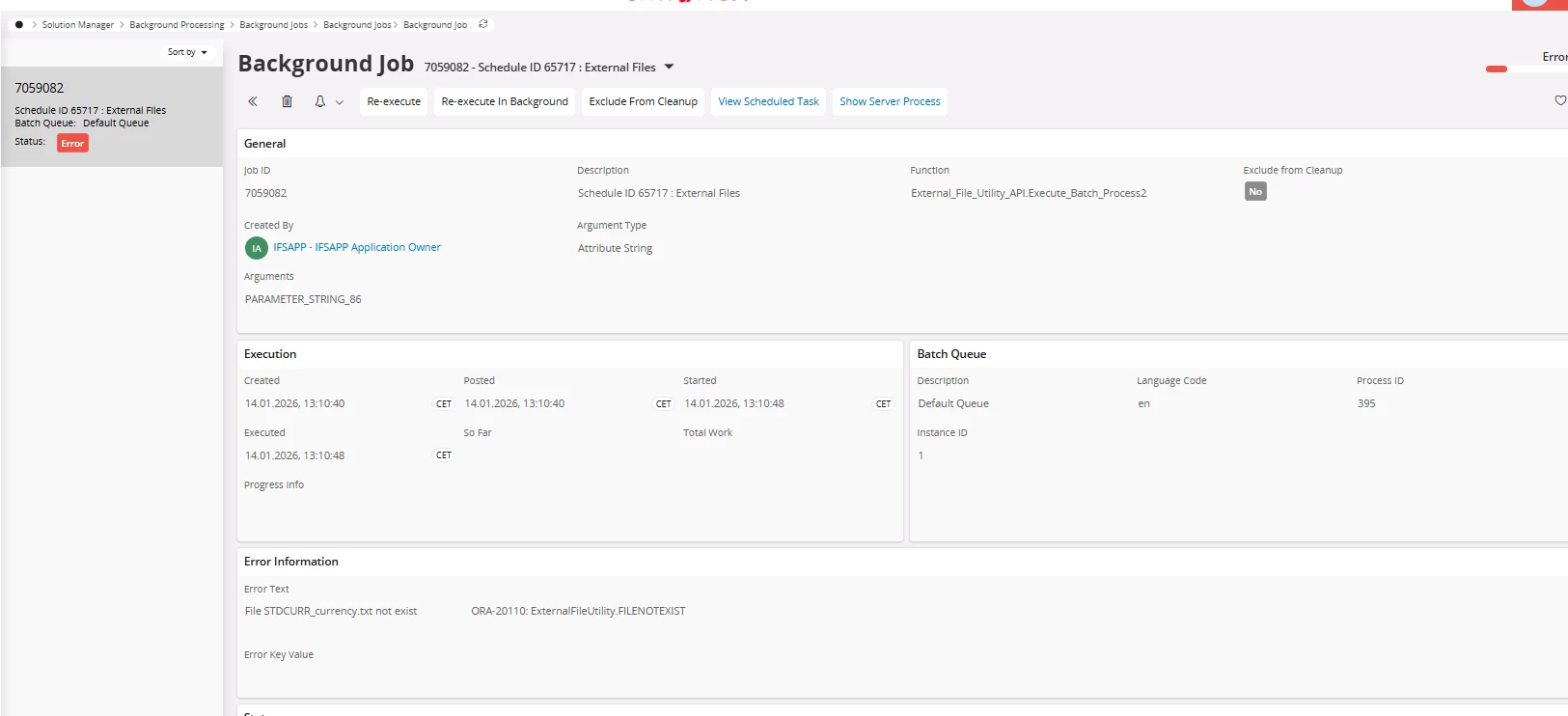
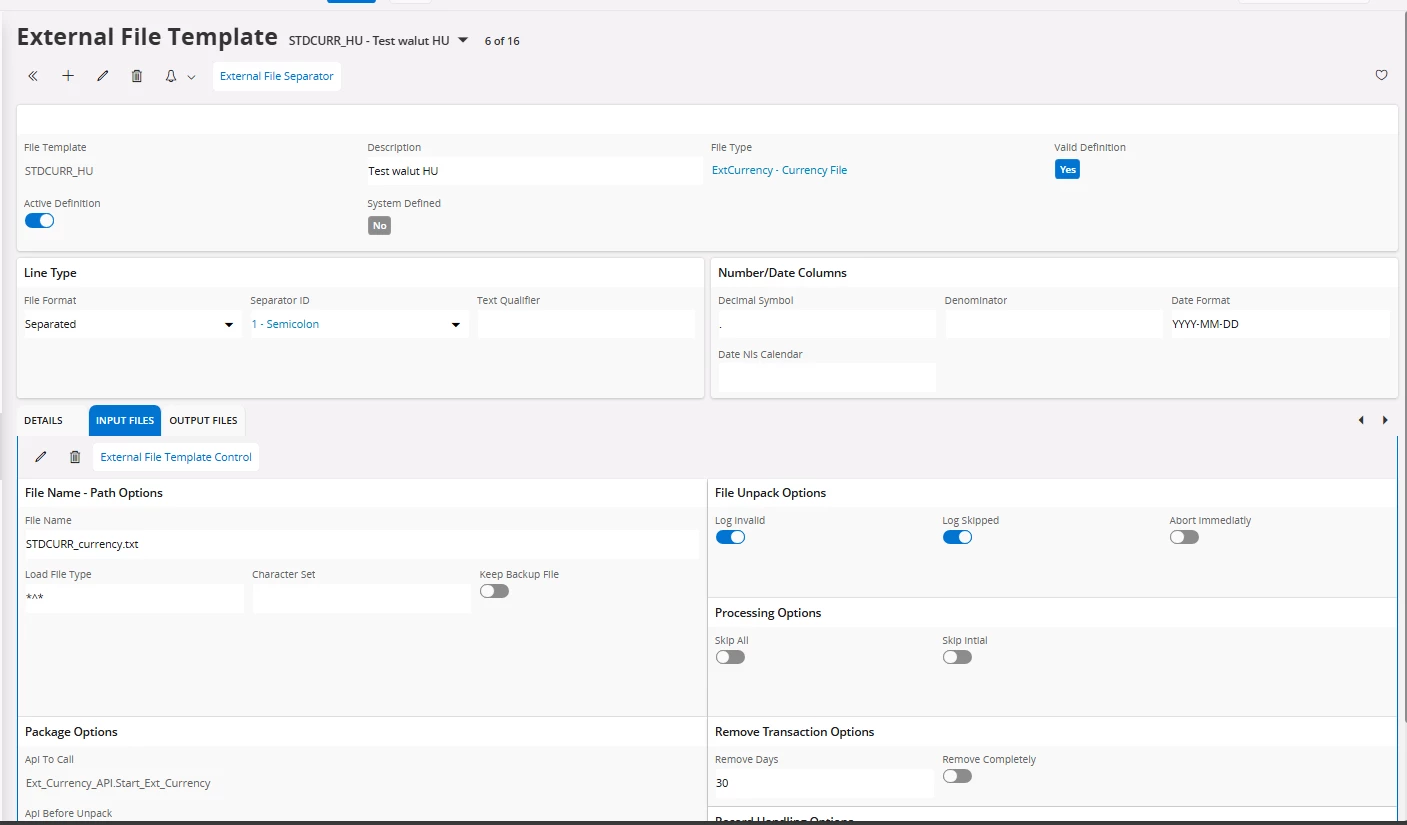
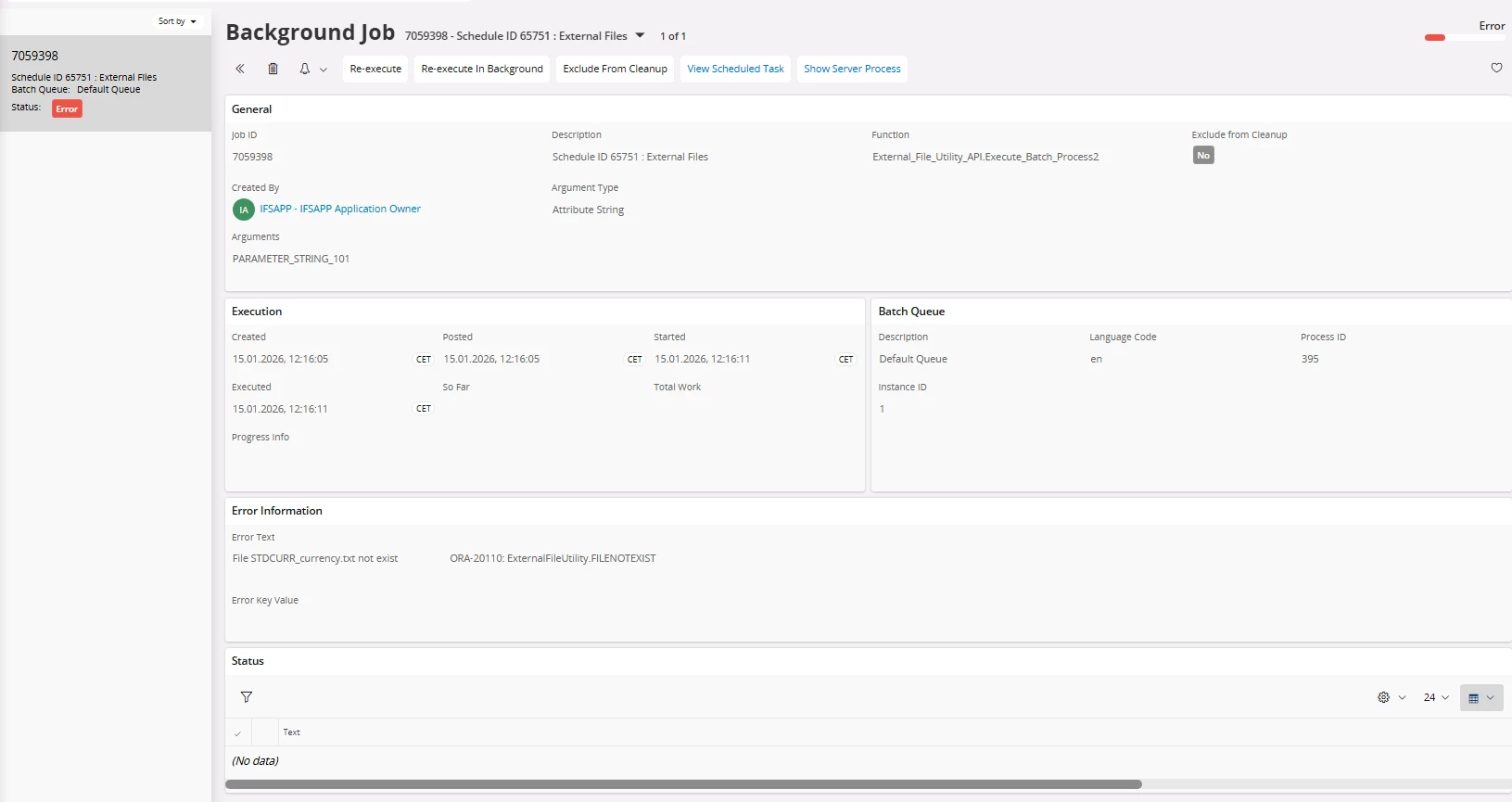
I did everything exactly as you did in the screenshots, but I keep getting the error: ORA-20110: ExternalFileUtility.FILENOTEXIST

What could be the cause? Did you somehow specify which reader the External Transaction should use?


Forum|alt.badge.img+11
  • Author
  • Hero (Customer)
  • January 14, 2026

Hi ​@kacperifs ,

Is the file name you configure in IFS, correct? Do you have any job that move the file from a directory to another?


Forum|alt.badge.img+7
  • Sidekick (Customer)
  • January 15, 2026

Hey ​@gianni.neves 

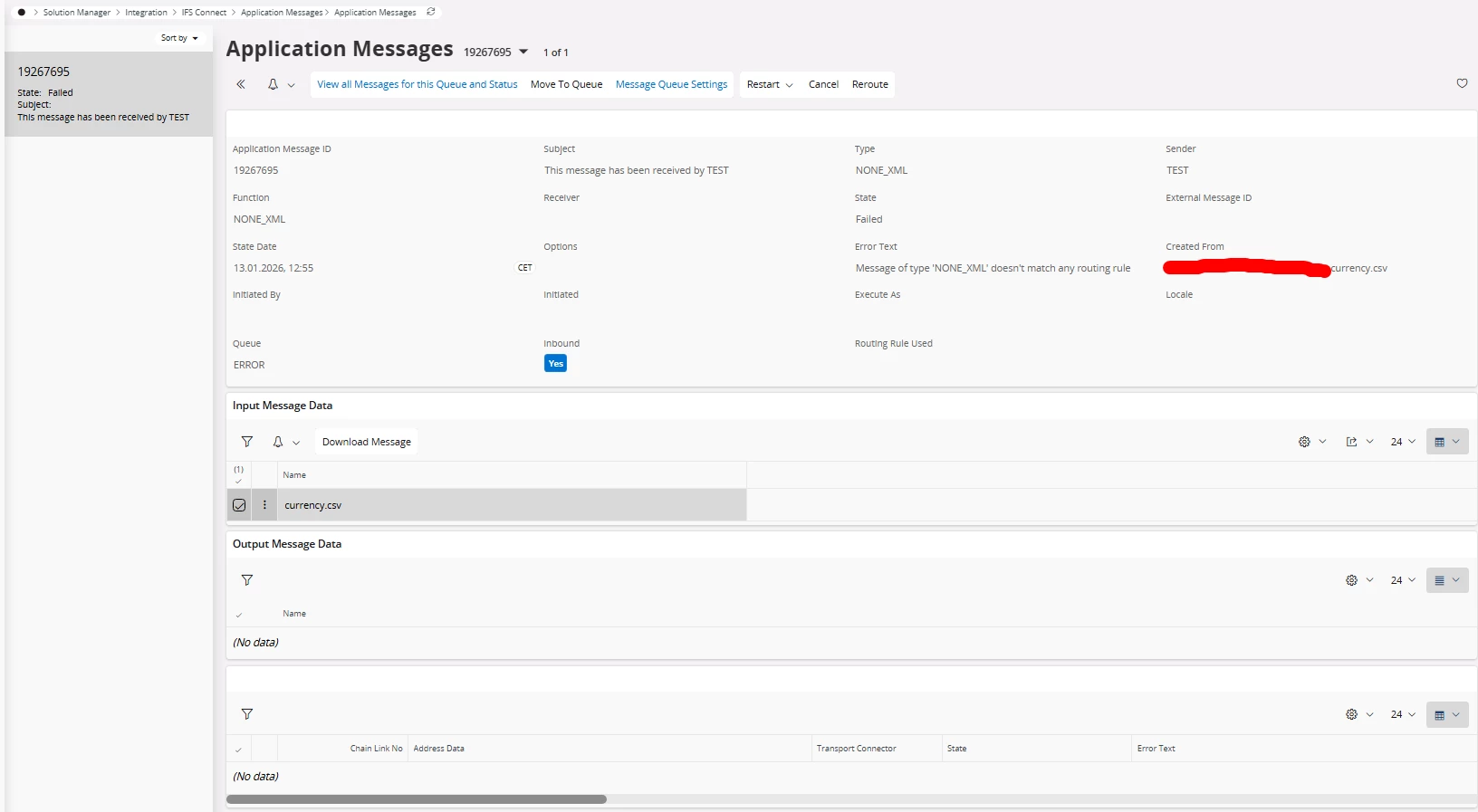
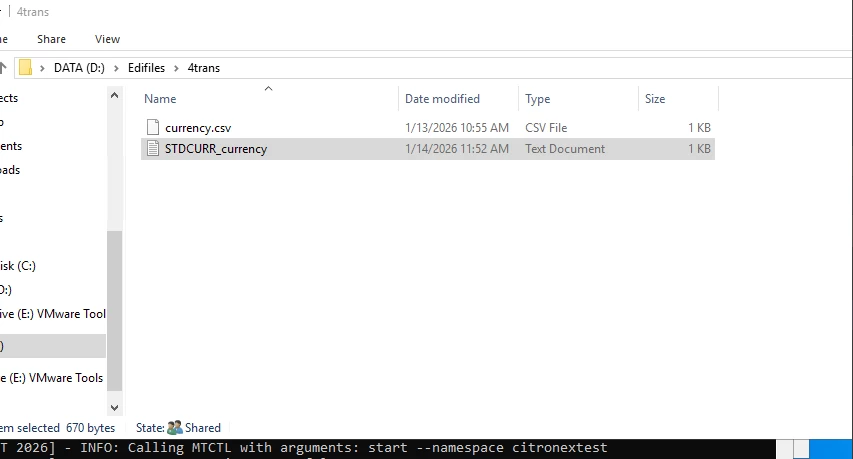
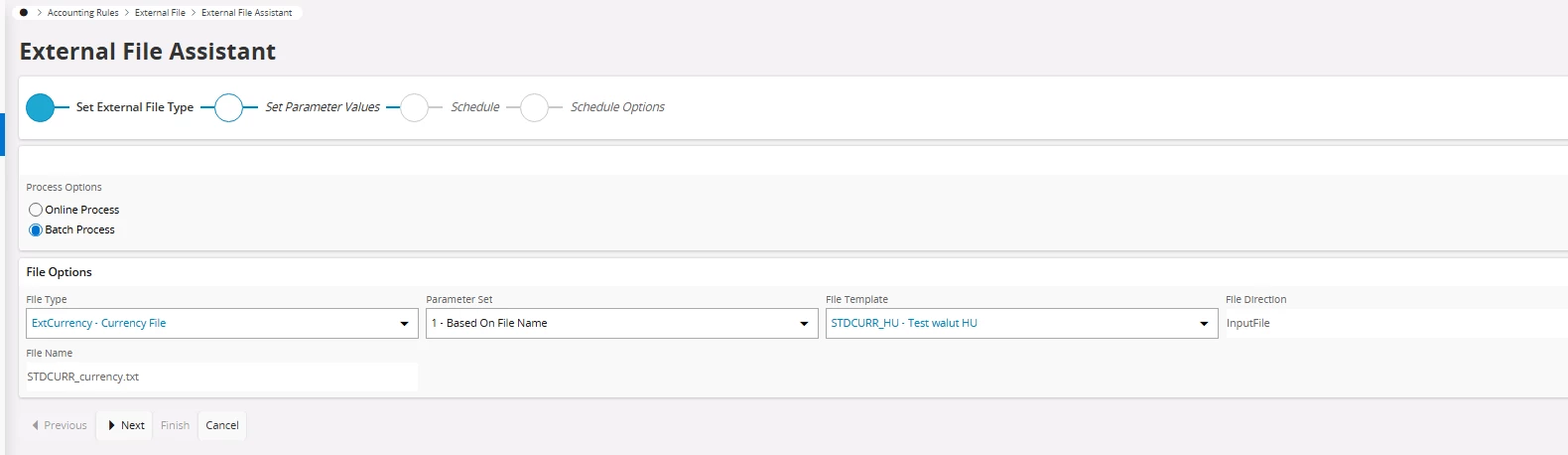
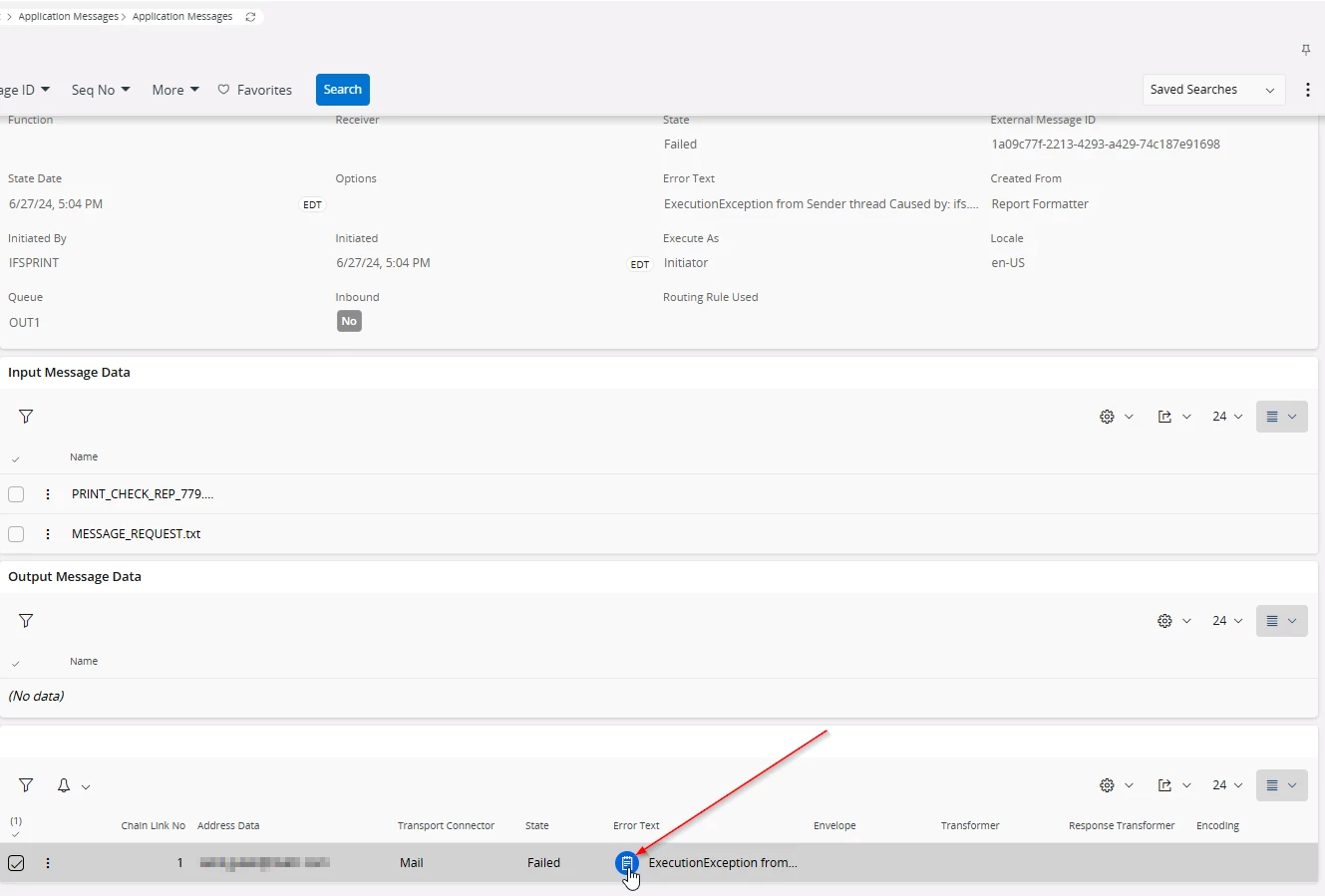
Thanks for your reply. I did everything exactly as you did in the screenshots. I get the following messages:

I have not configured any routing rules.


Forum|alt.badge.img+5
  • Sidekick (Partner)
  • January 15, 2026

From what I see, the author use .txt file type in the example, so if one wants to use the same setup, the input file type should be in .txt format 

kacperifs-  the error at the application message points to .csv file type, is it possible to replace .csv file with .txt and give it a try


Forum|alt.badge.img+7
  • Sidekick (Customer)
  • January 15, 2026

Hey ​@VirajW 


Thank you for your reply. I tried with .txt also and I’m getting same error.


Forum|alt.badge.img+5
  • Sidekick (Partner)
  • January 15, 2026

I would double-check the following 
Background job is looking for the file name " STDRCURR_currency.txt " , application message sees  " currency.csv " or now " currency.txt “  
Double-check the converted .txt file, adhere to the External File template setup


Forum|alt.badge.img+7
  • Sidekick (Customer)
  • January 15, 2026

Hi ​@VirajW 

That's probably because I tried different variants and chose the wrong background job. Let's start again from the beginning:

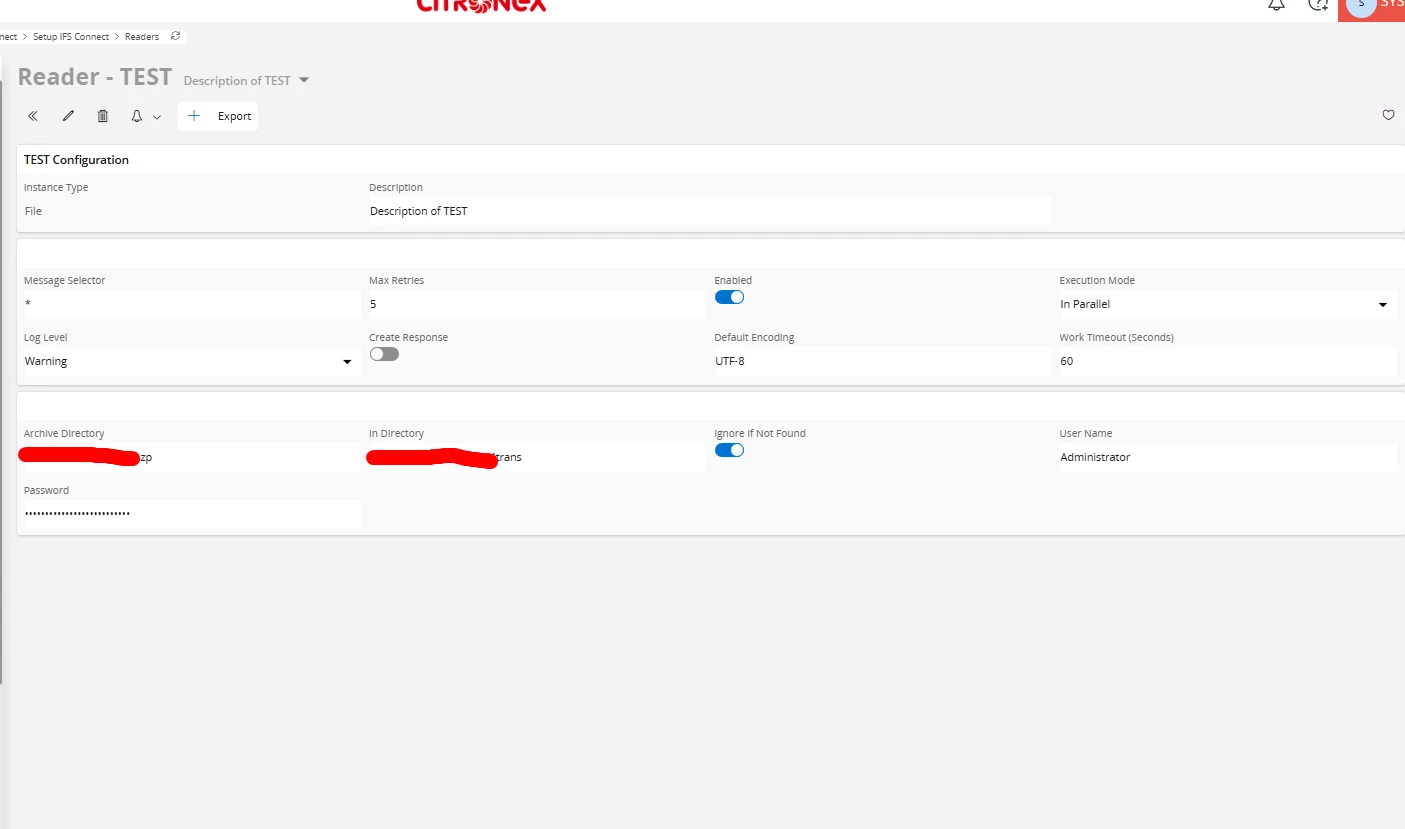
  1. My READER:
  1. Directory which contains file STDCURR_currency.txt
  2.    

4.

5.


And still getting error.


Forum|alt.badge.img+5
  • Sidekick (Partner)
  • January 15, 2026

Is it possible to increase the  log level from warning to debug from warning in setup IFS Connect > Readers to gain more error details


Forum|alt.badge.img+7
  • Sidekick (Customer)
  • January 15, 2026

I changed the value to debug, but how can I view a specific message? The one from the Application Message level is still the same.


Forum|alt.badge.img+5
  • Sidekick (Partner)
  • January 15, 2026

I just double checked some application messages in the error state don't have thorough error details.

Normally, it resides bottom of the application message

In this scenario, you can get a second look at the whole setup with a fresh set of eyes.


Forum|alt.badge.img+7
  • Sidekick (Customer)
  • January 15, 2026

I have just checked Application Messages and Background Jobs, and in both cases there is no detailed information – that is why I am doubtful and looking for information on the forum, because without it I cannot handle it. I am surprised that no Routing Rule is set here and the API External File knows that it should upload the file based on its name. I wonder, since I get a message that the file was not found, maybe it is going to some wrong location?


Forum|alt.badge.img+5
  • Sidekick (Partner)
  • January 20, 2026

Some troubleshooting steps that I can think of, if you have not fixed it already.
Check that other file readers in the instance work as expected, or try it on another test instance
Generate a new .txt file (not converted) and see if it works


Hope this helps