Question

External supplier invoice - PO Matching

  • January 13, 2026
  • 2 replies
  • 46 views

Forum|alt.badge.img+9

Hi everyone,

I’m importing supplier invoices into IFS using STDSIN1 (file type ExtSuppInv).

I entered the PO number in the header field “PO Reference”, but after the import it does not appear on the supplier invoice in IFS (and it doesn’t seem to link to the PO for matching either).

  • Is “PO Reference” in the header the correct STDSIN1 field to populate the PO number?

  • Are there any prerequisites (company, supplier, matching setup) or other fields that must be provided for the PO reference to be stored/displayed?

  • Should the PO reference instead be provided at line level (e.g., PO item/line reference) for it to work?

  • Any tips on where to check during import (error log, message log, staging tables) to see why the value is ignored?

Thanks in advance!

2 replies

Forum|alt.badge.img+19
  • Superhero (Employee)
  • January 13, 2026

Hi, 

For PO matching type invoices and files, I’ve tested variations of STDSIN3 many times. 

The STDSIN3 template is very commonly used when importing supplier invoices with PO numbers.   That template includes the same attribute Po Reference where the attribute flows to the destination column C12.   For both templates, that attribute flows to C12, meaning that is the appropriate attribute for the PO number. 

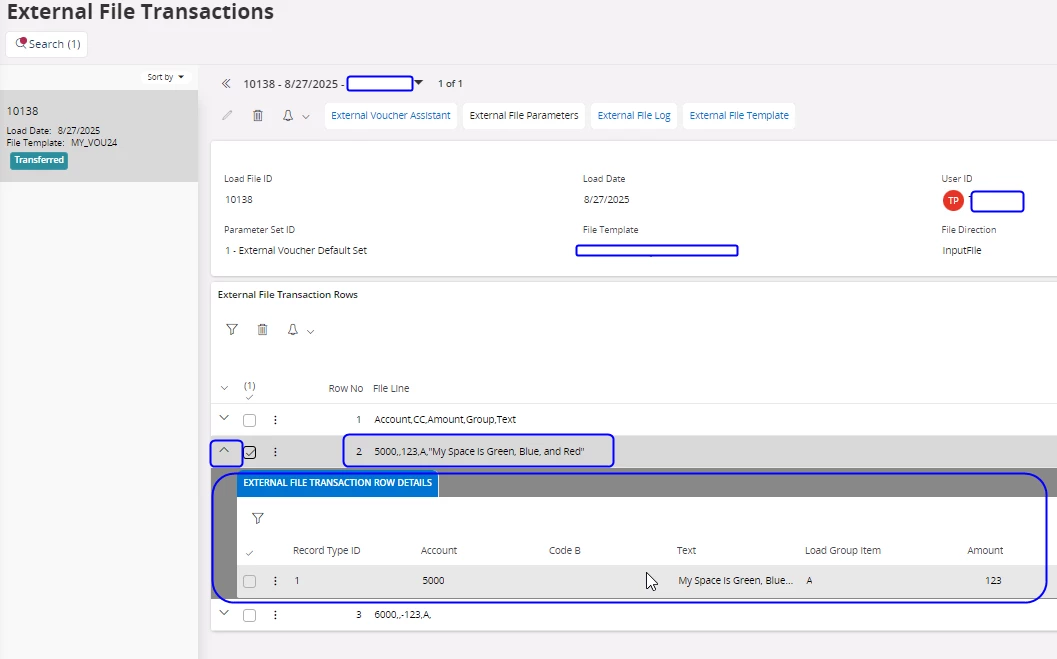
When processing external files, IFS compares the data being loaded against the template.  See external file transactions and see the progress, including error messages due to data / file structure. You should be able to see the PO reference attribute and how it was parsed out and the IFS attribute for the PO. See the details of that external file load. In cloud use the dropdown for a given record to see if that data is correctly flowing to the appropriate location

The following is a vastly different template, but the concept is the same. You can see the raw data, and then how IFS interprets that raw data and what IFS attributes would receive that data. 


  This external file transactions performs basic testing.  Assuming the data matches the template and can be processed, the data set then proceeds to the external supplier invoice. 

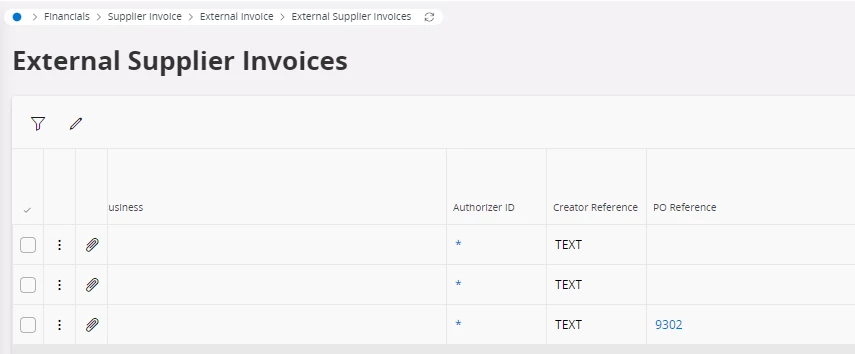
In external supplier invoice the data is tested based on the requirements needed for processing an invoice. You can see the data and how it lines up with the invoice attributes and data requirements.  See the external supplier invoice screens.  These screens allow you to view the data and any processing errors. 

For example, assume your file had PO number 12345.  For that invoice to process you need PO 12345 in IFS, and in a site you can access.   The external supplier invoice screens will identify the errors from that file load. 

The external supplier invoice process replicates the user process, of entering an invoice.  Due to the questions on processing, data requirements and other, my recommendation is to manually enter the same data used for the external file load, into the supplier invoice first. This will identify any data or process issues.  If a user can enter the data, and process the invoice, the external file process will produce the same results.  

Best regards, 

Thomas


Forum|alt.badge.img+19
  • Superhero (Employee)
  • January 13, 2026

This is an invoice I loaded.  Note the PO number.