

Question

Event Action: Send customer reminder by email - Customise customer information in subject line?

  • January 22, 2026
  • 2 replies
  • 43 views

Maren Hellemann
Do Gooder (Customer)
Forum|alt.badge.img+1

Hello everyone,


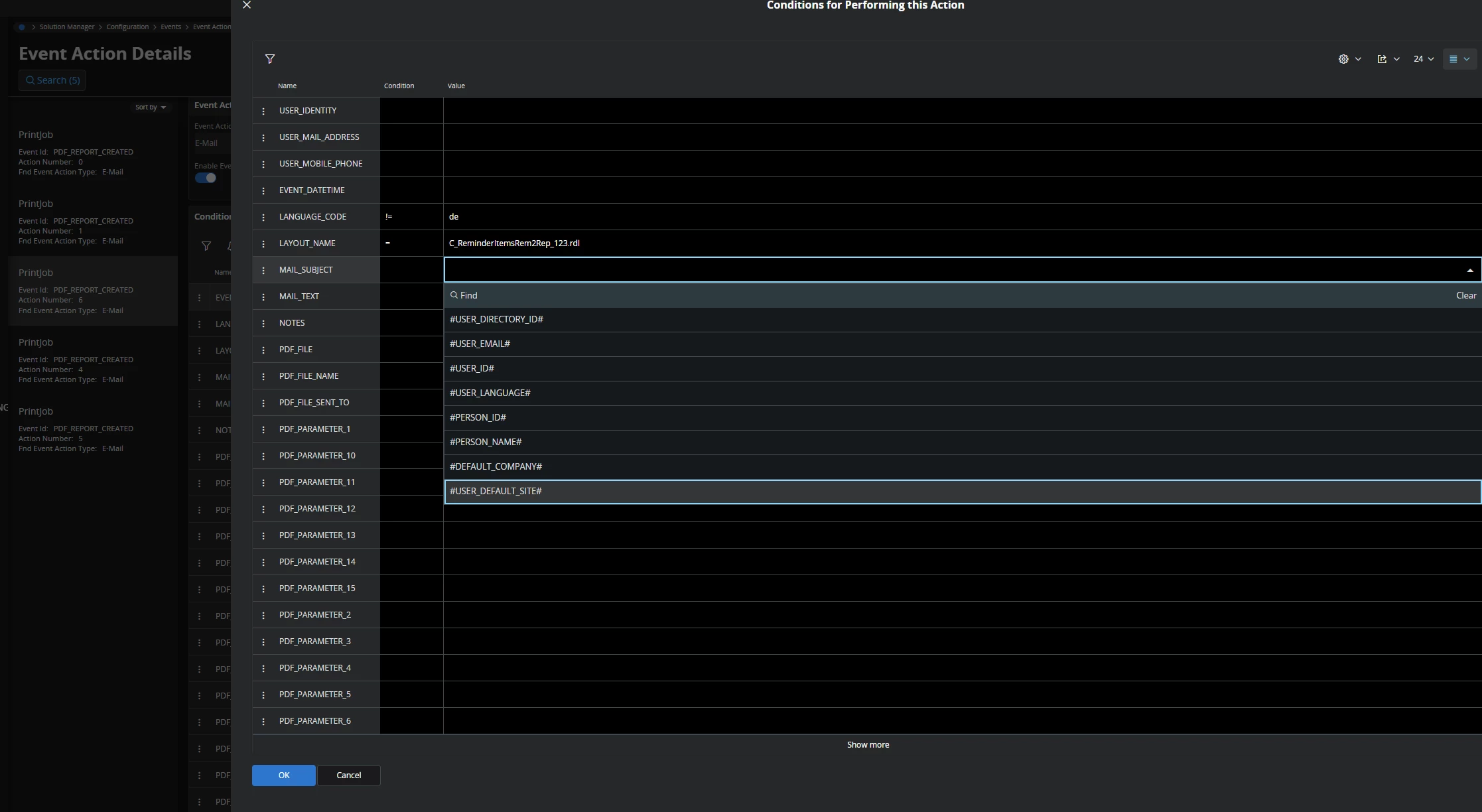
We are currently in the process of automating the customer reminder process and want to use the Event Action Send Email for this. We would also like to personalise the email for the customer as much as possible (which we consider to be a minor requirement 😊 ), i.e. the customer number and customer name should appear in the subject line.
Now that doesn't seem like such a small request, and we haven't been able to manage it.😑

We are unable to proceed with the values in the conditions in the ‘Event Action Details’ screen. However, I sincerely hope that the issue is on the screen side 🙄 and that it is quite simple to resolve.


Can anyone help us please? 


2 replies

Forum|alt.badge.img+5

Hello Maren,

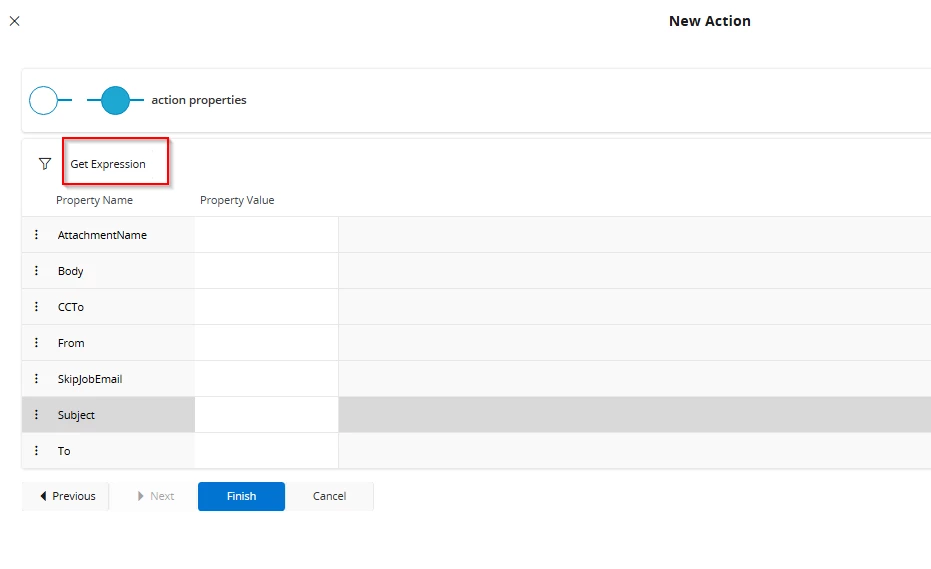
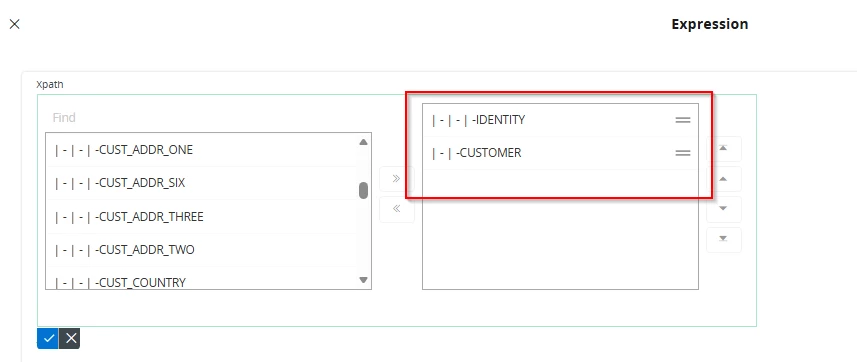
I would recommend using report rules instead of event action. For instance for sending the reminders you can create a report rule with the action “send email”. In order to personalize it, you can select “get expression”

and use the xml tags coming from report xml, such as customer name, identity etc.

If you go to report archive and “get xml data” from your report you can see which tags are filled and can be used for your report rule.


Maren Hellemann
Do Gooder (Customer)
Forum|alt.badge.img+1
  • Author
  • Do Gooder (Customer)
  • February 11, 2026

Hi ​@Stefan.Schuetze 
 

Thank you very much for the tip about the report rules. That really helped us. There are still a few minor issues, but we should be able to sort them out and I'm very happy. Thank you. 😀


Maybe do you have also an idea on how we can attach the corresponding customer invoices to the email? 😉