Question

PSO Object Groups Issues

  • February 2, 2026
  • 4 replies
  • 25 views

Forum|alt.badge.img+8

Hi everyone,

I'm currently trying to set up Object_Groups in PSO (we are using PSO Standalone 6.16), but I'm running into some issues and I’m not sure whether I’m missing something or if the configuration is wrong.

I created Groups in PSO and sent the following RAM_Object_Group data via the ARP file:

!--scriptorstartfragment-->

<RAM_Object_Group>

    <id>200</id>

    <group_id>Arbeitsplatz1</group_id>

    <ram_resource_id>R1</ram_resource_id>

</RAM_Object_Group>

<RAM_Object_Group>

    <id>201</id>

    <group_id>Arbeitsplatz1</group_id>

    <ram_resource_id>R2</ram_resource_id>

</RAM_Object_Group>

!--scriptorendfragment-->

In the Resource Data screen, the group assignments appear correctly for each resource.

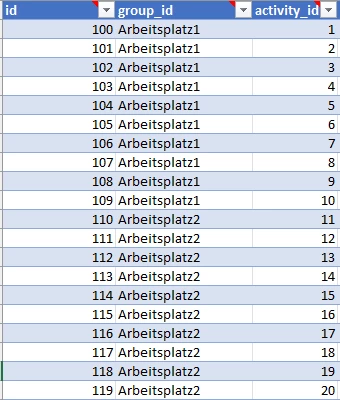
After generating the Rotas in PSO, I send the Task file with the following Object_Group entries: 
My test user has the following permissions:
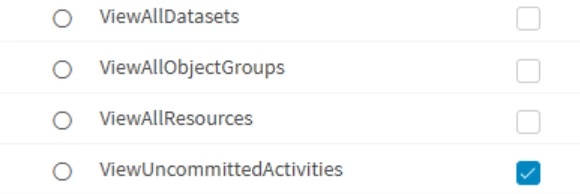
  • FilterResourceActivityBased = false
  • FilterShowFullAllocationDetails = true

The user is assigned only to group Arbeitsplatz1 and is restricted to a specific dataset. 

My problems:

1. I cannot see any resources at all.

Even though the RAM_Object_Group entries appear correct, the Resources screen stays empty.

2. I can only see resources if I manually add them as “Viewable Resources”.

But if I do this, I suddenly also see activities that do not belong to the user’s group, which defeats the purpose of Object Groups.
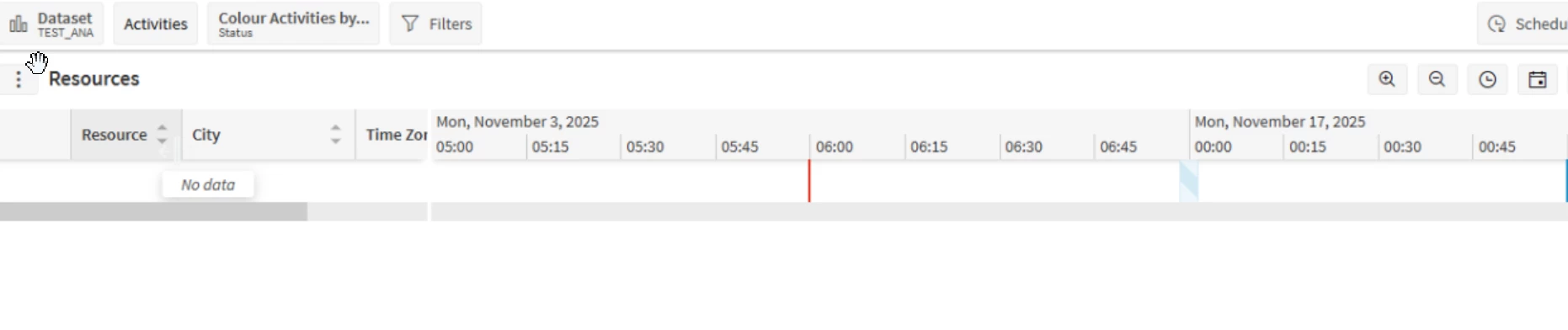

Has anyone experienced this before or knows what I might be missing? Any ideas or hints would be greatly appreciated.

Thanks a lot!

4 replies

Alexander Heinze
Ultimate Hero (Employee)
Forum|alt.badge.img+23
  • Ultimate Hero (Employee)
  • February 2, 2026

Can you have a look at the Audit of the LOAD message? What you do in ARP looks okay, but it may be that the LOAD does not correctly combine modelling data and scheduling data. Check that also in the LOAD the resources are correctly associated to the Object Group. 

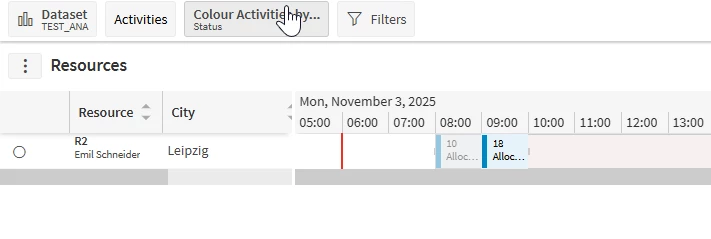
And btw, when I tried this with IFS Cloud (PSO 6.15) I did set FilterShowFullAllocationDetails = FALSE. That combination worked (see screenshots in Scheduling Demystified).


Forum|alt.badge.img+8

Thank you for your reply ​@Alexander Heinze

I checked the load file, and the resources are correctly linked to the right group. After setting the parameter FilterShowFullAllocationDetails = FALSE, my test user is finally able to see the resources. However, activities that do not belong to this group are still shown but greyed out. According to Scheduling Demystified, this is the expected behaviour — but is there any way to completely hide activities that belong to another group? The Works Council requires that a user should only see resources AND activities within their own group, with no visibility (not even greyed‑out) of other activities. Thank you and best regards!


Forum|alt.badge.img+8

I just made an interesting discovery:
It works as expected as soon as I include Region and Location_Region in the Task file and assign the activities to the corresponding groups.

With this setup, PSO shows me:

  • the resource from Group 1, and
  • only the activities from Group 1

Everything else is completely hidden.

Is this the correct behaviour?

Thank you!


Alexander Heinze
Ultimate Hero (Employee)
Forum|alt.badge.img+23
  • Ultimate Hero (Employee)
  • February 4, 2026

I think the greyed out behavior makes more sense and this is also how it’s documented. As a dispatcher you should not see activity details, but at least you have to see that the resource is booked, otherwise there is a risk of double-booking.