Question

How to make resource name available in PSO

  • February 27, 2026
  • 4 replies
  • 16 views

Forum|alt.badge.img+1

Dear all,

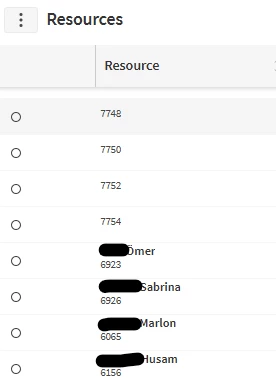
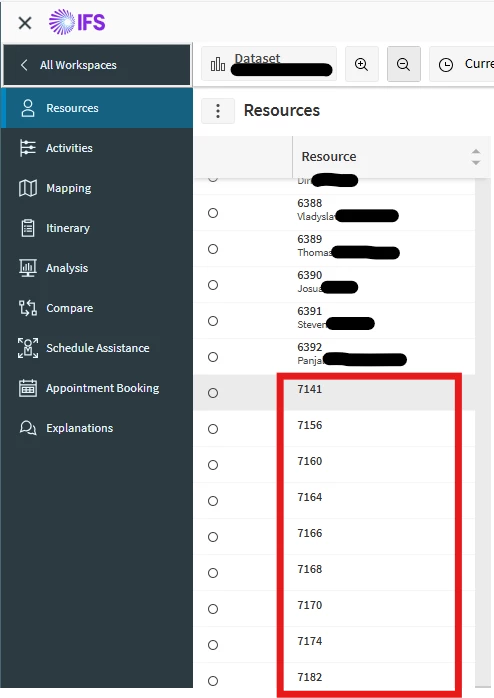
What shall I do do get the resource names from IFS-Cloud visible in PSO? In some cases, the names appear, in other cases not. Which configuration is necessary in IFS? What do I have to configure?

 

4 replies

Alexander Heinze
Ultimate Hero (Employee)
Forum|alt.badge.img+23
  • Ultimate Hero (Employee)
  • February 27, 2026

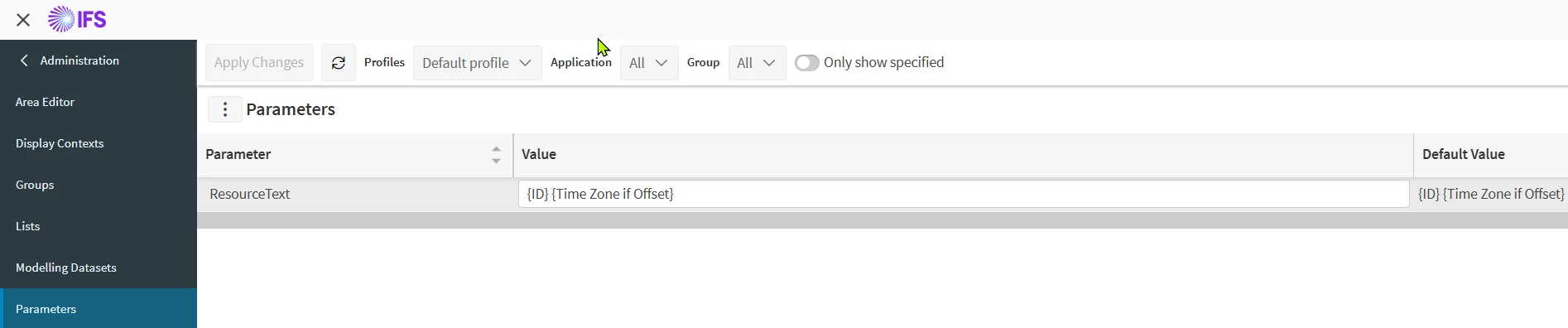
PSO>Administration>Organization>Parameters:


Forum|alt.badge.img+1
  • Author
  • Do Gooder (Customer)
  • February 27, 2026

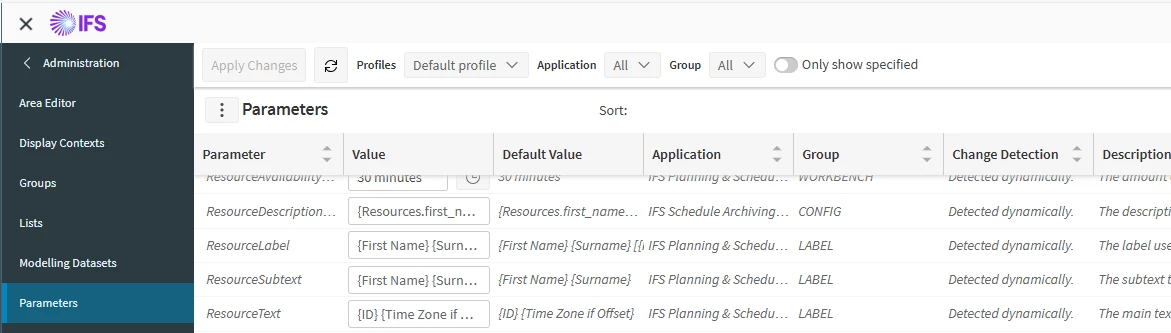
These parameters are set:

In IFS-Cloud Scheduling Dataset I “Send Full Load”, 

In PSO I refreshed Schedule Time

But Nothing changed.

New Idea: How can I automatically add many Users to PSO (because these users without name are not registered in PSO)?


Alexander Heinze
Ultimate Hero (Employee)
Forum|alt.badge.img+23
  • Ultimate Hero (Employee)
  • February 27, 2026

See my screenshot above, your parameter ResourceText is still set to {ID} {Time Zone if Offset}. Try something like {First Name} {Surname}. The change becomes effective immediately, no load or change message required.

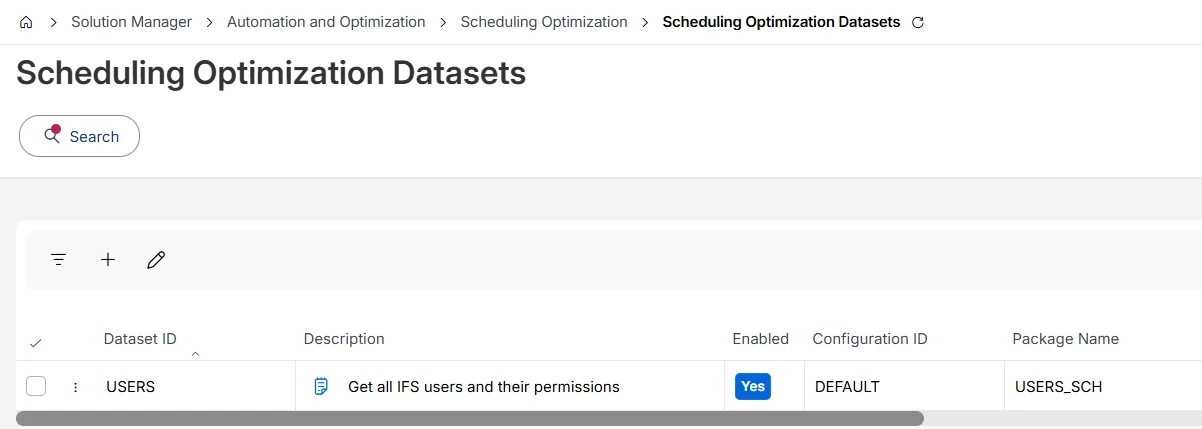
If an IFS Cloud user has the permission set “FNDSCH_RUNTIME” or “FNDSCH_ADMIN” it will automatically be sent to PSO. This is achieved by the following dataset:


Once you added new users or gave them the permission sets, run “Send Changes” or “Send Reset”.


Forum|alt.badge.img+1
  • Author
  • Do Gooder (Customer)
  • February 28, 2026

The behaviour of PSO works as designed.

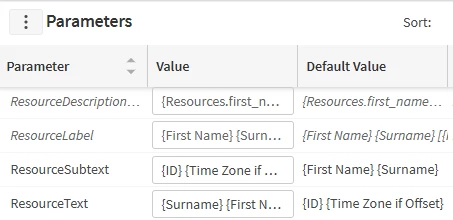
I have changed the value to:

Unfortunately the result is the same

I believe that this has something to do with the resource setup/configuration in ifs-cloud. But I don’t know what I have to change.

I have to fix this for about many resources.