


Question

Generating outbound CSV files to Azure File Share using SAS token in IFS

  • February 10, 2026
  • 3 replies
  • 18 views

Forum|alt.badge.img+5

Hello experts,

We currently use CSV XML maps to generate files and store them in an internal FTP location. Due to security concerns, we are changing our approach and plan to use an Azure File Share (shared location provided from the IFS side) instead.

We have already requested and received the SAS token information, and we are able to access the file share using the provided SAS token via Azure Storage Explorer.

Our requirement is to generate files using the existing CSV XML maps and store them directly in this Azure File Share location.

We first attempted to use a message routing rule with the FileExtractHandler, but this resulted in an “Object reference not set to an instance of an object” error.
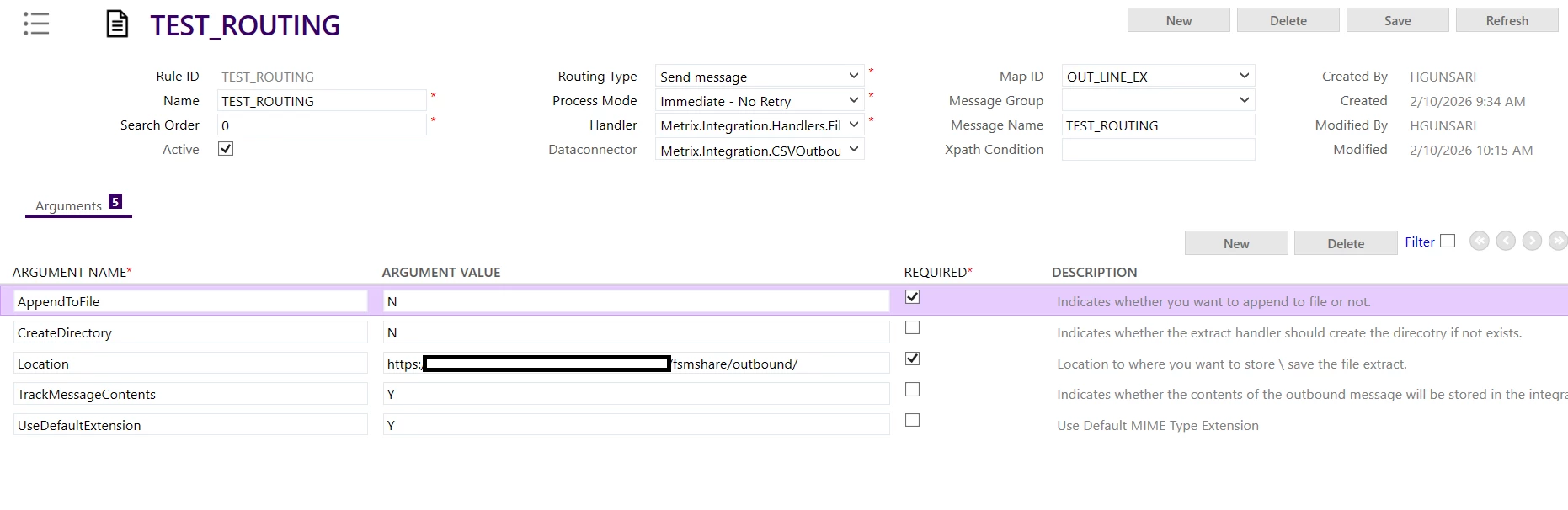
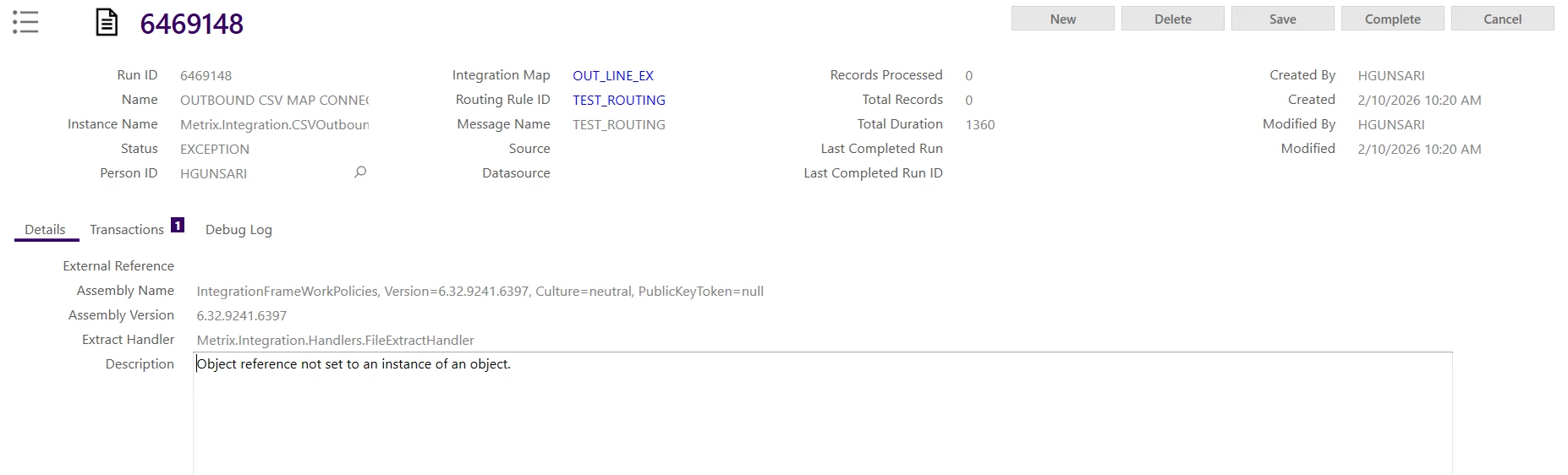


We then tried using Monitor Schedules with the Process File option. However, on the Data Connectors screen, we can only see the csvinbound connector and it seems it is only for inbound integrations.
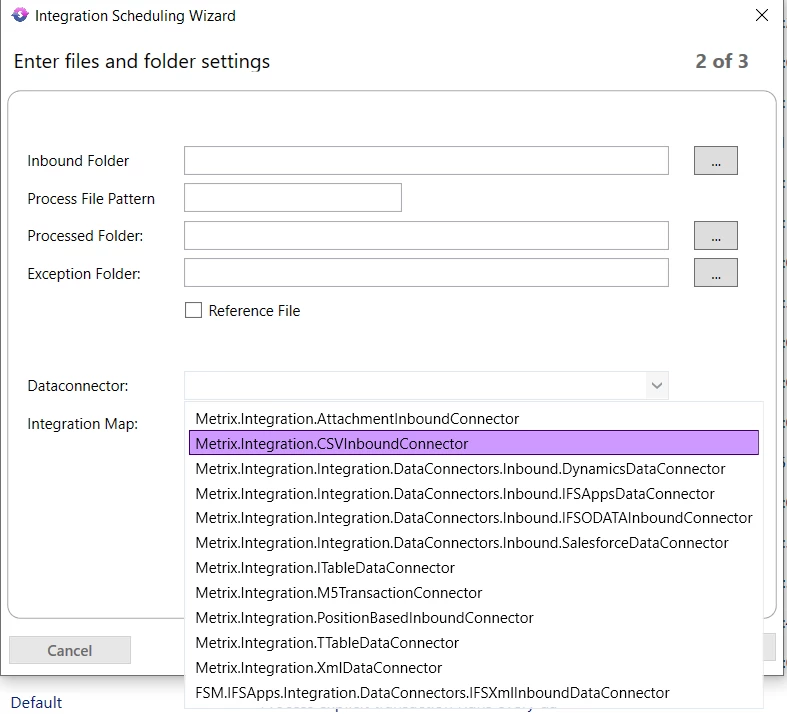


Could you please advise how we can generate outbound CSV files and store them in the Azure File Share ?


I referred to the community thread  FSM cloud integration with azure file share | IFS Community, however it appears to focus mainly on inbound integration scenarios (reading files from Azure File Share into IFS).


Thanks.

3 replies

Forum|alt.badge.img+5
  • Author
  • Sidekick (Customer)
  • February 11, 2026

@roklde , ​@Shneor Cheshin I would really appreciate it if you could let me know whether any of you have experience with this kind of requirement


Thanks,

Hasara


roklde
Superhero (Employee)
Forum|alt.badge.img+27
  • Superhero (Employee)
  • February 11, 2026

Hi ​@Hasara Gunasiri,

I’m not an expert in this particular area but I found some case where it was recommended to add the filename to the location variable in the routing rule:

“...routing rule’s location, you need to specify the file name in the location path.

ex: <storageurl>\test{d:yyyyMMddhhmm}.csv ”


Also, it could be required to add the SAS token as well in the location. You could try out both options.

However, if you need implementation assistance I suggest to create a consultancy request so an IFS FSM integration expert can support you.

Best regards
Roman


Forum|alt.badge.img+5
  • Author
  • Sidekick (Customer)
  • February 11, 2026

Hi ​@roklde], Thanks a lot for your feedback.


For anyone interested, I was able to make this work using the File Extract Handler in the Message Routing Rule by setting the Location as follows:


fsmshare/<your-folder-path>/filename.txt

