Question

FSM6 Business Rules 'perform_send_to_monitor'

  • February 6, 2026
  • 3 replies
  • 20 views

Forum|alt.badge.img+9

I am looking to create a business rule that performs an action at a 2x specific time of day, every day. For example at 8am and 8pm every single day. 


Im assuming ill be using the ‘perform_send_to_monitor’ XML Business Rule, however the only implementations i currently have of this, trigger events at either a specific Time/Date value, or in x minutes or hours.  The specific Time/Date value would work once, but i need to to be a reoccuring event.


Any ideas how i would need to achieve this?


Also, the FSM documentation n the relevant section refers to ‘Perform Message’ report. Where do i find this report?


Thanks

MartinF

3 replies

Chethana
Sidekick (Employee)
Forum|alt.badge.img+5
  • Sidekick (Employee)
  • February 6, 2026

Hi ​@MartinF ,

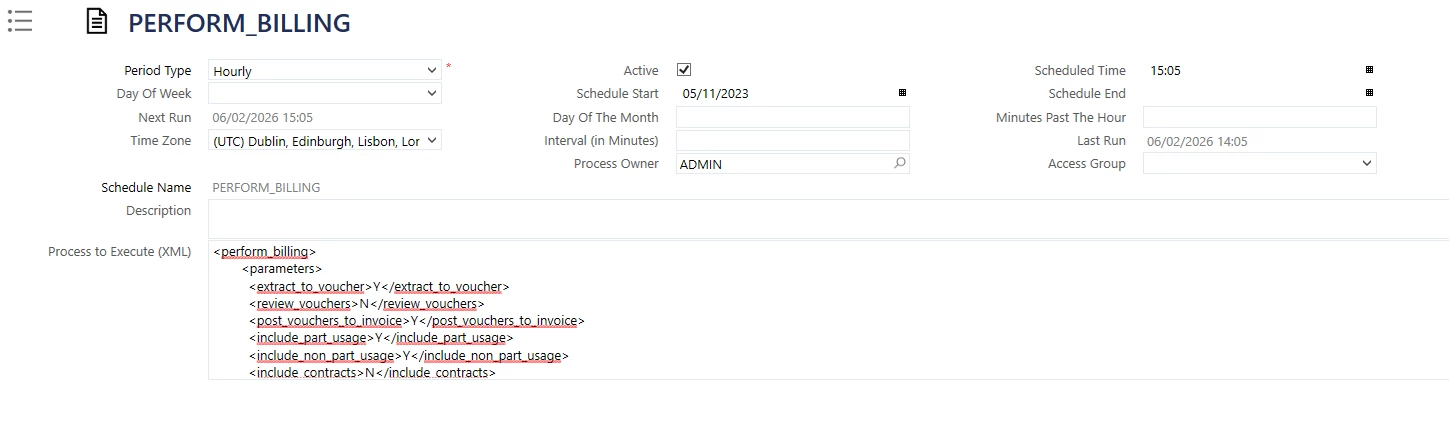
Do you want to run the business rule twice per day? If so, I think you can use two separate scheduled processes.


AdrianEgley
Hero (Customer)
Forum|alt.badge.img+14
  • Hero (Customer)
  • February 6, 2026

@MartinF 

I agree, Scheduled Process (Admin » System » Scheduled Processes) would be something I would look at.


Straightforward to set-up and it simply executes the XML you enter at the time you enter.


Lots of options available in there.


Ady


Forum|alt.badge.img+10
  • Hero (Employee)
  • February 6, 2026

Hi ​@MartinF ,


There might be 2 ways you could accomplish what you are asking. One way would be to use a schedule process as suggested by ​@Chethana . There could be 2 daily processes and one would be scheduled 8 am and the other for 8 pm. Then when the process executes it would execute the xml you provide in the schedule. The second option could be the ‘perform_send_to_monitor’. In order to have it run when you want you would need to setup a view that would have the next schedule date and time. Then in the xml you would do a hierarchy select to get the next run time and use a xpath to populate the action time. The other part of the perform_send_to_monitor would be the xml that you are intending to run. This way every time the perform_send_to_monitor ran it would do the intended work and setup the next time for it run as the action time. Based on the information given I think the first option would be the easier of the two options. Regarding the report it is found with the other reports and is called ‘Perform Messages’.


Morris