Answer

Calendar field not populating calendar

  • December 3, 2025
  • 4 replies
  • 83 views

Forum|alt.badge.img+8

I have a user that cannot populate the calendar on a Datetime field in Chrome. We tried in Edge and it works. Is there a setting in Chrome that I need to look at?

Troubleshooting that was done to no avail:

  • The user’s profile is working when she logs into my computer
  • Had the user clear cookies and cache. 
  • Reset her Chrome settings
  • Tried other date fields


Best answer by mmathias

There are multiple cases out there for this, the fix is in R&D going through QA before they release the fix.  Create a case so you can get the fix.

4 replies

Shneor Cheshin
Superhero (Employee)
Forum|alt.badge.img+28
  • Superhero (Employee)
  • December 4, 2025

Hi ​@qquac 

I just got this issue today, too.

Seems like a Chrome Browser issue. Maybe a recent update from the last couple of days.

😔


Forum|alt.badge.img+8
  • Author
  • Sidekick (Customer)
  • December 4, 2025

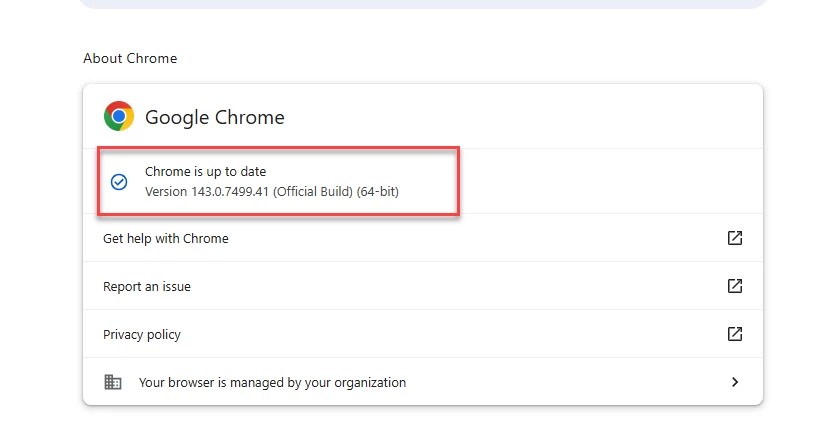
Chrome Version 143.0.7499.41 and 143.0.7499.40 appear to be experiencing this issue


Forum|alt.badge.img+1
  • Do Gooder (Customer)
  • December 9, 2025

@Shneor Cheshin  its not a chrome browser issue.
FSM is using a old Javascript API that has been deprecated since 2023.

FSM uses: 
 

getFirstDayOfWeek() {
                    return new Intl.Locale(A.localeCode()).weekInfo.firstDay

 }

 correct as of 2023 would be:


getFirstDayOfWeek() {
                    return new Intl.Locale(A.localeCode()).getWeekInfo().firstDay

 }


mmathias
Sidekick (Partner)
Forum|alt.badge.img+7
  • Sidekick (Partner)
  • Answer
  • December 9, 2025

There are multiple cases out there for this, the fix is in R&D going through QA before they release the fix.  Create a case so you can get the fix.