Solved

Error mesage when creating document from template

  • Mar 17, 2022 2:42 PM UTC
  • 5 replies
  • 136 views

Forum|alt.badge.img+2

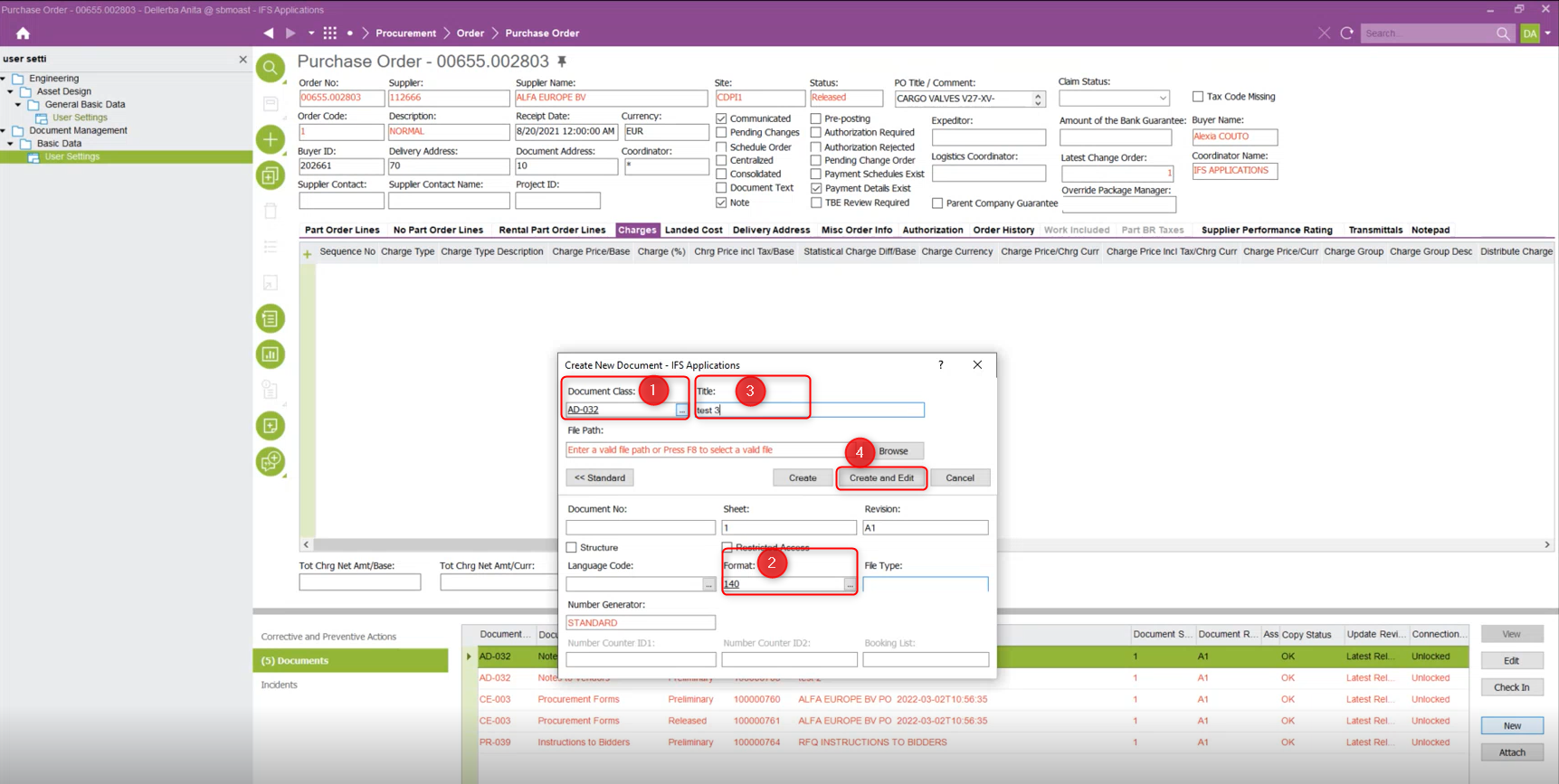
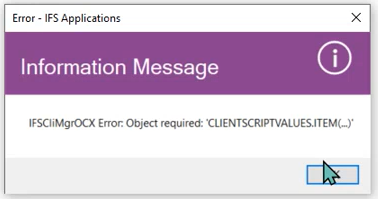
Do you have a idea of the reason that explains why it appears the following error message after creation of a document from a template ?


Best answer by Mathias Dahl

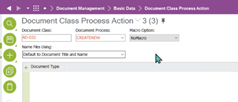
If you don’t need macros you can always disable them for the document class you are using. It can be done under Document Class Process Action.


View original
This topic has been closed for replies.

5 replies

Mathias Dahl
Superhero (Employee)
Forum|alt.badge.img+33
  • Superhero (Employee)
  • Mar 17, 2022 2:47 PM UTC

All I could say about that is that there is an error in the macro that executes when a document is created. Why it fails I cannot say. You need to debug the macro I guess, for example by using message boxes here and there to see how far the macro runs without an error.


Forum|alt.badge.img+2
  • Author
  • Do Gooder (Employee)
  • Mar 17, 2022 2:54 PM UTC

Thank you for your answer @Mathias Dahl I am going to try to follow your suggestion and see what happens.


Mathias Dahl
Superhero (Employee)
Forum|alt.badge.img+33
  • Superhero (Employee)
  • Answer
  • Mar 17, 2022 3:02 PM UTC

If you don’t need macros you can always disable them for the document class you are using. It can be done under Document Class Process Action.


Forum|alt.badge.img+2
  • Author
  • Do Gooder (Employee)
  • Mar 17, 2022 4:05 PM UTC


The solution found was indeed to go in Document Class Process Action and change Document Process CREATENEW with Macro Option NoMacro.

Thank you @Mathias Dahl 


Mathias Dahl
Superhero (Employee)
Forum|alt.badge.img+33
  • Superhero (Employee)
  • Mar 17, 2022 5:08 PM UTC

Someone wanted that macro to be used though... 🙃 But perhaps this was not a production environment...