


Answer

Print charge" field in "Sales Charge Type" screen

  • October 10, 2023
  • 3 replies
  • 72 views

Forum|alt.badge.img+14

Hi,
In the "Sales Charge Type" screen, there is a checkbox called "Print charge": 
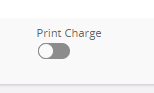
I can't figure out what this box is for.
I can't see any difference, for example, in the "Order Confirmation" report, whether you uncheck it or check it.

Thank you for your help.

Best answer by PRODQ

I take “external” reports to mean documentation that the customer would see - quotation, confirmation, delivery note, invoice - as opposed to “internal” - pick lists


Linda


3 replies

PRODQ
Superhero (Customer)
Forum|alt.badge.img+18
  • Superhero (Customer)
  • October 10, 2023

Not sure if the “help” in Apps9 will help…


Print Charge
If this check box is selected, it indicates that the charge is to be printed on external reports. The document text attached to the charge lines will only print if the Print Charge check box is enabled. This is updateable on the line.


Linda


Forum|alt.badge.img+14
  • Author
  • Hero (Partner)
  • October 10, 2023

Hi @PRODQ ,

Thank you for your help.

Unfortunately, I don't know what IFS means by "external reports".
I don't know if the check mark applies to standard reports, quick reports...


PRODQ
Superhero (Customer)
Forum|alt.badge.img+18
  • Superhero (Customer)
  • Answer
  • October 10, 2023

I take “external” reports to mean documentation that the customer would see - quotation, confirmation, delivery note, invoice - as opposed to “internal” - pick lists


Linda

