Answer

How to add a custom field as a search field in Aurena

  • February 11, 2021
  • 2 replies
  • 338 views

Forum|alt.badge.img+8

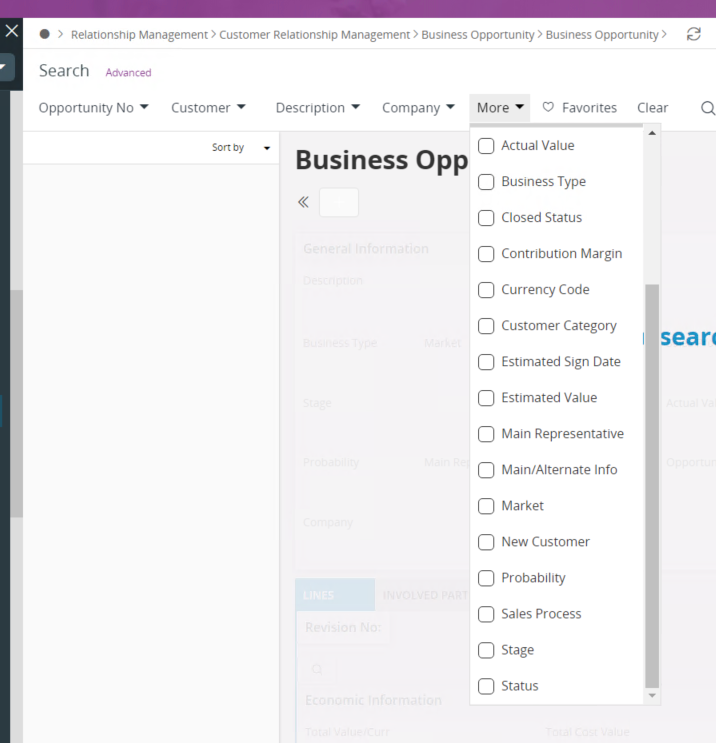
We have a custom field ‘Salesman’ in IEE that we would like to use as a search field on the Business Opportunity.  I have tried to add this using the page designer but I am not having any luck on how to add it to this list to be chosen as a Search field.  Any guidance would be greatly appreciated.


Best answer by Susith Setunga


Hi

Use below steps

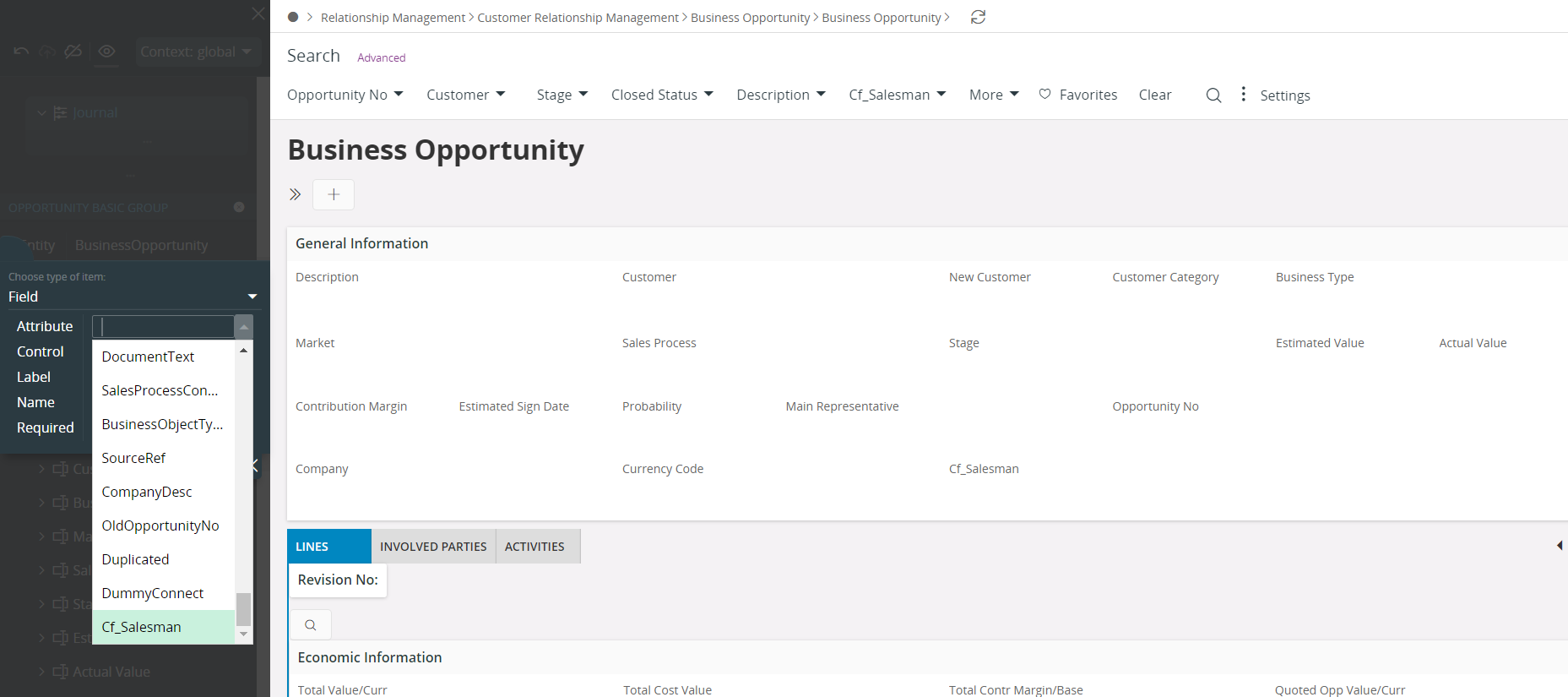
  1. Add custom field to the page using page designer


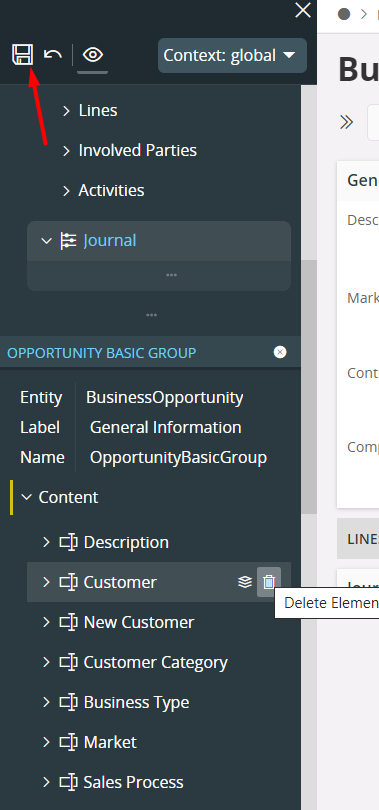
  1. Save and Publish the custom field


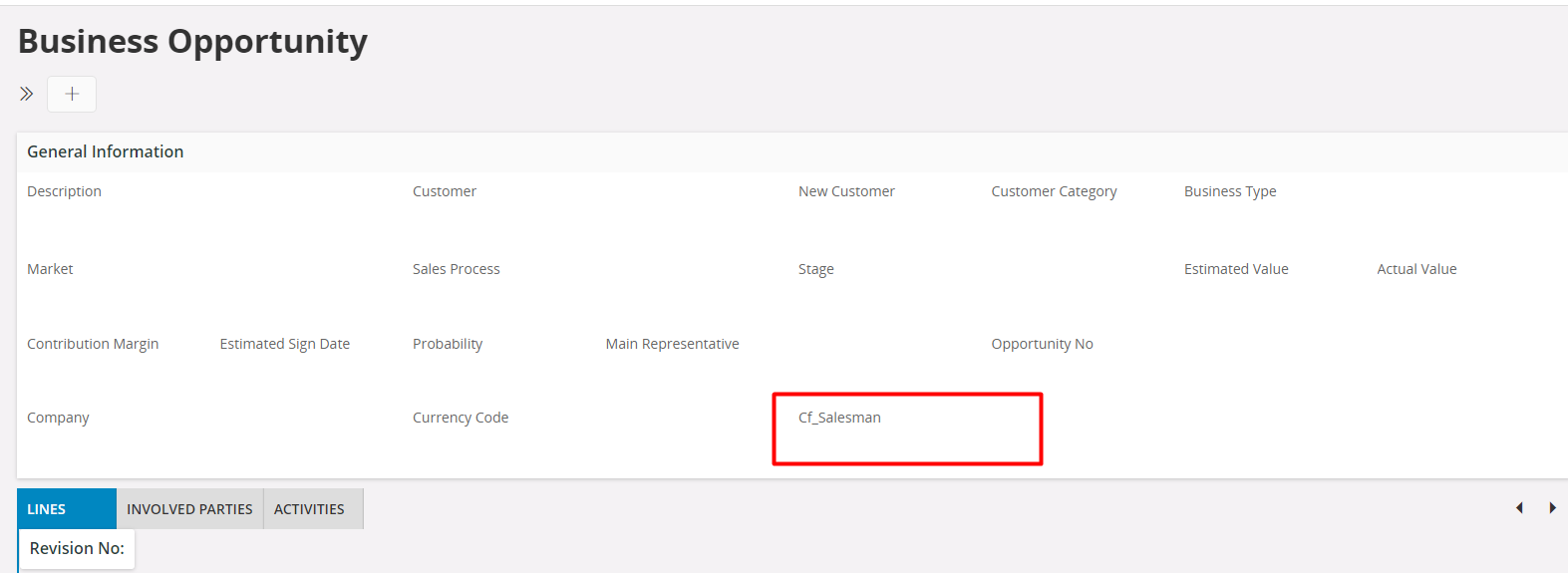
  1. Now you should see the custom field in Aurena header


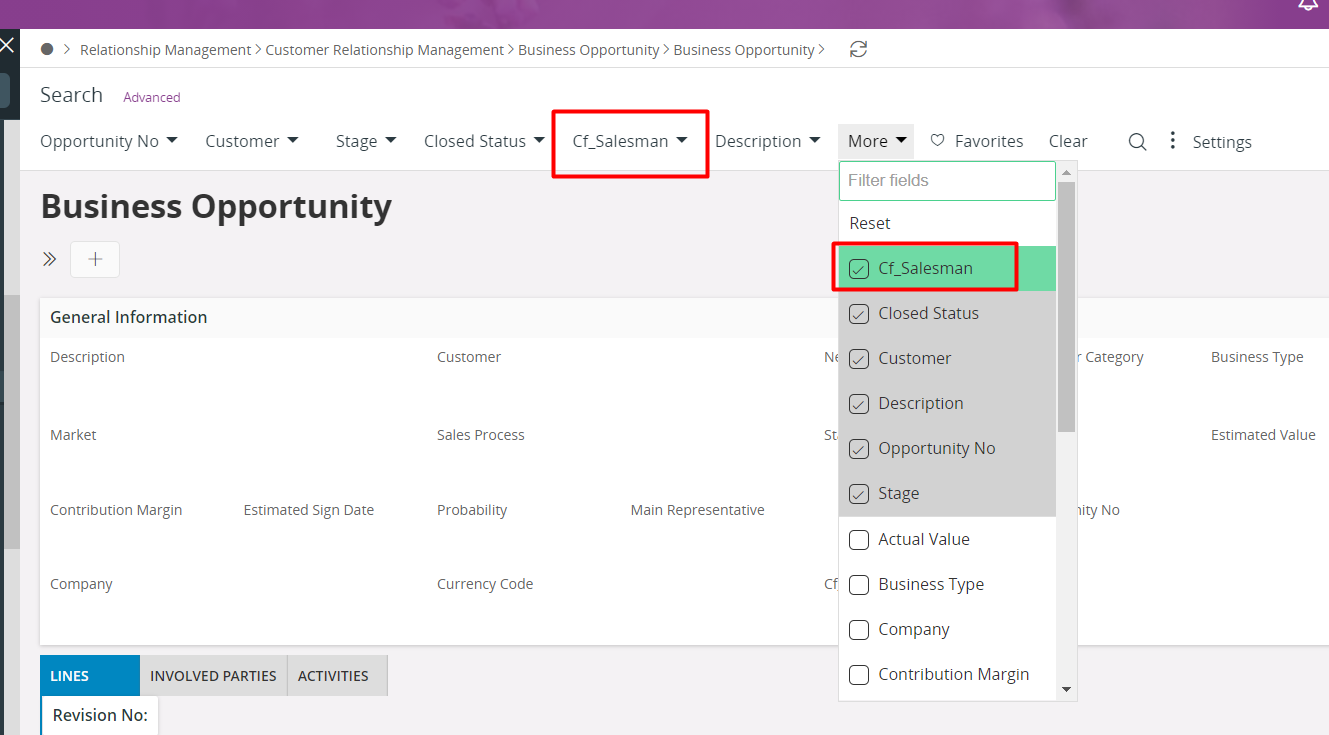
  1.  Add the new custom field to the search filer


 Hope this helps


Regards

Susith


This topic has been closed for replies.

2 replies

Susith Setunga
Superhero (Employee)
Forum|alt.badge.img+14
  • Superhero (Employee)
  • Answer
  • February 12, 2021


Hi

Use below steps

  1. Add custom field to the page using page designer


  1. Save and Publish the custom field


  1. Now you should see the custom field in Aurena header


  1.  Add the new custom field to the search filer


 Hope this helps


Regards

Susith


Forum|alt.badge.img+8
  • Author
  • Sidekick (Customer)
  • February 15, 2021

Thank you...worked for me!