Answer

Business Opportunity header RMB Confirm Sales Process

  • September 16, 2020
  • 4 replies
  • 212 views

Forum|alt.badge.img+18

When in Business Opportunity, if there is a Sales Process attached when RMB in the header there is a ‘Confirm Sales Process’ option.
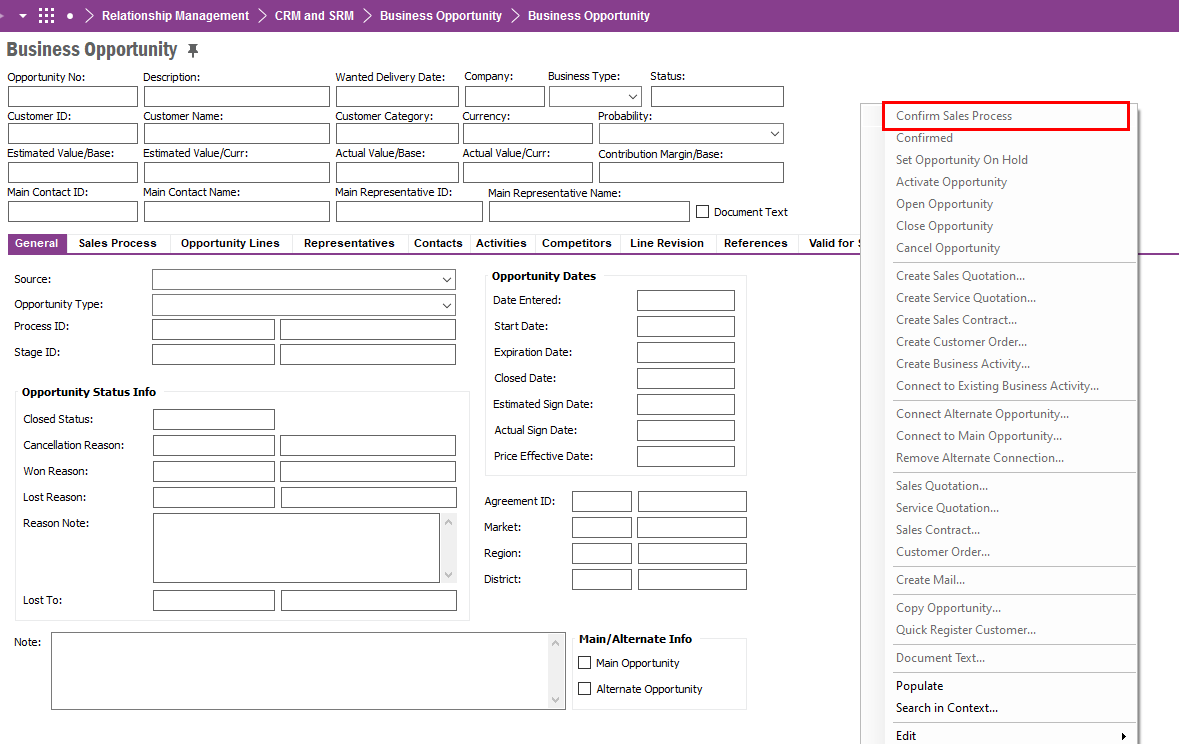
 

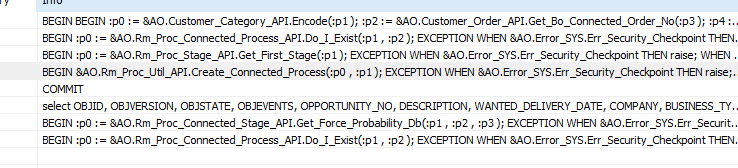
However, we have certain users that do not see this option.  Unfortunately, this is Live and we do not currently have this is test so unable to debug it to see the API call being made. 


Can you please advise on how to grant user(s) this option?


Thanking you in advance for looking.


John
 

Best answer by RutJWhalen

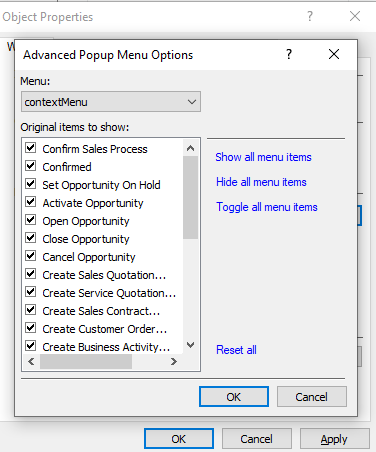
@paul harland Think I may have found it.


RMB > Properties and on the Windows tab Advanced:


4 replies

paul harland
Superhero (Employee)
Forum|alt.badge.img+24

hi John,

Try Rm_Proc_Util_API.Create_Connected_Process


Forum|alt.badge.img+18
  • Author
  • Superhero (Partner)
  • September 16, 2020

@paul harland 

Hi, Paul, thank you very much for your reply I will try that and advise.


John


Forum|alt.badge.img+18
  • Author
  • Superhero (Partner)
  • September 16, 2020

@paul harland unfortunately that didnt’ work, they already have that option checked in their permission set.


Forum|alt.badge.img+18
  • Author
  • Superhero (Partner)
  • Answer
  • September 16, 2020

@paul harland Think I may have found it.


RMB > Properties and on the Windows tab Advanced: