Question

APPS 9 - Is it possible to schedule external customer invoices import?

  • June 30, 2021
  • 16 replies
  • 316 views

Forum|alt.badge.img+11

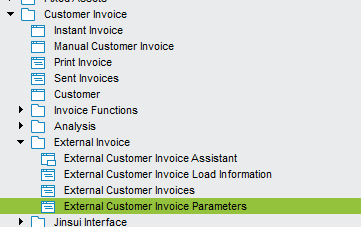
We have a process that outputs a CSV file which we manually load into IFS using the external customer load assistant.

Is there a way of scheduling this task??

Thanks for your help

This topic has been closed for replies.

16 replies

Forum|alt.badge.img+6
  • Do Gooder
  • June 30, 2021

HI, 


Yes, it is possible to schedule the import. 

  1. Enter the File Name. 
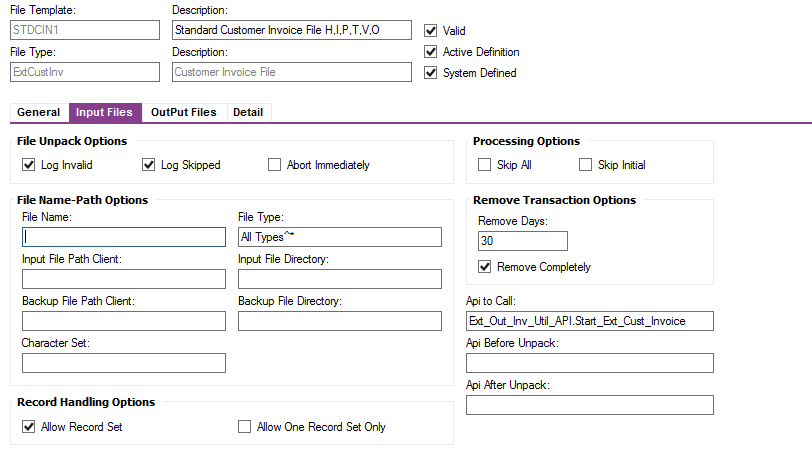
  2. Modify the External Invoice Template, add the file path if it is a shared DFS folder, Else create a Oracle Directory.


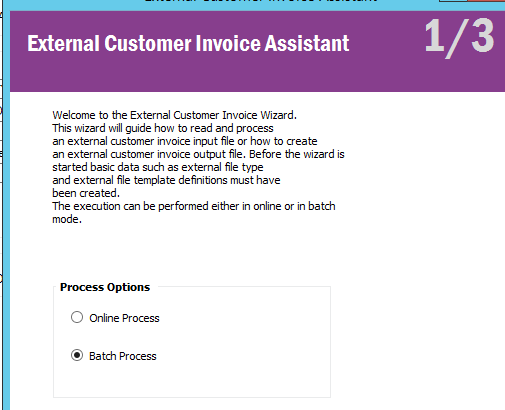
  3. Then Use the Batch Process of External import job. 
  4.  Then Schedule according to your need.

Thanks 

L P Reddy


Forum|alt.badge.img+11
  • Author
  • Sidekick (Customer)
  • June 30, 2021

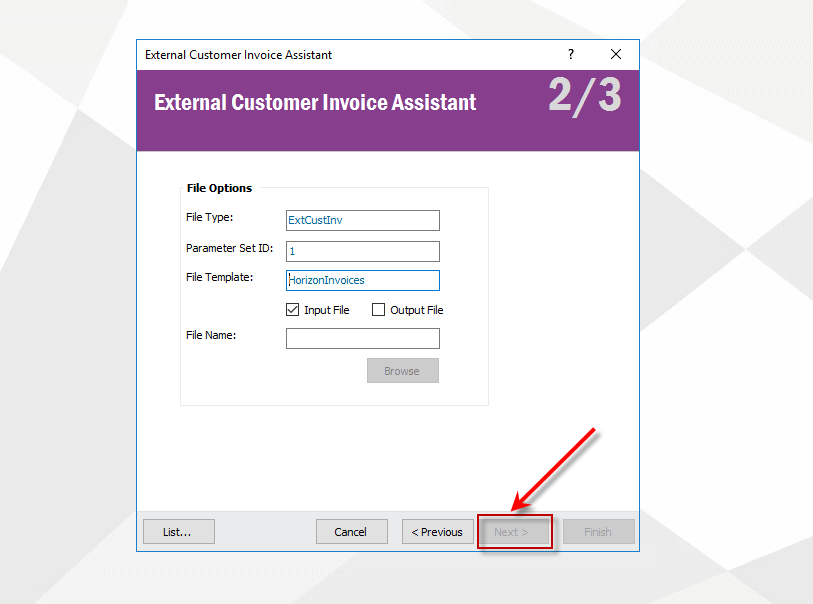
Thanks for info! Am running through that setup but when i try to setp the process option as ‘Batch Process’ i am not getting any options to proceed. ‘Next’ is grey’d out


Forum|alt.badge.img+11
  • Author
  • Sidekick (Customer)
  • June 30, 2021

Found out what i did wrong! I put the client file path in as the ORACLE DB file path

How can i point to a file location on the DB?


Forum|alt.badge.img+6
  • Do Gooder
  • June 30, 2021

Hi, 


It Should be Oracle Directory or Shared folder from DFS server or your application server like \\SERVER_NAME\FOLDER\ User should have an access to the location. 


Thanks 


Forum|alt.badge.img+11
  • Author
  • Sidekick (Customer)
  • June 30, 2021

Strange, i did set up that way - Used IFSAPP as has permissions as part of MIG jobs to that file path

Am still receiving the error when i try to run the scheduled job

ORA-20110: ExternalFileUtility.File \\VM-FTP-02\FOLDER$\LIVE\Incoming\ARInvoice\ not exist     


Forum|alt.badge.img+6
  • Do Gooder
  • June 30, 2021

Hi, 


Folder access takes windows users credentials, not ifsapp. 


Thanks


Forum|alt.badge.img+11
  • Author
  • Sidekick (Customer)
  • June 30, 2021

Thanks, but i tried with my IFS user account, and i do have access to the folder but job completed with the same error so am a little stumped


Forum|alt.badge.img+11
  • Author
  • Sidekick (Customer)
  • June 30, 2021

Apologies, the error was not the same!

Batch Parameter not found                    ORA-20105: ExternalFileUtility.NOBATCHPAR


Forum|alt.badge.img+6
  • Do Gooder
  • June 30, 2021

Try granting access to Everyone to share folder and thencheck.

This is an elimination method to verify. 


Forum|alt.badge.img+11
  • Author
  • Sidekick (Customer)
  • June 30, 2021

Done, still the same issue with the ‘batch parameter not found’.

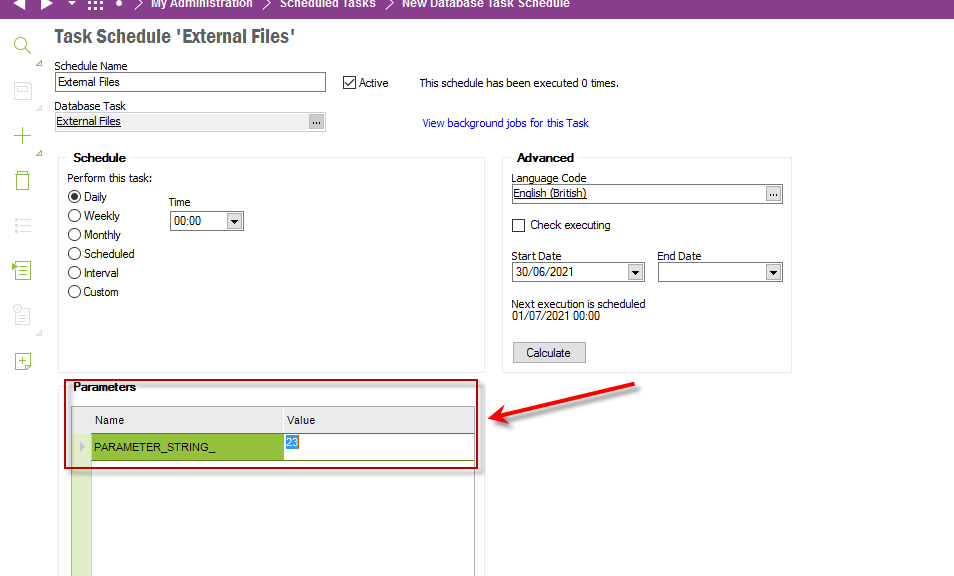
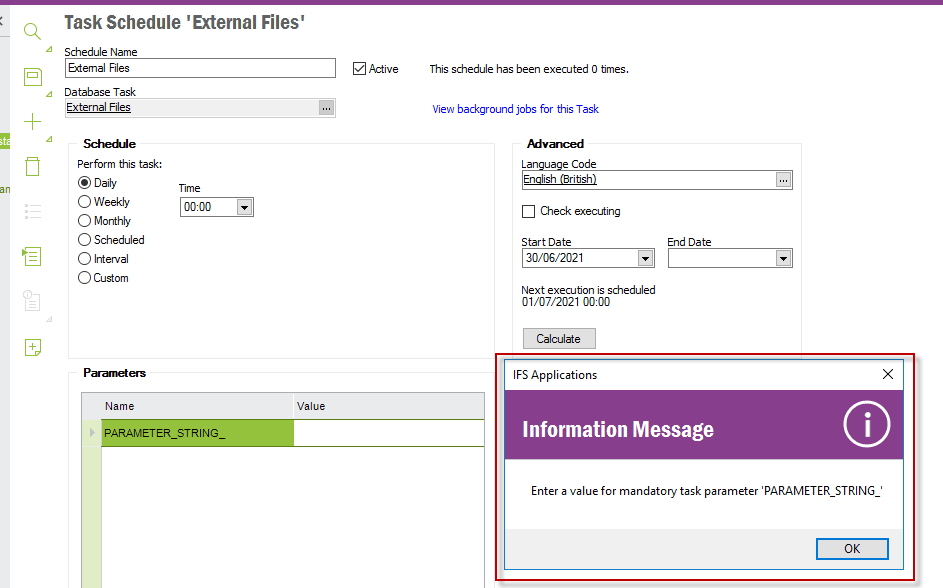
Each time i add a new scheduled task using the batch option from the external customer load assistant it creates a job, adding 1 to each parameter string vale (As you can see i have had a few attemempts to set up.


Any other elimination steps you can think of that i can try?


Forum|alt.badge.img+6
  • Do Gooder
  • June 30, 2021

Please add the information here, 


Forum|alt.badge.img+11
  • Author
  • Sidekick (Customer)
  • June 30, 2021

Ahh thaks.. i have one already setup

So do i put that load type into the PARAMETER_STRING on the scheduled job?


Forum|alt.badge.img+6
  • Do Gooder
  • June 30, 2021

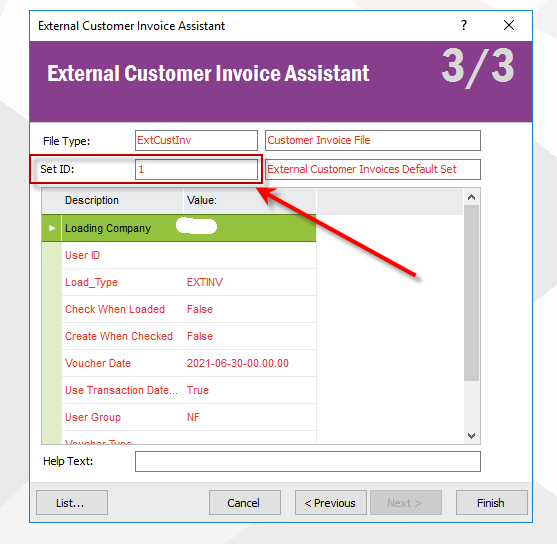
Load type should be there in the import assistant


Forum|alt.badge.img+11
  • Author
  • Sidekick (Customer)
  • June 30, 2021

Yep, this is what i have - Load_Type = EXTINV (The same as the invoice parameter screen)

So is the PARAMETER_STRING_ = ‘1’ as per the Set ID above?


Forum|alt.badge.img+6
  • Do Gooder
  • June 30, 2021

It should work without that parameter


Forum|alt.badge.img+11
  • Author
  • Sidekick (Customer)
  • June 30, 2021

Seems its a mandatory parameter unfortunately