Question

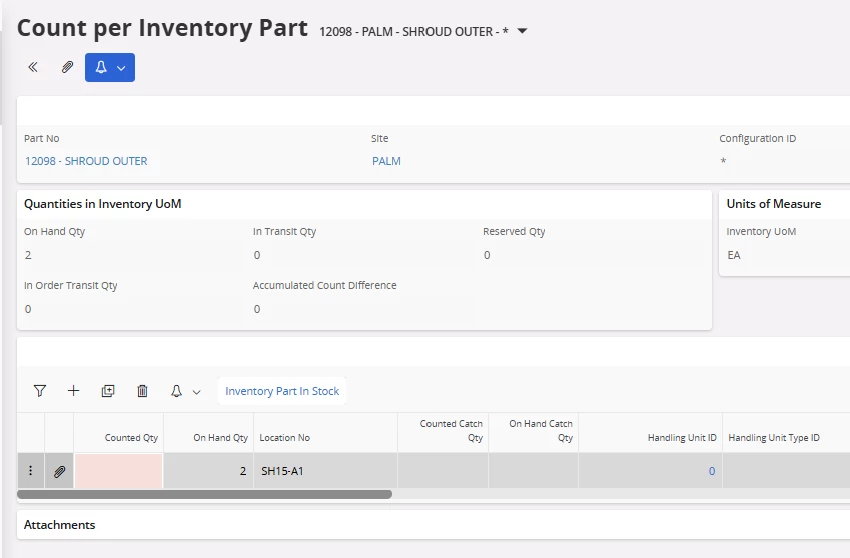
Migrate Counted Qty in Count per Inventory Part

  • December 11, 2025
  • 3 replies
  • 39 views

Forum|alt.badge.img+1

Hi all,

What are the options in migrating the counted qty using any migration method in IFS?

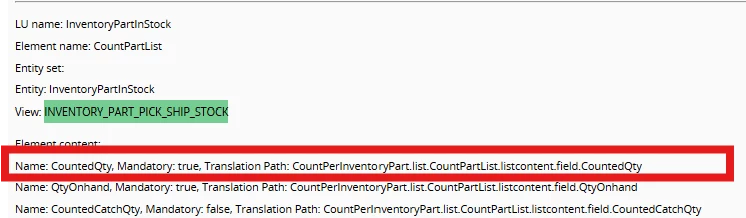
I tried FND_MIG jobs with different procedures, but the issue is that I do not see the field (COUNTED_QTY) in the view INVENTORY_PART_PICK_SHIP_STOCK. What is needed here is to update counted_qty field.

IFS Cloud 23R2


Thank you!


3 replies

Jens
Hero (Employee)
Forum|alt.badge.img+10
  • Hero (Employee)
  • December 12, 2025

Hi ​@DisnaMarakkala 😉

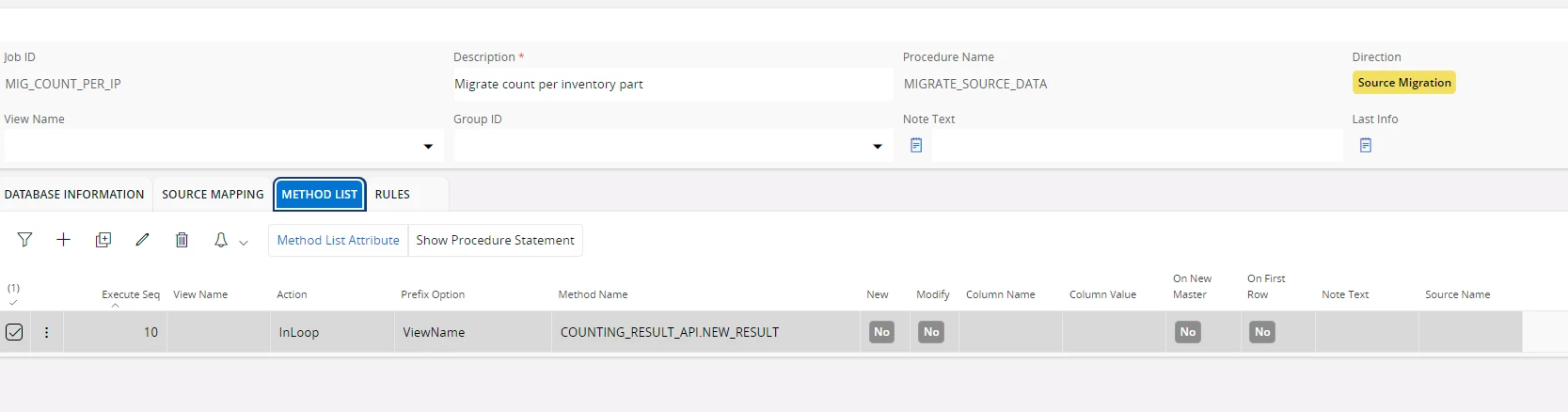
Can you try the method COUNTING_RESULT_API.NEW_RESULT please which will be executed at the end for that purpose.


Kind regards,

Jens


Forum|alt.badge.img+1
  • Author
  • Do Gooder (Partner)
  • December 12, 2025

Hi ​@Jens  :)

Thank you for you reply!

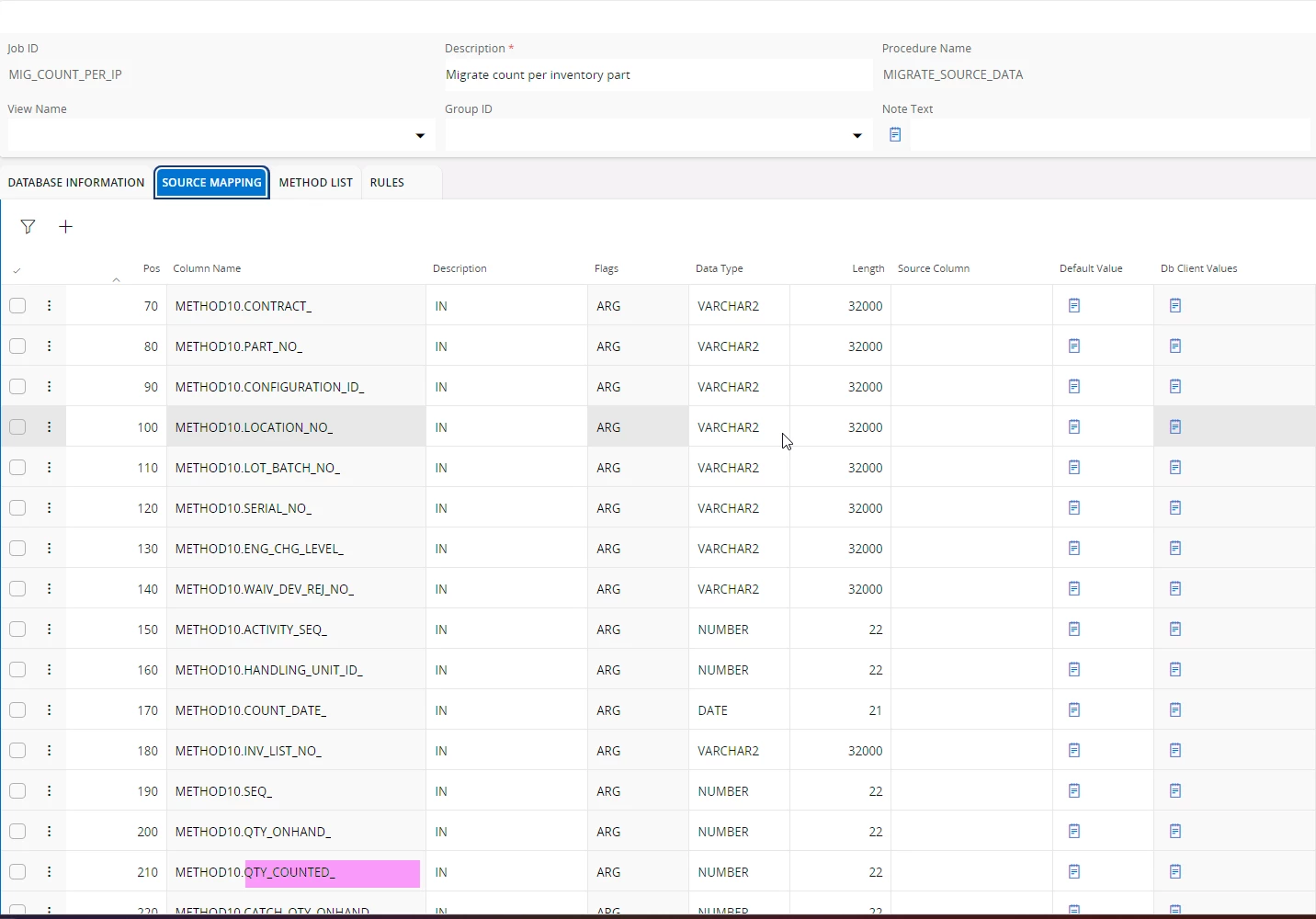
I tried the method COUNTING_RESULT_API.NEW_RESULT in my migration job2 and it got executed successfully for one record.

What I noticed was it inserted a record to ‘Count Results’ window but it did not update the ‘Counted Qty’ in ‘Count per Inventory Part’ window as expected.

I have attached the 2 jobs I created (1-Load data, 2- migrated data) 

Am I missing anything in the jobs?


Best Regards,

Disna.


Forum|alt.badge.img+1
  • Author
  • Do Gooder (Partner)
  • December 29, 2025

@Jens 

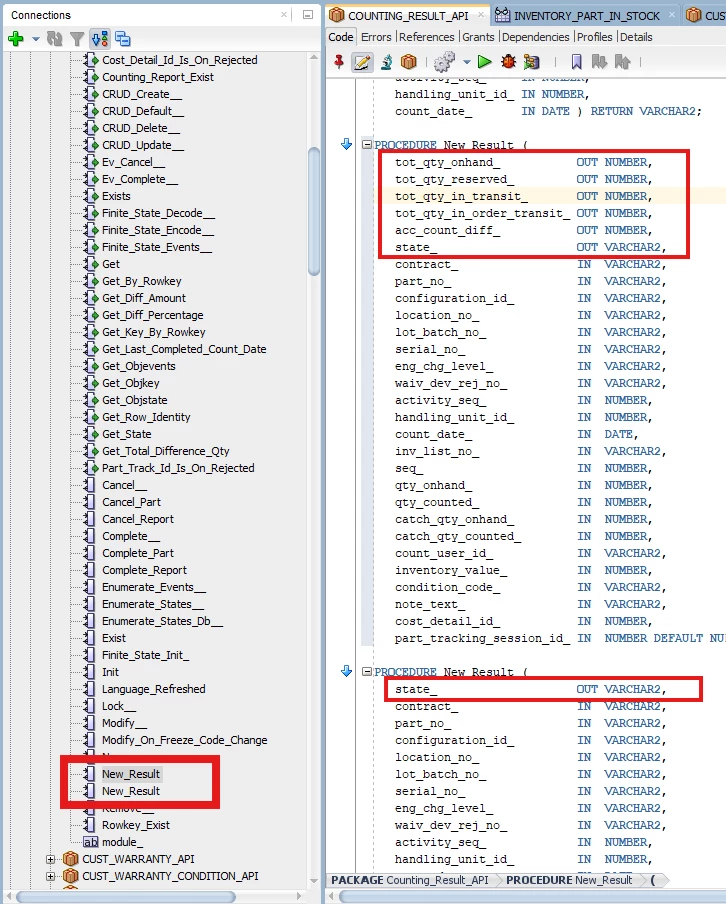
Counting_Result_API has 2 methods named as ‘New_Result’ with different output parameters. How do we control which method is used in the FNDMIG job?  If I need to use the second method in the migration job, how do create the job?

Thank you!

Best regards,

Disna.