



Solved

Data Migration Manager and Posting Controls issues

  • December 16, 2025
  • 1 reply
  • 16 views

msurasky-price
Sidekick (Customer)
Forum|alt.badge.img+9

Hello Community!

I’m writing today because I have noticed that, when I attempt to migrate Posting Control headers (POSTRING_CTRL) using Data Migration Manager, nothing seems to be migrated even though the tool seems to disregard or swallow the exception preventing the row to be inserted. Let me describe my problem in detail, hopefully you have seen this before:

I tried to create an Inventory Positing Control for Location Group. That is, posting Type M1 (Inventory) and Control Type C83 (Location Group). I first tried to create it manually (just to make sure the row I’m testing works fine when using Aurena) and it worked well…
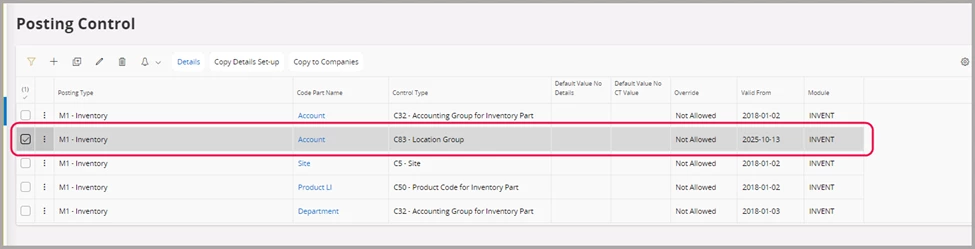
 

I can insert this posting control using Aurena

I proceed to remove this “test” Posting Control to prepare the system to receive the DMM data.

Then I created an extract to generate EXACTLY the same thing in DMM and confirmed all the steps went as expected (from Legacy to Input, from Input to Output, from Output to Deployment and then Approve record and Deploy with Commit). Here is a capture for the last step showing “Deploy with Commit” (no error)
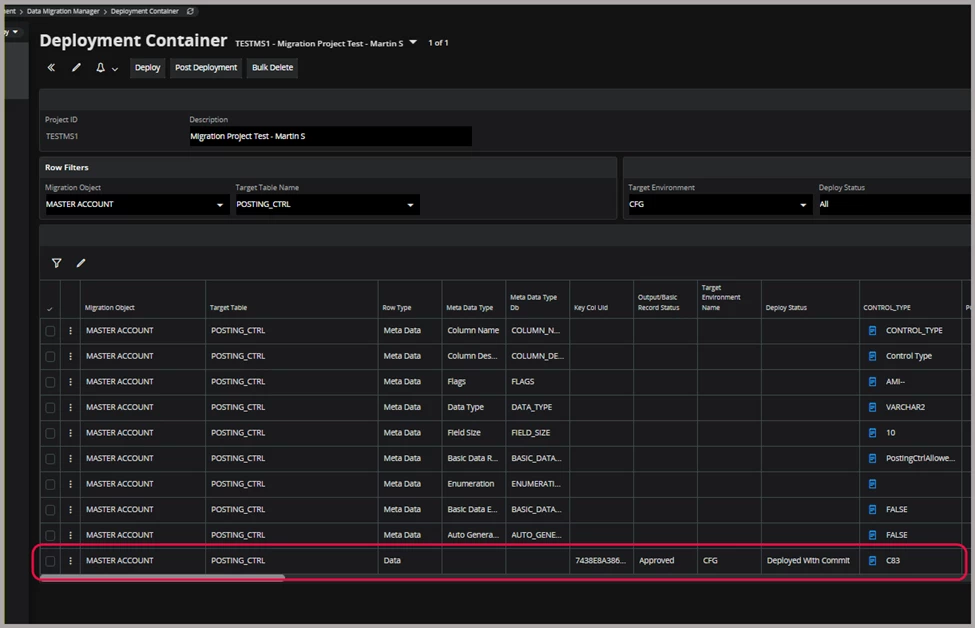
So far, so good...

Upon confirming the record has been created, I look in the database. There, I find that nothing was written.
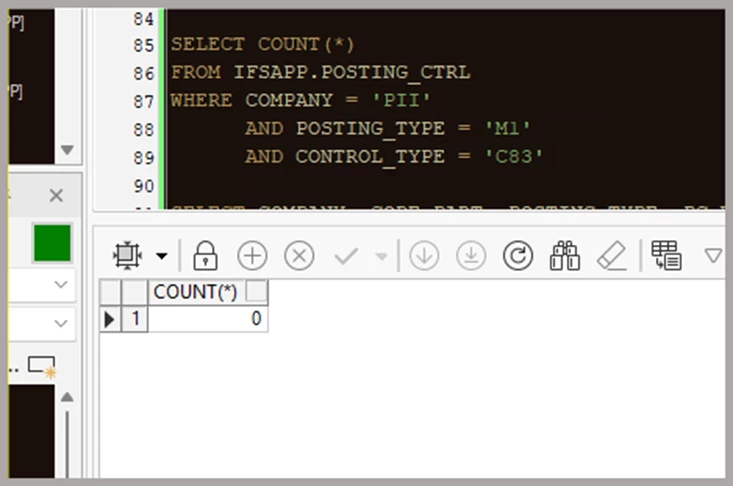
No data in the View

Have you experienced something like this? Do you have any ideas of why, even thought the Project Templates in DMM seem to support POSTING_CTRL, using this tool to insert a row does nothing?


Thanks!

Best answer by msurasky-price

I have done a lot more research and enter my solution so if anybody else is looking into this they will know what happened.

In a nutshell: DMM sometimes is not so good at catching exceptions thrown by the APIs used to insert rows. I disovered that my data had a problem only when creating an INSERT_BY_METHOD_NEW Migration Job using the same data (in other words, I moved from DMM to regular FNDMIG tool).

The migration failed, but at least I got the error message. I was trying to insert a Posting Control with the Company, same Posting Type, same Code Name and same Valid From fields as an existing one.

I thought I could inserted because the Control Types are different, but it turns out that you cannot have 2 Posting Controls for the same Code Name if the Valid From dates are the same. This is something that, after I got the error and thought about it made total sense (you cannot direct a transaction to potentially 2 different accounts in the Ledger, the rules overlap!).

What I took as the learning lesson is this: Next time DMM tells me everything is allright but the data is not there in the target system, I can try to create a mock FNDMIG migration job using the same data to hopefully see if FNDMIG is better at reporting the cause of the error that DMM is not reporting.

Thanks!

1 reply

msurasky-price
Sidekick (Customer)
Forum|alt.badge.img+9
  • Author
  • Sidekick (Customer)
  • Answer
  • December 16, 2025

I have done a lot more research and enter my solution so if anybody else is looking into this they will know what happened.

In a nutshell: DMM sometimes is not so good at catching exceptions thrown by the APIs used to insert rows. I disovered that my data had a problem only when creating an INSERT_BY_METHOD_NEW Migration Job using the same data (in other words, I moved from DMM to regular FNDMIG tool).

The migration failed, but at least I got the error message. I was trying to insert a Posting Control with the Company, same Posting Type, same Code Name and same Valid From fields as an existing one.

I thought I could inserted because the Control Types are different, but it turns out that you cannot have 2 Posting Controls for the same Code Name if the Valid From dates are the same. This is something that, after I got the error and thought about it made total sense (you cannot direct a transaction to potentially 2 different accounts in the Ledger, the rules overlap!).

What I took as the learning lesson is this: Next time DMM tells me everything is allright but the data is not there in the target system, I can try to create a mock FNDMIG migration job using the same data to hopefully see if FNDMIG is better at reporting the cause of the error that DMM is not reporting.

Thanks!