Question

Move field from Order Details group to Page Header using Page Designer in IFS Cloud

  • April 8, 2026
  • 2 replies
  • 28 views

Forum|alt.badge.img+7

Hi everyone,

We are working with IFS Cloud Page Designer and have a requirement related to UI customization.

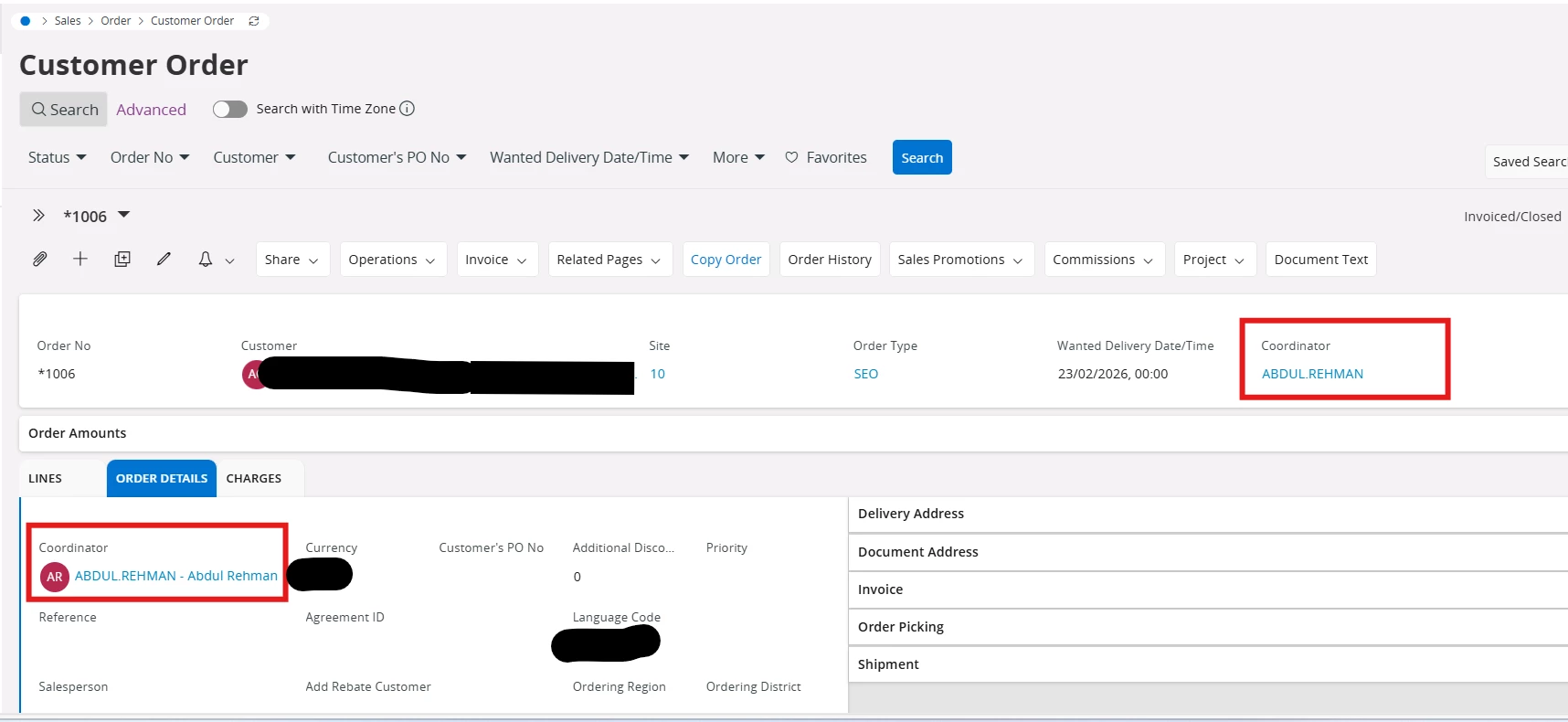
Currently, we have a dropdown field “Coordinator” located under the Group: Order Details. We would like to move this field to the main page header section for better visibility and usability.
 

Requirement

  • Move the Coordinator field from Order Details groupPage Header
  • Ensure that the existing functionality remains unchanged, including:
    • Adding a coordinator
    • Modifying a coordinator

Questions

  1. Is it possible to move an existing field from one group to another using Page Designer?
  2. Or do we need to create a new field in the header and bind it to the same data source?
  3. Also do we need to do the translation also if we add as a new field?

It would be better if we can move the same field but your opinion really matter here. Please check and let us know.


2 replies

Abdul
Superhero (Partner)
Forum|alt.badge.img+20
  • Superhero (Partner)
  • April 8, 2026

Hi ​@SNBSHAN,

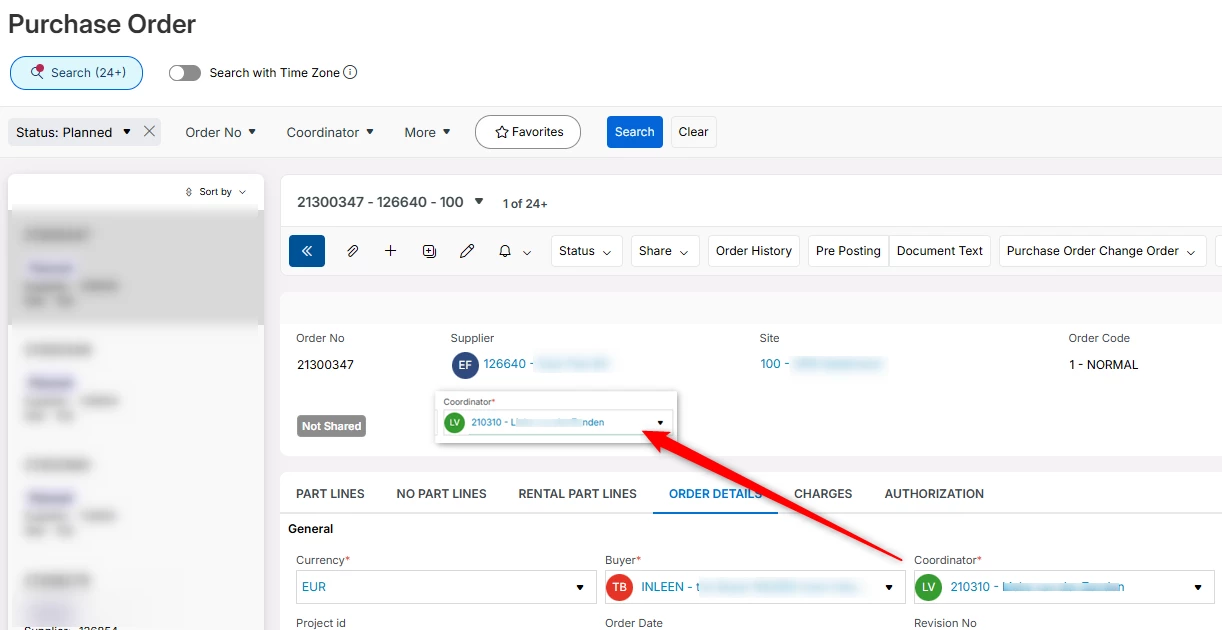
Yes, Coordinator field can be moved from Order Details tab to Customer Order header, since the entity is same (CustomerOrder).

Please refer to the screenshot below.


Regards

Abdul Rehman


Forum|alt.badge.img+7
  • Author
  • Sidekick (Customer)
  • April 8, 2026

Hi ​@Abdul 

Thank you for the reply but we want the full feauture of Coordinator in the header as same as lookup column and also it should work same as in Order Details tab.

We want to remove the column from Order details tab and want same in header including the icon of name.

Hope you understand our point.


Thanks