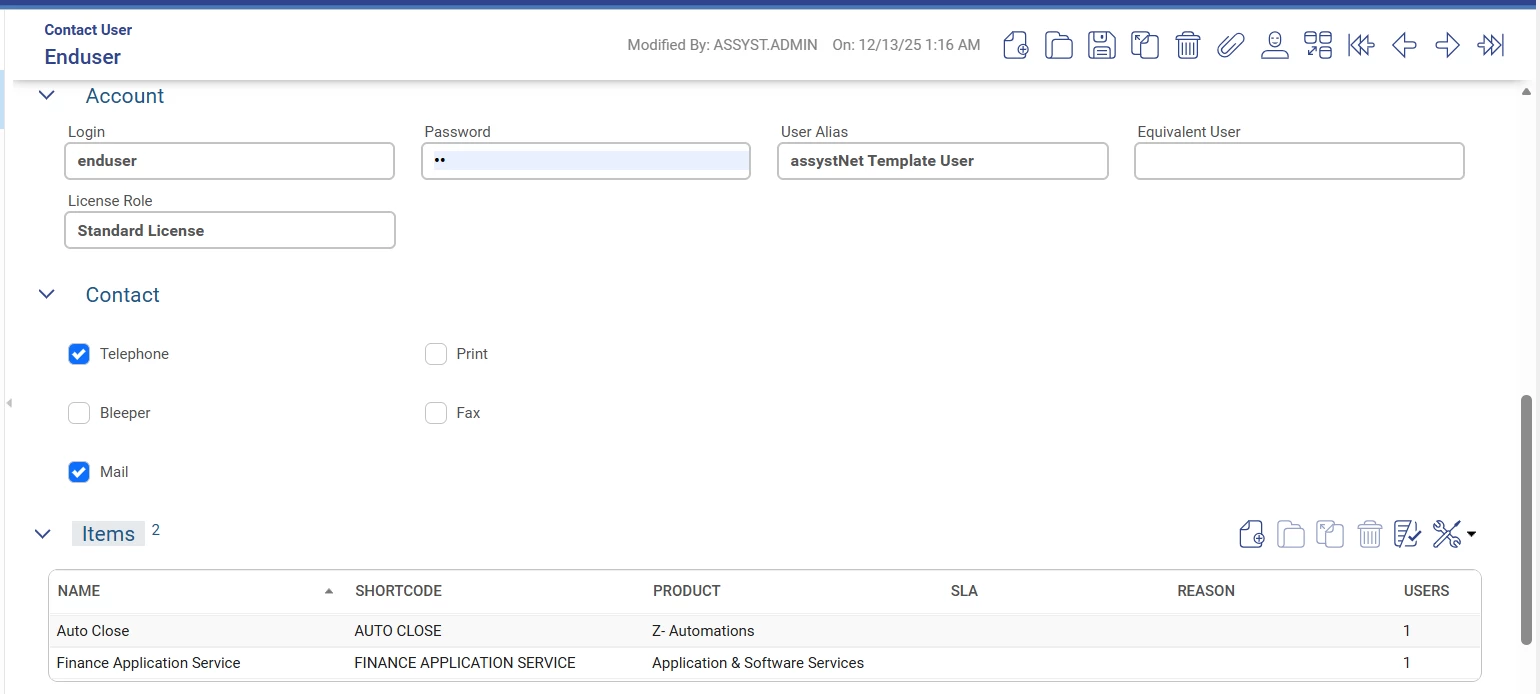
I need to assign multiple Contact Users (for example, 10 users) to the same Item.
I have checked assystETM, but I could not find a direct or standard way to bulk-assign users to an Item through ETM.
Is there a supported approach in assystETM to handle this use case, or is it recommended to use another method (API, import, or integration) for assigning multiple users to an Item?
Thanks in advance.
Best answer by Rajana
Hello Manaf,
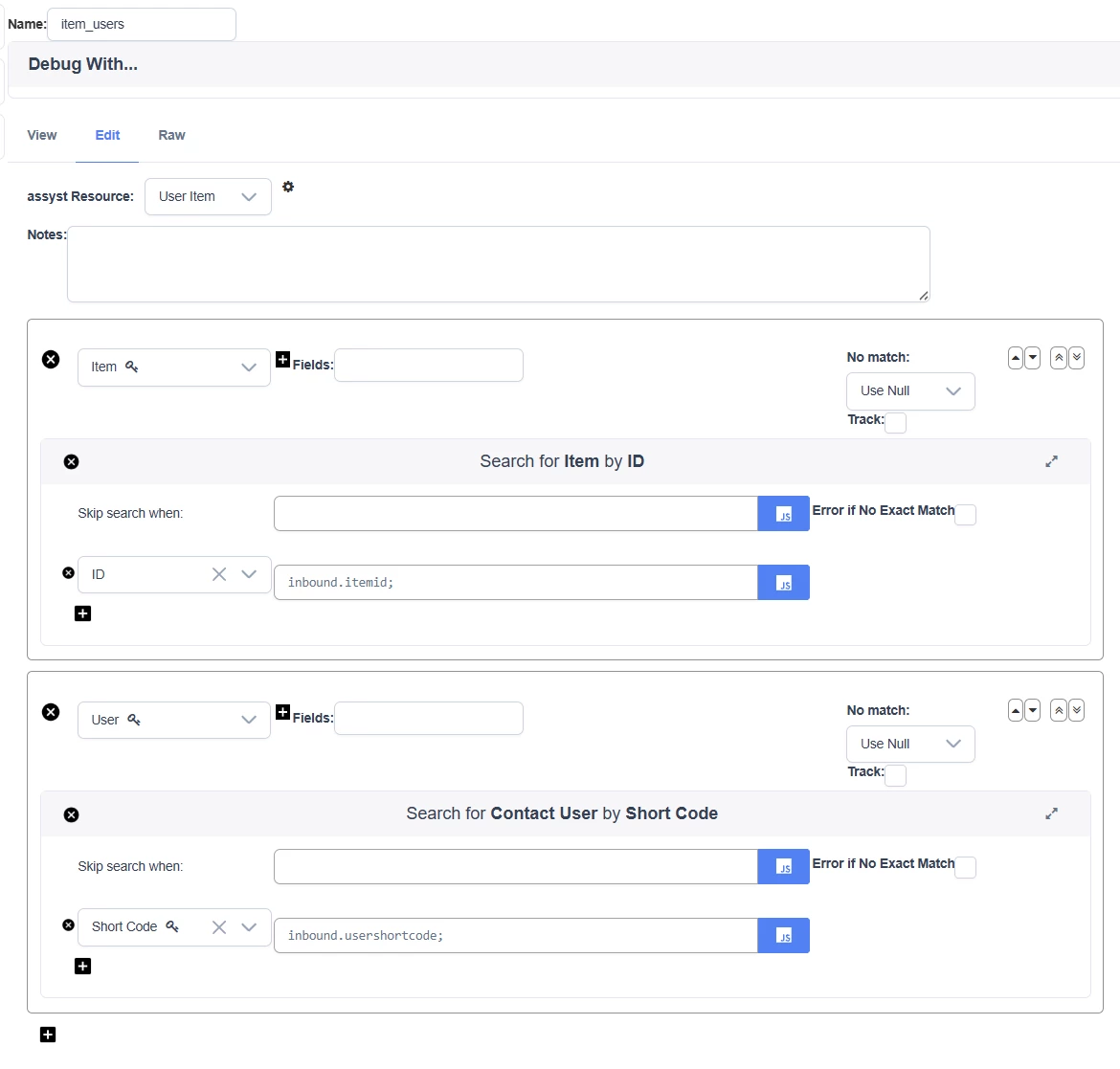
This is possible via ETM’s normal assyst request datamappers.
Datamapper/Channel resource should be “User Item”. Only mandatory fields here are the contact user and the item.
I have created a simple channel for this with a excel file. Let me know if you need further assistance regarding this.
*Please note that this is only a sample channel and IFS do not take responsibility for any data modification/deletion.
This is possible via ETM’s normal assyst request datamappers.
Datamapper/Channel resource should be “User Item”. Only mandatory fields here are the contact user and the item.
I have created a simple channel for this with a excel file. Let me know if you need further assistance regarding this.
*Please note that this is only a sample channel and IFS do not take responsibility for any data modification/deletion.
Thank you for the clarification.
That answers my question. Using the assystETM request datamapper with the User Item resource is exactly what I was looking for.
Thanks as well for providing the sample channel example. This is very helpful. I will review it, and I will reach out if I need any further assistance.
Hi, I’d like to add to the answer already provided.
After reviewing the original question, I wanted to share some additional details that might help others facing similar scenarios.
Built-in Functionality
There is built-in functionality in assyst for handling this type of bulk import. Specifically, you can use Data Management Worksheets (DMWs) for simple imports.
Navigate to Generate New DMW.
After downloading, the worksheet you need is located under: Configuration Items → UserItem.
Using this worksheet, you can populate multiple users for the same item and then import the data directly. This is the most straightforward for bulk imports, if a bit manual.
Supplementary Approach (Advanced)
As an additional option, I created a test channel using an iterative data mapper in assystETM. I took the opportunity to explore this further, and things escalated a bit 😅, so this mapper includes two examples demonstrating how to use iteration expressions.
(Note: This was built in assystETM 1.8, so it does not include Looping Configurations such as do-while, which was introduced in assystETM 1.11.)
Depending on your input source, using iteration could be an easier way to add multiple users to the same item, or vice versa. I’m sharing this in case it’s useful for others exploring more advanced ETM-based solutions.
Disclaimer: This is provided as an example only. I make no guarantees that it will work in a production setting or in versions other than assystETM 1.8.
Hi, I’d like to add to the answer already provided.
After reviewing the original question, I wanted to share some additional details that might help others facing similar scenarios.
Built-in Functionality
There is built-in functionality in assyst for handling this type of bulk import. Specifically, you can use Data Management Worksheets (DMWs) for simple imports.
Navigate to Generate New DMW.
After downloading, the worksheet you need is located under: Configuration Items → UserItem.
Using this worksheet, you can populate multiple users for the same item and then import the data directly. This is the most straightforward for bulk imports, if a bit manual.
Supplementary Approach (Advanced)
As an additional option, I created a test channel using an iterative data mapper in assystETM. I took the opportunity to explore this further, and things escalated a bit 😅, so this mapper includes two examples demonstrating how to use iteration expressions.
(Note: This was built in assystETM 1.8, so it does not include Looping Configurations such as do-while, which was introduced in assystETM 1.11.)
Depending on your input source, using iteration could be an easier way to add multiple users to the same item, or vice versa. I’m sharing this in case it’s useful for others exploring more advanced ETM-based solutions.
Disclaimer: This is provided as an example only. I make no guarantees that it will work in a production setting or in versions other than assystETM 1.8.
Best regards, Richard
Hi Richard,
Thank you very much for the detailed and informative response.
This is extremely helpful. The clarification around using Data Management Worksheets (DMWs) for bulk imports, especially the Configuration Items → UserItem worksheet, is exactly the kind of built-in approach I was looking for. That’s a great and straightforward option for handling multiple users assigned to the same item.
I also appreciate you sharing the assystETM iterative data mapper example. Even as a supplementary and more advanced approach, it’s very valuable to see how iteration can be used for this kind of scenario, and your notes around ETM version limitations are particularly useful.
Thanks again for taking the time to explain both approaches and for sharing your experience. This will definitely help others facing similar requirements.