Question

Project cannot be completed

  • February 9, 2024
  • 4 replies
  • 202 views

Forum|alt.badge.img+7

On one of our projects we keep getting an error  'Project cannot be completed until all active acquisition values referring to this project has been moved in IFS|Fixed Asset.'
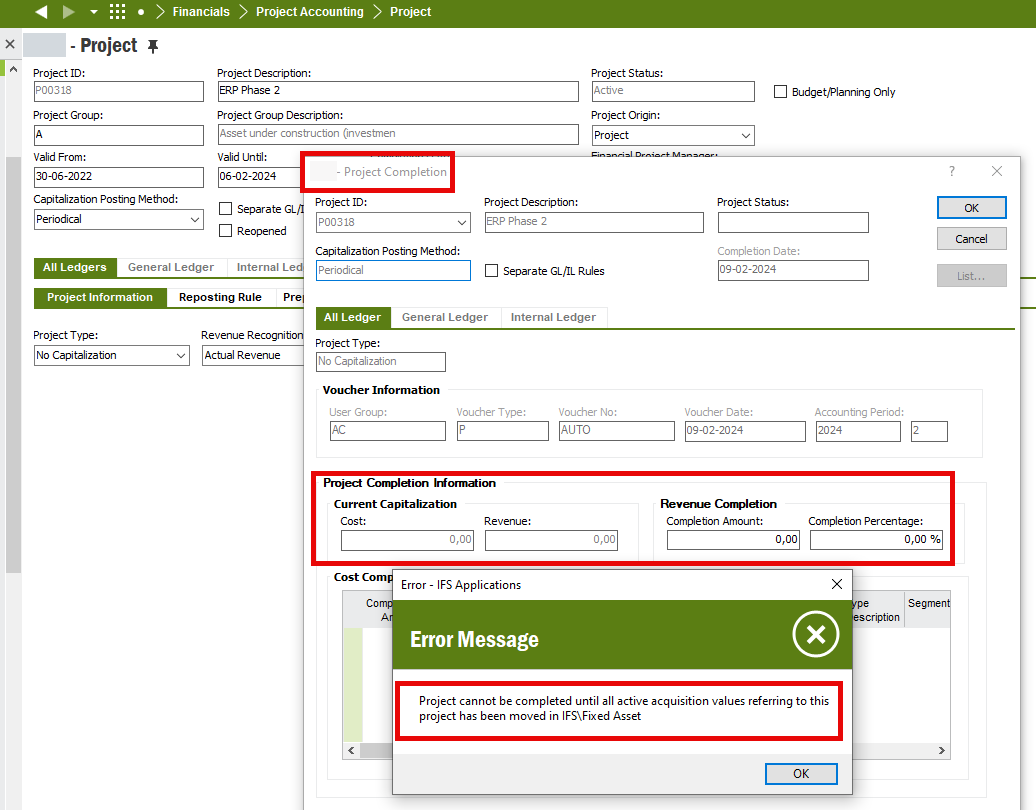


I don’t really anything about project so any help where I can try to look is appreciated. 

4 replies

Furkan Zengin
Ultimate Hero (Partner)
Forum|alt.badge.img+21
  • Ultimate Hero (Partner)
  • February 9, 2024

Hello @Rasmus Raul 

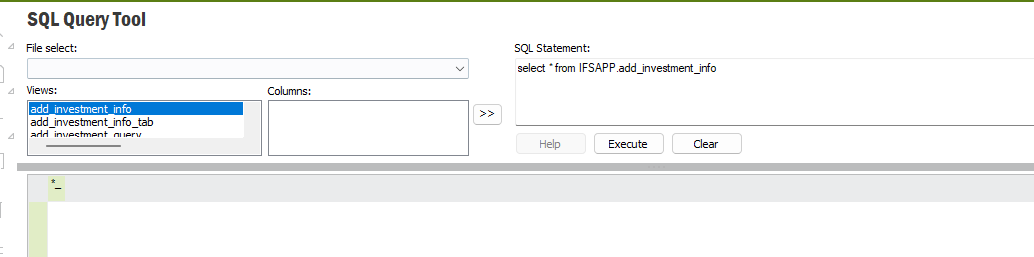
The error should be triggered from Project_Completion_API.Exist_Add_Investment_Info function. Can you run SQL query on add_investment_info view ?

Go to SQL Query Tool and past below code. You should see the project information here.


select * from IFSAPP.add_investment_info


Hope this helps


Marcel.Ausan
Ultimate Hero (Partner)
Forum|alt.badge.img+22
  • Ultimate Hero (Partner)
  • February 9, 2024

@Rasmus Raul  could it be that you have some PO linked to the Project where you purchased something that become a Fixed Assets Object once the PO was released? And maybe the Purchase Transactions have not been transferred?


TimeMarBou
Hero (Partner)
Forum|alt.badge.img+9
  • Hero (Partner)
  • February 9, 2024

Hi,

I had the same error once and I follow the next two questions to solve my issue:

Project Capitalizing | IFS Community

Project Completion And Object Connection | IFS Community


Can you follow the steps in a TEST environment and confirm that works for you?

Then, it will be easier for you to check where is your error in PROD (at least for me works that way 😅)


Regards.


Forum|alt.badge.img+7
  • Author
  • Sidekick (Partner)
  • February 16, 2024

Thanks for all the answers. I found out that i have to “moved Object” without Project code part connected to the transactions before i could Complete the Project