Question

Schedule Inside one Maint. Window

  • May 26, 2021
  • 4 replies
  • 136 views

Mithila Rathnayake
Hero (Employee)
Forum|alt.badge.img+8

Hi,

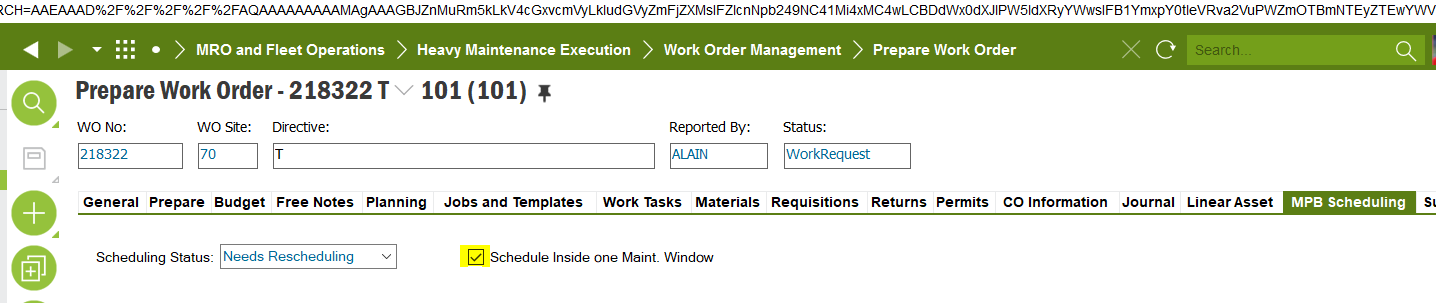
Can someone please help in verifying where can I change the default value for “Schedule Inside one Maint. Window.” option in prep WO MPB Scheduling tab.

It automatically flagged at the creation of the WO & customer expect this to be disabled.
 

This topic has been closed for replies.

4 replies

Forum|alt.badge.img+13
  • Hero (Partner)
  • May 27, 2021

Hello Mithila,

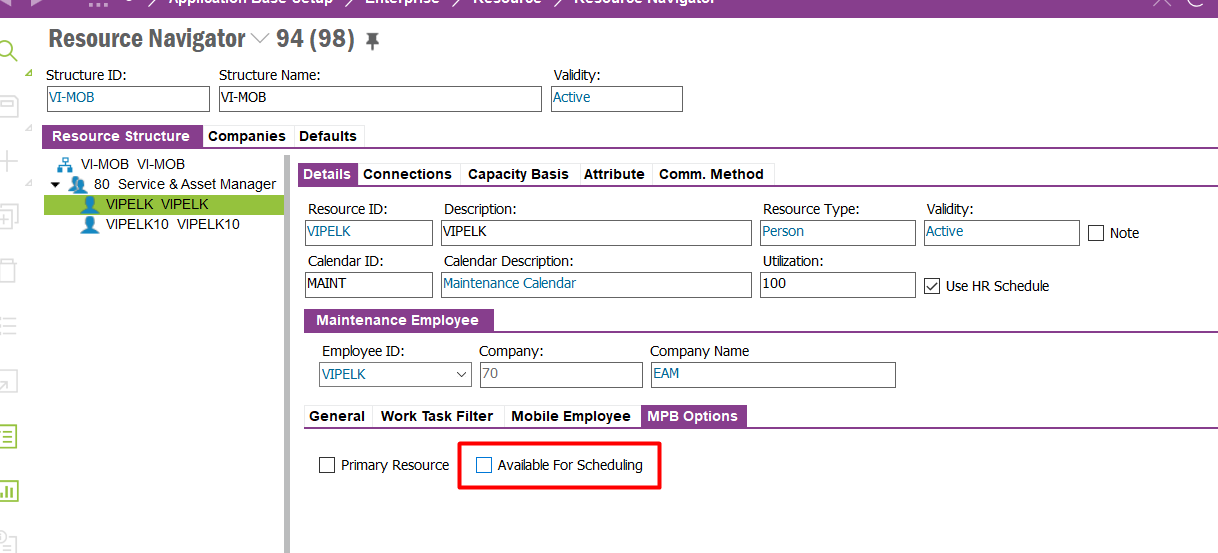
In resource navigator there is a option for the resource a tick box ‘ Available for Scheduling’ . Quite not sure if it has a connection to what you are asking since i have not use this option. 

I tried using the tick box and checking if it has any connection for ‘Schedule Inside one Maint. Window.’ Which did not seem to work.
Thought of just sharing what i witnessed. :)

Best Regards,
Vinu


Mithila Rathnayake
Hero (Employee)
Forum|alt.badge.img+8

Hi @Vinu Peiris,

Thanks for the response, It seems to be specific to the resource detail & not affecting WO generation. This can be a requirement which is not handled yet. We have a GSD case reporting similar scenario & will see if can get a confirmation either end. :slight_smile:


Forum|alt.badge.img+14

Hi @Mithila Rathnayake ,


As per the standard application, its setting as ‘TRUE’ when creating the work order.


Active_Separate_API.Prepare_Insert___


I don’t see any setting to control this, This might be a new request.


lopespetro
Hero (Customer)
Forum|alt.badge.img+13
  • Hero (Customer)
  • August 12, 2021

Hi @Vinu Peiris,

Thanks for the response, It seems to be specific to the resource detail & not affecting WO generation. This can be a requirement which is not handled yet. We have a GSD case reporting similar scenario & will see if can get a confirmation either end. :slight_smile:

Hi,

Have you try creating an event to uncheck this box after the creating of the WO?

Br.

Samuel Lopes