Solved

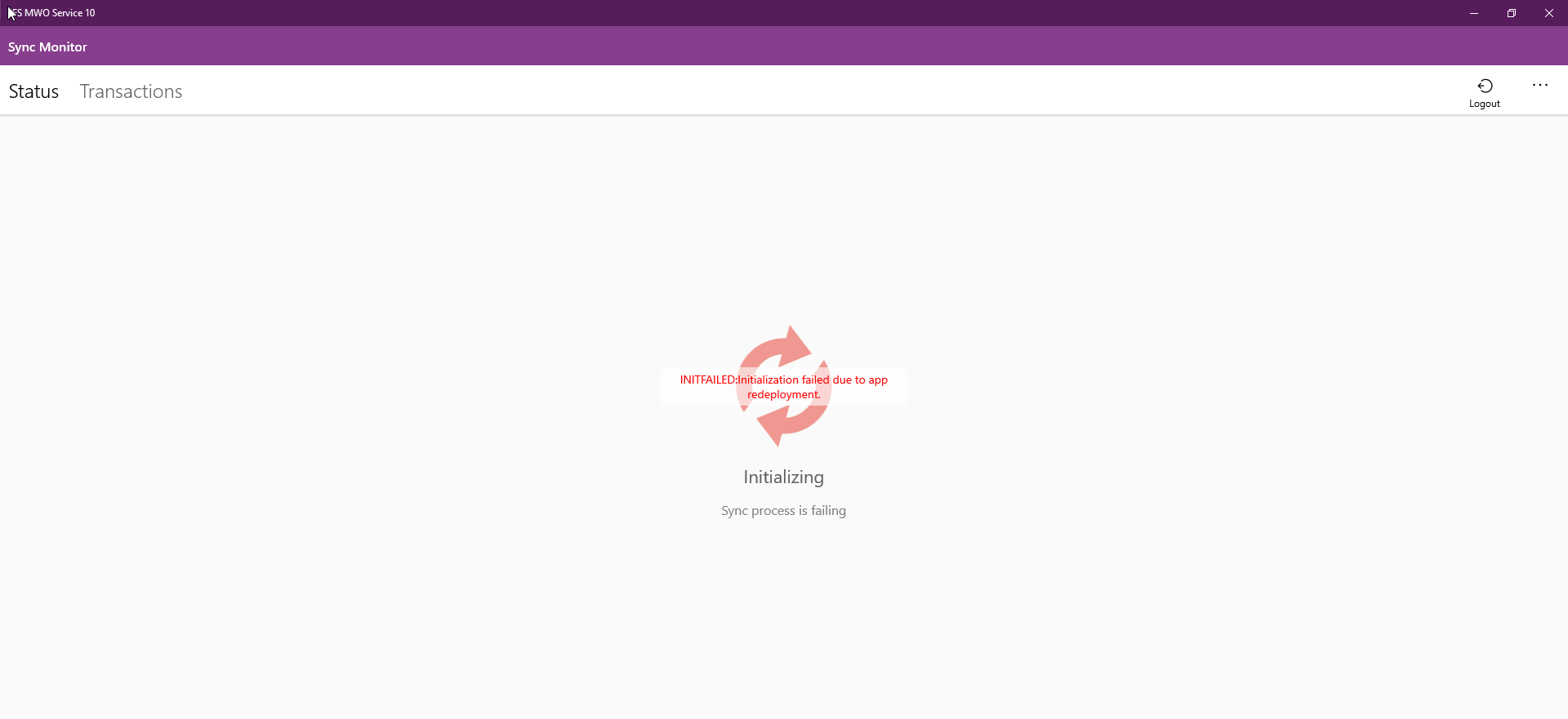
MWO Error - INITFAILED:Initialization failed due to app redeployment.

  • June 15, 2021
  • 2 replies
  • 309 views

Nimesh Kasun
Hero (Employee)
Forum|alt.badge.img+10

Hello,

I’m getting this error with two core environments. Is there a solution/work around for this?


Best answer by James Ashmore

Can you check that the Database Processes for your App are present and running? These Database Processes manage the Grouped Push data for Equipment Objects. If these are not present (due to build errors) or active/running (due to configuration) then you will see this error

This topic has been closed for replies.

2 replies

James Ashmore
Hero (Employee)
Forum|alt.badge.img+16
  • Hero (Employee)
  • Answer
  • June 15, 2021

Can you check that the Database Processes for your App are present and running? These Database Processes manage the Grouped Push data for Equipment Objects. If these are not present (due to build errors) or active/running (due to configuration) then you will see this error


Nimesh Kasun
Hero (Employee)
Forum|alt.badge.img+10
  • Author
  • Hero (Employee)
  • June 15, 2021

Can you check that the Database Processes for your App are present and running? These Database Processes manage the Grouped Push data for Equipment Objects. If these are not present (due to build errors) or active/running (due to configuration) then you will see this error

Hi @James Ashmore,

Thank you for your response. 

Yes, actually they were disabled. I reactivated them and re-initialized. Initialization completed without errors. 


Thanks and BR,

/Nimesh