Solved

How to find the entity name for adding a Custom Attribute to IFS MWO Service Cloud

  • April 7, 2023
  • 2 replies
  • 180 views

Forum|alt.badge.img+8
  • Sidekick (Employee)

Hi

As you know, in order to add a Custom Attribute to a page, we need to configurate the entity firstly.

My question is how to find the entity name for Aurena Native Mobile app?

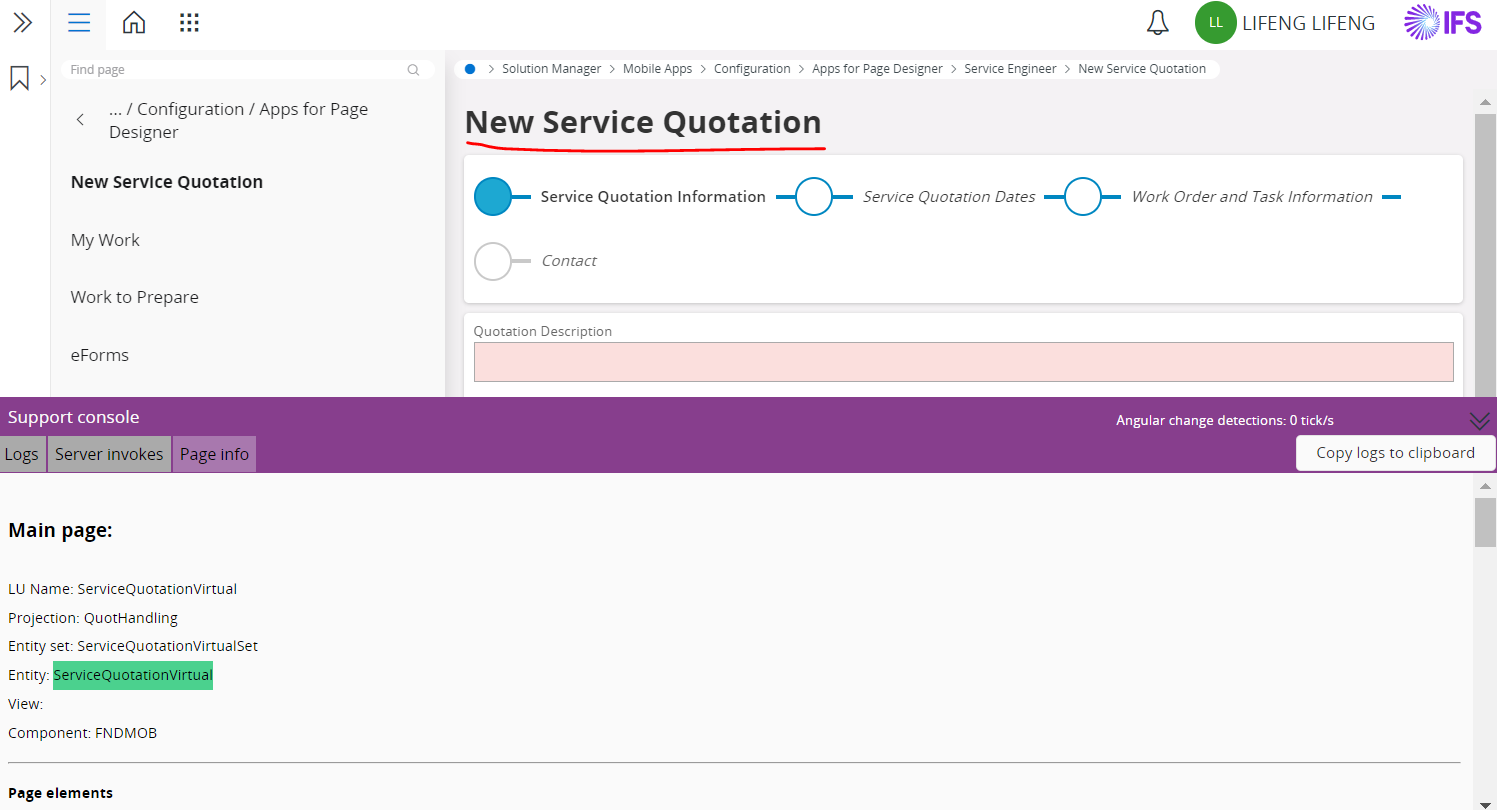
For example, I want to add an item to the New Service Quotation, I cannot user the entity ServiceQuotationVirtual from the page info, because we cannot find it from the Entity Configurations. Thanks.


Regards
Feng
Best answer by navod

Hi @feng ,


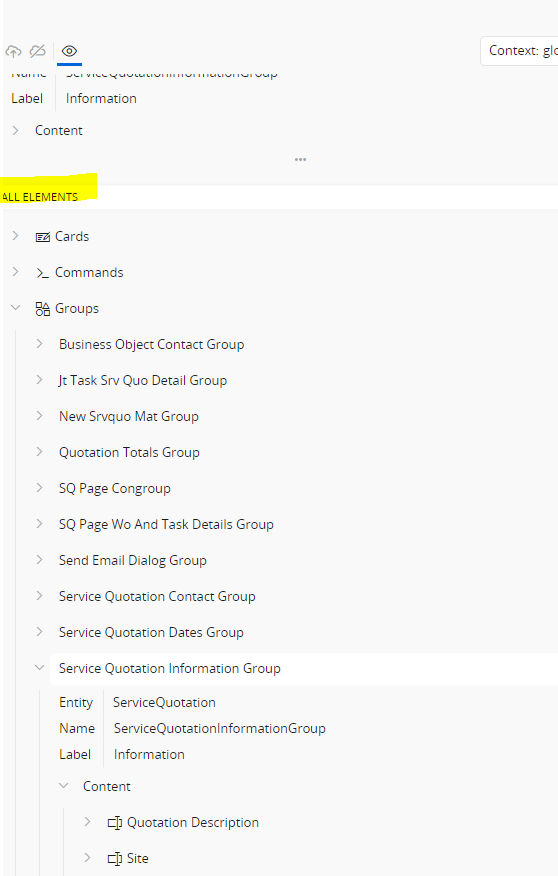
In the page designer, go to the Add Elements secion. There you can find the relevant group of this assistant.


Then expand the relevant Group and expand the Content. There you can find the required Entity to add custom fields.


Best Regards,

Navod Janitha

2 replies

navod
Sidekick (Employee)
Forum|alt.badge.img+8
  • Sidekick (Employee)
  • Answer
  • April 7, 2023

Hi @feng ,


In the page designer, go to the Add Elements secion. There you can find the relevant group of this assistant.


Then expand the relevant Group and expand the Content. There you can find the required Entity to add custom fields.


Best Regards,

Navod Janitha


Forum|alt.badge.img+8
  • Author
  • Sidekick (Employee)
  • April 7, 2023

Hi Navod 

Thanks for your kindly reply. I got it.

Thanks& Best regards!

Feng