Solved

Modify Pers Protected data

  • March 31, 2022
  • 5 replies
  • 326 views

Forum|alt.badge.img+10

I am trying to add a new system administrator in our system.  The person has been granted full system access, but when he tries to create a new Employee File, he is getting this error:  Insufficient access rights.  You cannot modify Pers Protected data for the person JOHN.DOE.


What access do I need to grant, so he can do this?
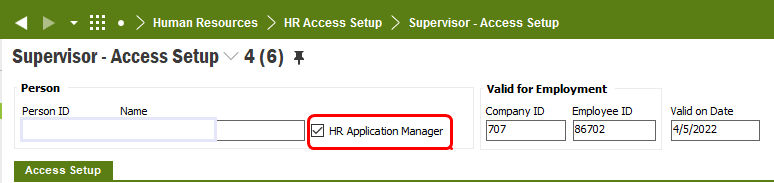
Best answer by TosohLBlum

This is what we were missing in order to let him add new employees:


5 replies

Forum|alt.badge.img+8
  • Do Gooder (Employee)
  • April 1, 2022

Hello,
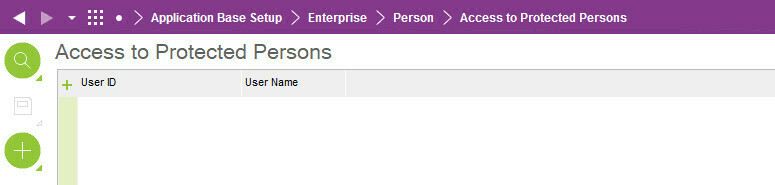
If data is accessed for protected persons, the user must be activated.
The activation takes place in a dialogue function. I have attached a screenshot from Apps 10.
Regards


Forum|alt.badge.img+10
  • Author
  • Hero (Customer)
  • April 1, 2022

He’s not trying to access data for a protected person.  The person is brand new and he is trying to add the employee record.


Forum|alt.badge.img+7
  • Sidekick (Customer)
  • April 5, 2022

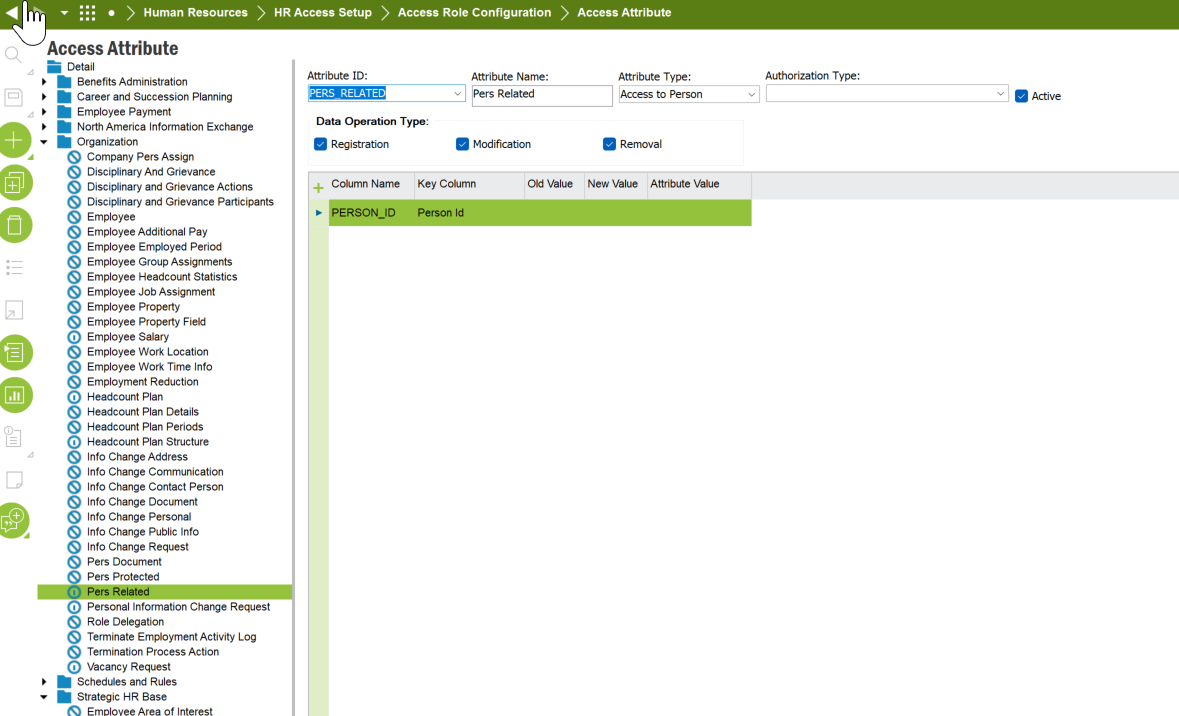
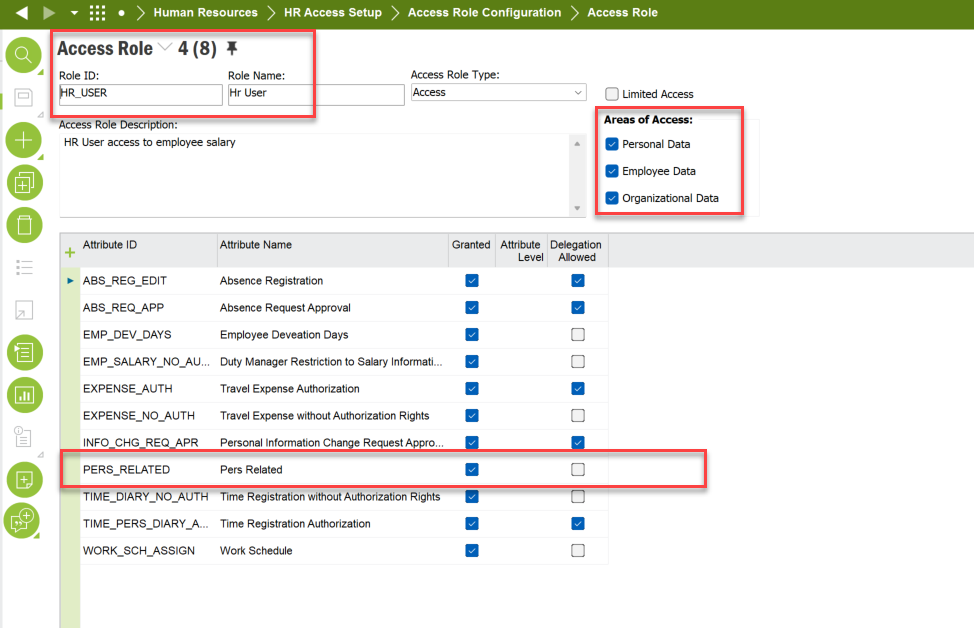
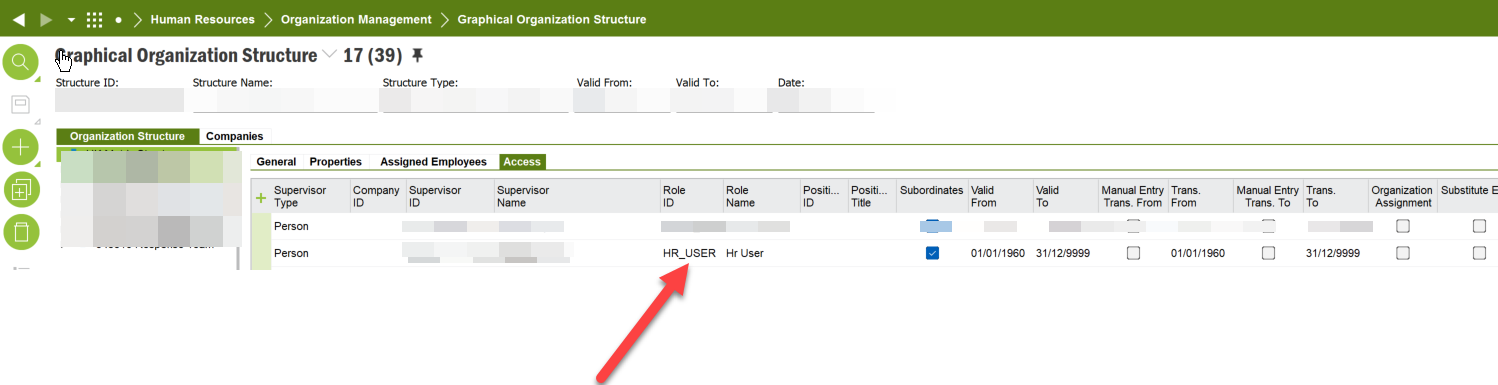
looks like you have a access attribute set up for that area. if you have a access attribute set up then that will need to be attached to an access role and the assigned to the employee/person via the organisation position.


this should let you use the employee wizard. Make sure you give access to the structure that the employee/person will be creating new employees on 


Forum|alt.badge.img+10
  • Author
  • Hero (Customer)
  • Answer
  • April 5, 2022

This is what we were missing in order to let him add new employees:


GRDLSTOHS
Do Gooder (Customer)
Forum|alt.badge.img+1
  • Do Gooder (Customer)
  • June 3, 2022

Thank you for the final screenshot.  We were unable to add employees at all and this solved our problem.