


Solved

Print Job Status - Working

  • November 22, 2024
  • 9 replies
  • 272 views

Forum|alt.badge.img+3

Hi

We are facing an issue on our new instance CFG. We cannot print any document. In the Report Application Messages, Print Job are stuck with status Working.
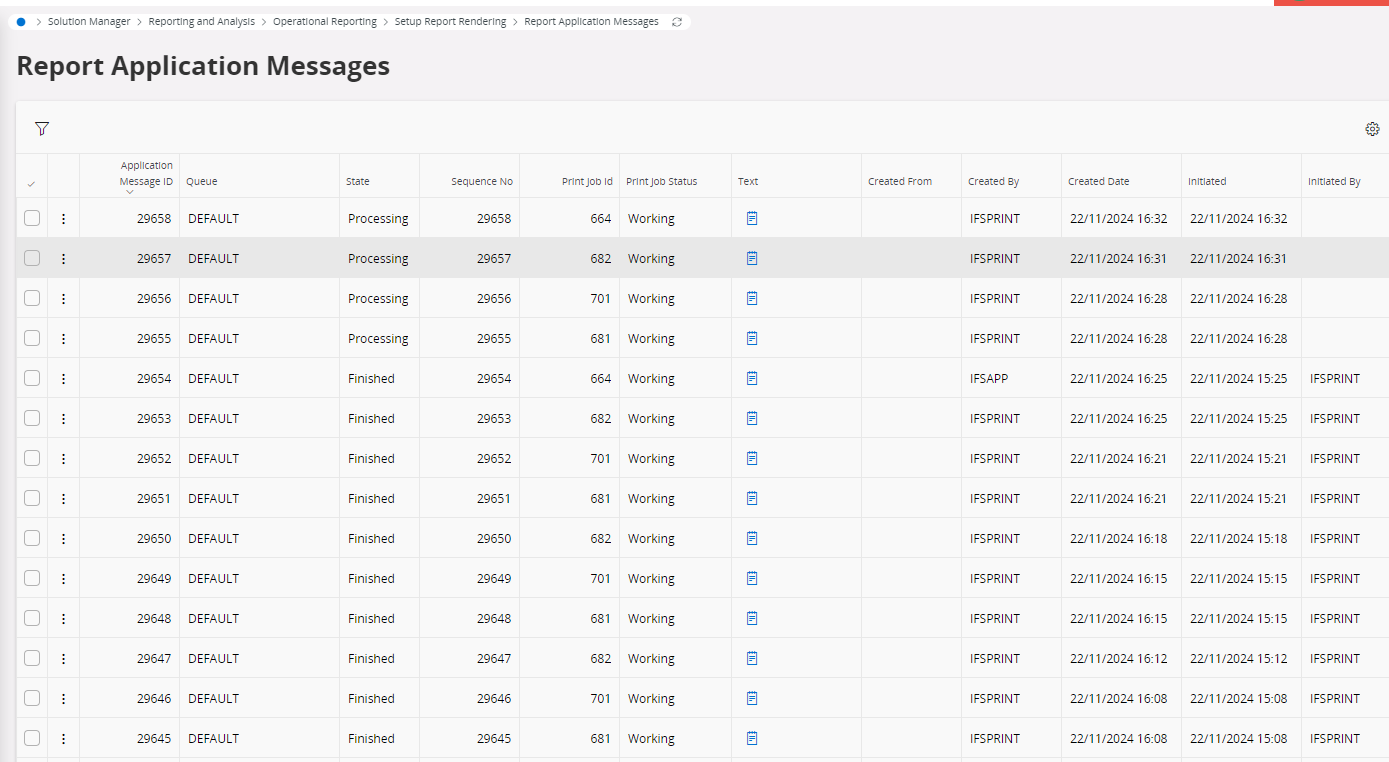
 

I tried to create a new queue and move some jobs to this queue, with same results. I also tried to stop and start all queues…

Have anyone seen the same problem ? 

Many thanks

Benoit

Best answer by ashen_malaka_ranasinghe

Hi ​@b.friedling.expleo ,

Additionally, once the print job is picked up by the middle-tier, its status changes from WAITING to WORKING as the report generation begins.

Since the print jobs are stuck in the WORKING status, we recommend restarting the ifsapp-reporting and ifsapp-reporting-ren pods to see if this resolves the issue.

9 replies

ashen_malaka_ranasinghe
Hero (Employee)
Forum|alt.badge.img+12

Hi ​@b.friedling.expleo,

To find the cause for this issue we need to review the ifsapp-reporting pod logs. Can you provide the pod logs after re-creating the issue?


Forum|alt.badge.img+3

Hi

Thank you for your answer.

How can I find ifsapp-reporting pod logs ?

Many thanks


ashen_malaka_ranasinghe
Hero (Employee)
Forum|alt.badge.img+12

Hi

Thank you for your answer.

How can I find ifsapp-reporting pod logs ?

Many thanks

Is the customer an IFS-managed or Remote? 


Forum|alt.badge.img+3

Customer is Remote


ashen_malaka_ranasinghe
Hero (Employee)
Forum|alt.badge.img+12

Customer is Remote

Then what you have to do is after re-creating this issue, obtain the MTCTL dump. Inside that we can find the ifsapp-reporting pod logs.


ashen_malaka_ranasinghe
Hero (Employee)
Forum|alt.badge.img+12

Hi ​@b.friedling.expleo ,

Additionally, once the print job is picked up by the middle-tier, its status changes from WAITING to WORKING as the report generation begins.

Since the print jobs are stuck in the WORKING status, we recommend restarting the ifsapp-reporting and ifsapp-reporting-ren pods to see if this resolves the issue.


Forum|alt.badge.img+3

Hi


Sorry for my late answer, I finally managed to make kubernetes work and to create the dump (see attached).

I understand that I juste have to delete it and it will be recreated autoatically. Is that correct ?


Command is:

kubectl delete pod ifsapp-reporting-xxxxx -n cfg


Many thanks


ashen_malaka_ranasinghe
Hero (Employee)
Forum|alt.badge.img+12

Hi ​@ashen_malaka_ranasinghe,

Yes, you are correct on the following.

I understand that I juste have to delete it and it will be recreated autoatically. Is that correct ?


Forum|alt.badge.img+3

Hi

After reboot of ifsapp-reporting and ifsapp-reporting-ren pod, I was able to print.

Many thanks for your help !

Regards

