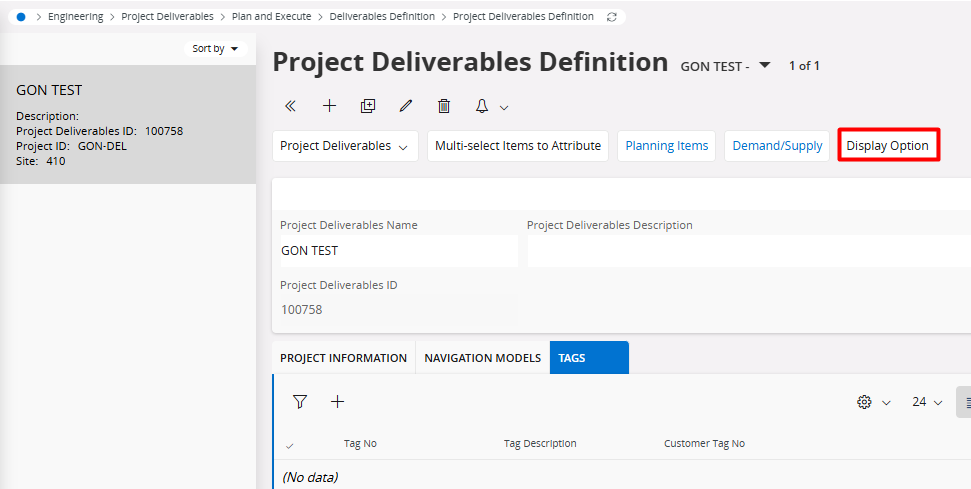
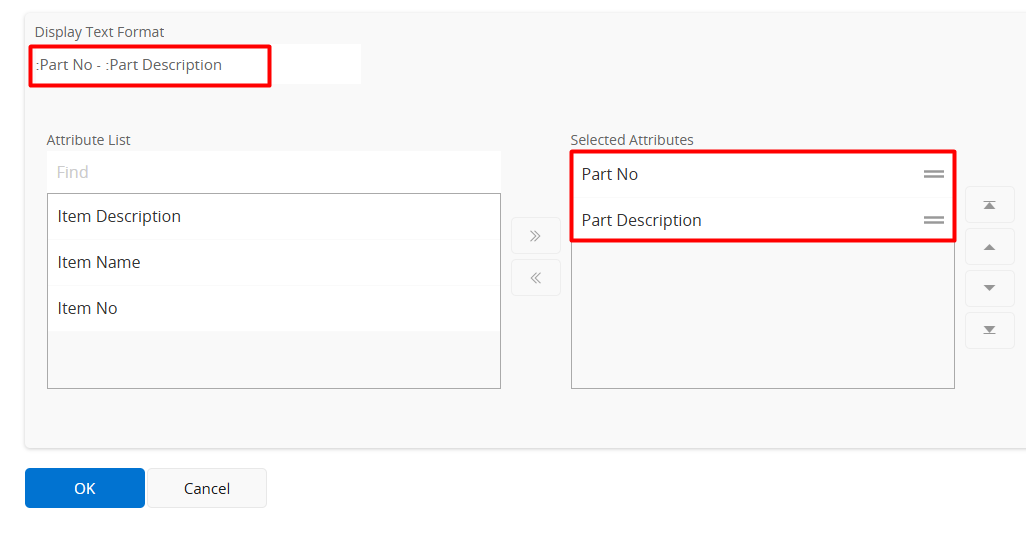
Hello Experts,
We want to change the label of the tree structure navigator on some pages ie: Project Deliverables Design page. Currently it is showing the “item no - Item Name”. However we want it to show the “Part No - Part Description”. How can we do this?
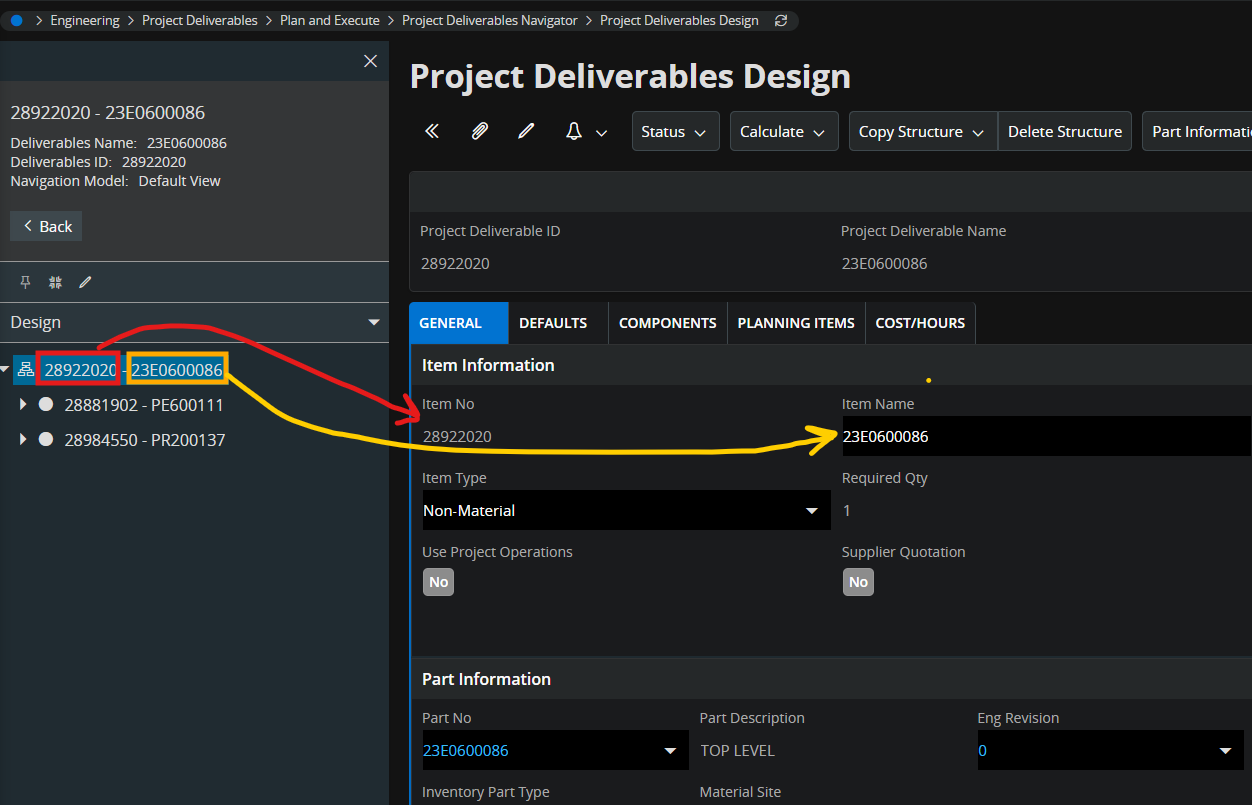
We tried changing the label for the selector in Page Designer, but it didn’t change anything.
Appreciate your advices/tips/suggestions.
Thank You in Advance,