Solved

Find And Replace problem

  • August 6, 2021
  • 6 replies
  • 639 views

Forum|alt.badge.img+9

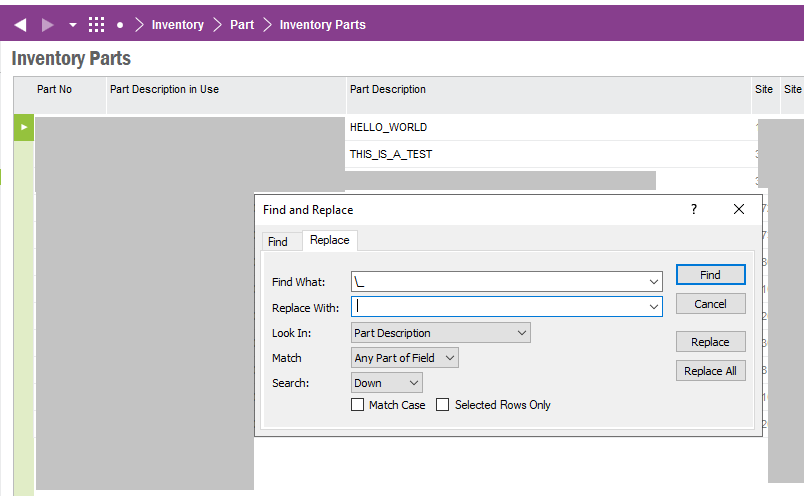
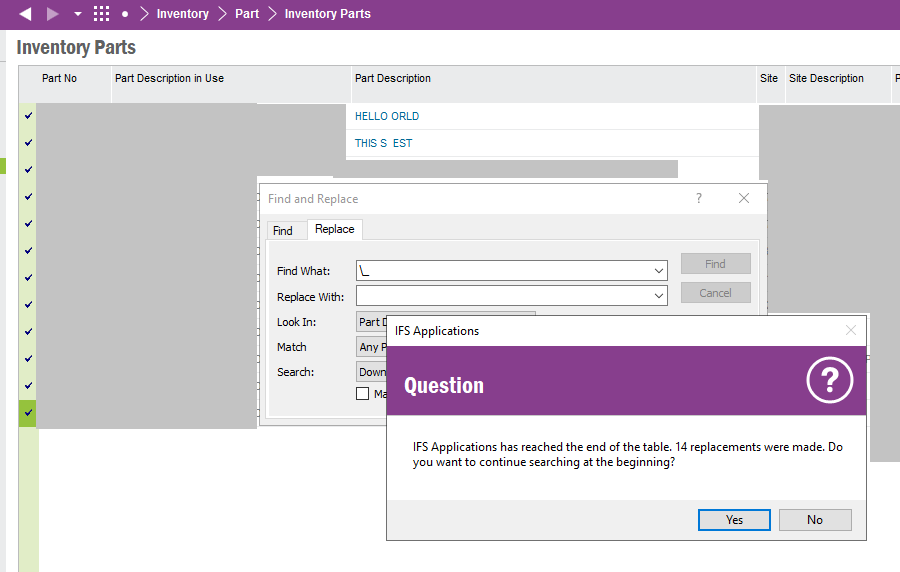
Our Customer wants tereplace in description sign ‘_’ by sign ‘ ‘ (space). He uses RM function Find and replace entering value source sign: \_ destination value ‘ ‘ (space - blank sign) But in result system replaces sign ‘_’ and next one sign.. In result there is fragmentally distroyed description. e.g. ‘A_BEND’ is replaced to ‘A END’  Is it an error or Customer should use another way? Please answer my question if someone knows an answer

Best answer by ShawnBerk

@Marcin Szczurek 

“Is it an error or Customer should use another way?”


Sounds like a bug to me, you should raise a case with R&D to fix it.


This topic has been closed for replies.

6 replies

durette
Superhero (Customer)
Forum|alt.badge.img+19
  • Superhero (Customer)
  • August 6, 2021

(edited to remove)


durette
Superhero (Customer)
Forum|alt.badge.img+19
  • Superhero (Customer)
  • August 6, 2021

(edited to remove)


durette
Superhero (Customer)
Forum|alt.badge.img+19
  • Superhero (Customer)
  • August 6, 2021

I can replicate this finding in Apps 9 UPD13.


durette
Superhero (Customer)
Forum|alt.badge.img+19
  • Superhero (Customer)
  • August 6, 2021

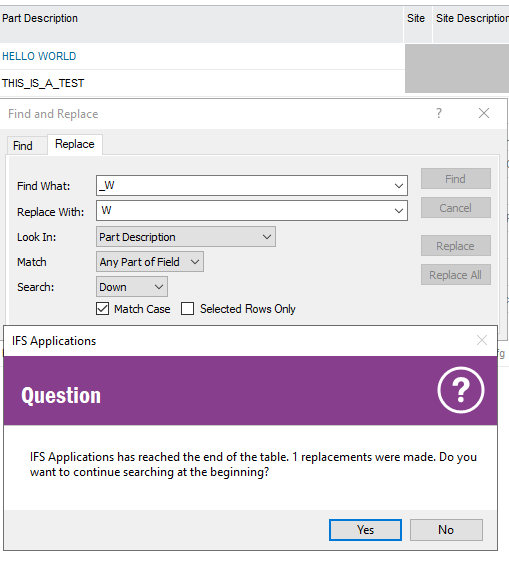
If you select “Match Case”, remove the backslash “\”, and add at least one more character, that seems to work. It’s not a great solution, but it’s something.


Forum|alt.badge.img+28
  • Superhero (Customer)
  • Answer
  • August 7, 2021

@Marcin Szczurek 

“Is it an error or Customer should use another way?”


Sounds like a bug to me, you should raise a case with R&D to fix it.


Forum|alt.badge.img+9
  • Author
  • Sidekick (Employee)
  • August 7, 2021

Thanks. I will create an bug for RnD

BR

Marcin