Solved

Mixed payment templates

  • November 2, 2022
  • 4 replies
  • 353 views

Forum|alt.badge.img+9

Is there any Mixed payment templates or pre-population of fields in that transaction?


Looking at ways of making sure specific bank transactions are coded correctly out with having an external note of correct coding



Best answer by Shehan Almeida

Hi,


You can use this option below.
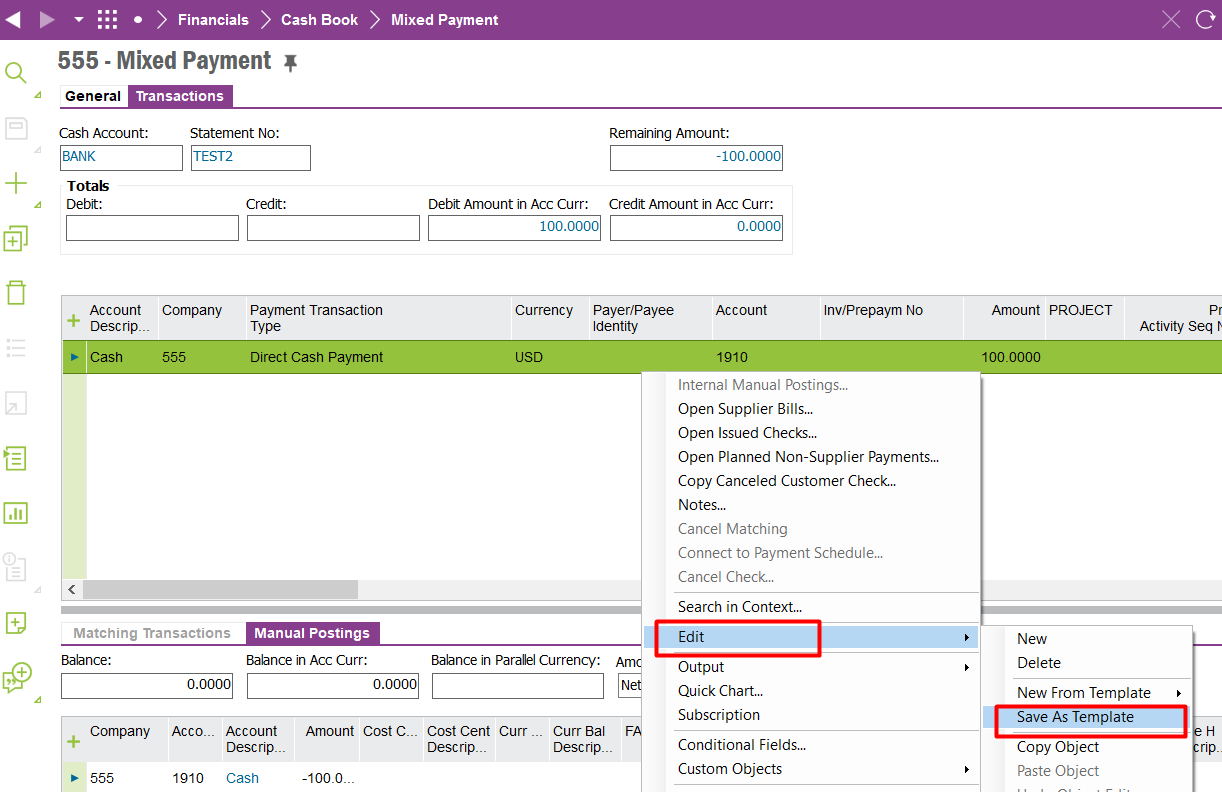
 

  1. Enter one payment line with all your account tax and other details and save.
  1. RMB and select Edit Save as new template
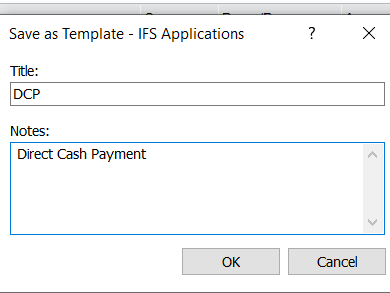
  1. Enter a name and a description.
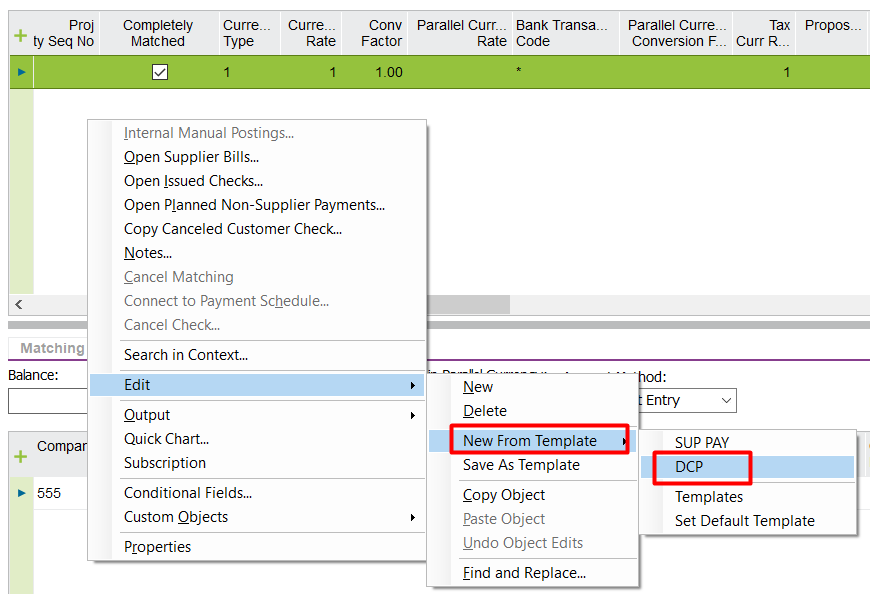
  1.  From now on you can use this template by selecting the RMB option 


Hope this helps. 


Shehan Almeida.

4 replies

cperdue
Hero (Partner)
Forum|alt.badge.img+14
  • Hero (Partner)
  • November 2, 2022

Hey, Steve - do you mean a ‘decoder ring’ of standard bank transaction codes or the bank statement template?


Forum|alt.badge.img+9
  • Author
  • Sidekick (Customer)
  • November 2, 2022

Hey, Steve - do you mean a ‘decoder ring’ of standard bank transaction codes or the bank statement template?

No, it was more if we have particular payments then they are posted to specific GL code, tax code etc


If for example we made a payment relating to business rates, that we were going to process as Direct Cash….is there a a template I could create that when I open a new mixed payment then fields such as GL code/site/tax code etc to ensure that we process correctly - rather than having an external not of where this should be posted to


cperdue
Hero (Partner)
Forum|alt.badge.img+14
  • Hero (Partner)
  • November 2, 2022

I am not fluent at the template details.   It appears you could incorporate some logic within the transaction codes that would populate the mixed payment file upon upload.

Based on the transaction code, the code parts could be mapped to posting control details.  

or possibly a posting rule based on the voucher type and bank transaction code?    


Shehan Almeida
Superhero (Partner)
Forum|alt.badge.img+18
  • Superhero (Partner)
  • Answer
  • November 3, 2022

Hi,


You can use this option below.


  1. Enter one payment line with all your account tax and other details and save.
  1. RMB and select Edit Save as new template
  1. Enter a name and a description.
  1.  From now on you can use this template by selecting the RMB option 


Hope this helps. 


Shehan Almeida.