Solved

GL Automatic Posting Rules is not working

  • April 18, 2023
  • 6 replies
  • 313 views

Forum|alt.badge.img+5
  • Sidekick (Partner)

Hi,


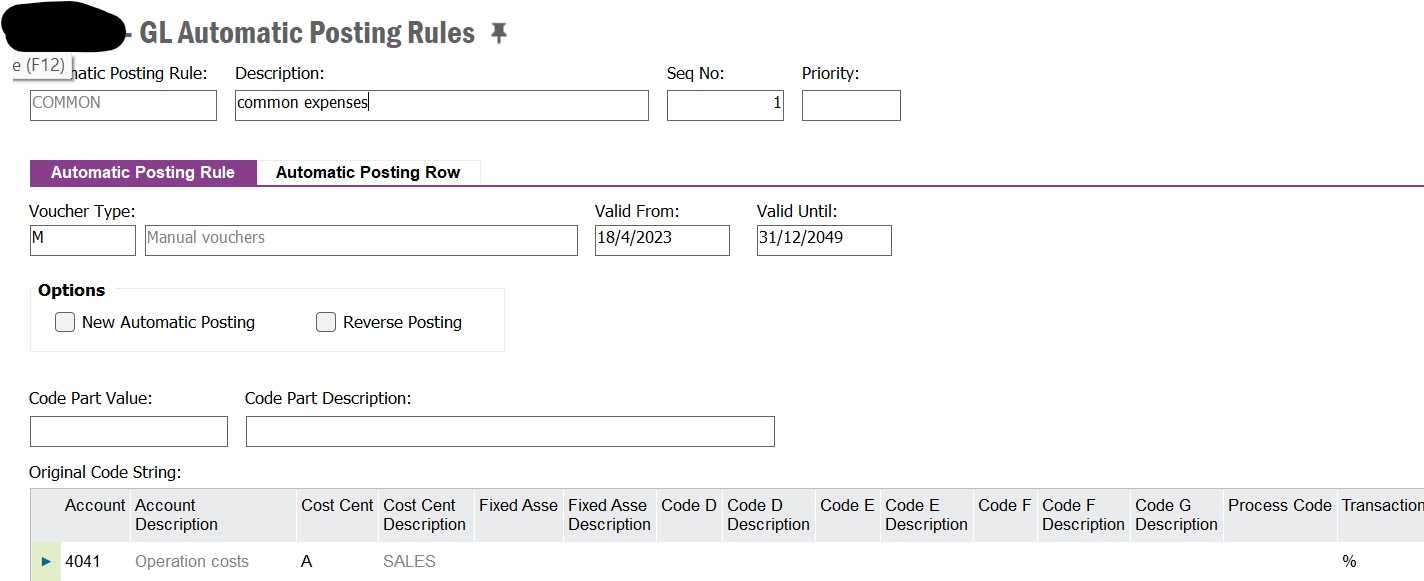
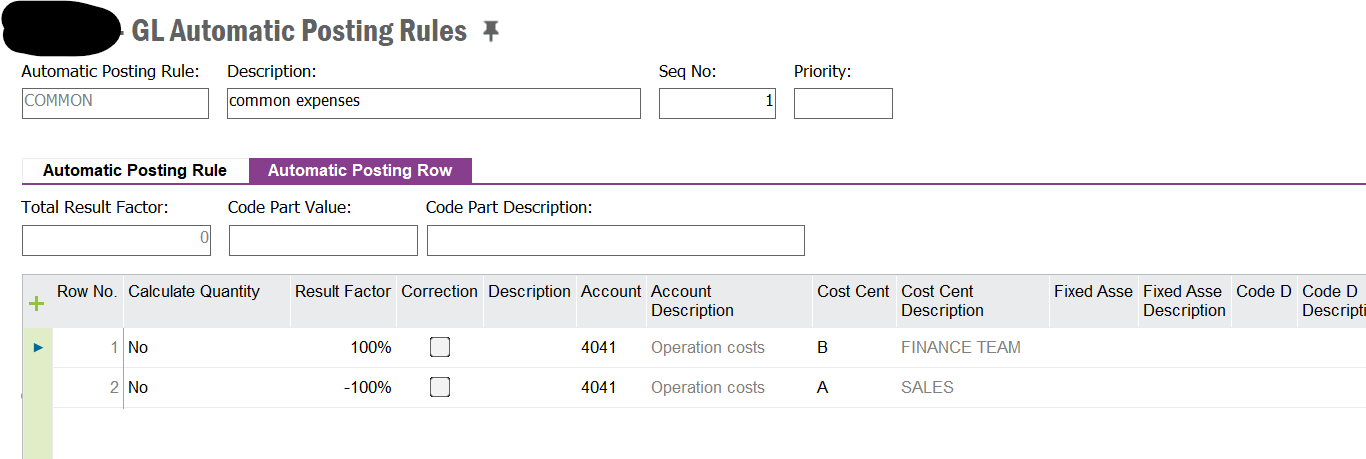
I have configure a simple GL auto posting rule to distribute a cost account from cost centre A to B with voucher type M, I.

However it is not working neither 2 function type.  Could anyone shed some light what would affect the automatic feature ?

Best answer by Thomas Peterson

Hi, 

Adam is 100% correct. The first page of the rule is the trigger of when the rule takes effect. 

The affected voucher must be an exact match to your rule. 
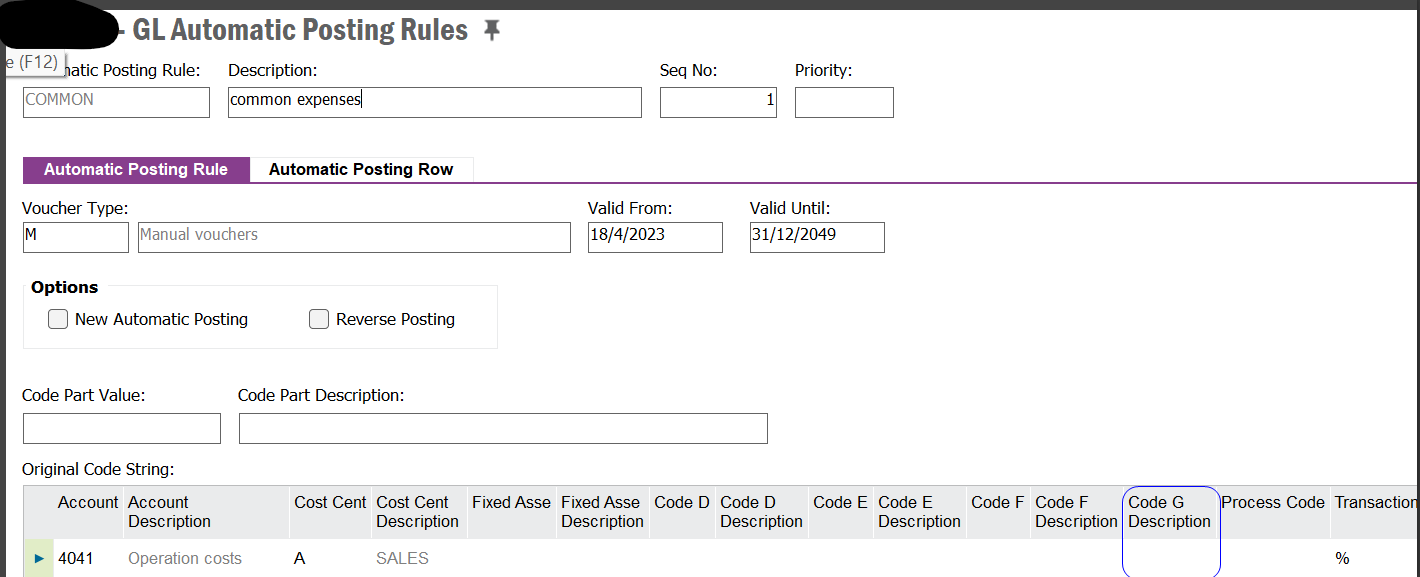
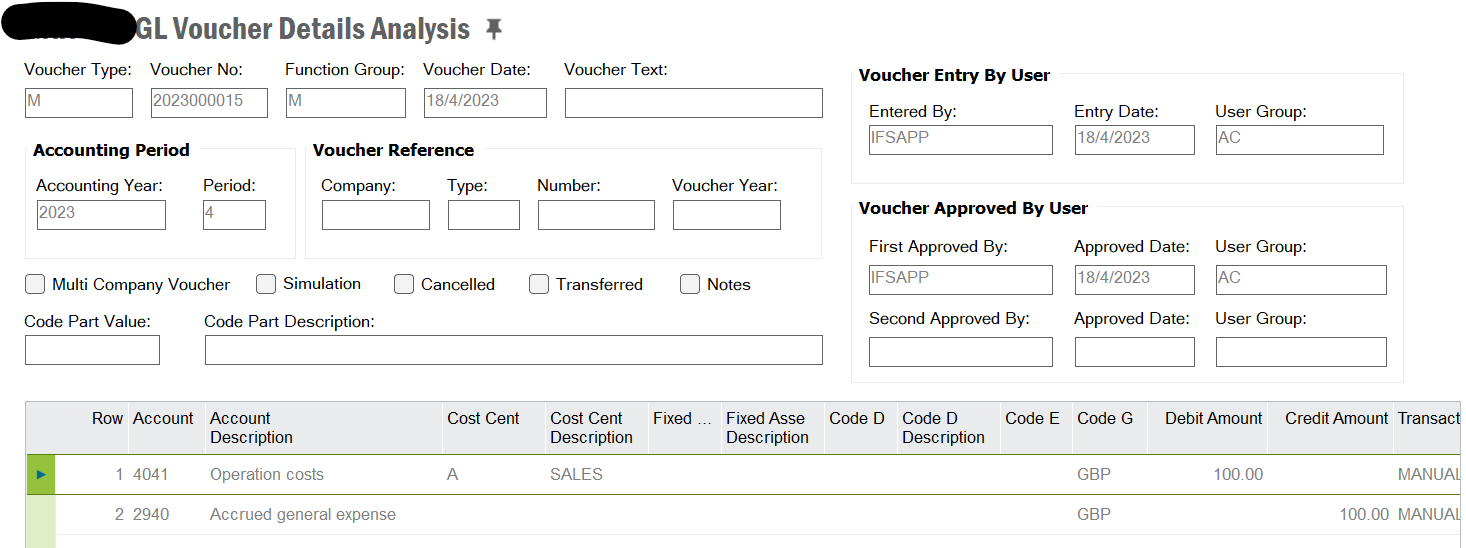
In the above - it appears that the CODE G value is set as null meaning the rule is triggered when code G is null / no value.   However, your voucher entry actually has a code G value. Therefore, it’s not an exact match - the rule is not triggered.  

If the above screen uses a % or similar for the code G, then the rule would be triggered when the voucher has code G with a value such as GBP. 

Best regards 

6 replies

Forum|alt.badge.img+16
  • Hero (Customer)
  • April 18, 2023

Hi,

You may share voucher details screenshot and automatic posting rule screenshot to compare rule  trigger conditions with voucher content.
In general, in automatic posting rule you are defining voucher type, voucher date scope (rule validity) and row selection criteria (code parts).


Forum|alt.badge.img+5
  • Author
  • Sidekick (Partner)
  • April 18, 2023

It was something like attached to distribute cost from cost centre A to B 


Forum|alt.badge.img+16
  • Hero (Customer)
  • April 18, 2023

Hi,
In automatic posting rule definition, please use % if you want rule to trigger for any value of code part in voucher row. I think empty value of code part means to trigger it only for empty value in voucher row. 
empty value of Code G in your example might be the reason


Forum|alt.badge.img+19
  • Superhero (Employee)
  • Answer
  • April 18, 2023

Hi, 

Adam is 100% correct. The first page of the rule is the trigger of when the rule takes effect. 

The affected voucher must be an exact match to your rule. 

In the above - it appears that the CODE G value is set as null meaning the rule is triggered when code G is null / no value.   However, your voucher entry actually has a code G value. Therefore, it’s not an exact match - the rule is not triggered.  

If the above screen uses a % or similar for the code G, then the rule would be triggered when the voucher has code G with a value such as GBP. 

Best regards 


Forum|alt.badge.img+5
  • Author
  • Sidekick (Partner)
  • April 19, 2023

i will make a change later and see what’s the result.


Forum|alt.badge.img+5
  • Author
  • Sidekick (Partner)
  • April 21, 2023

@Adam Bereda @Thomas Peterson Thank you so much for the guide,