

Question

Lobby lookup source not loading values

  • Nov 29, 2024 2:52 PM UTC
  • 16 replies
  • 220 views

Forum|alt.badge.img+7


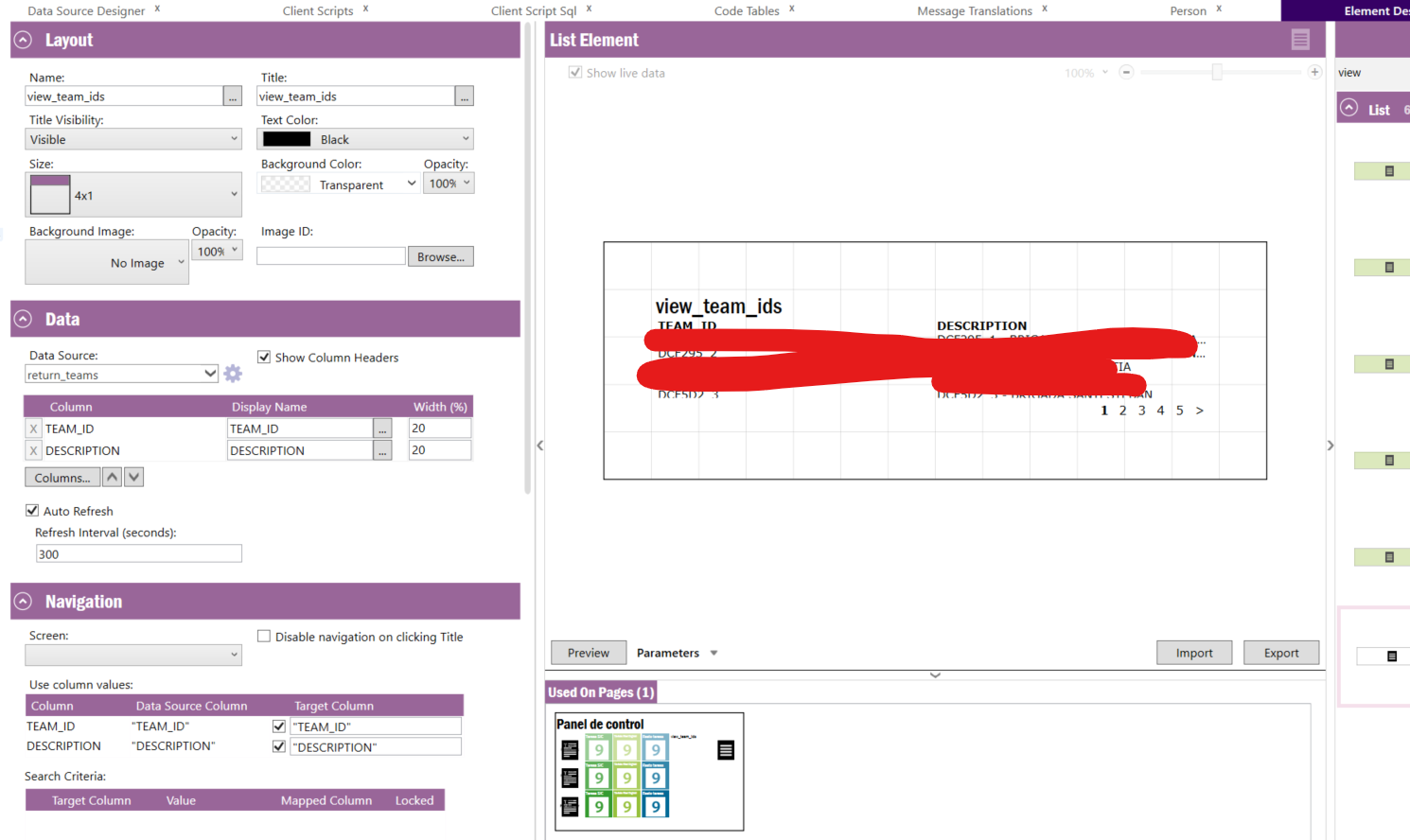
i have created a and element and added it to lobby screen, the element has variables on it.


when i try and link the variable to a look up it shows the dropdown but does not show the values

i tried using a SQL datasource and the Query Builder and neither are working


any guidance would be appricated


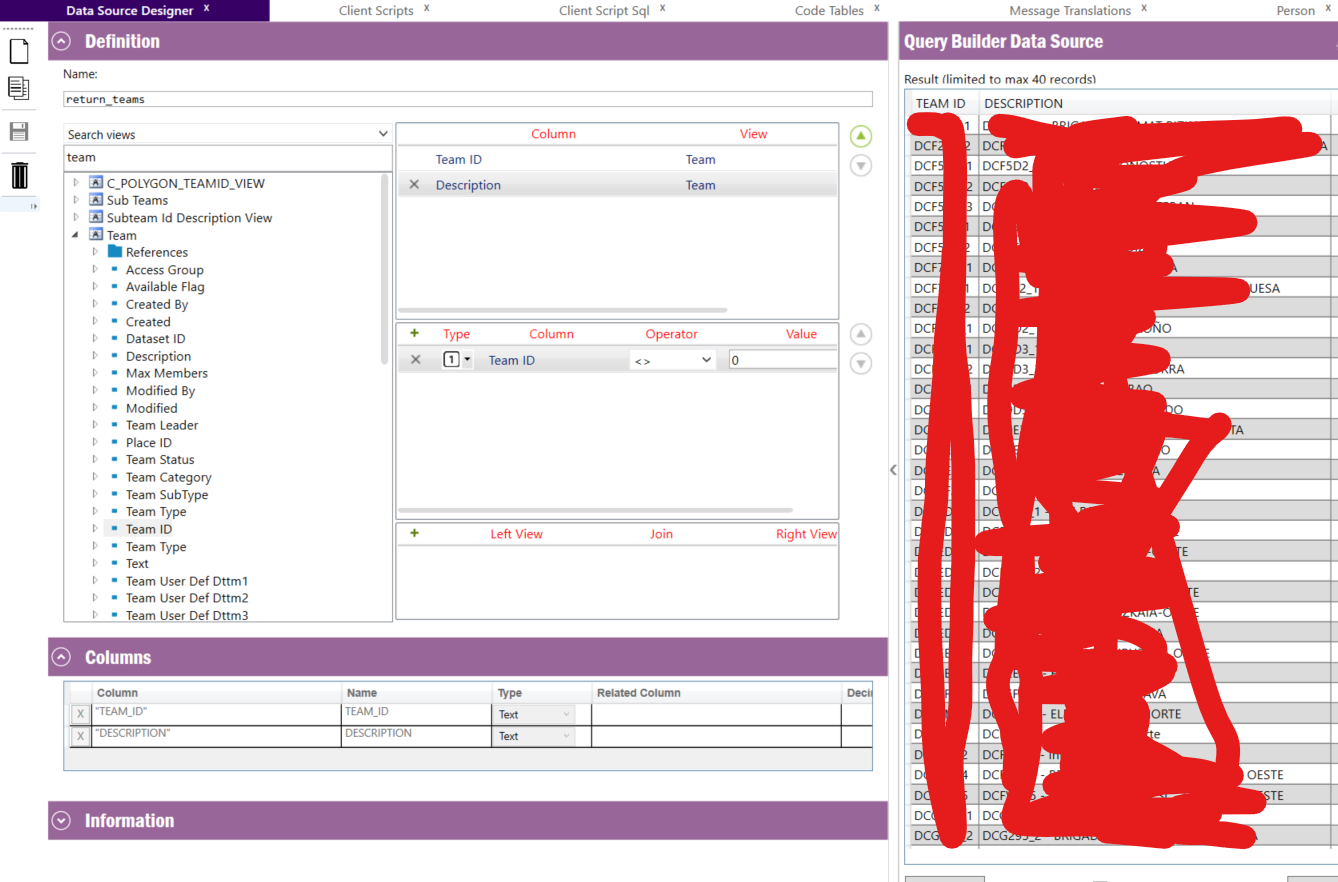
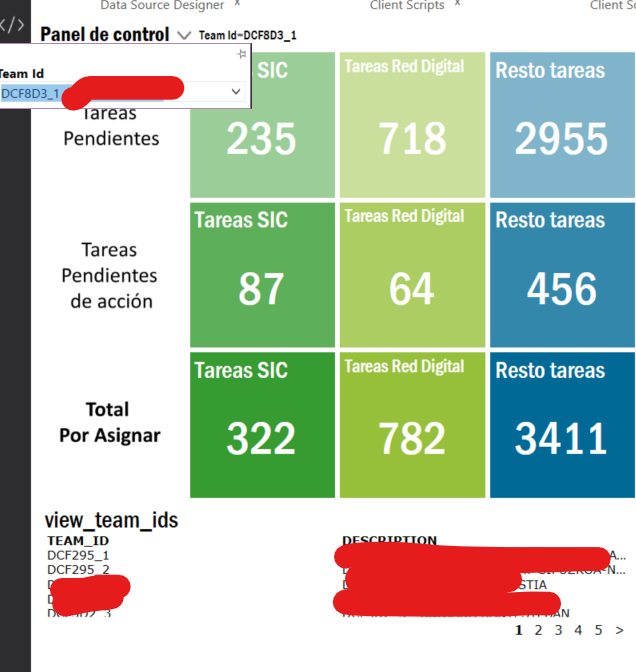
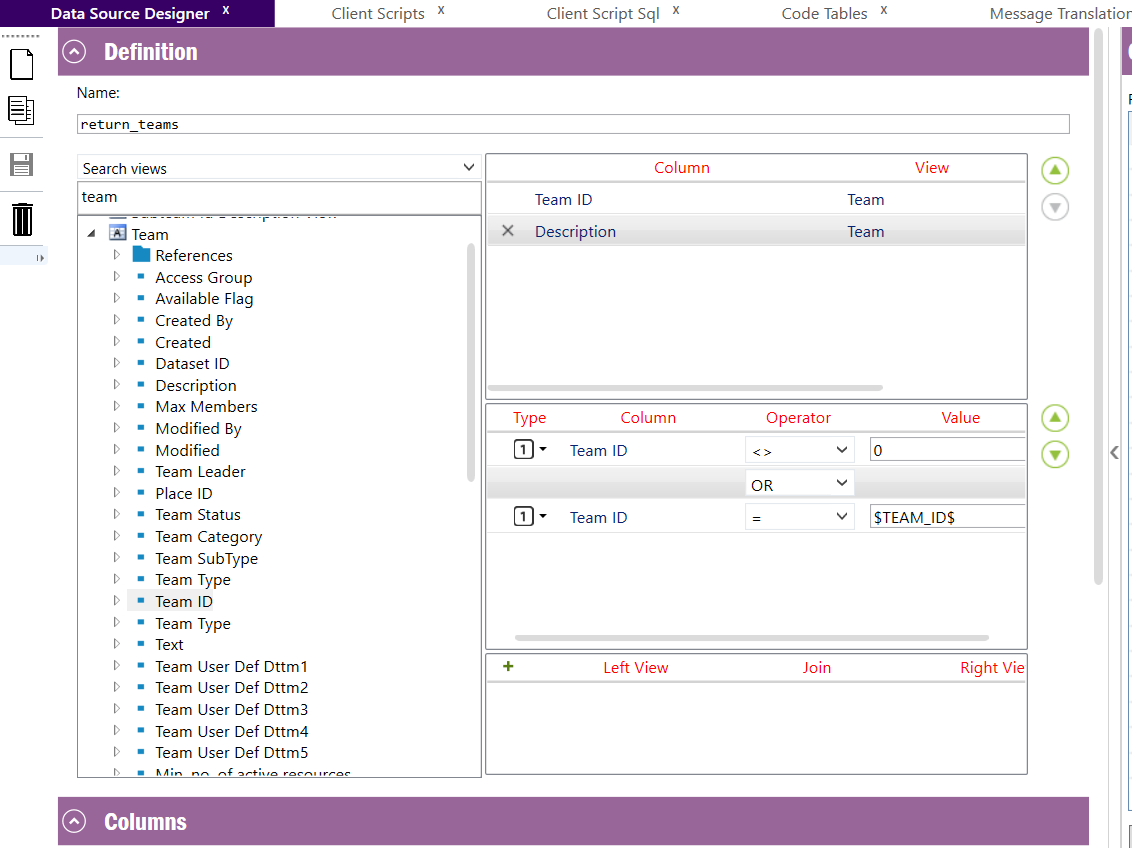
here is the datasource it has 4 values
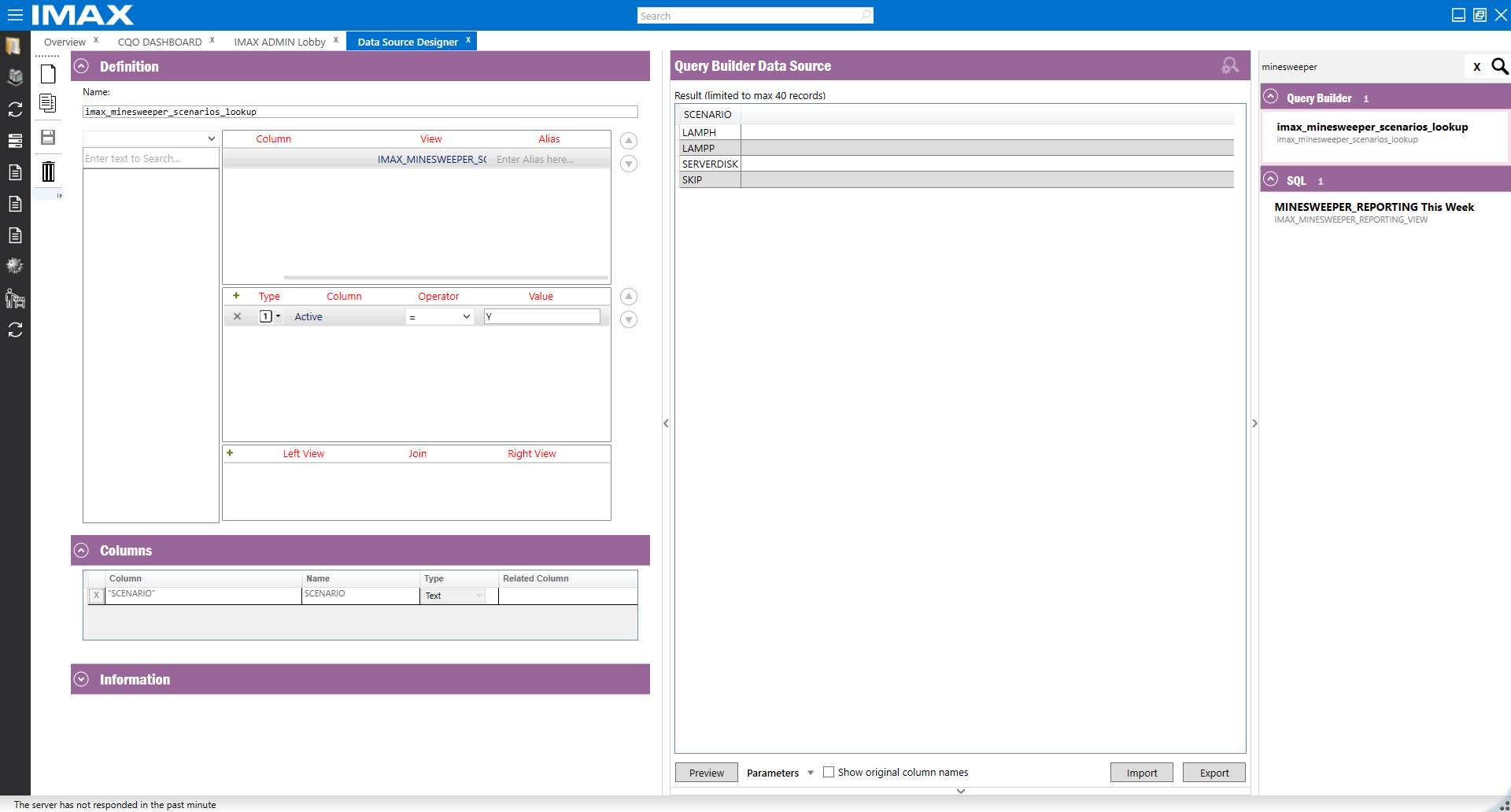
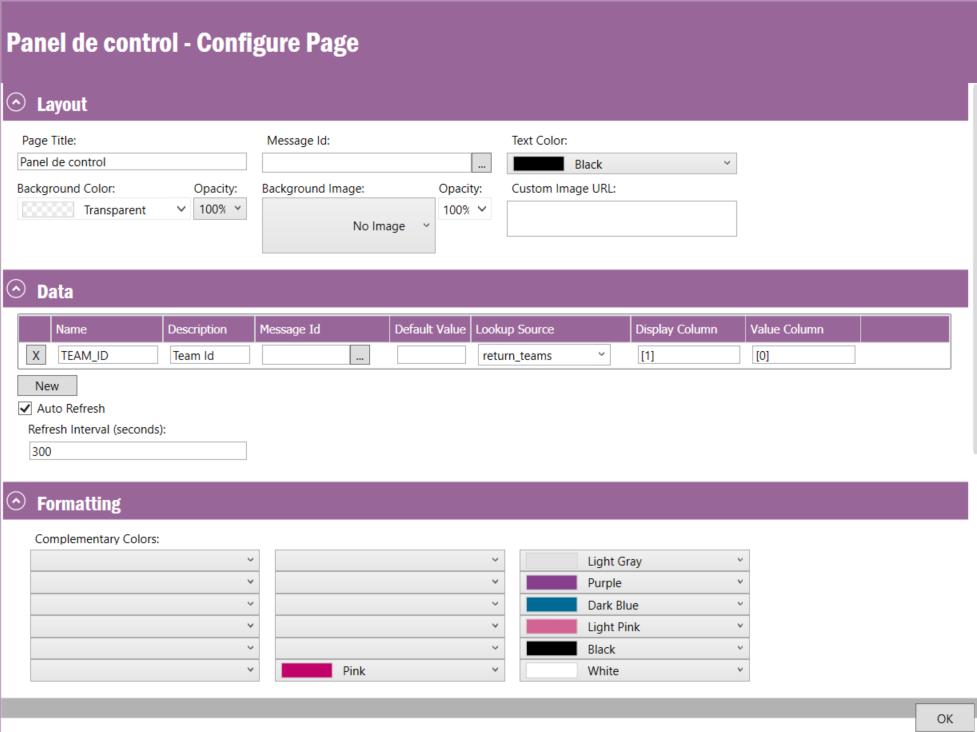
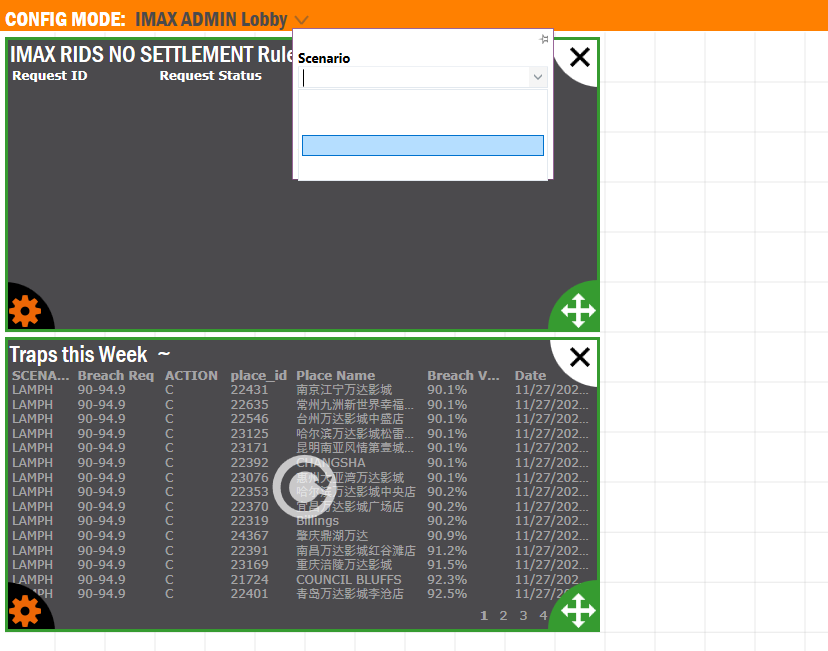
add the lookup to the looby
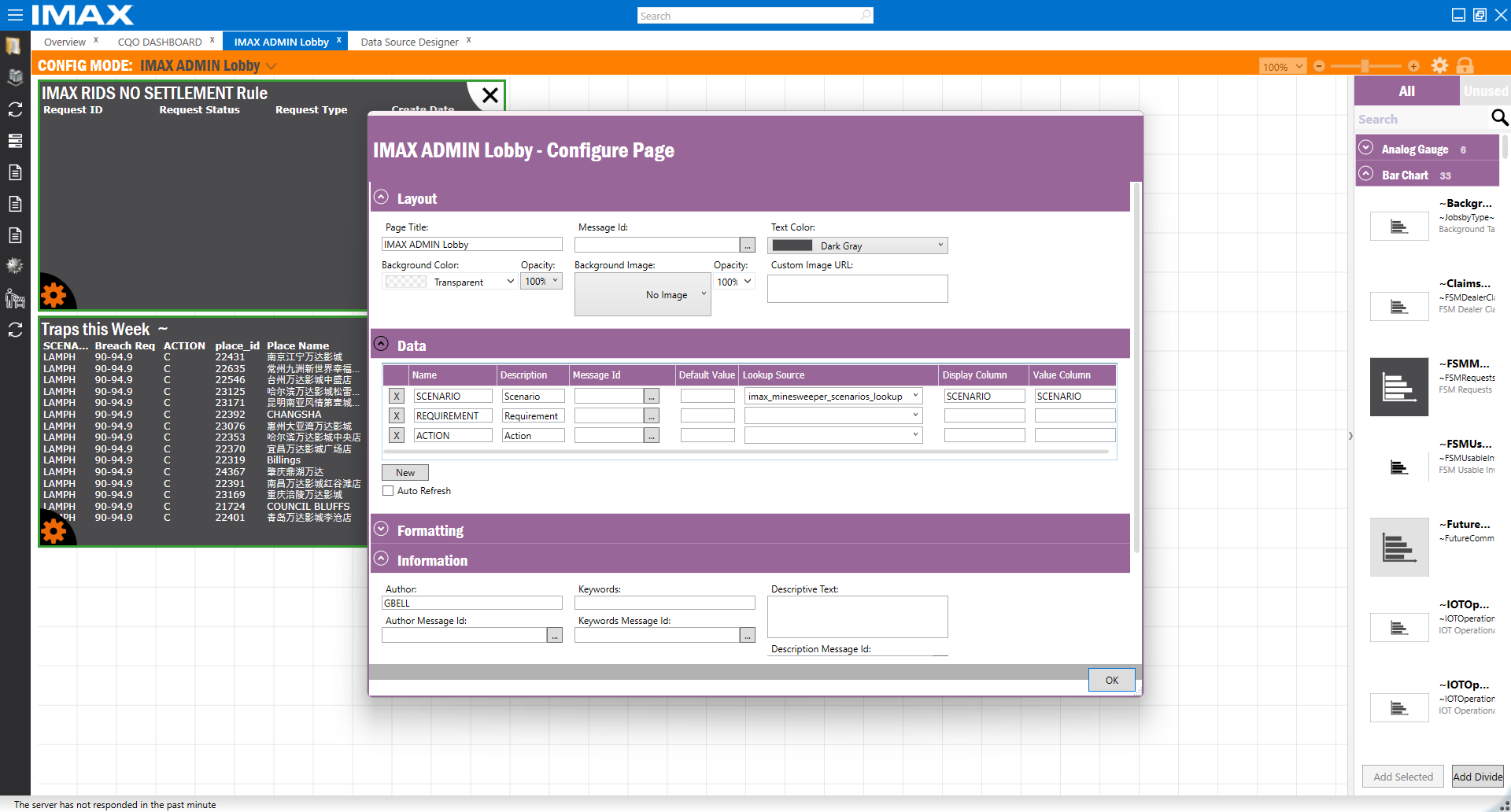
 

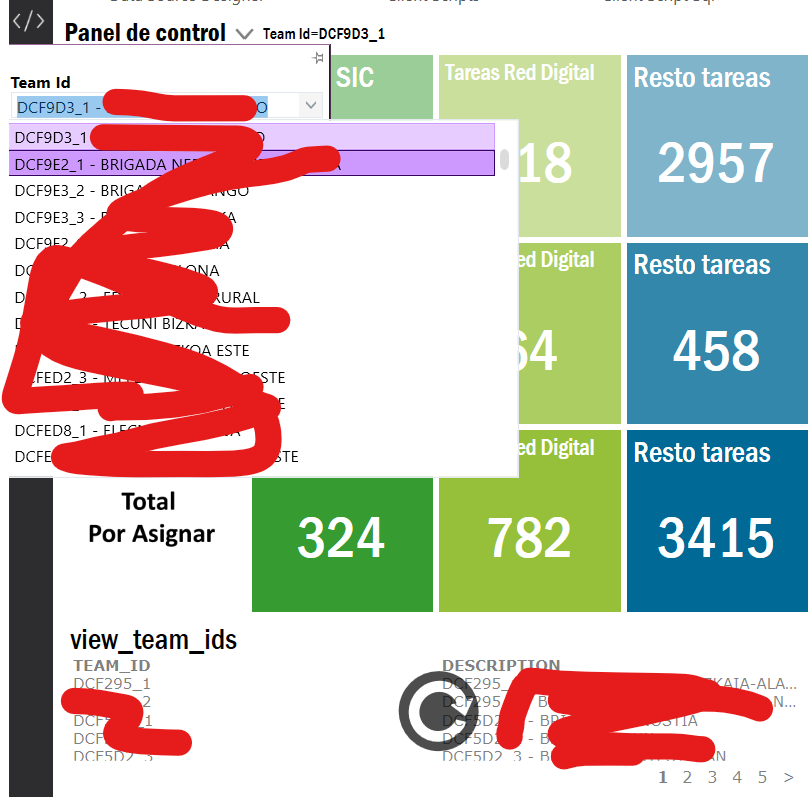
dropdown has 4 blank values listed in the dropdown

selecting any of them does not filter the results
 

16 replies

Shneor Cheshin
Superhero (Employee)
Forum|alt.badge.img+28
  • Superhero (Employee)
  • Dec 1, 2024 11:42 PM UTC

Hi ​@graeme86 

Is this going to be used on the Webclient? Or is it meant to be used only on the Smart client?

Cheers!


Forum|alt.badge.img+7
  • Author
  • Do Gooder (Customer)
  • Dec 2, 2024 3:17 PM UTC

Hi ​@graeme86 

Is this going to be used on the Webclient? Or is it meant to be used only on the Smart client?

Cheers!

​@Shneor Cheshin  it could be either but primarily to start it will be smart client


Link
Superhero (Customer)
Forum|alt.badge.img+23
  • Superhero (Customer)
  • Dec 12, 2024 12:55 PM UTC

Where is your parameter in the data source?

And why don’t you use type “SQL”?


Forum|alt.badge.img+3
  • Do Gooder (Partner)
  • Jan 21, 2025 2:50 PM UTC

hi, how did u solve that?


NK_Steve
Do Gooder (Customer)
Forum|alt.badge.img+2
  • Do Gooder (Customer)
  • Jan 21, 2025 4:44 PM UTC

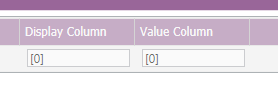
You could try using the column number in square brackets [0] for example, I had some issues with named columns and this solved it for me:


Forum|alt.badge.img+3
  • Do Gooder (Partner)
  • Jan 21, 2025 4:48 PM UTC

Already have that and still not putting the values


NK_Steve
Do Gooder (Customer)
Forum|alt.badge.img+2
  • Do Gooder (Customer)
  • Jan 21, 2025 5:26 PM UTC

Ok I dont know your exact setup but can you try this very basic example should take only 5 min:

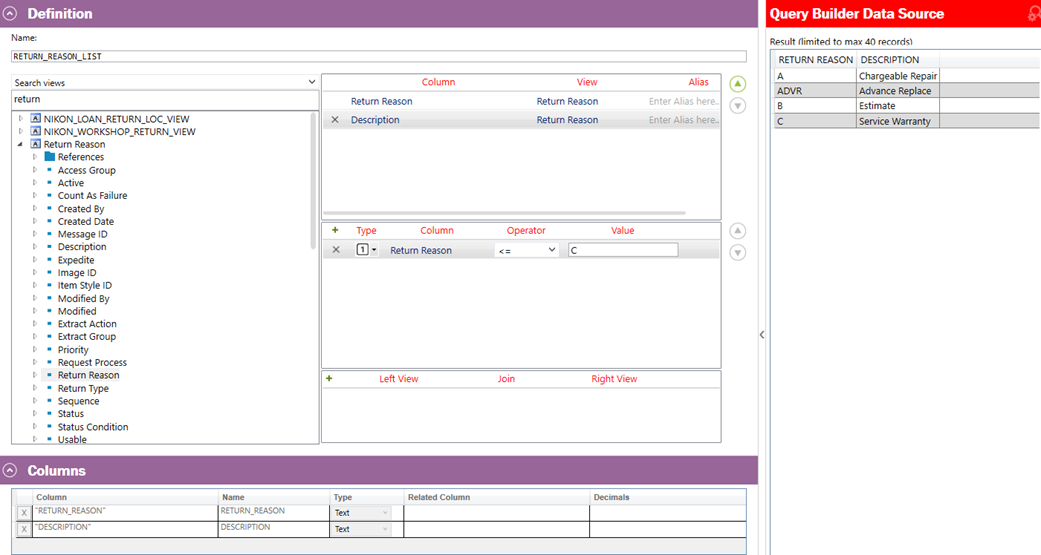
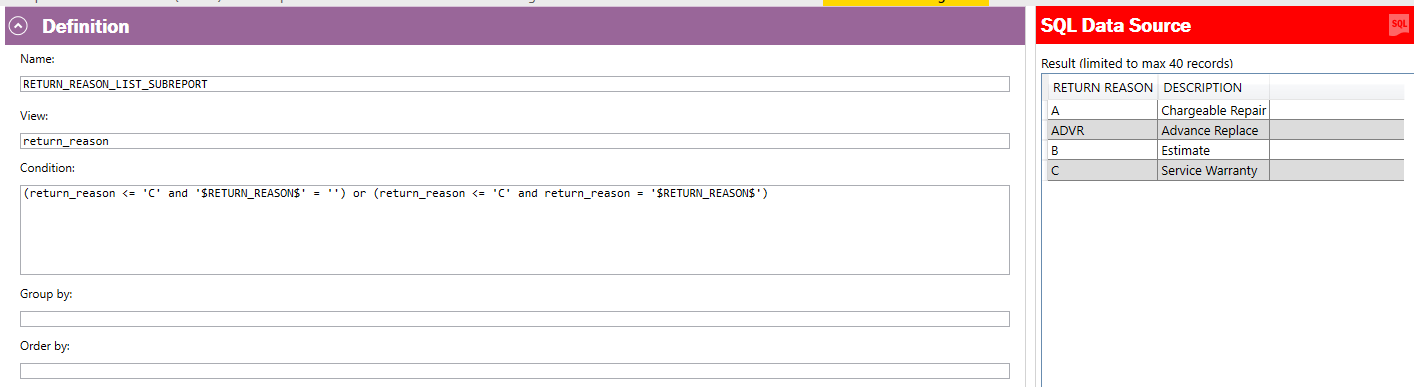
Create a query called RETURN_REASON_LIST same as below:


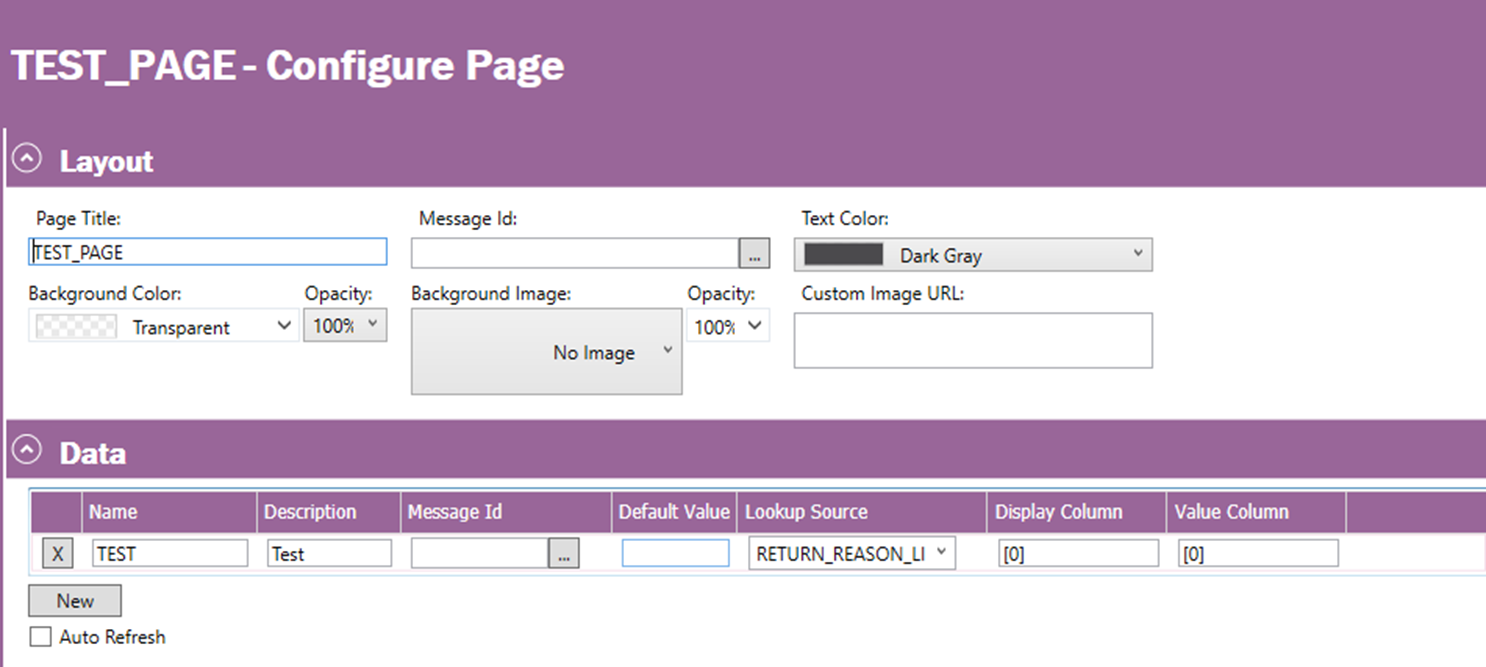
Create an empty test page to use it with these settings:


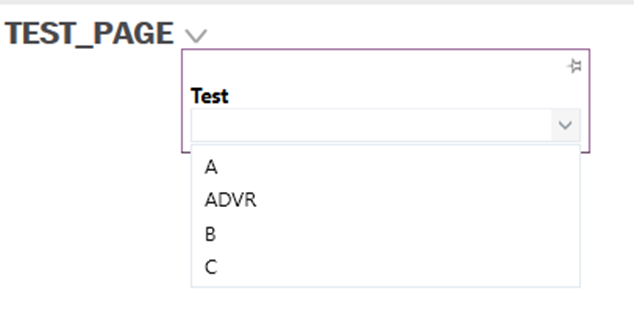
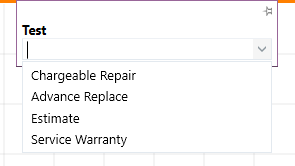
I then see:

or if I switch the display column to [1]


Forum|alt.badge.img+3
  • Do Gooder (Partner)
  • Jan 21, 2025 6:00 PM UTC

Ok I dont know your exact setup but can you try this very basic example should take only 5 min:

Create a query called RETURN_REASON_LIST same as below:


Create an empty test page to use it with these settings:


I then see:

or if I switch the display column to [1]


ok i have the values now
How do i make the selection to associate with the element designer?


NK_Steve
Do Gooder (Customer)
Forum|alt.badge.img+2
  • Do Gooder (Customer)
  • Jan 22, 2025 9:11 AM UTC

You need to use the same parameter name in the outer page and internal, example below uses a parameter TEAM_ID like you have


when you preview the datasource it should ask for the parameter


Forum|alt.badge.img+3
  • Do Gooder (Partner)
  • Jan 22, 2025 10:16 AM UTC

You need to use the same parameter name in the outer page and internal, example below uses a parameter TEAM_ID like you have


when you preview the datasource it should ask for the parameter


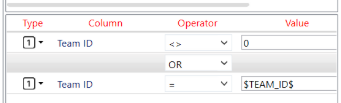
I already tried that but is not working, if i put AND Team ID = $TEAM_ID$ does not show anything on the values


NK_Steve
Do Gooder (Customer)
Forum|alt.badge.img+2
  • Do Gooder (Customer)
  • Jan 22, 2025 10:53 AM UTC

This filter would bring up all teams always even if team is set, is this intended ?


Forum|alt.badge.img+3
  • Do Gooder (Partner)
  • Jan 22, 2025 11:17 AM UTC

This filter would bring up all teams always even if team is set, is this intended ?

I want to bring all the teams to the dropdown and than select one 
And after that i want to refresh the list elemet based on that team_id selected


NK_Steve
Do Gooder (Customer)
Forum|alt.badge.img+2
  • Do Gooder (Customer)
  • Jan 22, 2025 11:44 AM UTC

From my point of view:

Page needs datasource for all teams so all teams selectable

The element needs its own seperate datasource limited to just the selected team from the outer page


NK_Steve
Do Gooder (Customer)
Forum|alt.badge.img+2
  • Do Gooder (Customer)
  • Jan 22, 2025 11:50 AM UTC

If no team is selected it might be possible to do a $TEAM_ID$ is null then bring back all teams but I am not sure would have to test, is that what you are aiming for?


NK_Steve
Do Gooder (Customer)
Forum|alt.badge.img+2
  • Do Gooder (Customer)
  • Jan 22, 2025 12:08 PM UTC

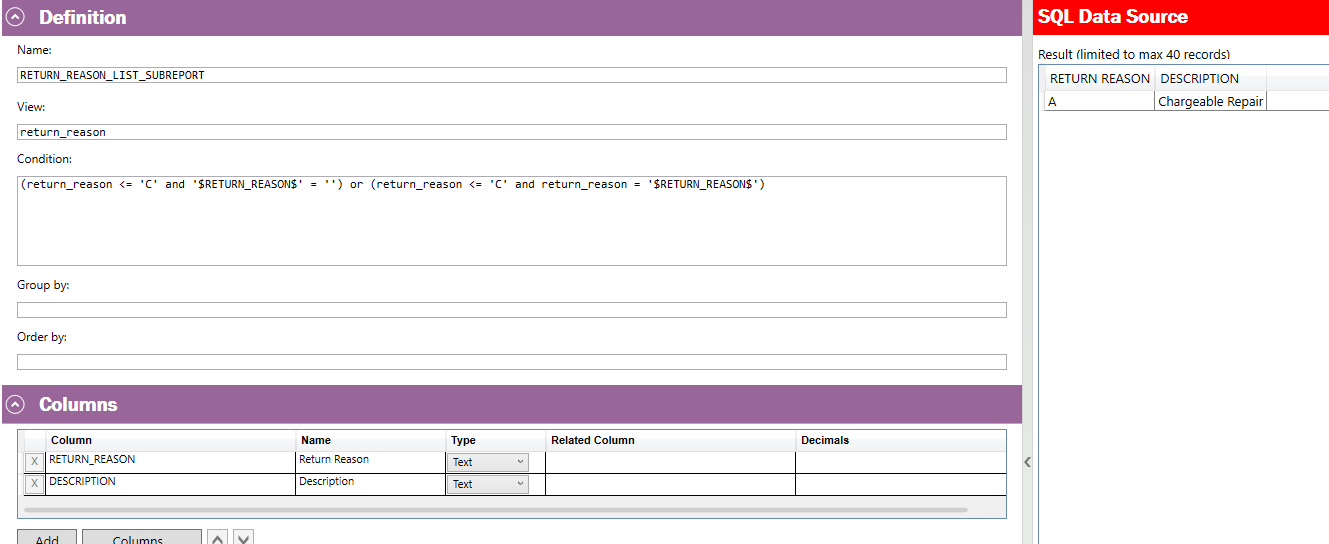
I managed to get an optional parameter to work for my example but only in SQL datasource rather than query builder

Without a parameter value:

With parameter value of ‘A’


Forum|alt.badge.img+3
  • Do Gooder (Partner)
  • Jan 23, 2025 2:21 PM UTC

How do i get that working on the webclient now? i already have the values and the selection working in the smartclient