Solved

Why "Proceed" or "Discard" on Arrivals?

  • January 23, 2024
  • 4 replies
  • 73 views

PRODQ
Superhero (Customer)
Forum|alt.badge.img+18
  • Superhero (Customer)

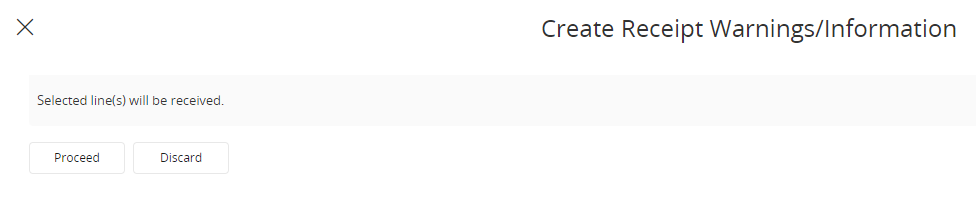
Just curious why the terminology when registering a PO arrival in Cloud is “Proceed” or “Discard” as opposed to “OK” and "Cancel”?



Best answer by Piyal Perera

Hi @PRODQ 

  Thanks for your valuable feedback. Really appreciate. 😍

regards,

Piyal

4 replies

Piyal Perera
Hero (Employee)
Forum|alt.badge.img+10
  • Hero (Employee)
  • January 29, 2024

Hi @PRODQ 

  When we try to Receive from the Register Arrivals page, Receive assistant pops up where we can enter relevant data. To confirm our data, OK approval is there. Based on our data, IFS application then pops up any Warnings or Information messages that are related to our data. By accepting these warnings we can PROCEED further on the receipt process. So, my view is that Proceed is the best action for this instance.

regards,

Piyal


PRODQ
Superhero (Customer)
Forum|alt.badge.img+18
  • Author
  • Superhero (Customer)
  • January 29, 2024

Hi @PRODQ 

  When we try to Receive from the Register Arrivals page, Receive assistant pops up where we can enter relevant data. To confirm our data, OK approval is there. Based on our data, IFS application then pops up any Warnings or Information messages that are related to our data. By accepting these warnings we can PROCEED further on the receipt process. So, my view is that Proceed is the best action for this instance.

regards,

Piyal

I guess it’s semantics, really.  Proceed and Discard are not standard terminology in IFS whereas OK (ie continue/yes/happy to go ahead with what I was doing) and Cancel (do not continue/stop/go back/I've changed my mind) so I was wondering what had prompted their introduction.  


Linda


Piyal Perera
Hero (Employee)
Forum|alt.badge.img+10
  • Hero (Employee)
  • Answer
  • January 29, 2024

Hi @PRODQ 

  Thanks for your valuable feedback. Really appreciate. 😍

regards,

Piyal


Forum|alt.badge.img+11
  • Hero (Customer)
  • March 23, 2024

Hi @Piyal Perera , @PRODQ , 

I wonder, why does this message prompt if there are no warnings or information to see? In my opinion this just adds unnecessary clicks to a highly used process for no reason. Is there a way to disable this or only show if there is warnings/information?

David.