Hi @Chamath Kuruppuarachchi,
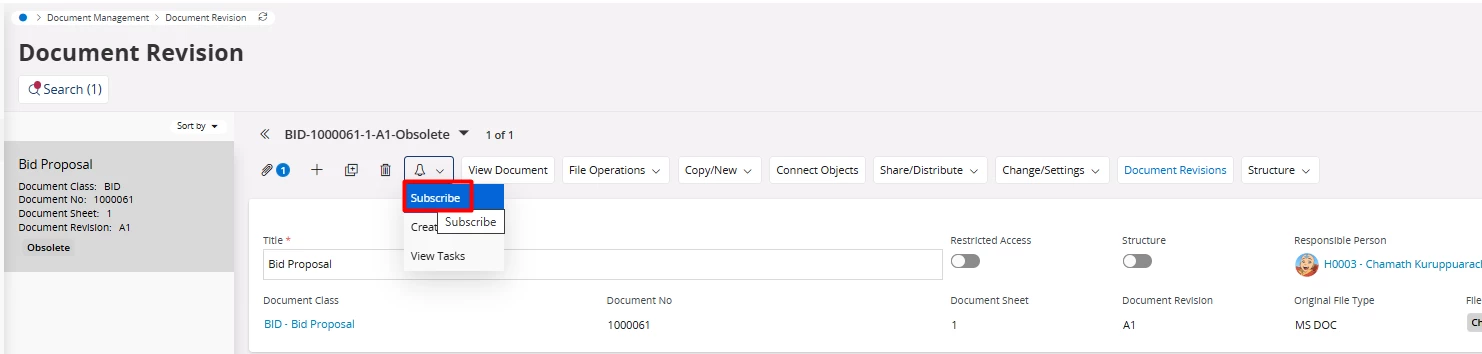
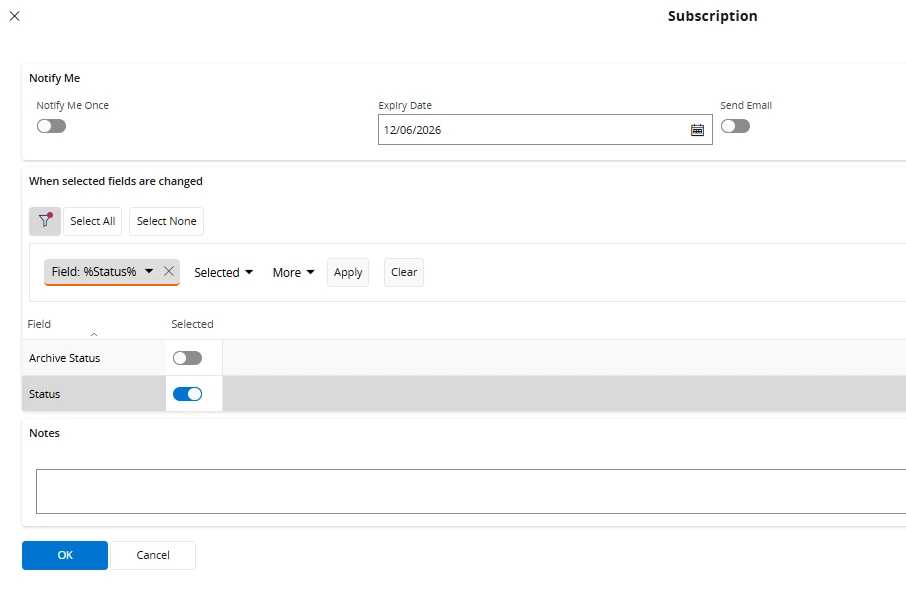
Subscriptions in Aurena are not designed at the page level (e.g., “Document Revision page”), but rather at the object/entity level. This means that when you subscribe via the UI, you are essentially subscribing to a specific object instance (a single document revision record), not to the entire dataset behind the page.
Because of this design, there is no out-of-the-box way to subscribe to “all records on a page” in one step. The subscription mechanism relies on object tracking and events tied to individual entities, and those subscriptions are stored per object. This is why you are currently able to subscribe to one document revision at a time, but not globally for all revisions. The underlying framework uses database triggers and object tracking for each entity to generate notifications, which reinforces this per record behavior rather than a page wide subscription model.
If your requirement is to receive notifications when the status of any document revision changes, the correct approach is not through page level subscription, but through the event/notification framework. In IFS Cloud, notifications are ultimately driven by subscriptions, custom events, workflows, or in-solution notification actions. Instead of subscribing per record, you can configure a Custom Event (or Event Action) on the relevant document revision event (e.g., status change, revision update) and attach a notification action (in-app, email, or push). This allows you to listen to changes globally across all document revisions without manually subscribing to each one.
Another possible workaround, depending on your use case, is to check if there is a higher level or overview entity (e.g., “Document Revisions” list/overview page) that exposes subscription options for broader datasets. In some areas of IFS, subscriptions are available at a higher aggregation level rather than the detail view, though this depends on how the projection is designed and which fields/events are exposed.
In summary, what you are trying to achieve cannot be enabled directly at the page level in standard IFS Cloud. The built-in subscription feature is inherently record based, not page based. To achieve a global notification behavior (such as tracking all document revision status changes), you will need to implement it through Custom Events / Event Actions or notification framework configuration, which is the intended and scalable approach in IFS Cloud.
Refer to Can the notification be deactivated after document creation by means of a report rule? | IFS Community for more information.