Answer

Create pick list

  • January 11, 2022
  • 7 replies
  • 564 views

Forum|alt.badge.img+9

Dear experts,


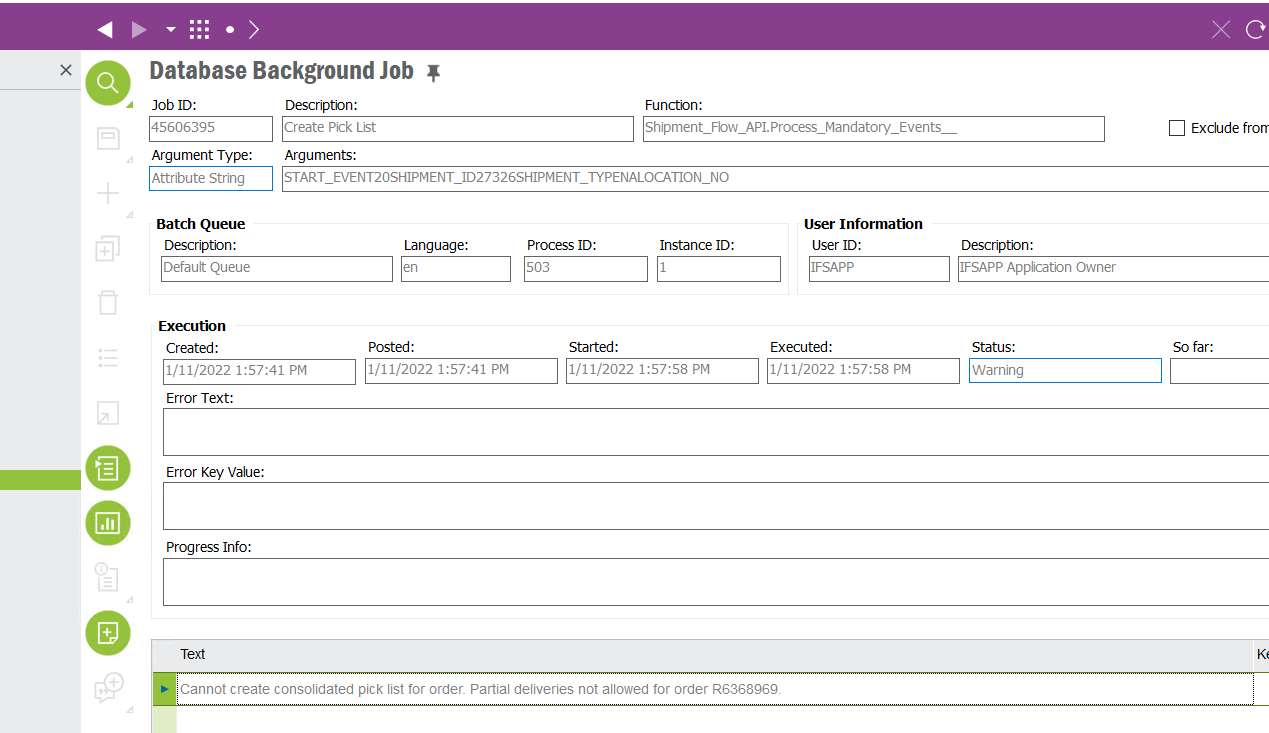
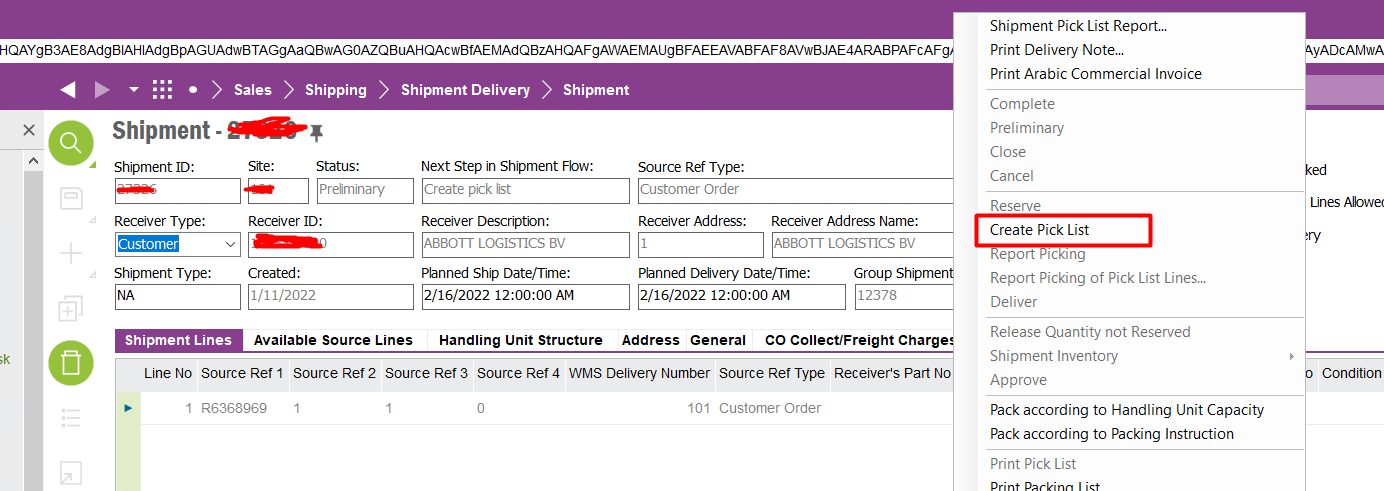
When I tried to create the picklist on the shipment header level, the below error popped up on the screen. Could you kindly assist me to fix this issue? 


Best answer by jabous
 

This topic has been closed for replies.

7 replies

Forum|alt.badge.img+15
  • Superhero (Employee)
  • January 11, 2022

I do not see an error in your screen shot.  Can you attach the error, please. 


Forum|alt.badge.img+9
  • Author
  • Sidekick (Partner)
  • January 11, 2022

I do not see an error in your screen shot.  Can you attach the error, please. 

@jabous Thanks for informing me. Please refer the  below screen picture.


Forum|alt.badge.img+15
  • Superhero (Employee)
  • January 11, 2022

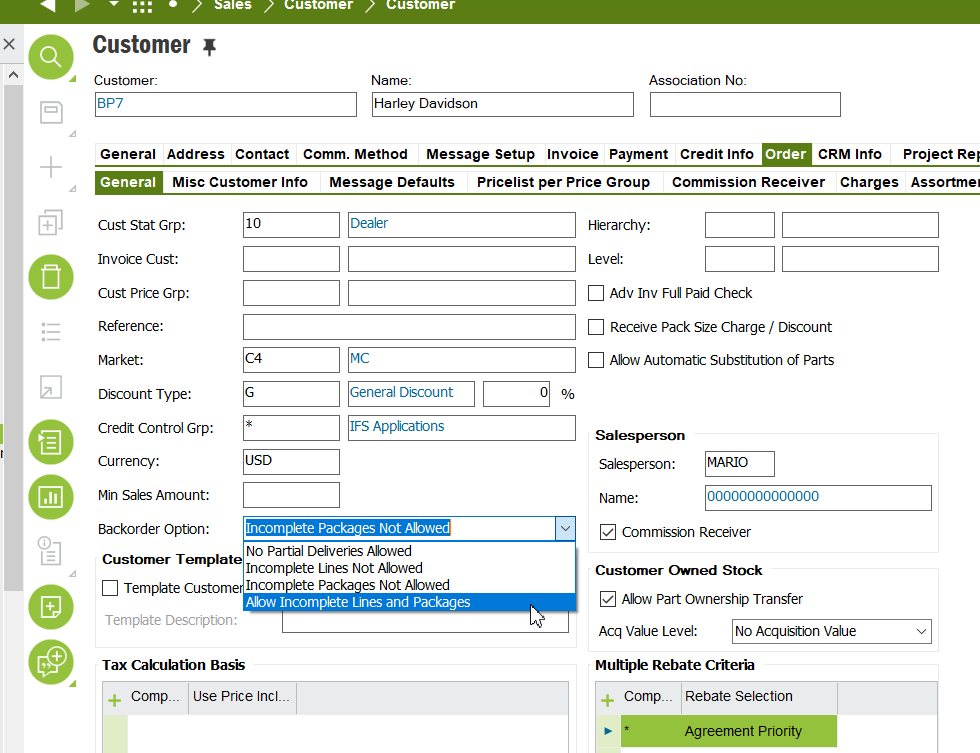
Let me look, but I think there is a setting on the customer record to allow partial deliveries or not.  You must have it checked not to allow partial deliveries 


Forum|alt.badge.img+15
  • Superhero (Employee)
  • Answer
  • January 11, 2022


Forum|alt.badge.img+15
  • Superhero (Employee)
  • January 11, 2022

The setting is fetched into the customer order.


Forum|alt.badge.img+15
  • Superhero (Employee)
  • January 11, 2022

Try changing the customer order to ‘Allow incomplete lines and packages’ and customer if you want the customer to allow partial lines.. And try toc print the pick list again.. 


Forum|alt.badge.img+9
  • Author
  • Sidekick (Partner)
  • January 12, 2022

@jabous Thanks a lot and it worked as expected.