Question

How to exclude promotion volumes from adjusted demand and future forecast in IFS Demand Planning?

  • March 2, 2026
  • 5 replies
  • 49 views

Forum|alt.badge.img+1

Good afternoon,

I’m working with a customer who relies heavily on flyer promotions and is facing challenges in keeping promotional uplifts out of the Adjusted Demand, which then affects the statistical forecast.

I’d really appreciate insights or best practices from others who have solved similar scenarios in IFS Cloud Demand Planning.


Customer Background

This customer’s sales are strongly influenced by flyer campaigns — short-term promotional periods with significantly increased volumes and reduced pricing. These uplifts do not represent baseline demand, and the customer wants to ensure they don’t contaminate the historical demand used for forecasting.


What they tried so far

1. Campaigns (previous solution)

They previously used Campaigns (adjusted solution, internal case).
However, the issue is that campaign quantities scale dynamically when the statistical forecast changes.
This violates the requirement that promotional volumes must remain fixed, not proportional.

2. Events

They also considered Events.
Events are fixed and could work for positive/negative adjustments.
However, once the Event falls into the past, it no longer impacts Adjusted Demand, meaning the historical uplift still pushes the baseline forecast upward — which is exactly what they want to avoid.

3. “Smart” model / deviation detection

They asked whether IFS has a built‑in mechanism that automatically identifies sales spikes (deviations) and prevents them from influencing future baseline calculations.
A key concern is whether such a model can reliably handle recurring or multi‑week promotional uplifts, not just isolated spikes.


What we need from the community

I’m looking for best practices or configuration recommendations for this type of scenario in IFS Cloud Demand Planning:

  • How can we ensure that flyer promotion uplift is excluded from Adjusted Demand and the future statistical forecast?
  • Are there standard ways in IFS to clean historical demand from promos while still planning the uplift operationally?
  • For recurring or long-lasting flyers, what is the recommended approach?
  • Should we use Campaigns, Events, multiple Flows, manual history adjustments, or something else?

If anyone has dealt with similar requirements, I’d love to hear how you structured:

  • Promo flow vs. baseline flow
  • Handling uplift volumes
  • Ensuring forecast integrity
  • Maintaining fixed (non-scaling) promo quantities

The customer is still in early design discussions, and your experience could help us guide them toward the correct solution.

Thanks a lot in advance for any recommendations or successful patterns you can share.

Pavel K.

5 replies

Forum|alt.badge.img+6
  • Sidekick (Customer)
  • March 2, 2026

Hello Pavel, 

We use the tickbox in the customer order to exclude large sales orders. If ticked of the line is not taken into account in the demand planner.


Richard Owen
Superhero (Employee)
Forum|alt.badge.img+15
  • Superhero (Employee)
  • March 4, 2026

Hi,

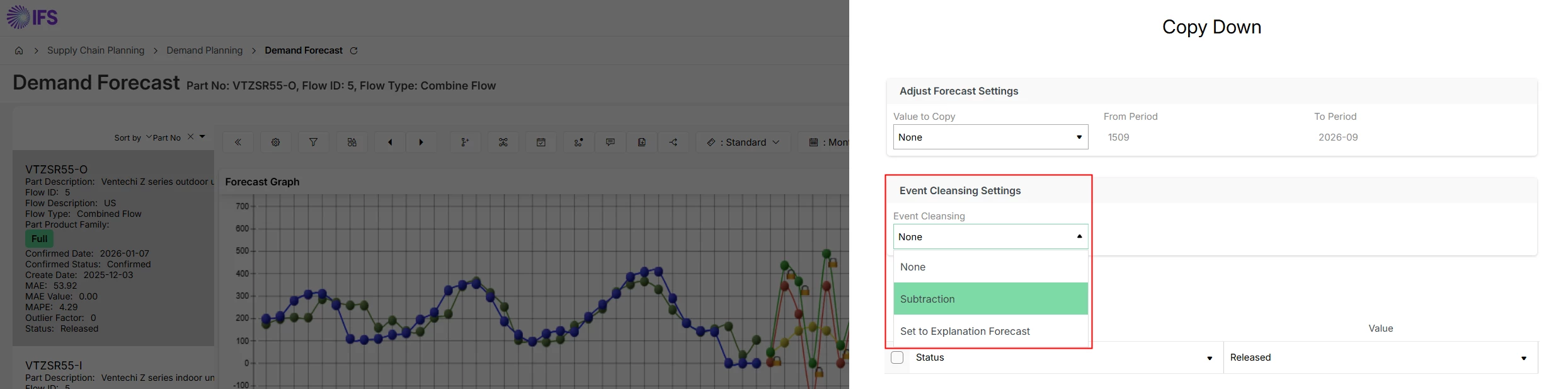
With regard to Events, please be aware that it is possible to cleanse these.

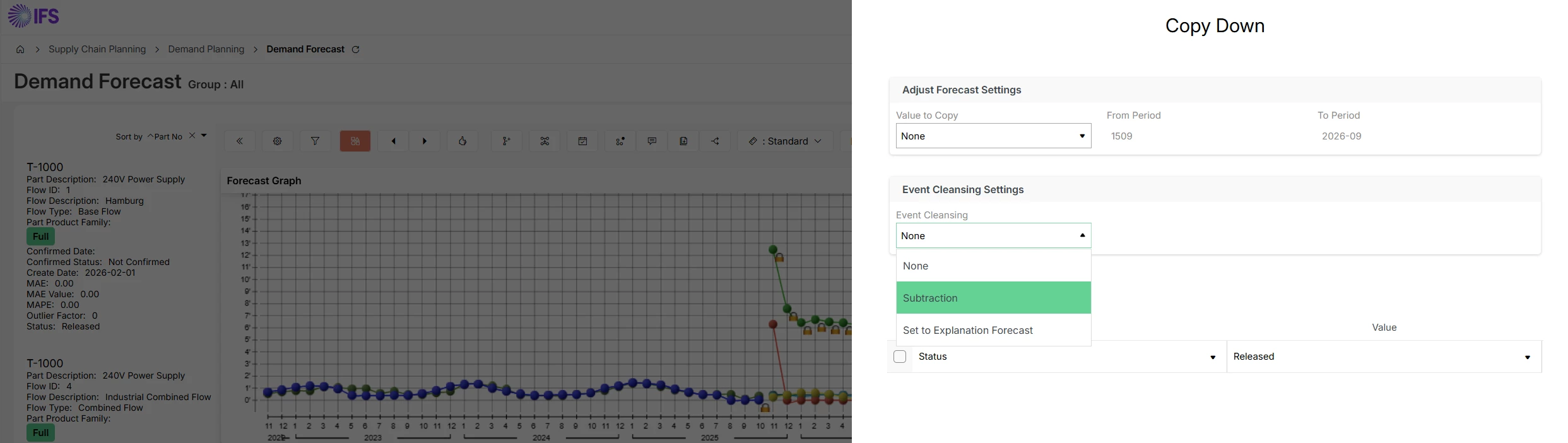
There are two types of Event Cleansing available in IFS Demand Planner 

  1. Event Cleansing (Subtraction) 

  1. Event Cleansing (Set to Explanation Forecast) 


This is an explanation of how each one works: 

  1. Event Cleansing (Subtraction) 

The system will automatically adjust the Adjusted Demand value to effectively remove the increased sales due to the Event.  Note that it cannot set the Adjusted Demand to a value which is less than zero. 

Example: 

Assume that the forecast is 100 a month for the next 18 months, but there is a promotional event during one of the months which increases the forecast to 150. 

When that forecast month becomes historic, the actual demand is likely to have increased due to the promotion and therefore the system generated future forecast could be increased accordingly. 

The Event Cleansing will automatically adjust the Adjusted Demand for the promotional month so that it becomes 100 (in this example).  In other words, the event is removed. 

The Actual Demand remains unchanged which means that the forecast error analysis still works correctly. 

  1. Event Cleansing (Set to Explanation Forecast) 

The system will automatically adjust the Adjusted Demand value to equal the Explained Forecast for that period.  This effectively removes the increased sales due to the event but replaces it with the calculated forecast for that period rather than basing it on the Actual Demand. 

This means that the sales history does not have any effect on that period, so the forward forecast is based on a statistically calculated value for what the forecast would have been for that period.


I hope that this helps!


Forum|alt.badge.img+1
  • Author
  • Do Gooder (Partner)
  • March 5, 2026

Hi,

With regard to Events, please be aware that it is possible to cleanse these.

There are two types of Event Cleansing available in IFS Demand Planner 

  1. Event Cleansing (Subtraction) 

  1. Event Cleansing (Set to Explanation Forecast) 


This is an explanation of how each one works: 

  1. Event Cleansing (Subtraction) 

The system will automatically adjust the Adjusted Demand value to effectively remove the increased sales due to the Event.  Note that it cannot set the Adjusted Demand to a value which is less than zero. 

Example: 

Assume that the forecast is 100 a month for the next 18 months, but there is a promotional event during one of the months which increases the forecast to 150. 

When that forecast month becomes historic, the actual demand is likely to have increased due to the promotion and therefore the system generated future forecast could be increased accordingly. 

The Event Cleansing will automatically adjust the Adjusted Demand for the promotional month so that it becomes 100 (in this example).  In other words, the event is removed. 

The Actual Demand remains unchanged which means that the forecast error analysis still works correctly. 

  1. Event Cleansing (Set to Explanation Forecast) 

The system will automatically adjust the Adjusted Demand value to equal the Explained Forecast for that period.  This effectively removes the increased sales due to the event but replaces it with the calculated forecast for that period rather than basing it on the Actual Demand. 

This means that the sales history does not have any effect on that period, so the forward forecast is based on a statistically calculated value for what the forecast would have been for that period.


I hope that this helps!

Hi, thanks a lot for this explanation, this seems to be exactly what I am looking for.

I have one follow‑up question to make sure I fully understand. When you mention Events and the two cleansing methods (Subtraction and Set to Explanation Forecast), could you please clarify: Are you referring to “Recurring Events”?

In the Demand Forecast client, I can only see Recurring Events, but those don´t appear to be affected by any Event Cleansing.

Additionally, if you have a short example or a screenshot of where exactly the cleansing option is enabled in the Event configuration or how it is matched with Events themselfs, that would help a lot.

Thanks again for your help!
Pavel K


Richard Owen
Superhero (Employee)
Forum|alt.badge.img+15
  • Superhero (Employee)
  • March 6, 2026

Hi Pavel,

I’m referring to Events (not Recurring Events, or Moveable Holidays as they used to be known in earlier version of IFS Applications).

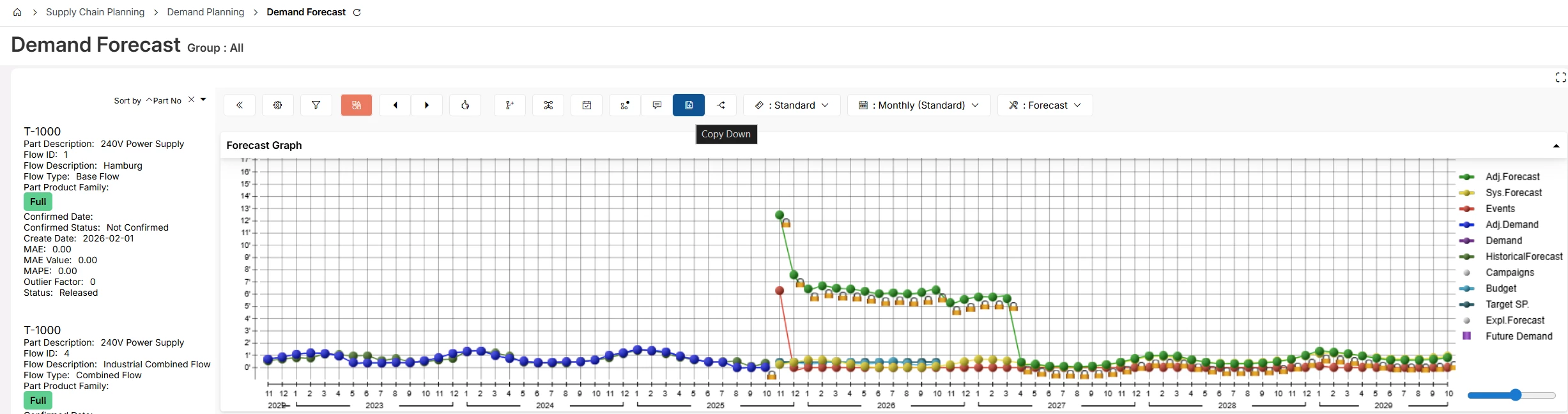
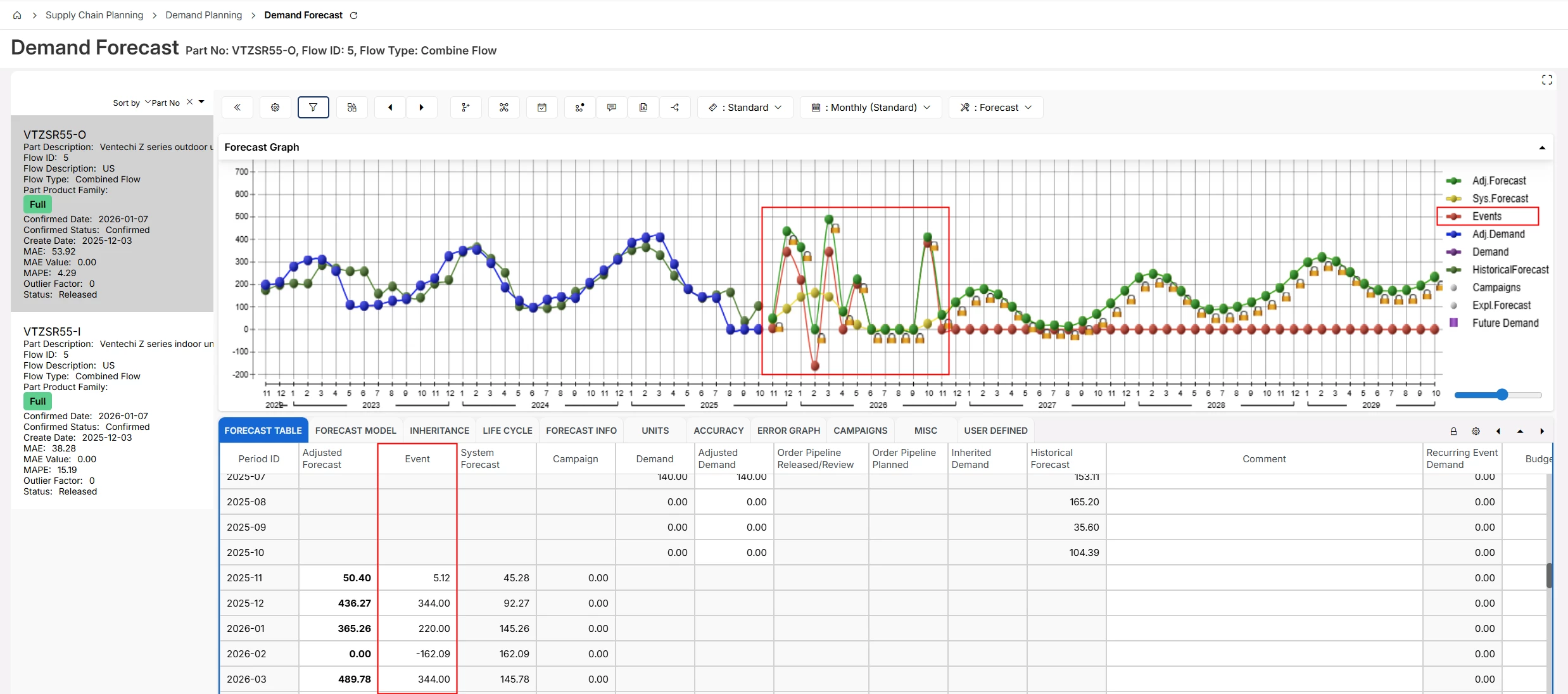
Positive or Negative Event values can be entered in the Demand Forecast screen (graph or table).


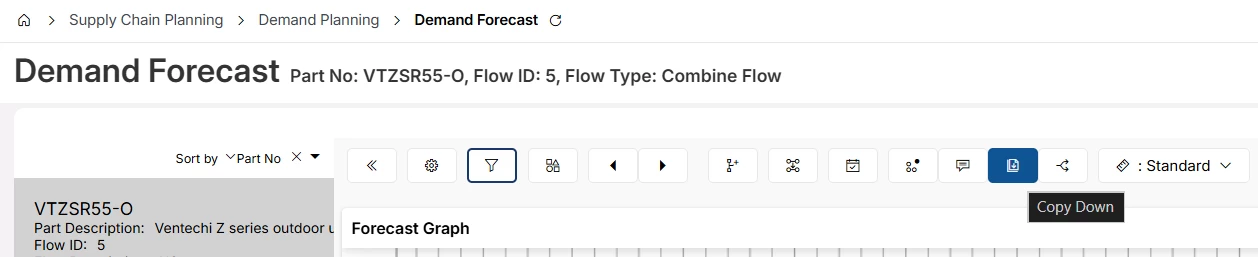
Then, use the Copy Down functionality to perform the Event Cleansing.


I hope that this helps.

Best Regards,

Richard


Forum|alt.badge.img+1
  • Author
  • Do Gooder (Partner)
  • March 6, 2026

Hi Richard,


This helped a lot,


Thank you

Pavel K.